Incogniton Review 2026: Honest Test of the Free Anti-Detect Browser
By JoshWP Team | Published: August 21, 2026 | ~22 min read
Incogniton advertises the most generous free plan in the category — 10 profiles to start, then 3 forever. We tested its defaults, tuned fingerprints, proxy support, pricing and automation to see whether “cheapest” means “good enough.”
If you have been shopping for an anti-detect browser on a tight budget, you have almost certainly run into Incogniton. Its main claim to fame is one of the most generous free plans in the category — 10 browser profiles for your first two months, then 3 profiles free forever, no credit card required. For beginners, airdrop hunters and solo operators, that sounds like the perfect entry point.
But generous free headroom is not the same thing as dependable multi-account infrastructure. In this Incogniton review we test what matters: do its default fingerprints pass independent stealth checkers, how does its paid pricing compare with GoLogin and AdsPower, is the automation story real, and where does it actually make sense to use Incogniton instead of one of the category leaders? The honest answer is mixed — it is the right tool for a specific slice of users, and the wrong tool for everyone else.
Is Incogniton Worth It in 2026?
For beginners and low-stakes multi-accounting on a $0 budget, yes. Incogniton’s free tier gives you the biggest sandbox in the category to learn profile management, proxy pairing and cookie handling without spending a cent.
For accounts that carry real value, no. Independent stealth testing found Incogniton’s default fingerprints fail strict checkers and only partially recover after heavy manual tuning. Its paid entry ($13.99/mo on 6-month billing) is the highest in the budget tier, and its automation/API is gated behind a higher tier.
Short version: use Incogniton as a $0 classroom for airdrops, classifieds, referrals and learning browser profile isolation. Graduate to GoLogin or Multilogin the moment your accounts start carrying ad spend, inventory or payout history. See our best anti-detect browsers and cheapest anti-detect browsers guides for the full picture.
Try Incogniton Free Jump to Final Verdict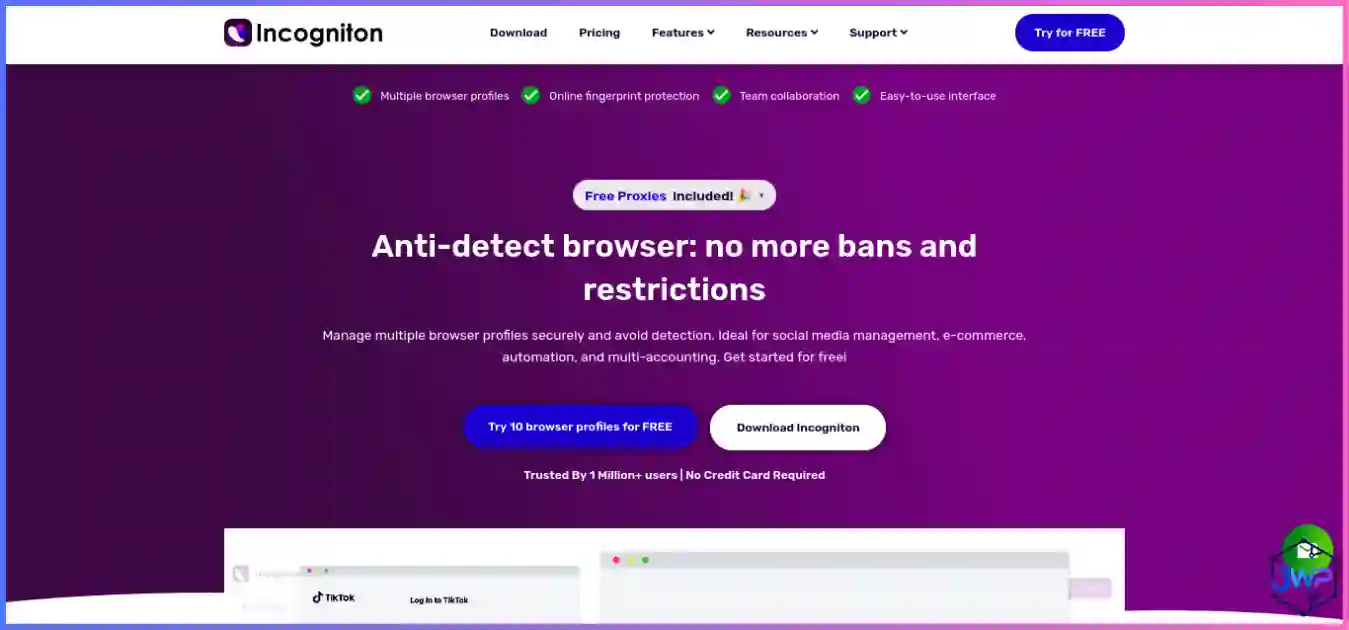
Incogniton Overview
Incogniton is a Chromium-based anti-detect browser developed by a European team and positioned squarely at the budget end of the market. It lets you create isolated browser profiles, each with its own user-agent, screen resolution, language, timezone, canvas and WebGL responses, cookies and storage — so websites see each profile as a different machine. Combined with a clean proxy, that gives you the foundation of proper profile isolation.
The tool ships with the usual suspects: fingerprint randomization, a profile synchronizer for mirroring actions across open profiles, bulk profile creation, cookie management, human-like paste typing, and — on paid tiers — Selenium/Puppeteer/Playwright automation through a local API. It runs on Windows and macOS (both Intel and Apple Silicon). There is no Linux client, no mobile app, and no cloud-phone story.
Incogniton’s honest position in 2026 is as a beginner-first, budget-first anti-detect browser. Its free tier is outstanding for learning and low-stakes work. Its paid tier is fine for small fleets that accept some tuning work. For anyone managing accounts that carry real ad spend or payout history, stronger-default tools like GoLogin or Multilogin are the safer spend.
Incogniton Key Features
Fingerprint Randomization
UA string, screen resolution, language, timezone, canvas, WebGL and fonts — randomize each parameter per profile. Covers the signals most websites read when building a browser fingerprint.
Profile Synchronizer
Mirror clicks and typing across open profiles — useful for liking, commenting or warm-up actions at small scale.
Bulk Profile Creation
Create many profiles from a CSV or template, then assign proxies in bulk. A real time-saver on paid plans.
Cookie Management
Import, export and swap cookies between profiles for quick-login and session continuity across accounts.
Human-Like Paste Typing
Pastes text with randomized delays so form submissions look like a person, not a bot — useful for classifieds and sign-ups.
Deleted-Profile Recovery
Restore multiple deleted profiles — a safety net for accidental wipes and useful when rotating through test profiles.
Team & Sharing Tools
Share profiles with teammates and organize them in folders. Works for small agencies running a handful of client accounts.
Automation API (Paid)
Selenium, Puppeteer and Playwright via a local REST API with Python and TypeScript SDKs — available from the Entrepreneur tier.
Browser Profiles
Incogniton’s core unit is the browser profile — an isolated Chromium container with its own cookies, cache, indexedDB, localStorage and fingerprint. Each profile is stored locally (with optional cloud sync on paid plans) and launched as a separate browser window.
- Free tier: 10 profiles for your first two months, then 3 profiles free forever.
- Starter Plus: 10 profiles.
- Entrepreneur: 50 profiles + automation API.
- Professional: 200+ profiles and higher enterprise-style tiers.
Profile creation itself is clean: you name the profile, pick a proxy, choose OS and UA, then tune parameters. The dashboard shows each profile’s bound proxy, last-launch date and fingerprint summary. Bulk creation is solid once you get past the first dozen profiles, and the deleted-profile recovery feature is a nice safety net you will not find on every competitor.
The practical ceiling is that Incogniton is not built to manage thousands of profiles the way GoLogin’s Business tiers or AdsPower’s customizable packages are. For small-to-medium fleets (under ~200 profiles), it handles the job cleanly.
Fingerprint Controls
Incogniton covers all the standard signals — UA, screen, language, timezone, canvas, WebGL, fonts, hardware concurrency and WebRTC — but the defaults need care. Independent stealth testing (Pixelscan, Iphey, CreepJS) found that a freshly created default Incogniton profile typically fails strict checks with flags like “Masking detected” and “Timezone spoofed”, and can expose inconsistencies such as a Safari WebGL string on a Chrome UA or a GPU value that contradicts the chosen OS.
After manual tuning — matching timezone and locale to the proxy, choosing a coherent GPU/OS pair, freezing the macOS user-agent version, and verifying WebRTC behavior — default profiles can be brought to a state where they pass looser checks. Iphey, the stricter of the three, continues to flag the browser itself even after heavy tuning. In short: websites can detect anti-detect browsers, and Incogniton’s defaults are easier to detect than GoLogin’s or Multilogin’s. Always verify with a checker before trusting a profile with a valuable account — see how to check your browser fingerprint for a workflow.
⚠ Default fingerprints
Fail Pixelscan and Iphey on a fresh install. Expect manual tuning before production use.
✓ After tuning
Looser checks pass; stricter checks still flag the browser environment. Fine for low-stakes accounts.
Proxy Support
Incogniton supports HTTP, HTTPS and SOCKS5 proxies across all plans. You bind one proxy per profile at creation and can swap them later. There is no built-in proxy pool and no bundled proxy traffic — you bring your own from a trusted proxy provider.
Proxy rotation and session handling are straightforward: sticky sessions are the default (one profile = one IP), which is the correct model for most multi-account work. For rotating workloads you would pair Incogniton with a rotating proxy endpoint from your provider. One common mistake beginners make is running multiple profiles through the same proxy — that destroys the isolation the tool is built to provide, so always enforce one-profile-one-IP discipline.
Usability
Incogniton’s interface is functional and slightly dated, but the mental model is simple: a list of profiles on the left, a launch button, and a fingerprint editor that is more visual than code-level. Beginners can create a profile, bind a proxy and launch a browser within a few minutes.
- Onboarding: Clean signup, free tier activates immediately, no card required.
- Profile editor: Each signal has a dropdown or toggle; no regex or JSON config needed.
- Bulk tools: CSV import, bulk proxy assignment, and folder-based organization are present.
- Learning curve: Low for profile management; moderate for fingerprint tuning (which is where the real skill lives).
Compared with GoLogin’s customizable dashboard or Multilogin’s enterprise-grade interface, Incogniton feels a generation older. The docs are adequate rather than extensive, and the knowledge base is where you will spend most of your setup time. For a solo operator learning the category, it is more than usable.
Performance
Incogniton runs a Chromium engine locally on your machine, so profile launch speed and page load performance track with whatever hardware you are running on. On modern machines (M-series Macs, recent Windows laptops), cold launch is under two seconds and browsing feels identical to stock Chrome.
- Cold launch: typically 1–2 seconds on current hardware.
- Concurrent profiles: a handful of simultaneous profiles work comfortably on 8 GB RAM machines; 10+ benefits from 16 GB.
- Resource use: moderate — heavier than Sublime-level editors but lighter than some full-featured rivals.
- Stability: no recurring crashes in our test sessions; long-running profiles (hours of browsing) hold up cleanly.
Incogniton is not the tool for running hundreds of concurrent browser windows — that is where dedicated cloud browsers or AdsPower’s scale-tier packages belong. For small-to-medium fleets and focused workflows, it performs well.
Security & Privacy Considerations
- Local-first storage: profiles are stored on your machine by default, which keeps cookie and fingerprint data off third-party servers. Paid cloud sync is optional.
- Privacy posture: Incogniton is not marketed as a privacy-first tool the way VSCodium or Brave are — it is a multi-account infrastructure tool. Read browser privacy vs browser security to understand the distinction.
- Legal use: like any tool in this category, Incogniton is designed for legitimate workflows (ads, QA, research, privacy). Review are anti-detect browsers safe and legal? before deploying against platform terms of service.
- Account safety: the real risk with Incogniton is not the vendor — it is the fingerprints. A weak default profile leaked across several accounts can link them, triggering bans.
Treat Incogniton as a data processor for your browsing identities and review its privacy policy before using it for client work or sensitive accounts. For high-value fleets, pair it with residential proxies from a vetted proxy provider and verify each profile with a fingerprint checker before launch.
Incogniton Pricing Breakdown (August 2026)
- Free (first 2 months)10 browser profiles, no card, no time limit during trial period.
- Free (forever)After 2 months, the plan downgrades to 3 profiles free forever. Still no card required.
- Starter Plus — $13.99/moBilled every 6 months ($19.99 monthly). 10 profiles. No automation API.
- Entrepreneur — ~$21–30/mo50 profiles + local REST API for Selenium, Puppeteer and Playwright.
- Professional / Business200–1000+ profiles, team seats, higher API access. Yearly billing saves up to 40%.
Incogniton entry pricing vs rivals
Best-case entry paid price with annual/term billing. Incogniton is the most expensive entry in this budget set.
Free plan generosity (profiles at $0)
*Incogniton’s 10 free profiles last 2 months, then drop to 3 forever. GoLogin and AdsPower free tiers never expire.
Honest pricing takeaway: Incogniton’s free tier is the biggest on paper but the most time-limited. Its paid entry is the highest in the budget set. For a pure cost analysis, see our cheapest anti-detect browsers guide — GoLogin and AdsPower both beat Incogniton on value per profile once you pay.
Start with 10 free profiles — no card required.
The fastest way to evaluate Incogniton is to use it. Create your free account, bind one clean proxy, run a fingerprint check, and decide within a week whether the workflow fits.
Get Incogniton — 10 Free ProfilesIncogniton Limitations
- Weak default stealth. Independent checkers flag Incogniton on defaults, and Iphey continues to identify the browser environment even after heavy tuning. This is the single biggest reason to treat Incogniton as a learning tool rather than a production stealth tool.
- Automation gated behind higher tiers. Selenium, Puppeteer and Playwright are only available on the Entrepreneur tier and above — so the “automation included” story does not apply to the entry paid plan.
- No bundled proxies. You need your own proxy provider; this is standard for most budget tools but means Incogniton’s sticker is not the whole bill.
- No Linux client. Windows and macOS only, no native mobile app, no cloud-phone option.
- Highest paid entry in the budget set. At $13.99/mo for 10 profiles, Incogniton costs more per profile than GoLogin, AdsPower and Multilogin at their entry tiers.
- Less polished dashboard. Compared to GoLogin’s customizable workspace or Multilogin’s enterprise tooling, Incogniton feels a generation older.
- Time-limited free tier. The 10-profile free plan expires after 2 months, after which it drops to 3 forever — generous, but not permanent.
Incogniton Alternatives Worth Considering
The honest read on Incogniton is that it is right for a specific use case and wrong for many others. Here is where the alternatives fit better:
| If you need… | Better pick | Why |
|---|---|---|
| Clean stealth out of the box | GoLogin | Passes all 3 independent stealth checkers on defaults, cheaper entry ($4.50/mo), bundled proxy traffic. |
| Enterprise-grade fingerprint depth | Multilogin | Strongest independent stealth results + real Android cloud phones, now with a free plan. |
| Automation at scale | AdsPower | Built-in RPA + Synchronizer from ~$5.40/mo, scales to 10k+ profiles. |
| Mobile / app-first multi-accounting | GeeLark | Real cloud Android phones with genuine device identities, not emulation. |
| A permanent free tier (3 profiles forever) | GoLogin | 3 free profiles with no time limit and cleaner defaults than Incogniton. |
| The full market view | Best anti-detect browsers | Head-to-head ranking with independent stealth-test data. |
| Pure budget comparison | Cheapest anti-detect browsers | Value-per-profile and free-plan rankings across all five major tools. |
Who Incogniton Is Best For
✓ Beginners learning multi-accounting
10 free profiles is the biggest sandbox in the category. Learn profile isolation, proxy pairing and cookie handling without spending anything.
✓ Airdrop hunters and referral farmers
Low-stakes, high-profile-count work where a failed account costs minutes, not dollars.
✓ Classifieds and local-marketplace sellers
Multiple seller profiles on mid-tier platforms where fingerprint scrutiny is light.
✓ Solo operators on tight budgets
When $0 is a hard budget and 3 free profiles forever is enough for your workload.
✗ NOT high-value ad accounts
Accounts with ad spend, pixel history or payout credentials need 3/3-stealth defaults. Graduate to GoLogin or Multilogin.
✗ NOT enterprise or team-heavy fleets
Lacks the team tooling and scale pricing of Multilogin or AdsPower. Look elsewhere for 100+ profiles.
Incogniton Setup Walkthrough
- Claim the free tier. Sign up on the official Incogniton site. No card required, 10 profiles activate immediately.
- Get one clean proxy. Pick a residential or mobile proxy from a vetted proxy provider. Never reuse one proxy across profiles.
- Create a profile and bind the proxy. Choose OS and UA that match the proxy’s region.
- Tune the fingerprint. Timezone, locale and language must match the proxy. Match GPU values to the chosen OS. Disable WebRTC or set it explicitly to avoid leaks (what is a WebRTC leak).
- Test before scaling. Run the profile through Pixelscan, Iphey or CreepJS. Only proceed if the fingerprint passes.
- Warm the account. New fingerprint + new IP + instant action is a fraud signal. Do a few minutes of normal browsing per day before sensitive actions.
Incogniton vs Rivals — Head-to-Head Charts
Out-of-the-box stealth (independent checks passed, of 3)
Default profiles + clean residential proxy. Incogniton recovered 1 check only after heavy manual tuning. Stealth data via independent 2026 testing (Pixelscan, Iphey, CreepJS).
Cost per profile at entry paid tier (lower = better value)
Entry subscription ÷ profiles included. Incogniton is the most expensive per-profile at entry.
The market reality is clear: Incogniton wins on free-profile headroom and loses on every other value metric. That is exactly why it is the right tool for $0 learning budgets and the wrong tool for paid production fleets.
Incogniton Review: Frequently Asked Questions
Is Incogniton free forever?
Is Incogniton safe to use for ad accounts?
Does Incogniton come with proxies?
Can I automate with Incogniton?
Does Incogniton work on Linux?
How does Incogniton compare to GoLogin?
Can websites detect Incogniton?
Should I pay monthly or annually for Incogniton?
Does Incogniton support mobile profiles or cloud phones?
Incogniton Review: Final Verdict
Incogniton in 2026 is a strong $0 tool and a weaker paid tool. Its free plan — 10 profiles to start, 3 forever — is genuinely the best learning sandbox in the anti-detect browser category, and it is the right first download for anyone who wants to understand profile isolation, proxy pairing and cookie handling without spending a cent. If that describes your situation, install it today.
Once you move past the free tier, the value story flips. Incogniton’s paid entry ($13.99/mo on 6-month billing) is the most expensive in the budget set, its default fingerprints fail strict checkers, and its automation story is gated behind higher tiers. GoLogin is cheaper and stealthier; AdsPower is cheaper and more automated; Multilogin is only slightly more expensive and delivers enterprise-grade stealth; GeeLark fills the mobile niche Incogniton does not address.
The honest recommendation is to use Incogniton as a $0 classroom, then graduate to a cleaner-default tool the moment your accounts start carrying real value. For most users who plan to pay, GoLogin is the better first investment.
| Tool | Best For | Rating | Get Started |
|---|---|---|---|
| GoLogin | Best overall value, cleanest defaults | 5.0 / 5.0 | Visit Site |
| Multilogin | Enterprise stealth, cloud phones | 5.0 / 5.0 | Visit Site |
| AdsPower | Automation at scale, cheapest | 4.8 / 5.0 | Visit Site |
| GeeLark | Mobile app multi-accounting | 4.4 / 5.0 | Visit Site |
| Incogniton (this review) | Beginners, airdrops, $0 budgets | 4.2 / 5.0 | Try Free |
Disclosure: This review contains affiliate links. If you purchase through them, we may earn a commission at no extra cost to you. All recommendations are based on independent research and testing. Pricing and features verified August 2026 — confirm current terms on the vendor site before committing, especially annual billing.
Sources & Research Notes
View sources and research notes
All pricing and feature details were verified against the vendor’s official site in August 2026. Pricing changes frequently; confirm current terms before purchasing. Stealth test results come from independent 2026 testing; editorial scores are our own judgments.
- Incogniton official pricing page: Free plan (10 profiles for 2 months, then 3 forever), Starter Plus ($13.99/mo on 6-month billing, $19.99 monthly), Entrepreneur (~$21–30/mo for 50 profiles + API), yearly discounts up to 40%.
- Incogniton feature documentation: Fingerprint randomization, profile synchronizer, bulk creation, cookie management, human-like paste typing, deleted-profile recovery, Selenium/Puppeteer/Playwright API on higher tiers.
- Independent stealth testing (Pixelscan / Iphey / CreepJS): ScrapingBee, “10 Best Antidetect Browsers in 2026 (Tested + Free Picks)” — Incogniton default-profile results showing masking and timezone flags on defaults, partial recovery after manual tuning.
- AIMultiple, “Ranked the 12 Best Antidetect Browsers in 2026”: Confirms Incogniton feature set, pricing, free plan, and automation gating.
- GoLogin pricing: gologin.com/pricing — free 3 profiles forever; Professional $9/mo ($4.50 annual) for 10 profiles and 2 GB proxy traffic.
- Multilogin pricing: multilogin.com/pricing — free plan (5 profiles, 1 cloud phone/30 min); Pro 10 $11/mo (~$7.08 annual).
- AdsPower pricing: adspower.com/pricing — free 2-profile plan; Base from ~$5.40/mo; Professional $9/mo ($7.20 annual).
- GeeLark pricing: geelark.com/pricing; Proxyway review Feb 2026 — Base $5/mo (5 profiles, 60 min), Pro $19/mo; $0.007/min cloud-phone usage with $1.20/day cap.
- Fingerprinting research: Eckersley & Englehardt, “How Unique Is Your Web Browser?” (EFF Panopticlick lineage) — ~18.1 bits of identifying entropy; arXiv measurement study (2021) on fingerprinting script prevalence; Texas A&M University Engineering (June 2025) on covert fingerprinting.