AdsPower Review 2026: Best Automation Anti-Detect Browser Tested
By JoshWP Team | Published: August 21, 2026 | ~25 min read
We tested AdsPower’s no-code RPA, Synchronizer, free plan, default fingerprints and pricing to answer the real question: is the cheapest automation-first anti-detect browser worth it?
If your workflow runs on repetition — creating accounts, liking posts, commenting, warming profiles, managing ad permissions across dozens of accounts — then the anti-detect browser you choose is really an automation decision in disguise. That is the lens for this AdsPower review. AdsPower has positioned itself as the value workhorse of multi-accounting: a permanent free plan, paid tiers from roughly $5.40 per month, customizable Business packages that scale past 10,000 profiles, and — the headline feature — a built-in no-code RPA engine with ready-made templates for Amazon, LinkedIn, YouTube, Facebook and TikTok.
In this AdsPower review we test what matters: does the RPA actually save time, do default fingerprints pass independent stealth checkers (Pixelscan, Iphey, CreepJS), how does proxy support work, and where does AdsPower beat — or lose to — rivals like GoLogin and Multilogin? The honest answer: AdsPower is the best-value automation tool in the category, with one real stealth caveat you need to understand before trusting it with high-value accounts.
Is AdsPower Worth It in 2026?
For scaled, automation-heavy multi-accounting on a budget, yes — it is the best value in the category. AdsPower bundles a no-code RPA builder, a Synchronizer that mirrors actions across open profiles, and ready-made workflow templates at a price point where competitors charge extra for automation. Its paid tiers scale to 10,000+ profiles with a falling per-profile cost.
For a single high-value account where one detection flag is costly, choose GoLogin or Multilogin instead. In independent testing, AdsPower passed Pixelscan and CreepJS cleanly, but Iphey identified its SunBrowser environment by name. That makes it ideal for fleets behind good proxies, and less ideal for crown-jewel accounts.
Short version: AdsPower is the pick for affiliate marketers, ad-arbitrage teams and e-commerce operators running many accounts who want automation included and pricing that scales gently. Bring your own residential proxies, keep it for scaled lower-stakes fleets, and graduate to GoLogin or Multilogin for accounts that carry real ad spend. See our best anti-detect browsers guide for the full ranking.
Try AdsPower Free Jump to Final Verdict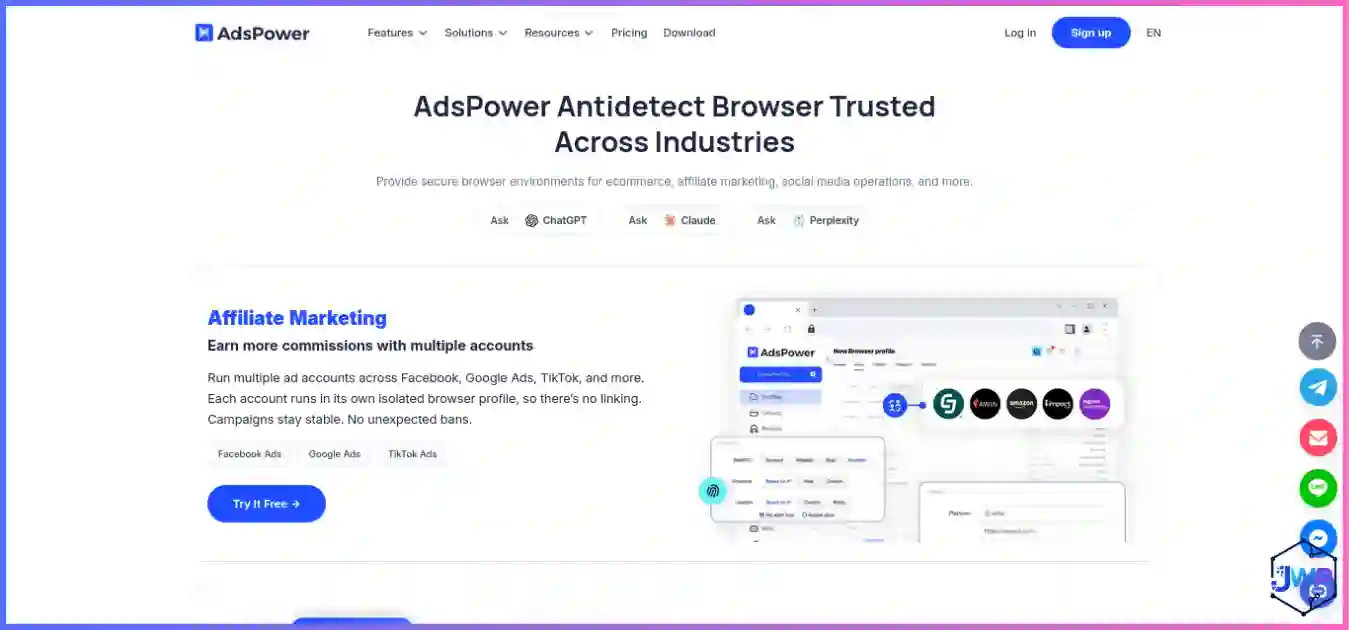
AdsPower Overview
AdsPower is an anti-detect browser built around two ideas: affordable scale and built-in automation. It lets you create isolated browser profiles, each with its own fingerprint, cookies and storage, so websites see each profile as a different machine — the foundation of proper browser profile isolation. On top of that, it ships a no-code RPA engine and a Synchronizer that competitors typically gate behind higher tiers or sell separately.
The platform runs two browser kernels — SunBrowser (Chromium-based) and FlowerBrowser — with desktop mobile-fingerprint emulation for Android 9–13 and iOS 14–15. Native clients are available for Windows, macOS and Linux (Ubuntu 22.04+), with CLI builds for each. Automation is supported through a Local API with official Selenium and Puppeteer documentation, plus a community Playwright wrapper. There is no native mobile app; mobile identities come from desktop emulation rather than real devices.
AdsPower’s honest position in 2026 is as the best-value automation anti-detect browser: the cheapest path to thousands of profiles with RPA included. The trade-off is stealth depth — its SunBrowser environment is identifiable by the stricter Iphey checker, which is why we rank it third behind GoLogin and Multilogin in our best anti-detect browsers comparison, and why it suits scaled fleets better than single high-value accounts.
AdsPower Key Features
No-Code RPA Builder
Visual automation with ready-made templates for account creation, liking, commenting and ad permissions — no scripting required.
Synchronizer
Mirror clicks and typing across many open profiles at once — the feature that makes managing dozens of accounts feasible.
Platform Templates
Pre-built workflows for Amazon, LinkedIn, YouTube, Facebook and TikTok so you automate common tasks without building from scratch.
Dual Browser Kernels
SunBrowser (Chromium) and FlowerBrowser let you rotate engine types across accounts to reduce fingerprint correlation.
Local API + Drivers
Official Selenium and Puppeteer support (paid plans), a community Playwright wrapper, and CLI builds for all three OSes.
Mobile Fingerprint Emulation
Emulate Android 9–13 and iOS 14–15 fingerprints on desktop — useful for mobile-targeted workflows without real devices.
Bulk Profile Operations
Create, group and launch profiles in bulk; cloud sync on paid plans keeps teams coordinated.
Scheduler
Schedule RPA tasks to run at set times — useful for drip warm-up routines and recurring account maintenance.
Automation Feature Matrix
| Automation capability | AdsPower | GoLogin | Multilogin |
|---|---|---|---|
| No-code RPA builder | ✓ Built-in | ✗ | ✗ |
| Multi-profile Synchronizer | ✓ | Partial | Partial |
| Ready-made platform templates | ✓ | ✗ | ✗ |
| Task scheduler | ✓ | ✗ | ✗ |
| Selenium / Puppeteer | ✓ Official | ✓ Official | ✓ Official |
| Playwright | Community | CDP/unverified | ✓ Official |
| API on entry paid tier | ✓ 120 req/min | ✓ 300 req/min | 50 req/min |
AdsPower is the only tool in the top tier with a visual no-code RPA engine and platform templates included. That is the core of its value proposition.
Browser Profiles
Each AdsPower profile is an isolated browser container with its own cookies, cache, indexedDB, localStorage and fingerprint. Profiles live in local storage by default, with cloud sync available on paid plans for team workflows. Profile isolation is genuinely enforced — cross-profile leakage is not a realistic failure mode on default settings.
- Free plan: 2 profiles, 1 super-administrator, no time limit, permanent.
- Base / Professional: from 10 profiles on the entry paid tier.
- Business: customizable packages — the more profiles you add, the cheaper the per-profile cost, scaling to 10,000+.
Profile creation supports bulk operations: you can generate many profiles from templates and assign proxies in batches, which is exactly what high-volume operators need. Folders, tags and grouping keep large fleets organized. The practical ceiling is genuinely high — AdsPower is one of the few tools that comfortably handles four-figure profile counts without the per-profile price spiraling.
Fingerprint Controls
AdsPower covers the full standard signal set websites read when building a browser fingerprint — canvas, WebGL, WebRTC, fonts, user-agent, geolocation, timezone, locale, screen and hardware parameters. For most targets, that coverage is enough, and the defaults are internally consistent. But there is one caveat every buyer should understand.
In independent 2026 testing, a default AdsPower profile passed Pixelscan (fingerprint consistent, “No proxy detected”) and passed CreepJS automation checks (0% headless/stealth, WebRTC blocked). However, Iphey flagged the Browser check, with its signals reading “Detected anti-detect browser environment (ads)” — meaning Iphey fingerprints AdsPower’s SunBrowser by name. The proxy and hardware layers were clean; the environment itself carried an identifiable marker.
✓ What passes
Pixelscan: PASS — consistent fingerprint, no masking.
CreepJS: ~CLEAN — 0% headless/stealth, WebRTC blocked, timezone/locale consistent (GPU read at moderate confidence).
✗ What gets flagged
Iphey: FAIL — the Browser check is flagged; signals identify the SunBrowser environment by name. Location, IP, hardware and software all pass.
This is exactly why we say AdsPower fits scaled fleets behind good proxies rather than single high-value accounts. Most platforms do not run Iphey-level inspection; for them, AdsPower’s defaults are fine. But if a single detection flag costs you real money, understand whether websites can detect anti-detect browsers and choose GoLogin or Multilogin, whose defaults pass all three checkers.
Proxy Support
AdsPower supports every major proxy type — HTTP, HTTPS, SOCKS5 and more — but it does not bundle proxies or proxy traffic with its plans. You bring your own from a third-party provider. For most operators that is fine; for budget buyers it means the advertised subscription is not the whole bill.
Per-profile proxy binding is sticky by default (one profile = one IP), which is the correct model for multi-account work. The dashboard makes proxy assignment and batch editing straightforward. Because AdsPower is so often used for high-volume automation, pairing it with quality residential proxies from a vetted proxy provider matters more than usual — the Iphey flag means your IP layer needs to be clean to compensate.
Automate dozens of accounts from ~$5.40/month.
AdsPower’s free tier gives you 2 profiles to test the RPA engine. Upgrade when your workflow earns it — the per-profile price keeps falling as you scale.
Get AdsPower — 2 Free ProfilesUsability
AdsPower’s dashboard is busy but logical. The profile list, folder organization and batch tools are easy to grasp, and the RPA builder is genuinely approachable for non-coders — you assemble visual steps rather than writing scripts. Beginners can create a profile, bind a proxy and launch a browser within minutes; the RPA templates shorten the path to first automation even further.
- Onboarding: Clean signup, free tier activates immediately, no card required.
- RPA builder: Visual, template-driven; lets non-coders automate account creation, liking and commenting fast.
- Team tools: Cloud sync, batch operations and member seats on paid plans.
- Learning curve: Low for profile management; moderate for advanced RPA flows, but the templates help enormously.
Compared with GoLogin’s customizable dashboard or Multilogin’s enterprise interface, AdsPower feels more automation-centric than design-centric. It is built for operators who run repeated workflows at volume, and it shows in the best way.
Performance
AdsPower runs its kernels locally on your machine, so launch speed and page performance track with your hardware. On modern machines, cold launch is typically under two seconds, and the platform is engineered to handle hundreds of concurrent profiles — its scale tier is one of its strongest selling points.
- Cold launch: 1–2 seconds on current hardware.
- Concurrent profiles: comfortable with dozens on 8 GB RAM; built for hundreds on 16 GB+ workstations.
- Resource use: moderate; extensions are limited to the SunBrowser kernel.
- Stability: no recurring crashes in extended test sessions; long-running RPA routines hold up cleanly.
One honest note from testing: AdsPower’s GPU read came back at moderate confidence on CreepJS, where clean-passing peers scored high. It did not trigger a flag, but it is a small consistency gap worth knowing if you run unusually strict internal checks.
Security & Privacy Considerations
- Local-first storage: profiles are stored on your machine by default, which keeps cookie and fingerprint data off third-party servers; cloud sync is optional on paid plans.
- WebRTC handling: CreepJS confirmed WebRTC was blocked with no leak on default profiles — a common failure mode on cheaper tools.
- Privacy posture: AdsPower is a multi-account infrastructure tool, not a privacy browser. It protects your browsing identities, not your general browsing. Read browser privacy vs browser security for the distinction.
- Legal use: like every tool in this category, AdsPower is designed for legitimate workflows — ad operations, QA, market research, privacy. Review are anti-detect browsers safe and legal? before deploying against platform terms of service.
The practical safety story for AdsPower is the IP layer. Because the SunBrowser environment can be identified by strict checkers, your proxy discipline matters more here than on a tool with cleaner defaults. Never share one proxy across profiles, and use residential IPs for anything sensitive.
AdsPower Pricing Breakdown (August 2026)
- Free (forever, no card)2 browser profiles, 1 super-administrator, no time limit. No cloud sync, no batch operations, no API.
- Base — from ~$5.40/moEntry tier; ~$18/mo for 50 profiles. The cheapest entry in the category alongside GeeLark.
- Professional — $9/mo ($7.20 annual)10 profiles + Local API access at 120 requests/minute.
- Business — customizableProfiles and seats configurable up to 10,000+. Per-profile price drops as volume increases.
AdsPower entry pricing vs rivals (best-case $/month)
Best-case entry paid price with annual/term billing. AdsPower is the second-cheapest entry — and the cheapest with built-in RPA.
Free-plan generosity (profiles at $0)
*Incogniton’s 10 free profiles last 2 months, then drop to 3 forever. AdsPower’s 2 are permanent but smaller.
Honest pricing takeaway: AdsPower’s free plan is its weakest dimension (only 2 profiles), but its paid value is excellent — especially once automation is factored in. For a pure cost analysis, see our cheapest anti-detect browsers guide; AdsPower lands as the cheapest automation-capable option.
AdsPower Limitations
- Identifiable by strict checkers. Iphey flags the SunBrowser environment by name. For scaled fleets this is acceptable; for a single high-value account it is a real risk.
- No bundled proxies. Unlike GoLogin and Multilogin, AdsPower includes no proxy traffic. Budget for your own residential proxies on top of the subscription.
- Small free plan. Only 2 profiles, and it lacks cloud sync, batch operations and API. Incogniton and Multilogin offer more free headroom.
- Mobile is emulation only. Android/iOS support is fingerprint emulation on desktop, not real devices. For genuine mobile identities, GeeLark or Multilogin cloud phones are stronger.
- Extensions limited to one kernel. The extensions feature is exclusive to SunBrowser; FlowerBrowser does not support it.
- Playwright is community-supported. Selenium and Puppeteer are official; Playwright works through a community wrapper rather than first-party docs.
AdsPower Alternatives Worth Considering
The honest read on AdsPower is that it is the best automation value — and for some workflows, automation is not what matters most. Here is where the alternatives fit better:
| If you need… | Better pick | Why |
|---|---|---|
| Cleanest defaults + best value | GoLogin | Passes all 3 checkers on defaults, $4.50/mo annual entry, bundled proxy traffic, native Android app. |
| Deepest enterprise stealth | Multilogin | Strongest independent stealth + real Android cloud phones, official Playwright, scale to 10k profiles. |
| Mobile-app-first workflows | GeeLark | Real cloud Android phones with genuine IMEI/GPU/sensor identities — not emulation. |
| Biggest free plan headroom | Incogniton | 10 free profiles (2 months) then 3 forever — best $0 classroom in the category. |
| The full market view | Best anti-detect browsers | Head-to-head ranking across all five tools with independent stealth-test data. |
| Pure budget comparison | Cheapest anti-detect browsers | Value-per-profile and free-plan rankings — see where AdsPower lands on pure price. |
Who AdsPower Is Best For
✓ Affiliate marketers & ad arbitrage
RPA templates and cheap scaling make AdsPower the natural fit for high-volume, lower-stakes account fleets.
✓ Social media automation teams
Synchronizer + templates for TikTok, Facebook, YouTube and LinkedIn automate posting, liking and warm-up.
✓ E-commerce operators at scale
Customizable Business packages to 10,000+ profiles with falling per-profile cost suit large store fleets.
✓ Non-coders who want automation
The visual RPA builder is the most approachable in the category — no scripting required to automate common tasks.
✗ NOT single high-value accounts
Accounts with real ad spend or payout history need 3/3-stealth defaults. The Iphey flag makes GoLogin or Multilogin safer.
✗ NOT real-device mobile workflows
AdsPower’s mobile support is emulation. For genuine Android device identities, GeeLark or Multilogin cloud phones are the right tools.
AdsPower Setup Walkthrough
- Claim the free tier. Sign up on the AdsPower site. No card required, 2 profiles activate immediately.
- Get clean residential proxies. AdsPower includes none, so pair it with a vetted proxy provider. Never reuse one proxy across profiles.
- Create profiles and bind proxies. Choose OS/UA matching the proxy region; use bulk creation for fleets.
- Verify with a checker. Run profiles through Pixelscan and CreepJS. Expect a clean pass; understand that strict checkers like Iphey may flag the environment.
- Build your first RPA flow. Start from a platform template (Amazon, Facebook, TikTok), then customize the steps.
- Warm accounts slowly. Use the scheduler for drip warm-up. New fingerprint + new IP + instant action is a classic fraud signal.
- Scale when earned. Move to Professional for API access, then Business when profile count demands it.
New to the category? Read what is an anti-detect browser before launching your first fleet.
AdsPower vs Rivals — Head-to-Head Charts
Default stealth: independent checks passed (of 3)
Default profiles + clean residential proxy via Pixelscan, Iphey and CreepJS. AdsPower’s single failure is the Iphey environment flag.
Built-in automation strength (editorial /10)
9.7
7.0
7.5
6.5
4.5
Editorial scoring of no-code RPA, synchronizer, templates and scheduler. AdsPower leads the category decisively.
Multi-dimensional comparison (editorial /10)
AdsPower’s shape spikes hard on automation, scale and price, while GoLogin and Multilogin lead on stealth and mobile.
Cost per profile at entry tier (lower = better)
Entry subscription ÷ profiles included. AdsPower’s $0.54 is the second-cheapest — and includes automation the others charge extra for.
The market reality: AdsPower trades a little stealth depth and free-plan size for the category’s strongest built-in automation at a budget price. For high-volume operators, that is exactly the right trade.
AdsPower Review: Frequently Asked Questions
Is AdsPower the best anti-detect browser in 2026?
Is AdsPower free?
Does AdsPower include proxies?
What is AdsPower’s RPA feature?
Can websites detect AdsPower?
AdsPower vs GoLogin: which should I choose?
Does AdsPower work on Linux?
Does AdsPower support real mobile devices?
Is AdsPower safe and legal?
AdsPower Review: Final Verdict
AdsPower in 2026 is exactly what it sets out to be: the best-value automation anti-detect browser in the category. Its no-code RPA builder, Synchronizer, platform templates and scheduler are included at a price point where competitors charge extra, and its customizable Business packages scale past 10,000 profiles with a falling per-profile cost. For affiliate marketers, ad-arbitrage teams, social media operators and e-commerce fleets, it is the tool that turns repetitive multi-account work into a few clicks.
The honest trade-off is stealth depth. AdsPower passes two of three independent checkers on defaults, but Iphey identifies its SunBrowser environment by name. That makes it the right tool for scaled, lower-stakes fleets behind clean residential proxies — and the wrong tool for a single account carrying real ad spend or payout history, where GoLogin or Multilogin are safer. Its free plan is also the smallest here (2 profiles), and it bundles no proxies.
The honest recommendation: if your workflow is automation at volume and your accounts are replaceable, AdsPower is the best money you can spend in this category. If your accounts are crown jewels, spend a little more on GoLogin or Multilogin. Either way, start with the free tier and validate against your real targets before committing.
| Tool | Best For | Rating | Get Started |
|---|---|---|---|
| GoLogin | Best overall value, cleanest defaults | 4.9 / 5.0 | Visit Site |
| Multilogin | Enterprise stealth, high-value accounts | 4.8 / 5.0 | Visit Site |
| AdsPower (this review) | Automation at scale, best value | 4.7 / 5.0 | Try Free |
| GeeLark | Mobile app multi-accounting | 4.4 / 5.0 | Visit Site |
| Incogniton | Beginners, airdrops, $0 budgets | 4.2 / 5.0 | Visit Site |
Disclosure: This review contains affiliate links. If you purchase through them, we may earn a commission at no extra cost to you. All recommendations are based on independent research and testing. Pricing and features verified August 2026 — confirm current terms on the vendor site before committing, especially annual billing.
Sources & Research Notes
View sources and research notes
All pricing and feature details were verified against the vendor’s official site and help center in August 2026. Pricing changes frequently; confirm current terms before purchasing. Stealth test results come from independent 2026 testing; editorial scores are our own judgments.
- AdsPower official pricing page & review blog: Free plan (2 profiles, 1 super-admin, permanent); Base from ~$5.4/mo (~$18/mo for 50 profiles); Professional $9/mo ($7.20 annual) for 10 profiles + API at 120 req/min; Business customizable to 10,000+ profiles with falling per-profile cost.
- AdsPower help center (subscriptions): customizable Business profile counts, per-profile pricing curve, annual discounts, kernel details (SunBrowser/FlowerBrowser), extension support exclusive to SunBrowser.
- Independent stealth testing (Pixelscan / Iphey / CreepJS): ScrapingBee, “10 Best Antidetect Browsers in 2026 (Tested + Free Picks)” — AdsPower default-profile results: Pixelscan PASS, CreepJS ~clean (0% headless/stealth, WebRTC blocked, GPU at moderate confidence), Iphey FAIL with “Detected anti-detect browser environment (ads)”.
- AIMultiple, “Ranked the 12 Best Antidetect Browsers in 2026”: Confirms AdsPower RPA, Synchronizer, platform templates (Amazon/LinkedIn/YouTube/Facebook/TikTok), no bundled proxies, and OS support.
- GoLogin pricing: gologin.com/pricing — free 3 profiles forever; Professional $9/mo ($4.50 annual) for 10 profiles and 2 GB proxy traffic.
- Multilogin pricing: multilogin.com/pricing — free plan (5 profiles, 1 cloud phone/30 min); Pro 10 $11/mo (~$7.08 annual).
- GeeLark pricing: geelark.com/pricing; Proxyway review Feb 2026 — Base $5/mo (5 profiles, 60 min), Pro $19/mo; $0.007/min cloud-phone usage with $1.20/day cap.
- Incogniton pricing: incogniton.com/pricing — 10 free profiles for 2 months then 3 forever; Starter Plus $13.99/mo on 6-month billing.
- Fingerprinting research: Eckersley & Englehardt, “How Unique Is Your Web Browser?” (EFF Panopticlick lineage) — ~18.1 bits of identifying entropy; arXiv measurement study (2021) on fingerprinting script prevalence; Texas A&M University Engineering (June 2025) on covert fingerprinting.