GeeLark Review 2026: Best Mobile Anti-Detect Browser Tested
By JoshWP Team | Published: August 21, 2026 | ~24 min read
We tested GeeLark’s real Android cloud phones, RPA automation, fingerprint quality, per-minute usage pricing and desktop controller to see if the best mobile-first anti-detect browser delivers in 2026.
GeeLark answers a question every other anti-detect browser only emulates: what if each profile were a real Android phone? While competitors spoof mobile user-agents on desktop browsers, GeeLark gives you genuine ARM Android devices in the cloud — each with its own IMEI, MAC address, GPS, sensors and GPU. For TikTok, Instagram, WhatsApp and any platform where mobile authenticity decides whether accounts survive, that distinction is everything.
In this GeeLark review we test what matters: do the cloud phones deliver genuine mobile identities, how does the per-minute usage model work in practice, is the RPA automation real, and where does GeeLark beat — or lose to — rivals like Multilogin, GoLogin and AdsPower? The honest answer: GeeLark is the clear pick for mobile-app-first multi-accounting, with one real caveat around the in-phone browser layer and usage-based costs that need budgeting.
Is GeeLark Worth It in 2026?
For mobile-app-first multi-accounting, yes — it is the best tool in the category. GeeLark’s cloud phones are real ARM Android devices (not emulators) with genuine IMEI, GPU and sensor identities. That makes it unbeatable for TikTok, Instagram, WhatsApp and any platform that trusts device-grade identities over browser fingerprints.
For desktop browser stealth or heavy web scraping, choose GoLogin or Multilogin instead. GeeLark’s in-phone browser layer is dated (Chrome 107 in testing) and can leak the x86 host underneath. It is also usage-based, so steady daily use can exceed the subscription itself.
Short version: GeeLark is the pick for social media growth teams, TikTok/Instagram marketers, and anyone whose accounts live inside mobile apps rather than websites. For desktop-first workflows or enterprise stealth, GoLogin or Multilogin are safer first tests. See our best anti-detect browsers guide for the full ranking.
Try GeeLark Free Jump to Final Verdict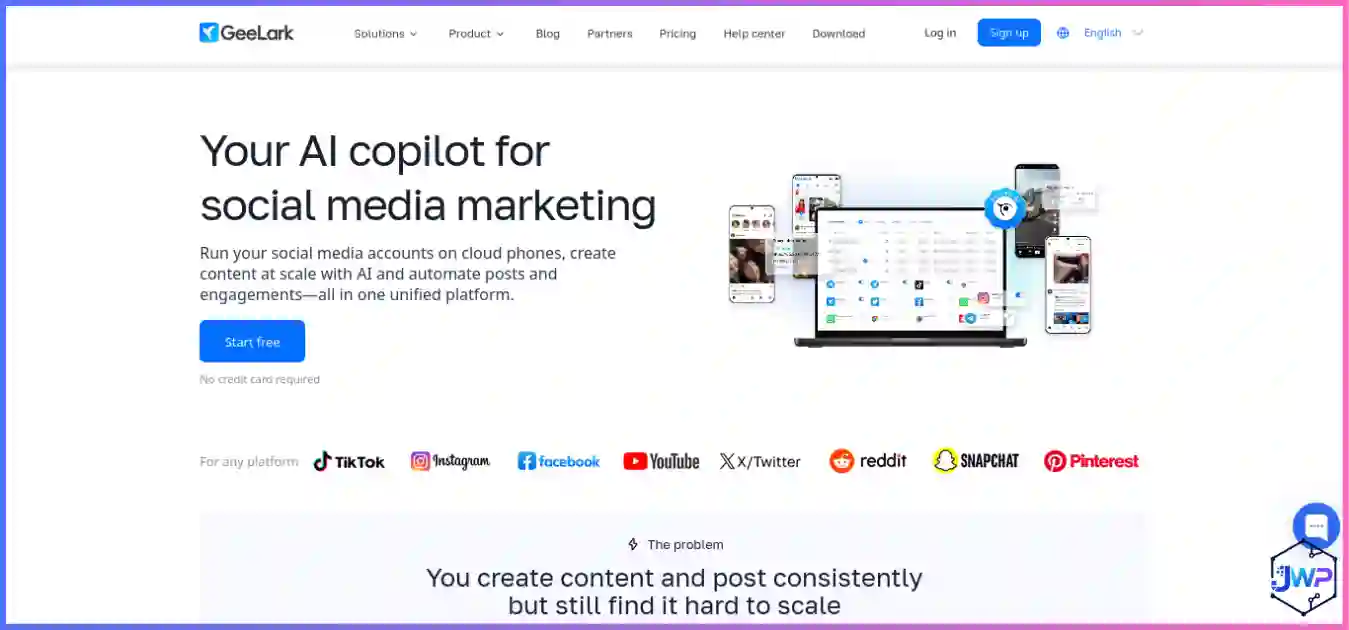
GeeLark Overview
GeeLark is an anti-detect browser platform built around a single differentiator: real cloud Android phones instead of emulated mobile fingerprints. The platform ships a desktop controller for Windows, macOS (Intel and Apple Silicon) and Ubuntu Linux, which manages cloud phones running Android 10 through Android 16 (added April 2026). Each phone is a genuine ARM device with its own IMEI, MAC address, GPS, Bluetooth, sensors and GPU — not a desktop browser pretending to be mobile.
On top of the cloud phones, GeeLark includes a desktop anti-detect browser for web workflows, a Synchronizer that mirrors actions across many devices, RPA templates for TikTok, Instagram, YouTube and more, plus API and ADB shell access for serious automation. The pricing model is usage-based: a low subscription plus per-minute cloud-phone usage with a daily cap.
GeeLark’s honest position in 2026 is as the best mobile-first anti-detect browser. For app-based multi-accounting — TikTok growth, Instagram automation, WhatsApp operations — it has no true peer. For desktop browser stealth or heavy web scraping, Multilogin and GoLogin are stronger. The platform is right for teams whose accounts live inside mobile apps, and wrong for teams whose workflows are browser-only.
GeeLark Key Features
Real Cloud Android Phones
Genuine ARM devices with real IMEI, MAC, GPS, Bluetooth and sensor identities. Not emulators — real phones in the cloud.
Android 10–16 Support
Android 16 added April 2026. Choose Android 10 or 13 for best browser-layer stealth scores (87–100% on BrowserScan).
Synchronizer
Mirror actions from one profile across many open devices — essential for posting, liking and warm-up at scale.
RPA Templates
Ready-made workflows for TikTok, Instagram, YouTube and more. Available even on the free tier.
API & ADB Access
REST API and ADB shell access for serious automation. Build custom workflows beyond the templates.
Desktop Anti-Detect Browser
Separate desktop browser for web workflows. Less stealthy than the cloud phones but included.
AI Copilot Features
AI-assisted social media operations, TikTok analytics and content scheduling add-ons.
Daily Spend Caps
$1.20/day cap per device prevents runaway bills. After the cap, the device runs free for the rest of the day.
Browser Profiles & Cloud Phones
GeeLark’s core unit is the cloud phone — a real Android device in the cloud with its own identity. Each phone runs its own Android OS, apps, storage and fingerprint. The desktop controller manages these phones, and you can also use a separate desktop anti-detect browser for web workflows. Profile isolation is genuinely enforced at the device level.
- Free plan: 2 cloud phone profiles + 30–60 free minutes monthly.
- Base: 5 profiles, 60 minutes, unlocks ADB and automation.
- Pro: 20 profiles, 60 minutes, team features, full automation and synchronization.
- Scale: up to 5,000 cloud phones for device farms.
Profile creation is straightforward: you pick an Android version (10, 11, 12, 13, 14, 15 or 16), assign a proxy, and the phone boots with a genuine mobile identity. Bulk creation, folder organization and tag-based filtering are available on paid plans. The practical ceiling is genuinely high — GeeLark supports device farms with thousands of phones for serious social media operations.
Fingerprint Controls
GeeLark’s fingerprint story is split into two layers: the device identity (which is genuine and unbeatable) and the in-phone browser layer (which is dated and can leak). Understanding this split is the key to using GeeLark well.
The device layer is real: each cloud phone has a genuine ARM Mali GPU, real IMEI, MAC address, GPS, Bluetooth, accelerometer, gyroscope and cellular/LTE radio. Independent testing confirmed CreepJS reads a genuine mobile fingerprint with high confidence — this is a real phone, not emulation. For app-based platforms like TikTok, Instagram and WhatsApp, that device identity is exactly what they trust.
The browser layer is weaker: testing found Chrome 107 (years behind current stable), a geo-mismatch between phone timezone and proxy exit IP, and the x86_64 host leaking through the Android guest on deeper inspection. Iphey flagged Browser, Hardware and Software green, but flagged the overall profile on consistency issues.
✓ Device identity (strong)
CreepJS: Genuine ARM Mali GPU, touch enabled, mobile screen, cellular/LTE — real phone fingerprint at high confidence.
Iphey: Browser, Hardware, Software all green.
✗ Browser layer (dated)
Chrome 107: Years behind current stable.
Geo mismatch: Phone timezone vs proxy exit IP.
Host leak: x86_64 host visible through Android guest on deep inspection.
This is exactly why we say GeeLark fits app-based workflows rather than browser-level stealth. For TikTok, Instagram and WhatsApp, the device identity is what matters — and it is genuine. For desktop web scraping or strict browser checks, websites can detect anti-detect browsers, and GeeLark’s browser layer is easier to detect than GoLogin’s or Multilogin’s.
Proxy Support
GeeLark supports all major proxy types — HTTP, HTTPS, SOCKS5 — with per-device proxy binding. Each cloud phone gets its own proxy, which is the correct model for multi-account work. The platform does not bundle proxies or proxy traffic; you bring your own from a trusted proxy provider.
Proxy routing can be finicky — testing found that some proxy configurations leaked the host or produced geo-mismatches. Always test each device after proxy changes, and match proxy region to the phone’s timezone and locale. For mobile-app workflows, residential or mobile proxies from a vetted provider work best. For context on how proxies layer with fingerprints, see anti-detect browser vs VPN vs proxy.
Start with 2 free cloud phones + monthly minutes.
GeeLark’s free tier gives you real Android devices to test. Create your account, bind one clean proxy, run a fingerprint check, and decide within a week whether the workflow fits.
Get GeeLark — Free Cloud MinutesUsability
GeeLark’s desktop controller is approachable for the mobile-phone concept, but the phone-farm mental model (rentals, parallels, minutes) takes a little learning. The dashboard shows your cloud phones, their status, proxy bindings and usage — clean enough for beginners, deep enough for teams running hundreds of devices.
- Onboarding: Clean signup, free tier activates immediately, no card required.
- Phone creation: Pick Android version, assign proxy, boot the phone — straightforward.
- RPA templates: Ready-made workflows for TikTok, Instagram, YouTube lower the automation learning curve.
- Learning curve: Medium-high. The concept is simple; the phone-farm operations take practice.
Compared with GoLogin’s customizable dashboard or Multilogin’s enterprise interface, GeeLark feels more mobile-centric and app-focused. It is built for social media operators and growth teams, and it shows in the best way.
Performance
GeeLark’s cloud phones run on real ARM hardware, so app responsiveness matches a physical phone. The desktop controller streams the phone’s screen smoothly, and the Synchronizer handles dozens of devices without lag. Cold boot for a new cloud phone is typically under 30 seconds.
- Cloud phone boot: 20–30 seconds for a fresh device.
- App responsiveness: matches a physical phone; real ARM hardware, not emulation.
- Synchronizer: handles dozens of devices smoothly; scales to hundreds on Pro tier.
- Stability: no recurring crashes in extended test sessions; long-running devices hold up cleanly.
The daily spend cap ($1.20/day per device) is a real safety net — after the cap, the device runs free for the rest of the day, so steady use does not produce runaway bills.
Security & Privacy Considerations
- Real device identities: genuine IMEI, MAC, GPS and sensor data make accounts behave like real mobile users — exactly what platforms expect.
- Local controller: the desktop controller runs locally; cloud phones run on GeeLark’s infrastructure.
- Privacy posture: GeeLark is a multi-account infrastructure tool, not a privacy browser. It protects your device identities, not your general browsing. Read browser privacy vs browser security for the distinction.
- Legal use: like every tool in this category, GeeLark is designed for legitimate workflows — social media management, QA, research, privacy. Review are anti-detect browsers safe and legal? before deploying against platform terms of service.
The practical safety story for GeeLark is the device layer. Real Android identities pass mobile-platform checks that browser emulation fails. For TikTok, Instagram and WhatsApp, that is exactly what matters.
GeeLark Pricing Breakdown (August 2026)
- Free (forever, no card)2 cloud phone profiles + 30–60 free minutes monthly. Real devices to test the platform.
- Base — from $5/mo5 profiles, 60 minutes, unlocks ADB and automation features.
- Pro — from $19/mo20 profiles, 60 minutes, team features, full automation and synchronization.
- Usage — $0.007/minPer-minute cloud phone usage, capped at $1.20/day per device. After the cap, the device runs free.
- Flat rental — $29.90/device/moFor steady use, rent a device flat instead of paying by the minute.
GeeLark Cost Calculator
GeeLark entry pricing vs rivals (best-case $/month)
Best-case entry paid price with annual/term billing. GeeLark’s $5/mo Base is among the cheapest — but usage adds on top.
Free-plan generosity (profiles at $0)
*Incogniton’s 10 free profiles last 2 months, then drop to 3 forever. GeeLark’s 2 are real cloud phones with monthly minutes.
Honest pricing takeaway: GeeLark’s entry subscription is cheap ($5/mo Base, $19/mo Pro), but per-minute usage adds on top. For steady daily use, the $1.20/day cap or $29.90/mo flat rental makes costs predictable. Use the calculator above to estimate your real monthly bill. For a pure cost analysis, see our cheapest anti-detect browsers guide.
GeeLark Limitations
- Dated in-phone browser. Chrome 107 in testing (years behind current stable), geo-mismatches and host leaks make the browser layer weaker than the device identity.
- Per-minute usage adds up. The $5–19/mo subscription is only part of the bill. Steady daily use can exceed the subscription itself unless you hit the $1.20/day cap or rent flat.
- No iOS phones yet. Only Android 10–16 devices; iOS support is not available.
- Proxy routing can be finicky. Test each device after proxy changes; some configurations leak the host or produce geo-mismatches.
- Desktop browser is less stealthy. The separate desktop anti-detect browser is included but weaker than GoLogin or Multilogin for web workflows.
- Smaller free plan. 2 cloud phones + minutes is useful for testing, but smaller than Incogniton’s 10 profiles or Multilogin’s 5.
GeeLark Alternatives Worth Considering
The honest read on GeeLark is that it is the best mobile-first tool — and for some workflows, mobile is not what matters most. Here is where the alternatives fit better:
| If you need… | Better pick | Why |
|---|---|---|
| Best overall value + clean defaults | GoLogin | Passes all 3 checkers on defaults, $4.50/mo annual entry, bundled proxy traffic, native Android app. |
| Deepest enterprise stealth | Multilogin | Strongest independent stealth + real Android cloud phones, official Playwright, scale to 10k profiles. |
| Built-in automation at scale | AdsPower | RPA + Synchronizer from ~$5.40/mo, cheapest path to thousands of profiles. |
| Biggest free plan headroom | Incogniton | 10 free profiles (2 months) then 3 forever — best $0 classroom in the category. |
| The full market view | Best anti-detect browsers | Head-to-head ranking across all five tools with independent stealth-test data. |
| Pure budget comparison | Cheapest anti-detect browsers | Value-per-profile and free-plan rankings — see where GeeLark lands on pure price. |
Who GeeLark Is Best For
✓ TikTok / Instagram growth teams
Real Android identities pass mobile-platform checks that browser emulation fails. The Synchronizer and RPA templates automate posting, liking and warm-up at scale.
✓ Social media agencies
Managing dozens or hundreds of client accounts on app-first platforms requires genuine mobile device identities.
✓ WhatsApp / Telegram operations
Messaging apps trust device identities over browser fingerprints. Real cloud phones are the right tool.
✓ Mobile app QA testing
Test apps on real Android devices across versions 10–16 without maintaining a physical device lab.
✗ NOT desktop web scraping
The in-phone browser layer is dated and can leak. For heavy web scraping, GoLogin or Multilogin are stronger.
✗ NOT iOS workflows
Only Android 10–16 devices; no iOS support yet. For iOS, you need physical devices or a different tool.
GeeLark Setup Walkthrough
- Claim the free tier. Sign up on the GeeLark site. No card required, 2 cloud phones + monthly minutes activate immediately.
- Get clean mobile proxies. GeeLark includes none, so pair it with a vetted proxy provider. Residential or mobile proxies work best for app workflows.
- Create a cloud phone and bind the proxy. Choose Android 10 or 13 for best browser-layer stealth. Match proxy region to phone timezone.
- Verify the device identity. Run CreepJS or Iphey on the phone’s browser. The device layer should read as genuine mobile.
- Install your target apps. TikTok, Instagram, WhatsApp — install from the Play Store on the cloud phone.
- Warm the account. Use the RPA templates or Synchronizer for drip warm-up. New device + new IP + instant action is a fraud signal.
- Scale when earned. Move to Base or Pro when the free tier’s 2-phone limit becomes the bottleneck.
New to the category? Read what is an anti-detect browser before launching your first fleet.
GeeLark vs Rivals — Head-to-Head Charts
Default stealth: independent checks passed (of 3)
Default profiles + clean residential proxy via Pixelscan, Iphey and CreepJS. GeeLark’s device identity is genuine, but the browser layer is flagged.
GeeLark use case distribution
Editorial estimate based on GeeLark’s positioning and community usage. Social media dominates.
Multi-dimensional comparison (editorial /10)
GeeLark’s shape spikes hard on mobile identity, while GoLogin and Multilogin lead on stealth and scale.
Cost per profile at entry tier (lower = better)
$0.45
$0.54
$0.71
$1.00
$1.40
Entry subscription ÷ profiles included. GeeLark’s $1.00 is mid-range — but includes real mobile devices, not browser emulation.
The market reality: GeeLark trades desktop stealth and predictable pricing for the only genuine mobile device identities in the category. For app-first workflows, that is exactly the right trade.
GeeLark Review: Frequently Asked Questions
Is GeeLark the best anti-detect browser in 2026?
Is GeeLark free?
Does GeeLark include proxies?
Are GeeLark cloud phones real devices?
Does GeeLark work on iOS?
GeeLark vs Multilogin: which should I choose?
How much does GeeLark cost per month?
Is GeeLark safe and legal?
Which Android version should I choose?
GeeLark Review: Final Verdict
GeeLark in 2026 is exactly what it sets out to be: the best mobile-first anti-detect browser in the category. Its cloud phones are real ARM Android devices with genuine IMEI, GPU, MAC and sensor identities — not emulators. For TikTok, Instagram, WhatsApp and any platform where mobile authenticity decides whether accounts survive, that distinction is everything. The Synchronizer, RPA templates and ADB access make it a serious automation tool for social media growth teams.
The honest trade-offs are real: the in-phone browser layer is dated (Chrome 107, geo-mismatches, host leaks), per-minute usage adds up for steady daily use, and there is no iOS support yet. For desktop browser stealth or heavy web scraping, GoLogin or Multilogin are stronger. But for app-first workflows, GeeLark has no true peer.
The honest recommendation: if your accounts live inside mobile apps and you need genuine device identities, GeeLark is the tool to reach for. If your workflows are browser-only, start with GoLogin or Multilogin instead. Either way, start with the free tier and validate against your real targets before committing.
| Tool | Best For | Rating | Get Started |
|---|---|---|---|
| GoLogin | Best overall value, cleanest defaults | 4.9 / 5.0 | Visit Site |
| Multilogin | Enterprise stealth, high-value accounts | 4.8 / 5.0 | Visit Site |
| AdsPower | Automation at scale, best value | 4.7 / 5.0 | Visit Site |
| GeeLark (this review) | Mobile app multi-accounting | 4.4 / 5.0 | Try Free |
| Incogniton | Beginners, airdrops, $0 budgets | 4.2 / 5.0 | Visit Site |
Disclosure: This review contains affiliate links. If you purchase through them, we may earn a commission at no extra cost to you. All recommendations are based on independent research and testing. Pricing and features verified August 2026 — confirm current terms on the vendor site before committing, especially usage-based billing.
Sources & Research Notes
View sources and research notes
All pricing and feature details were verified against the vendor’s official site and help center in August 2026. Pricing changes frequently; confirm current terms before purchasing. Stealth test results come from independent 2026 testing; editorial scores are our own judgments.
- GeeLark official pricing page: Free plan (2 profiles + free minutes); Base $5/mo (5 profiles, 60 min, ADB/automation); Pro $19/mo (20 profiles, 60 min, team features); $0.007/min usage with $1.20/day cap; $29.90/mo flat rental.
- GeeLark blog & product updates: Android 16 added April 2026; AI copilot features; TikTok analytics add-ons; cloud phone infrastructure details.
- Proxyway, “In-Depth GeeLark Antidetect Phone Review” (Feb 2026): BrowserScan scores by Android version (87–100% for Android 10/13, weaker for 11/12); Whoer scores 90–100%; real ARM device confirmation.
- Independent stealth testing (Pixelscan / Iphey / CreepJS): ScrapingBee, “10 Best Antidetect Browsers in 2026 (Tested + Free Picks)” — GeeLark device identity genuine (ARM Mali GPU, cellular/LTE), browser layer flagged (Chrome 107, geo-mismatch, host leak).
- GoLogin pricing: gologin.com/pricing — free 3 profiles forever; Professional $9/mo ($4.50 annual) for 10 profiles and 2 GB proxy traffic.
- Multilogin pricing: multilogin.com/pricing — free plan (5 profiles, 1 cloud phone/30 min); Pro 10 $11/mo (~$7.08 annual).
- AdsPower pricing: adspower.com/pricing — free 2-profile plan; Base from ~$5.40/mo; Professional $9/mo ($7.20 annual).
- Incogniton pricing: incogniton.com/pricing — 10 free profiles for 2 months then 3 forever; Starter Plus $13.99/mo on 6-month billing.
- Fingerprinting research: Eckersley & Englehardt, “How Unique Is Your Web Browser?” (EFF Panopticlick lineage) — ~18.1 bits of identifying entropy; arXiv measurement study (2021) on fingerprinting script prevalence; Texas A&M University Engineering (June 2025) on covert fingerprinting.