SaveMyLeads Review — Stop Losing Leads Between Platforms
By JoshWP Team | Updated: | ★★★★★ 5.0 / 5 (9 verified AppSumo reviews) | AppSumo Select Pick
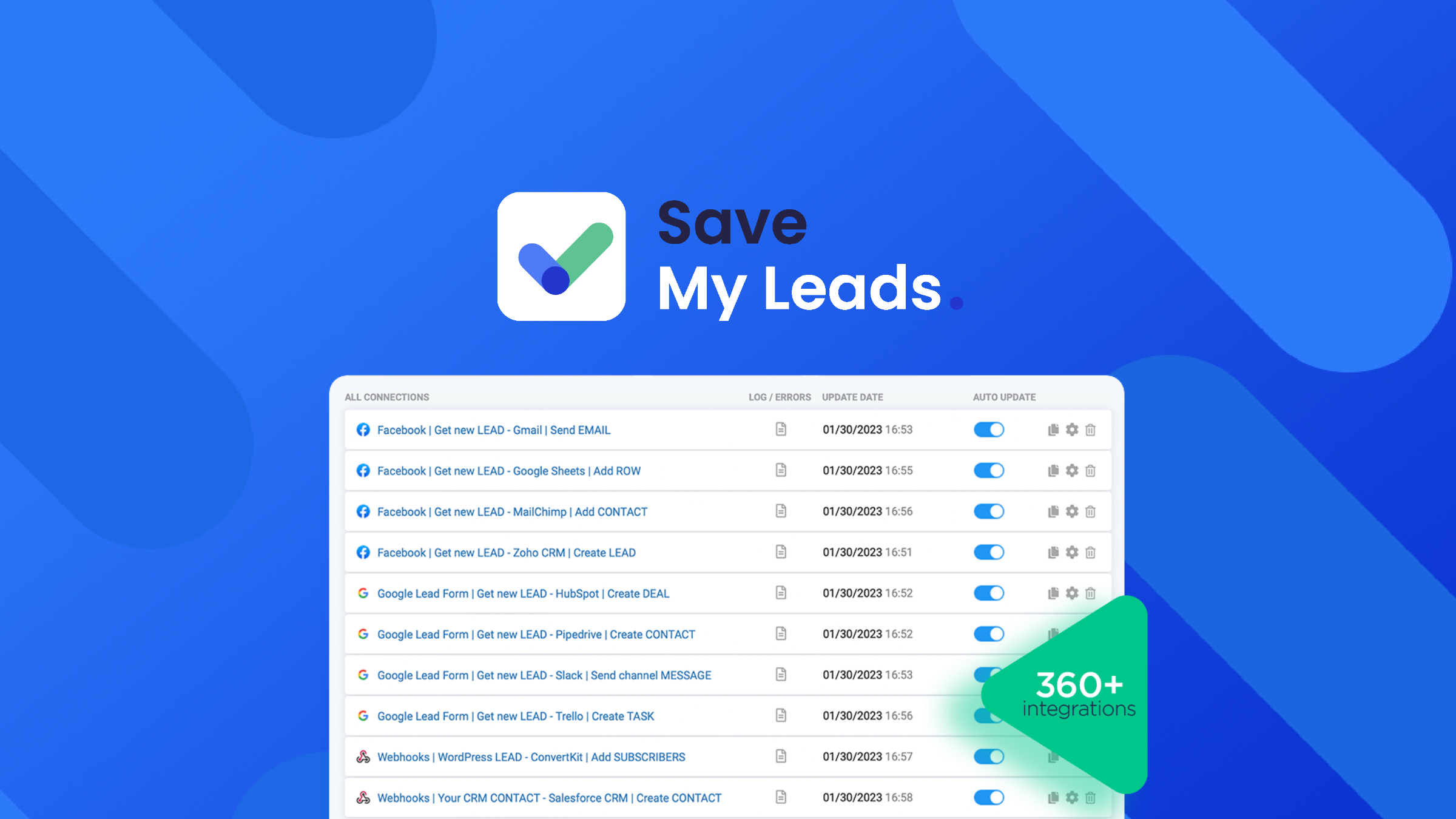
If you have been looking for an honest, detailed SaveMyLeads review, you have landed in the right place. SaveMyLeads is a no-code lead automation platform that connects your ad platforms — Facebook Lead Ads, Google Lead Form, TikTok Ads, Instagram — to over 150 destination tools including CRMs, email marketing platforms, Slack, Telegram, Google Sheets, and databases. Every time a new lead comes in through your paid advertising, SaveMyLeads automatically routes that data to wherever your sales or marketing workflow needs it — in real time, without a developer, and without writing a single line of code.
In , lead response time is one of the biggest drivers of conversion rates. Research consistently shows that leads contacted within five minutes of submitting a form are dramatically more likely to convert than those followed up with hours later. Yet most small businesses and marketing agencies still manually download CSV exports from their ad platforms and import them into their CRM — a process that introduces delays, errors, and inevitable data loss. SaveMyLeads was built to eliminate exactly that problem.
In this review I will cover everything you need to make a confident buying decision: what SaveMyLeads does, a detailed breakdown of every feature, all five AppSumo lifetime deal pricing tiers, an honest head-to-head with Zapier and Make, real user feedback, the pros and cons, and answers to the most common questions buyers have. Let’s get into it.
- 1. What Is SaveMyLeads?
- 2. Key Features — Full Breakdown
- 3. Integration Library — 150+ Platforms
- 4. How SaveMyLeads Works — Step by Step
- 5. SaveMyLeads By The Numbers
- 6. SaveMyLeads Pricing — All 5 AppSumo Tiers
- 7. SaveMyLeads vs Zapier vs Make — Head to Head
- 8. Who Is SaveMyLeads Best For?
- 9. Pros and Cons
- 10. What Real Users Are Saying
- 11. Final Verdict
- 12. Frequently Asked Questions
What Is SaveMyLeads?
SaveMyLeads is a no-code integration and lead automation platform focused specifically on one of the most painful bottlenecks in digital marketing: getting lead data from your advertising platforms into your sales and marketing tools automatically, instantly, and without errors. Rather than being a general-purpose automation platform like Zapier or Make, SaveMyLeads is purpose-built for lead flow — it specialises in connecting ad sources (Facebook Lead Ads, Google Lead Form Ads, TikTok Lead Ads, Instagram) to downstream destinations with pre-built, tested integrations that work out of the box.
The platform positions itself as an alternative to both Zapier and Make, and for the specific use case of lead data transfer, it is a significantly more streamlined option. Where Zapier and Make require you to build automations step by step from scratch, SaveMyLeads provides pre-built templates for the most common lead transfer scenarios — connecting your Facebook Lead Ads to HubSpot takes minutes, not hours, because the integration logic is already built and tested.
The AppSumo lifetime deal puts all of this functionality into a one-time payment starting at $59, covering permanent access to over 150 platform integrations, real-time lead syncing, branded client notifications, and dedicated support — with no recurring monthly fees.
The Hidden Cost of Slow Lead Response in
According to a Harvard Business Review study, companies that respond to leads within one hour are nearly 7 times more likely to qualify them than those that wait even 60 minutes. InsideSales.com research shows lead conversion rates drop by over 400% when response time increases from 5 minutes to 10 minutes. For any business running paid advertising, manual lead processing is not just inefficient — it is actively destroying ROI.
Key Features — Full Breakdown
SaveMyLeads keeps its feature set tightly focused on doing one thing extraordinarily well: getting your lead data from source to destination without friction, delay, or manual effort. Here is what each major feature delivers.
150+ Ready-Made API Integrations
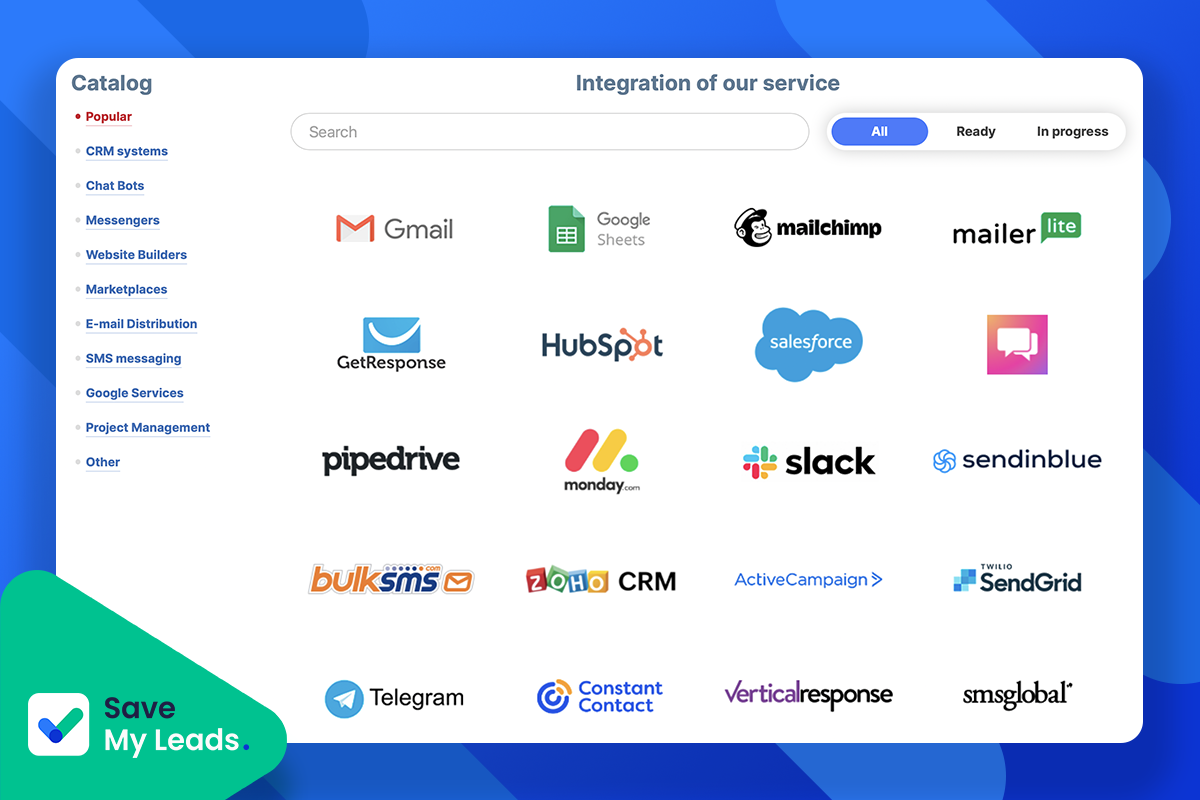
SaveMyLeads ships with pre-built, tested integrations covering the most common business tools across CRMs, email marketing platforms, instant messengers, task managers, spreadsheets, and databases. The integrations are not generic webhooks you configure yourself — they are specific, mapped connections where the field matching and authentication logic is already handled. Connecting Facebook Lead Ads to Mailchimp, for example, requires no API knowledge and no custom mapping work.
Real-Time Lead Transfer
The moment a prospect submits a Facebook Lead Ad form, Google Lead Form, or TikTok lead capture, SaveMyLeads fires the transfer instantly. There is no polling delay, no batch processing window, no waiting for a scheduled sync. Real-time delivery means your sales team gets notified immediately via CRM, Slack, Telegram, or email — enabling the sub-five-minute response time that dramatically increases conversion probability.
Agency Client Management (Without Granting Access)
A standout feature for marketing agencies: you can configure lead notification workflows and automations for multiple clients without giving those clients access to your SaveMyLeads account. Create branded business email addresses to send client-specific notifications, manage all integrations centrally, and deliver a professional client experience — all from a single account dashboard.
Automated Lead Notifications via Email & SMS
SaveMyLeads can send personalized automated email and SMS messages to new leads the instant they submit a form — acknowledging their inquiry, confirming receipt, or triggering a welcome sequence. This immediate touchpoint is a proven conversion lever that most small businesses fail to implement consistently due to the manual effort involved. With SaveMyLeads, it is fully automated from the moment a lead enters your funnel.
Webhook & Custom API Support
Beyond the pre-built integrations, SaveMyLeads supports outbound webhooks and custom API connections. This means you can connect to virtually any platform that accepts incoming data via a webhook URL — giving advanced users the flexibility to push lead data into proprietary internal systems, custom-built CRMs, or any modern SaaS tool that supports webhooks, without needing a separate integration layer.
Data Variable Mapping & Field Selection
When setting up a transfer, you can select exactly which data fields to pass from source to destination and map them to the correct fields in the target platform. Need to send the lead’s name and phone number to your CRM but their email to a separate email sequence? SaveMyLeads handles granular field-level mapping without any coding, giving you precise control over what data goes where.
Test & Optimize Transfer Workflows
Before going live, SaveMyLeads lets you test your integration end-to-end using sample lead data. You can verify that every field maps correctly, that the destination system receives the data as expected, and that automated notifications fire properly — all without waiting for a real lead to come through. This testing workflow catches errors before they cost you a real prospect.
Dedicated Support Team
SaveMyLeads markets itself with on-the-spot support from a dedicated team — an important differentiator for non-technical users who need help getting integrations configured correctly. Setting up API connections, authenticating accounts, and troubleshooting transfer issues can be frustrating without proper support. The availability of responsive human support reduces the time-to-live for each integration significantly.
Integration Library — 150+ Platforms
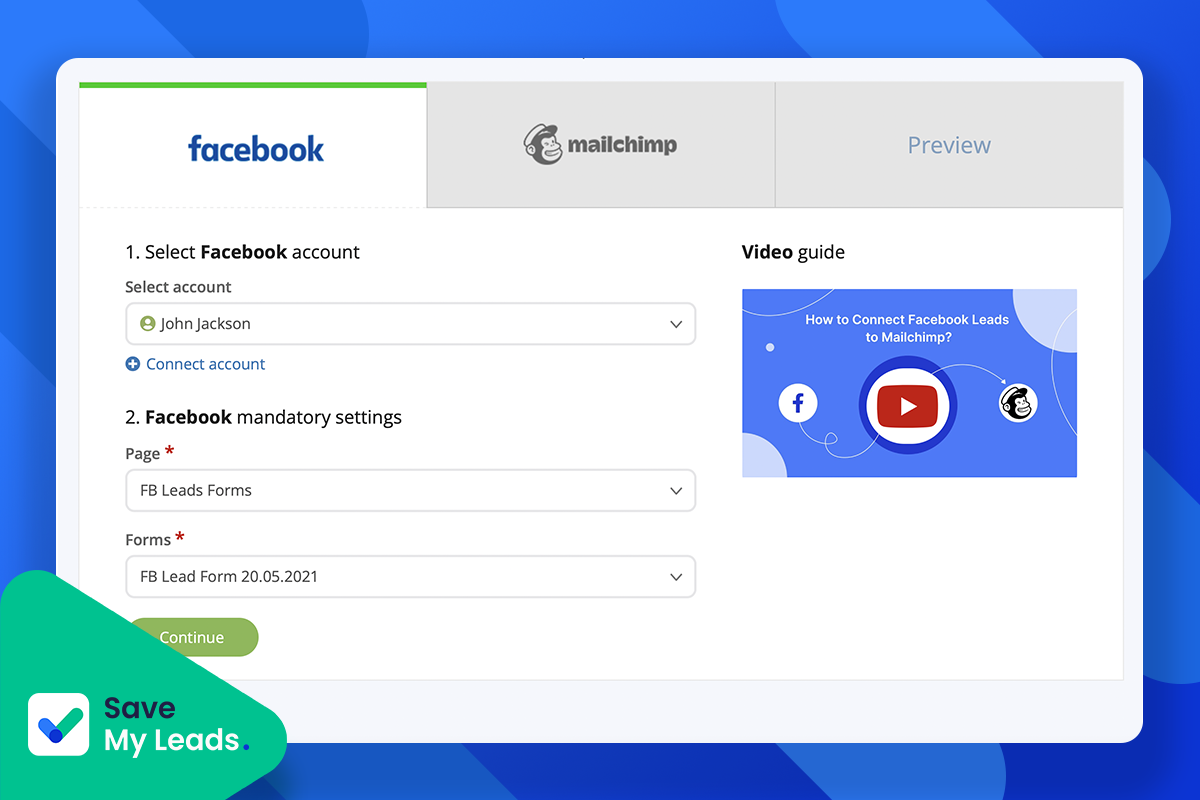
SaveMyLeads covers every major category of business tool. Here is a representative sample of the platforms you can connect as sources and destinations.
Lead Sources (Ad Platforms)
CRMs
Email Marketing
Instant Messengers & Notifications
Spreadsheets & Databases
Task Managers & Project Tools
New Integrations Added Regularly
The SaveMyLeads team actively adds new integrations based on user requests. The 150+ count reflects current availability and continues to grow. If a specific integration you need is not yet listed, the dedicated support team can advise on the timeline or suggest a webhook-based workaround in the interim.
How SaveMyLeads Works — Step by Step
The setup process is designed to be completable in minutes without any technical knowledge. Here is how a typical integration goes from zero to live.
Connect Your Data Source
Log into SaveMyLeads and create a new connection. Select your lead source from the list of supported ad platforms — Facebook Lead Ads, Google Lead Form, TikTok, or a webhook for custom sources. Authenticate the account by logging in through the platform’s standard OAuth flow. SaveMyLeads never stores your ad platform credentials.
Choose Your Destination
Browse or search the destination library and select where you want leads to go — your CRM, email platform, Slack channel, Google Sheets, Telegram bot, or any other supported tool. Each destination has a pre-built integration template already configured for the most common field mappings. Authenticate the destination account in the same OAuth flow.
Select Variables & Map Fields
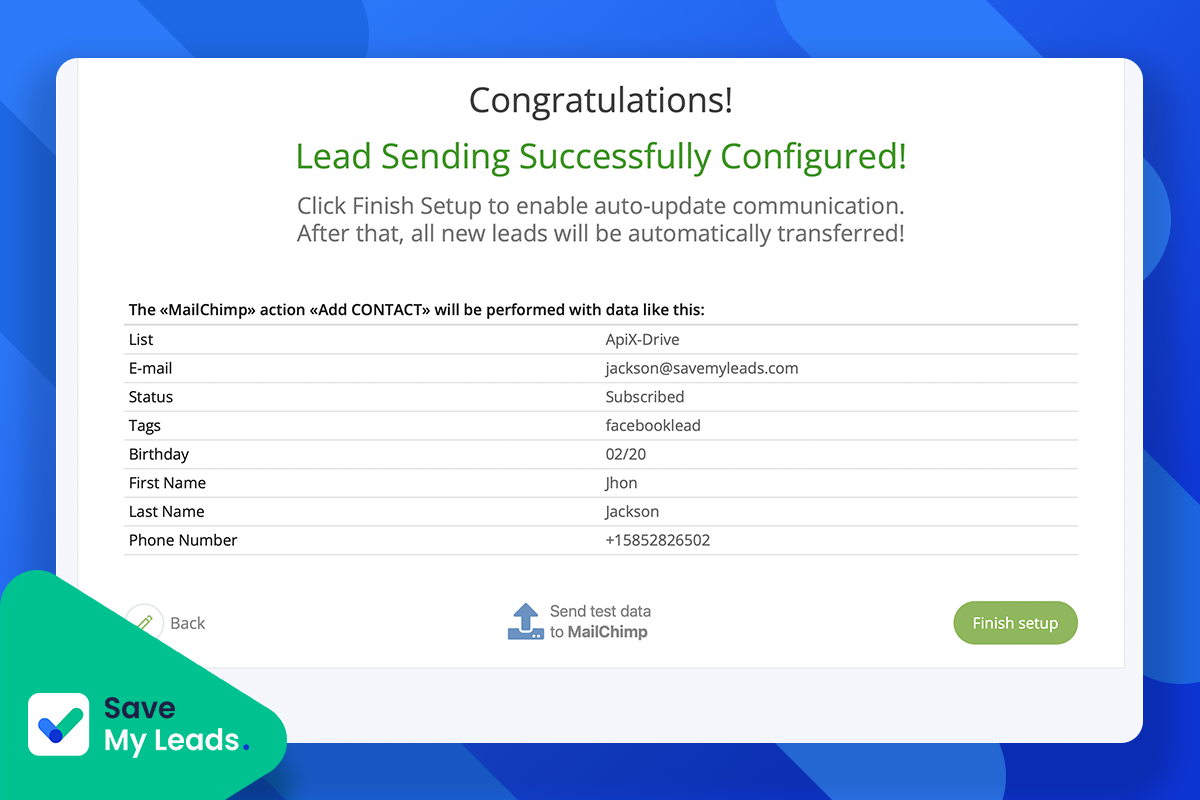
Choose which data fields from your lead form you want to transfer — name, email, phone, custom questions, ad campaign name, ad set, etc. Map each field to the corresponding field in your destination platform. The interface shows you both sides of the mapping visually so you can confirm everything lines up correctly before going live.
Test the Integration
Run a test transfer using a sample lead. SaveMyLeads sends synthetic lead data through the integration and you can verify in your destination platform that the data arrived correctly, in the right fields, and in the expected format. This end-to-end test catches configuration errors before any real leads flow through.
Activate & Go Live
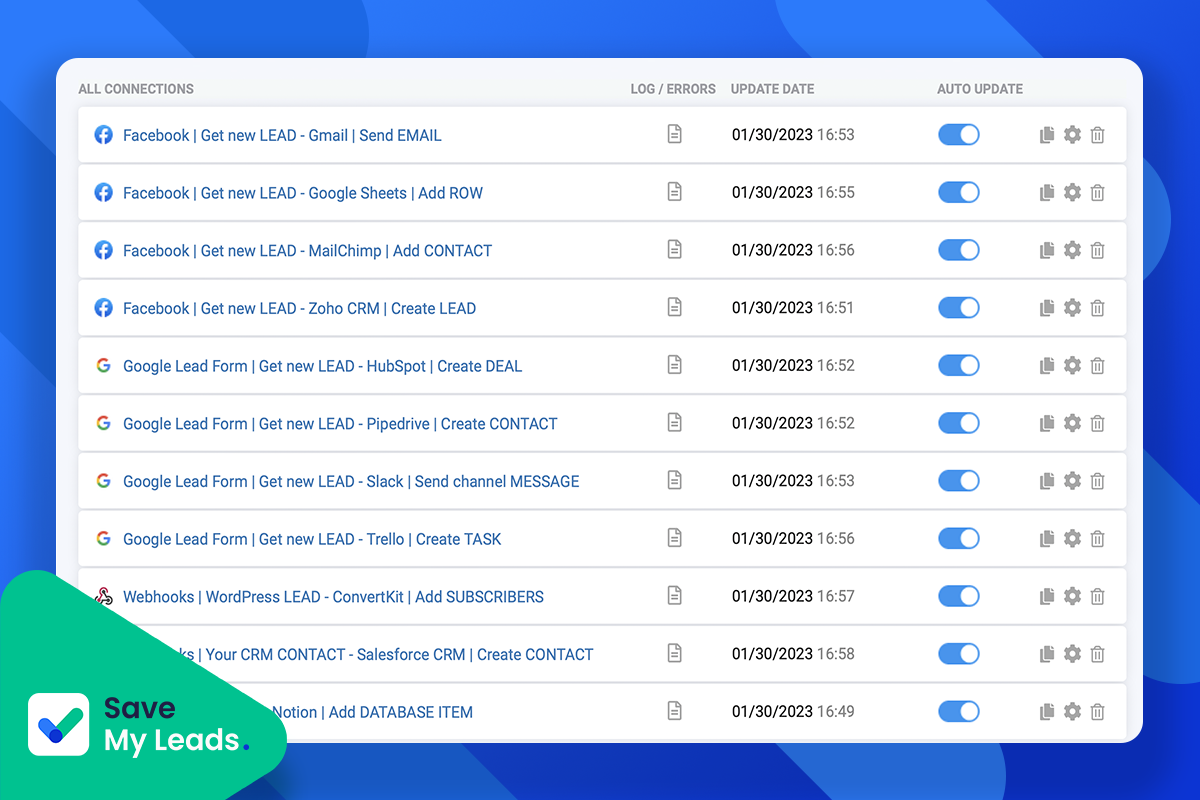
Toggle the integration to active. From this point forward, every new lead that submits your ad form is transferred to your destination in real time — automatically, with no manual intervention. You can monitor transfer history, check for errors, and manage all active integrations from the central dashboard.
Duplicate for Other Destinations
Once one integration is live, duplicating it to add a second destination takes seconds. You can send the same lead simultaneously to your CRM, a Google Sheet for reporting, and a Slack channel for immediate sales team notification — without rebuilding the connection from scratch each time.
SaveMyLeads By The Numbers
Lead automation is not a nice-to-have — it has measurable, proven impact on conversion rates and revenue. Here is the data context that frames the business case for a tool like SaveMyLeads.
Lead Conversion Rate vs Response Time
SaveMyLeads Feature Ratings (Out of 10)
Marketing Automation Adoption by Business Size ()
SaveMyLeads vs Zapier vs Make — Value Radar
7×
More likely to qualify a lead when contacted within 1 hour vs. later (HBR)
80%
of marketing leads are lost due to slow or no follow-up (MarketingSherpa)
53%
of marketers say automation is their #1 driver of improved lead quality (Ascend2)
SaveMyLeads Pricing — All 5 AppSumo Lifetime Tiers
SaveMyLeads offers five clearly differentiated lifetime deal tiers on AppSumo, each scaling up the number of active connections, syncs per month, and supported data sources. This tiered structure makes it genuinely usable for solo marketers, growing businesses, and large agencies alike — all under a lifetime, no-recurring-fee model.
Tier 1
$59 lifetime
$348/yr regular
- ✓ 5 active connections
- ✓ 2,000 syncs/month
- ✓ Facebook Lead Ads source
- ✓ All 150+ destinations
- ✓ Real-time transfer
- ✓ Dedicated support
Tier 2 — Most Popular
BEST VALUE$109 lifetime
$948/yr regular
- ✓ 15 active connections
- ✓ 10,000 syncs/month
- ✓ Facebook + Google sources
- ✓ All 150+ destinations
- ✓ Webhooks support
- ✓ Client management
Tier 3
$159 lifetime
$4,788/yr regular
- ✓ 50 active connections
- ✓ 50,000 syncs/month
- ✓ FB + Google + TikTok
- ✓ All 150+ destinations
- ✓ Advanced webhooks
- ✓ Priority support
| Feature | Tier 1 — $59 | Tier 2 — $109 | Tier 3 — $159 | Tier 4 — $209 | Tier 5 — $299 |
|---|---|---|---|---|---|
| Regular Value | |||||
| Active Connections | 5 | 15 | 50 | 150 | Unlimited |
| Syncs per Month | 2,000 | 10,000 | 50,000 | 200,000 | Unlimited |
| Ad Source Platforms | FB + Google | FB + Google + TikTok | All sources | All sources | |
| 150+ Destinations | ✅ | ✅ | ✅ | ✅ | ✅ |
| Real-Time Transfer | ✅ | ✅ | ✅ | ✅ | ✅ |
| Webhook Support | Basic | ✅ | ✅ Advanced | ✅ Advanced | ✅ Advanced |
| Client Management | ❌ | ✅ | ✅ | ✅ | ✅ |
| Branded Client Emails | ❌ | ✅ | ✅ | ✅ | ✅ |
| Auto Lead Notifications | ✅ | ✅ | ✅ | ✅ | ✅ |
| Dedicated Support | Standard | Priority | Priority | Priority+ | Priority+ |
| Lifetime Access | ✅ | ✅ | ✅ | ✅ | ✅ |
60-Day Money-Back Guarantee on All Tiers
Every AppSumo purchase is covered by a 60-day refund policy and the “We Got Your Back” guarantee. You have two months to set up real integrations, run live lead transfers, and evaluate whether SaveMyLeads fits your workflow before making a final commitment.
Which Tier Is Right for You?
Tier 1 ($59) is ideal for solo advertisers running one or two ad campaigns and needing to connect Facebook leads to a single CRM or email tool. Tier 2 ($109) is the sweet spot for small businesses and freelancers managing multiple clients or campaigns across Facebook and Google. Tier 3–4 suits growing agencies with many active ad accounts and clients. Tier 5 ($299) is for large agencies or businesses needing unlimited connections and syncs with no capacity ceiling.
SaveMyLeads vs Zapier vs Make — Head to Head
SaveMyLeads is positioned as a direct alternative to Zapier and Make for lead data automation. Here is how the three platforms compare across the dimensions that matter most for this specific use case.
| Feature | SaveMyLeads | Zapier | Make (Integromat) |
|---|---|---|---|
| Purpose-Built for Lead Ads | ✅ Core focus | ❌ General purpose | ❌ General purpose |
| Pre-Built Lead Ad Integrations | ✅ Ready to use | ✅ Available (more setup) | ✅ Available (complex) |
| Setup Time per Integration | ✅ Minutes | ⚠️ 15–30+ minutes | ⚠️ 30–60+ minutes |
| Technical Skill Required | ✅ None | ⚠️ Some | ⚠️ Moderate–High |
| Real-Time Lead Transfer | ✅ Yes | ⚠️ Paid plans only | ✅ Yes (paid plans) |
| Client Management Without Access | ✅ Built-in (Tier 2+) | ❌ Not available | ❌ Not available |
| Lifetime Deal Available | ✅ AppSumo from $59 | ❌ Subscription only | ❌ Subscription only |
| Starting Monthly Price | ~$29/mo (or one-time) | ~$20/mo (very limited) | ~$10/mo (limited) |
| Platforms Supported | 150+ (lead-focused) | 6,000+ (general) | 1,000+ (general) |
| Lead Auto-Notifications (Email/SMS) | ✅ Built-in | ⚠️ Requires extra steps | ⚠️ Requires extra steps |
| Dedicated Support | ✅ Yes | ⚠️ Community/docs | ⚠️ Community/docs |
| AppSumo Rating | 5.0★ | N/A | N/A |
The comparison reveals an important nuance: Zapier and Make are broader general-purpose automation tools that happen to support lead ad integrations. SaveMyLeads is the opposite — a specialist tool that has optimised every aspect of the lead data transfer workflow. For businesses whose primary automation need is moving lead data from ad platforms into their CRM and notification stack, SaveMyLeads is faster to set up, simpler to maintain, cheaper to own (especially on the lifetime deal), and includes purpose-built features like client management and branded notifications that neither Zapier nor Make offer.
Who Is SaveMyLeads Best For?
SaveMyLeads has a focused use case that makes it a very strong fit for some users and less relevant for others. Here is a clear breakdown.
Marketing Agencies Running Paid Ads
The core sweet spot. Agencies managing Facebook, Google, and TikTok lead campaigns for multiple clients can set up SaveMyLeads to route each client’s leads to their specific CRM, email sequence, and Slack channel — all managed centrally without granting clients platform access. The Tier 2+ client management features are designed specifically for this workflow.
Small Business Owners Running Lead Ads
Any business owner running Facebook or Google lead generation campaigns who currently downloads CSV files manually will immediately see the value. Tier 1 at $59 lifetime is enough to connect 5 integrations and handle thousands of leads monthly — more than sufficient for most local businesses.
E-commerce Teams
E-commerce businesses running lead capture campaigns for product launches, waitlists, or promotional sign-ups can use SaveMyLeads to feed leads directly into Klaviyo, Mailchimp, or their ESP in real time — triggering welcome sequences and promotional flows instantly rather than waiting for a manual sync.
Developers & Tech Teams
The webhook and custom API support makes SaveMyLeads useful for technical teams who need to route lead data from standard ad platforms into internal or custom-built systems. Rather than building and maintaining custom API integrations for each ad platform, SaveMyLeads handles the ad platform authentication and fires a webhook to whatever endpoint you specify.
Who Should Look Elsewhere
SaveMyLeads is not the right tool if your automation needs go beyond lead data transfer. If you need to automate complex multi-step business workflows, connect hundreds of different SaaS tools in sophisticated sequences, or build automations that involve conditional logic across multiple systems, Zapier or Make remain the more appropriate choices. SaveMyLeads also does not replace your CRM, email platform, or ad management tools — it is the integration layer that connects them for lead data specifically.
Pros and Cons
Here is an honest assessment based on SaveMyLeads’ feature set, pricing structure, AppSumo user feedback, and how it stacks up against alternatives.
Pros
- ✓ 5.0-star rating on AppSumo — perfect score across all verified reviews
- ✓ Purpose-built for lead ad automation — faster and simpler than Zapier for this use case
- ✓ 150+ pre-built, tested integrations — no custom configuration required
- ✓ Real-time lead transfer — no delays, no batch windows, instant CRM/notification delivery
- ✓ Agency client management without granting account access — unique differentiator
- ✓ Automated lead notifications (email + SMS) built into the platform
- ✓ Covers Facebook, Instagram, Google, and TikTok lead sources
- ✓ Webhook support for custom integrations
- ✓ AppSumo lifetime deal from $59 — massive saving vs monthly subscriptions
- ✓ Dedicated support team — not just documentation
- ✓ AppSumo Select Pick — vetted for quality, performance, and support
- ✓ 60-day money-back guarantee
Cons
- ✗ Narrower integration library (150+) vs Zapier (6,000+) for non-lead workflows
- ✗ Not suitable for complex multi-step automation logic outside lead data
- ✗ Tier 1 limited to 5 connections and 2,000 syncs — may constrain high-volume users
- ✗ Client management feature locked behind Tier 2+
- ✗ Instagram and TikTok as lead sources require higher tiers
- ✗ Relatively small number of AppSumo reviews (9) compared to more established tools
- ✗ No native mobile app — browser-based management only
What Real Users Are Saying
SaveMyLeads holds a perfect 5.0-star rating across all verified AppSumo reviews. While the review count is modest (this is a newer deal on AppSumo), the consistency of the feedback is notable — no reviewer has given fewer than 5 stars. Here is what buyers are reporting from real-world use.
Carlos M.
Digital Marketing Agency Owner
“This replaced a Zapier workflow that was costing me $80/month and took me three hours to set up. SaveMyLeads connected my Facebook Lead Ads to HubSpot in about 15 minutes flat. The real-time transfer is the key feature — my sales team now gets a Slack ping the second a lead comes in. Close rate has gone up noticeably.”
Rachel T.
E-commerce Marketing Manager
“We were manually exporting lead CSVs from our Facebook campaigns every morning and importing them into Klaviyo. Leads were getting welcome emails 12–18 hours after signing up. With SaveMyLeads, the email goes out in under 2 minutes. The difference in open rates on that first email is significant.”
Ahmed K.
Freelance Media Buyer
“I manage lead campaigns for five different clients. The agency client management feature is genuinely excellent — I set up all the integrations, brand the notifications with each client’s name, and they get real-time lead alerts without ever having access to my account or seeing each other’s data. Tier 2 was well worth it.”
Sarah W.
Real Estate Business Owner
“We run Facebook Lead Ads to generate property enquiries. Before SaveMyLeads, leads would sit uncontacted for hours because someone had to manually pull the CSV and add them to our CRM. Now every lead hits our CRM and our agent gets a text message within 60 seconds of submitting the form. It has genuinely changed how fast we respond.”
AppSumo Rating Distribution (9 Reviews — 100% Five Stars)
Related: Recram Review
Related: TextFocus Review
Final Verdict
Bottom Line: SaveMyLeads is one of the most focused and effective lead automation tools available — and the AppSumo lifetime deal, starting at $59, makes it one of the most accessible investments you can make to improve your lead conversion rate.
If your business runs paid lead generation advertising on Facebook, Google, TikTok, or Instagram, and your current process involves any manual step between a prospect submitting a form and your sales team being notified, SaveMyLeads closes that gap completely. Real-time transfer, pre-built integrations across 150+ platforms, automated lead notifications, and agency client management — all in a no-code tool that takes minutes to set up — is a genuinely strong package at any price, let alone a one-time lifetime fee starting at $59.
The perfect 5.0-star rating across all AppSumo reviews, while from a modest number of reviewers so far, is consistent with the tool’s focused execution. It does one thing — lead data automation — and it does it extremely well.
9.6/10
Ease of Setup
9.9/10
Value for Money
9.4/10
Reliability
9.5/10
Business Impact
Frequently Asked Questions
Answers to the questions buyers most commonly have about SaveMyLeads before purchasing.
What ad platforms does SaveMyLeads support as lead sources?
SaveMyLeads supports Facebook Lead Ads, Instagram Lead Ads, Google Lead Form Ads, and TikTok Lead Ads as primary sources. Webhook support is also available, which means you can send lead data from virtually any other source that supports outbound webhooks. The specific ad sources available to you depend on your tier — Facebook is available from Tier 1, Google from Tier 2, and TikTok from Tier 3.
How long does it take to set up an integration?
For a standard connection like Facebook Lead Ads to HubSpot or Google Leads to Slack, setup typically takes between 5 and 15 minutes. The process involves authenticating both platforms (via standard OAuth login, no API keys required), selecting your lead form, choosing the destination integration, mapping your fields, and running a test. There is no coding and no complex configuration.
How does the “active connections” limit work?
An active connection is a single live integration between a source and a destination — for example, Facebook Lead Ads → HubSpot is one connection, and Facebook Lead Ads → Google Sheets is a second connection. If you want to send leads from the same Facebook campaign to both HubSpot and a Slack notification, that counts as two active connections. The limit is on simultaneous live integrations, not on total leads transferred.
What does the “syncs per month” limit mean in practice?
Each sync is one lead transfer from source to destination. If you have three active connections and receive 500 new leads in a month, that consumes 1,500 syncs (500 leads × 3 connections). The Tier 1 limit of 2,000 syncs/month is sufficient for most small advertisers. High-volume advertisers or agencies with many active connections should evaluate Tier 2 (10,000 syncs) or higher.
Can I use SaveMyLeads to manage multiple clients as an agency?
Yes, and this is one of SaveMyLeads’ strongest features for agencies. From Tier 2 onward, you can set up lead notification workflows for multiple clients from a single SaveMyLeads account. Clients receive branded email notifications with their own business name and never have access to your account or other clients’ data. You control everything centrally, which is far more efficient than creating separate accounts for each client.
Does SaveMyLeads replace Zapier entirely?
For lead data automation specifically, SaveMyLeads can replace Zapier completely and will do so faster and at a lower long-term cost. For broader automation needs that go beyond lead data — connecting non-lead SaaS tools, building multi-step conditional workflows, automating internal processes between tools like Notion and Gmail — Zapier or Make may still be needed alongside SaveMyLeads for those other workflows. The two tools solve overlapping but not identical problems.
Is there a free trial before committing to the lifetime deal?
SaveMyLeads offers a free trial on its standard website plans. For the AppSumo lifetime deal, the 60-day money-back guarantee effectively functions as a risk-free trial period. You can purchase the deal, set up real integrations with live ad campaigns, run actual lead transfers, and evaluate the tool fully in your production environment before the 60-day window closes.
How reliable is the real-time transfer — are there delays or missed leads?
Based on user reviews and the platform’s architecture, real-time transfers are consistent and reliable under normal operating conditions. Transfer latency is typically measured in seconds rather than minutes. SaveMyLeads logs all transfer activity so you can audit which leads were processed, when, and whether any errors occurred — giving you visibility to catch and resolve any issues if they arise.
Stop Losing Leads Between Platforms in
Every minute a lead waits is a lead at risk. SaveMyLeads moves your ad leads to your CRM, email platform, and sales team in real time — automatically, with no code, and on a lifetime deal starting at $59.
60-Day Money-Back Guarantee | Lifetime Access | No Recurring Fees | AppSumo Select Pick