WPX Web Hosting Review: Fast Support, Clear Limits and the Real Cost
- From $17.99 month-to-month
- Unlimited visits, bandwidth limits apply
- 28-day daily backups
- 30-day refund policy
WPX is a managed WordPress host built around quick human support, bundled security work and a straightforward custom dashboard. It does not meter visitors, and every plan includes its custom XDN content delivery network, daily backups and malware removal. The trade-offs are fixed bandwidth and storage pools, just three origin-server regions, staging sites that consume paid site slots, and headline discounts that require a very long prepayment.
WPX is best for WordPress owners who value hands-on support more than infrastructure choice
WPX earns 8.9/10. Starter costs $17.99 month-to-month for one site, while the advertised $11.99 monthly equivalent requires $719.60 prepaid for five years and includes 20 free months. Business is the practical multi-site starting point because it adds five site slots, business email and more resources.
Choose WPX if you want WordPress-focused help, free standard migrations, malware cleanup and backups in one bill. Look elsewhere if you need root access, many server regions, downloadable automatic backups without creating a manual copy, or the flexibility to leave without a large unused prepaid term.
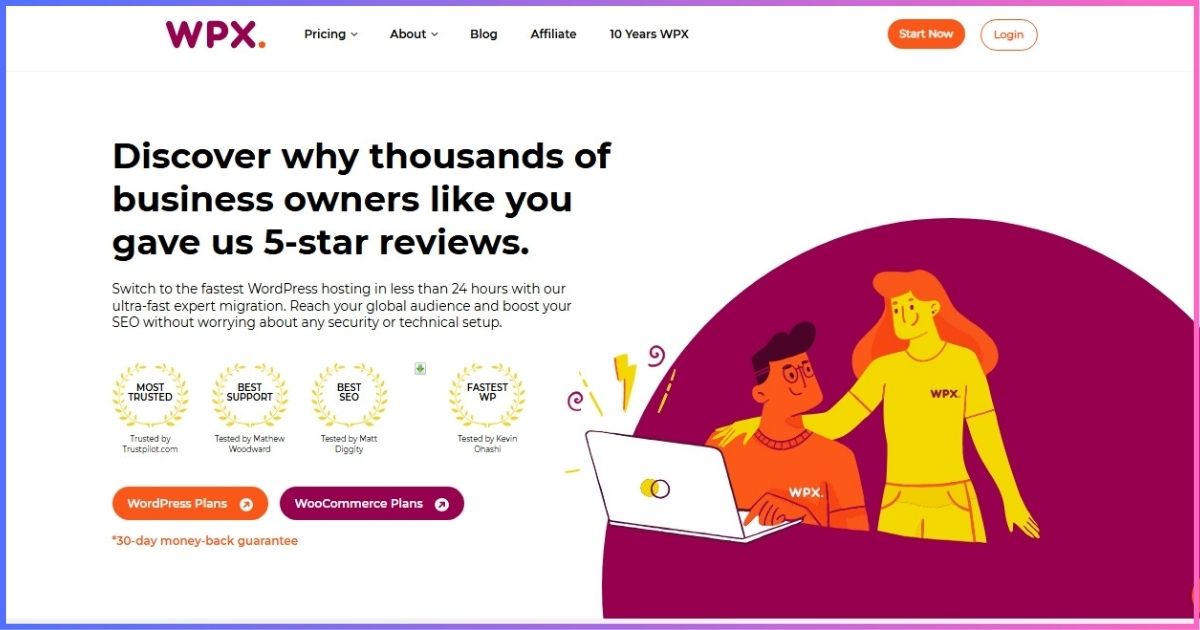
Table of contents
At a glanceWhat WPX Hosting Is—and What It Manages
WPX is WordPress-focused managed hosting on a Linux, LiteSpeed, MySQL and PHP stack. Instead of cPanel, customers use WPX’s own control panel to create sites, manage DNS and SSL, access files and databases, open staging copies, restore backups and contact support.
The service bundles infrastructure and selected website assistance. WPX manages the hosting platform, server security, its XDN, daily backup system and malware scanning. Its “Fixed For You” promise goes further than typical infrastructure support by helping restore offline or badly malfunctioning sites. It is not a development retainer: custom PHP, CSS, design changes and rewriting a broken third-party plugin remain the customer’s responsibility.
Current lineupWPX Hosting Plans, Pricing and Resource Limits
The current standard WordPress lineup is Starter, Business, Professional and Elite, with a much larger Agency tier above them. WPX does not meter monthly visits, but “unlimited visitors” does not mean unlimited infrastructure: every plan still has storage, bandwidth, RAM, CPU and PHP-worker allocations.
| Plan | Regular monthly | Five-year equivalent* | Sites | Storage | Bandwidth | RAM / CPU / workers |
|---|---|---|---|---|---|---|
| Starter | $17.99 | $11.99/mo | 1 | 10 GB | 100 GB | 3 GB / 0.5 / 9 |
| Business | $29.99 | $19.99/mo | Up to 5 | 20 GB | 200 GB | 5 GB / 1 / 15 |
| Professional | $59.99 | $39.99/mo | Up to 15 | 40 GB | 400 GB | 15 GB / 2 / 45 |
| Elite | $119.99 | $79.99/mo | Up to 35 | 80 GB | Unlimited† | 35 GB / 3 / 105 |
*Requires five years prepaid: $719.60, $1,199.60, $2,399.60 or $4,799.60 respectively, with 20 free months included. †“Unlimited” remains subject to the terms and acceptable-use controls. Confirm currency, tax, promotional code and next charge at checkout.
What every standard plan includes
Performance stack
LiteSpeed servers, SSD storage, OpCache, full-page caching, Anycast DNS and the custom XDN.
WordPress tools
One-click installation, staging, automatic updates, SFTP, file manager, phpMyAdmin, logs and access controls.
Security
SSL, WAF, hybrid DDoS mitigation, brute-force defense, bad-bot throttling, scans and malware removal.
Help and recovery
24/7 live chat, tickets, free standard migrations, daily backups and the Fixed For You promise.
Regular monthly price vs. five-year effective rate
The 33% displayed saving is real only after a large upfront payment and 60-month commitment.
Read the commitmentThe Real Cost of WPX Hosting
WPX is refreshingly different from hosts that sharply increase a teaser price at renewal: its long-term offer is based on included free months, while vendor terms list regular monthly and annual rates. Still, the lowest number is not a small monthly bill. You pay the entire multi-year amount up front.
| Plan | Month-to-month/year | Regular annual/year* | Five-year prepayment | Effective cost/site/mo† |
|---|---|---|---|---|
| Starter | $215.88 | $179.90 | $719.60 | $11.99 |
| Business | $359.88 | $299.90 | $1,199.60 | $4.00 |
| Professional | $719.88 | $599.90 | $2,399.60 | $2.67 |
| Elite | $1,439.88 | $1,199.90 | $4,799.60 | $2.29 |
*Published regular annual amount; promotions may add free service months. †Five-year effective price divided by every available site slot. It is meaningful only if all slots are productively used.
Annual vs. five-year billing
A regular annual term is the sensible middle ground for most buyers. It lowers the effective price without locking five years of cash into one provider. The long commitment becomes attractive only when WPX is already proven in your workflow and you reasonably expect to use its site allocation for most of the term.
Architecture, not invented benchmarksWPX Performance, XDN and Data Centers
WPX uses LiteSpeed servers, SSD storage, OpCache, full-page caching and a custom content delivery network called XDN. The provider lists more than 40 XDN endpoints. Customers select an origin in Chicago, London or Sydney, while the edge network caches eligible content closer to visitors.
The architecture is capable, but no universal “WPX load time” is credible. Theme code, plugin behavior, images, database queries, cacheability and visitor geography dominate real results. Dynamic carts, accounts and dashboards behave differently from cached public articles. Use field data and Google’s Core Web Vitals guidance to evaluate the actual site after migration.
PHP workers by plan
Workers process uncached PHP requests; they matter most for simultaneous dynamic activity.
How to test WPX properly
- Choose the origin closest to most visitors; changing regions later requires an account migration.
- Measure the homepage, long articles, search, login and any ecommerce journey separately.
- Test from audience locations and monitor real-user Largest Contentful Paint, Interaction to Next Paint and Cumulative Layout Shift.
- Watch bandwidth, disk and CPU in the control panel during campaigns instead of relying on the “unlimited visitors” label.
WPX advertises a 99.95% server-uptime guarantee. Treat that as a vendor service promise, not an observed result from this review, and save the terms that apply to your order.
The differentiatorWPX Support and the Fixed For You Guarantee
WPX reports an average live-chat response below 30 seconds and an average case resolution of 15 minutes. Those are WPX’s own operating figures, not independent measurements, but the more important distinction is scope: support is willing to diagnose and fix many hosting and WordPress problems rather than simply linking to documentation.
The Fixed For You guarantee targets sites that are offline or no longer functioning normally. It can cover plugin conflicts, database errors, failed updates, backup restoration, security patches and hosting configuration where a safe fix is possible. It excludes rewriting poorly coded plugins, custom PHP or CSS work, design improvements, end-user hardware and internet problems.
Protection and recoverySecurity, Malware Removal and Backups
Every standard plan includes free SSL, a managed web application firewall, hybrid DDoS mitigation, brute-force defense, bad-bot throttling, daily malware scans, security patching and free malware removal. Customers still need unique credentials, multifactor authentication, least-privilege accounts and a disciplined update process; managed hosting reduces risk rather than eliminating it.
WPX creates automatic daily backups on a separate server and retains them for 28 days. They can be restored through the control panel but cannot be downloaded directly. To keep an off-platform copy, create a Personal Backup, download it within its 24-hour life and store it elsewhere. Personal backups consume plan storage, and only one can exist per website at a time.
Daily administrationControl Panel, Staging, Email and Developer Access
WPX’s dashboard covers WordPress installation, automatic core/theme/plugin updates, SSL, DNS, files, SFTP, databases, phpMyAdmin, access/error logs, backups and XDN cache controls. It is intentionally simpler than a general server panel and does not provide root access.
Staging is included, but each staging instance requires a free website slot. A Business customer hosting five production sites therefore has no remaining slot for staging until one is freed. Deploying staging replaces the live setup, so take a backup and test the deployment workflow before a high-risk change.
Business, Professional and Elite include business email, webmail, unlimited mailboxes, email migrations and AI-assisted filtering. “Unlimited mailboxes” shares the hosting storage pool. WPX describes the service as basic small-business email and restricts sending to 50 messages per 30 minutes across the hosting plan, with no bulk marketing use. High-volume or mission-critical mail belongs on a dedicated provider.
Redis is not a standard WordPress-plan feature; WPX documentation currently reserves it for WooCommerce hosting. Buyers should not assume every cache technology named across WPX’s product family is present on an ordinary plan.
Know the boundaryFree Migration: What Is and Is Not Included
WPX offers free standard website and email migration for active hosting customers when a site slot and sufficient storage are available. Each site needs its own request. WPX says approved standard moves are normally completed within 24 hours, while malware cleanup can extend the process to 72 hours.
The free service reproduces the site on the same domain. A domain-name change costs $98 excluding VAT, an Express Migration costs $100, and a customer-caused re-migration costs $98. Changes made during migration or DNS propagation may not be copied. Standard WordPress-to-Multisite conversions, extracting one network site and certain non-WordPress platforms are not supported.
- Create and verify an independent backup.
- Freeze content changes during the agreed migration window.
- Test forms, checkout, scheduled tasks, logins and email on the temporary URL.
- Update nameservers or DNS only after acceptance testing.
- Keep the former host active through propagation and final verification.
Read before buyingWPX Hosting’s Most Important Limitations
- Five-year headline pricing: the lowest displayed rate requires $719.60–$4,799.60 up front.
- Only three origins: Chicago, London and Sydney; XDN broadens edge delivery but does not move dynamic origin processing.
- Staging consumes a site slot: multi-site accounts need spare capacity for test environments.
- Finite resources: unlimited visitors coexist with bandwidth, disk, CPU, RAM and PHP-worker ceilings.
- Automatic backups are restore-only: create a short-lived Personal Backup when you need a downloadable copy.
- Email is basic: it has sending and bulk-mail restrictions and shares plan storage.
- No root or cPanel: the managed stack prioritizes consistency over server-level flexibility.
- Support has boundaries: custom development, visual work and recoding third-party software are excluded.
Market contextWPX Compared With Other Hosting Paths
| Hosting path | Best for | Main advantage | Main trade-off | Decision cue |
|---|---|---|---|---|
| WPX | Support-focused WordPress owners | Hands-on fixes, malware cleanup and no visit meter | Long prepayment, only three origins and finite resources | Choose when support time has clear value |
| WP Engine | Structured teams and agencies | Mature dev/stage/prod workflow and granular platform tooling | Visitor metering and higher renewal costs | Choose for workflow and governance |
| Cloud hosting panel | Technical users wanting server choice | More regions and infrastructure sizing options | More operational decisions and add-ons | Choose for infrastructure flexibility |
| Budget shared hosting | New or low-value sites | Far lower initial spend | Less hands-on help and fewer resources | Choose when cost outweighs support scope |
If budget is the main constraint, start with our cheapest web hosting providers guide. Our Bluehost vs HostGator and Hostinger vs HostGator comparisons also explain the trade-offs among lower-cost shared plans. Compare the full term, renewal, backups and support scope—not just the first advertised number.
Decision guideWhich WPX Plan Should You Choose?
Starter
Best for one important WordPress site that does not need WPX-hosted email. Check that 100 GB monthly bandwidth and 10 GB storage leave room.
Business
Best general-value tier for one to four production sites plus a spare staging slot. It adds email and doubles Starter’s bandwidth.
Professional
Best for freelancers with several active sites and meaningful uncached traffic. Its 45 workers and 15 GB RAM are the key upgrade.
Elite
Best for a larger portfolio needing 35 slots, 80 GB storage and 105 workers. Compare Agency or a custom solution before maxing it out.
Size by peak dynamic traffic, storage and bandwidth—not visitor count alone. Reserve site slots for staging, include email disk use, and choose a billing term based on confidence. A one-year term is usually safer for a new customer than jumping directly to five years.
Ready to verify the current WPX offer?
Compare the amount due today, included free months, renewal basis and resource allocations before paying.
Visit WPX Hosting →Balanced viewWPX Hosting Pros and Cons
Pros
- No visitor-based billing on current plans
- Responsive, WordPress-oriented 24/7 support
- Fixed For You assistance for many site failures
- 28 days of separate-server daily backups
- Malware scanning and cleanup included
- Custom CDN, SSL, WAF and DDoS controls
- Free standard site and email migration
- Clear RAM, CPU and PHP-worker allocations
Cons
- Lowest rate requires five years prepaid
- Only three origin-server locations
- Staging uses a paid website slot
- Automatic backups cannot be downloaded directly
- Storage is modest across multi-site tiers
- Starter does not include business email
- No root access or conventional cPanel
- Developer work falls outside the support promise
How this review score is weighted
Documented service scope and ownership cost carry more weight than marketing benchmarks.
- Ease and WordPress workflow — 30%
- Value and pricing transparency — 25%
- Security, backups and reliability — 20%
- Support scope — 15%
- Growth flexibility — 10%
FAQFrequently Asked Questions
How much does WPX Hosting cost?
Does WPX increase its price at renewal?
Does WPX limit visitors?
Does WPX include email hosting?
How long does WPX keep backups?
Is WPX migration really free?
Does WPX offer staging?
Can I get a refund?
WPX is a strong support-led host—if its fixed platform and commitment suit you
WPX’s appeal is unusually coherent: clear resource allocations, no visitor meter, 28-day backups, security cleanup, a global edge network and support that will attempt hands-on fixes. For a small business without an in-house WordPress specialist, that service combination can justify paying more than entry-level shared hosting.
Our reservations are practical rather than fatal. The best advertised rate ties up five years of fees, the origin network is limited to three regions, staging consumes site capacity, and automatic backups need an extra manual step before they can be stored elsewhere. Start with an annual term, verify real performance and support on your own site, and only then consider a longer commitment.
Affiliate disclosure: We may earn a commission if you purchase through our WPX link, at no additional cost to you. This does not change the plan data, limitations or scoring in this review. Pricing and promotions can change; verify your checkout summary before purchase.
Sources & comparison methodology
Primary sources reviewed: WPX WordPress Hosting checkout and plan comparison; Starter and Agency plan pages; Refund Policy; Managed WordPress scope; Control Panel overview; Daily Backups and Personal Backups; XDN documentation; Data Center Locations; Email Acceptable Use; Migration Policy; Fixed For You Guarantee; Technical Support limits; and security documentation. Contextual standards came from WordPress.org Requirements and Google Search Central’s Core Web Vitals documentation.
Method: We separate regular monthly, annual and five-year effective prices, calculate full-term amounts, and compare documented resource pools. Feature claims are included only when current first-party documentation supports them. Vendor uptime and support statistics are labeled rather than presented as our measurements. Scores weight workflow/ease 30%, value/pricing clarity 25%, security/backups/reliability 20%, support 15%, and growth flexibility 10%.
Limitations: Promotions, free-month offers, currency, tax and checkout terms can change. Website performance depends on code, cacheability, traffic and geography. The order summary, current terms, acceptable-use policy and refund policy supersede this editorial comparison.