8 Best Bitcoin Wallets in Kenya: Secure Wallets for M-Pesa Users
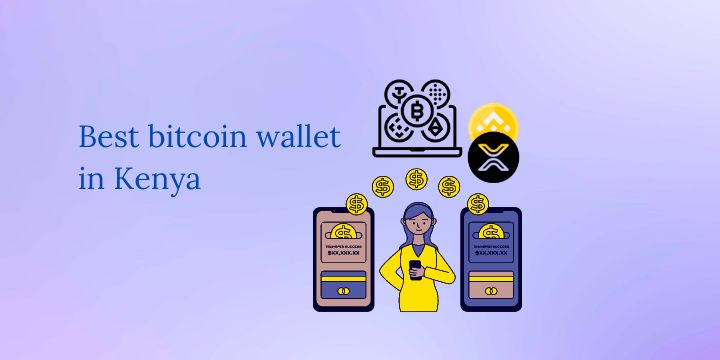
Bitcoin is becoming an important topic for Kenyans interested in digital payments, international transfers, and cryptocurrency investing. Whether you plan to buy Bitcoin using M-Pesa, receive BTC from another person, or hold Bitcoin for the long term, choosing the right wallet is an important part of managing your funds safely.
The best Bitcoin wallet for you depends on how you intend to use it. Some wallets are designed for convenient everyday transactions, others provide advanced Bitcoin management features, and hardware wallets are designed to protect your private keys with an additional layer of offline security.
This guide covers eight Bitcoin wallet options worth considering in Kenya: Trust Wallet, Exodus, Electrum, Mycelium, Blockchain.com Wallet, Base App (formerly Coinbase Wallet), Ledger hardware wallets, and Trezor hardware wallets.
It also explains how to buy Bitcoin using M-Pesa or bank transfers through supported peer-to-peer (P2P) marketplaces and then transfer your Bitcoin to a wallet you control.
Important: A wallet does not necessarily sell Bitcoin directly. You can buy Bitcoin through a supported exchange or P2P marketplace and transfer it to your wallet. Payment methods such as M-Pesa and bank transfers depend on the service you use to purchase the cryptocurrency.
Key Takeaways
- Trust Wallet: A mobile-friendly, self-custody wallet for Bitcoin and other supported cryptocurrencies.
- Exodus: A self-custody wallet available on desktop and mobile, with a straightforward interface for managing different crypto assets.
- Electrum: A Bitcoin-focused wallet with advanced features for users who want more control over their transactions.
- Mycelium: A mobile Bitcoin wallet with advanced Bitcoin management features; check its current official Android availability.
- Blockchain.com Wallet: Offers cryptocurrency wallet and related services. Check which product you are using and whether you control the private keys.
- Base App: The current evolution of Coinbase Wallet, with support for Bitcoin and other supported networks.
- Ledger and Trezor: Hardware wallet options worth considering for people who want to hold Bitcoin for the long term.
- M-Pesa and bank transfers: You can buy Bitcoin through a compatible P2P marketplace and transfer it to a self-custody wallet. The wallet does not have to accept M-Pesa directly.
What Is a Bitcoin Wallet?
A Bitcoin wallet is a tool that lets you manage the keys needed to receive, control, and spend Bitcoin on the Bitcoin network.
Bitcoin itself does not sit inside your phone or computer like money inside a physical wallet. Instead, your wallet manages cryptographic keys that allow you to authorize transactions associated with your Bitcoin addresses.
There are three main wallet categories to understand.
1. Self-custody wallets
A self-custody wallet gives you control over the private keys used to manage your Bitcoin. Depending on the wallet, you may receive a recovery phrase that can be used to restore access if your phone or computer is lost or damaged.
This provides greater direct control over your funds, but it also makes you responsible for keeping your recovery information secure.
If you lose your recovery phrase and have no other working backup, you may permanently lose access to your Bitcoin.
2. Exchange wallets
When you keep Bitcoin in a centralized exchange account, the exchange generally controls the private keys on your behalf.
This can make buying, selling, and trading convenient. However, you depend on the exchange’s account security, withdrawal policies, operational reliability, and continued access to its services.
An exchange account is not the same as a self-custody wallet, even when both display your Bitcoin balance.
3. Hardware wallets
A hardware wallet is a physical device designed to keep the keys used to authorize transactions more isolated from internet-connected devices.
You can receive Bitcoin at an address controlled by the hardware wallet and use the device to authorize outgoing transactions.
Hardware wallets can be useful for people holding larger amounts of Bitcoin or planning to keep it for an extended period. They still require careful setup, secure backups, and protection against scams.
For further guidance on comparing Bitcoin wallets, consult the official Bitcoin.org wallet chooser.
What Are the Best Bitcoin Wallets in Kenya?
The following options serve different purposes. Rather than treating one wallet as universally best, choose according to your device, experience, security needs, and the assets you intend to hold.
| Wallet | Type | Best Suited For |
|---|---|---|
| Trust Wallet | Mobile and browser-based self-custody wallet | Beginners and users managing multiple cryptocurrencies |
| Exodus | Desktop and mobile self-custody wallet | Users who want a straightforward interface across devices |
| Electrum | Bitcoin-focused software wallet | Experienced Bitcoin users seeking advanced wallet controls |
| Mycelium | Mobile Bitcoin wallet | Android users interested in advanced Bitcoin features |
| Blockchain.com Wallet | Cryptocurrency wallet with related account services | Users who prefer wallet and related cryptocurrency services within one ecosystem |
| Base App | Self-custody wallet functionality with additional app features | Users interested in the Base and Coinbase wallet ecosystem |
| Ledger | Hardware wallet | Users who want hardware-based private-key protection |
| Trezor | Hardware wallet | Long-term Bitcoin holders and users who prefer hardware-based control of their keys |
1. Trust Wallet
Trust Wallet is a self-custody cryptocurrency wallet available for mobile devices and as a browser extension.
It supports Bitcoin alongside other cryptocurrencies. This can be useful if you want to manage more than one digital asset in the same application.
With a self-custody wallet such as Trust Wallet, you are responsible for protecting your recovery phrase and securing your device.
Key features
- Manage supported Bitcoin and other cryptocurrencies.
- Receive Bitcoin using your wallet’s Bitcoin receiving address.
- Send Bitcoin to other compatible wallets.
- Manage supported assets from a mobile application.
- Access supported purchasing and swapping features through the wallet’s available services.
Advantages
Trust Wallet is worth considering if you want a mobile wallet without needing to keep every cryptocurrency in an exchange account. Its multi-asset support also makes it useful for people who own Bitcoin alongside other cryptocurrencies.
Things to consider
Buying Bitcoin through the wallet’s integrated purchase service depends on the payment providers available in your country. You should not assume that M-Pesa will appear as a payment option.
You can instead buy Bitcoin through an exchange that supports a suitable M-Pesa P2P payment method and then withdraw it to your Trust Wallet Bitcoin address.
Remember to select the correct asset and network when receiving funds. Bitcoin sent over the native Bitcoin network must be sent to a compatible Bitcoin address.
Official website: Trust Wallet Bitcoin Wallet.
2. Exodus
Exodus is a self-custody wallet available on desktop and mobile devices.
It is designed for users who want to manage supported cryptocurrencies through an accessible interface without relying on a centralized exchange to hold their private keys.
Exodus also provides integrated cryptocurrency exchange, purchasing, and swapping features through supported services.
Key features
- Desktop and mobile wallet applications.
- Bitcoin sending and receiving.
- Support for numerous cryptocurrency networks.
- Integrated swapping and purchasing features where available.
- Hardware-wallet compatibility for supported arrangements.
Advantages
Exodus may suit beginners who want a visually accessible wallet, as well as users who manage Bitcoin and other supported digital assets.
Its availability on different devices can also be convenient for people who want to manage their wallet beyond a single phone.
Things to consider
Exodus is a self-custody wallet, so you need to protect its recovery phrase. The company cannot simply reset your recovery phrase or recover your assets if you lose the information required to restore the wallet.
Integrated purchases and swaps may involve third-party providers, variable rates, and service fees. Check the terms and payment methods available to you before completing a purchase.
For a Kenyan user, purchasing Bitcoin on a compatible P2P marketplace and withdrawing it to Exodus may be an alternative to purchasing through an integrated provider.
Official website: Exodus.
3. Electrum
Electrum is a Bitcoin-focused wallet known for its advanced transaction-management features.
Unlike multi-asset wallets such as Trust Wallet and Exodus, Electrum concentrates on Bitcoin. It is worth considering if your main goal is to manage BTC rather than several different cryptocurrencies.
Electrum offers desktop applications and an Android version. Check the official download page for current platform support and verified releases.
Key features
- Bitcoin-focused wallet management.
- Transaction-fee settings.
- Support for hardware wallets in compatible configurations.
- Advanced Bitcoin transaction controls.
- Options for users who want greater control over how their wallet operates.
Advantages
Electrum can suit users who already understand the basics of Bitcoin transactions and want more control over fees and other transaction settings.
It may also appeal to technically experienced users who prefer a Bitcoin-specific tool instead of a multi-asset wallet.
Things to consider
Electrum may feel less straightforward for beginners than some mobile-first wallets. Its advanced features are useful, but you should understand the transaction settings before using them.
Only download Electrum from its official website. The project warns users against downloading the application from unofficial sources and recommends verifying download signatures.
Electrum is not a direct M-Pesa payment service. You can receive BTC from an exchange or another wallet once a transaction has been completed.
Official website: Electrum Bitcoin Wallet.
4. Mycelium
Mycelium is a mobile Bitcoin wallet with features for managing Bitcoin transactions, addresses, and backups.
The project has a long history in Bitcoin wallet development. Its Android version is listed by Bitcoin.org as a mobile Bitcoin wallet.
Key features
- Bitcoin sending and receiving.
- Bitcoin transaction-history tools.
- Advanced account and address management.
- Backup and recovery functionality.
- Support for compatible hardware-wallet arrangements.
Advantages
Mycelium may appeal to Android users who want a Bitcoin-oriented wallet with more advanced controls than a very basic mobile wallet.
It also offers options for users interested in hardware-wallet integration and cold-storage workflows.
Things to consider
Mycelium is more Bitcoin-focused than general multi-asset wallets. Check its current official documentation and app availability before installing it.
A wallet with advanced transaction controls still depends on the user’s ability to protect their recovery information and recognize fraudulent payment instructions.
Be careful when downloading wallet applications. Verify that you are using the official app or developer-provided source rather than an imitation.
Official website: Mycelium Bitcoin Wallet.
5. Blockchain.com Wallet
Blockchain.com offers cryptocurrency wallet and related account services, including ways to buy, sell, and manage supported cryptocurrencies.
It is important to distinguish between wallet functionality and any centralized exchange or trading-account services you may use on the same platform.
Depending on the product and account type, the way your cryptocurrency is held and who controls the relevant private keys can differ.
Key features
- Tools for receiving and sending supported cryptocurrencies.
- Wallet functionality for supported digital assets.
- Cryptocurrency purchasing and trading features where available.
- Account-security features and transaction management.
Advantages
Blockchain.com may be useful if you want wallet functions alongside other cryptocurrency services from the same provider.
However, you should understand the particular product you are using rather than assuming every account works as a self-custody wallet.
Things to consider
Check whether the service you are using gives you direct control over the private keys. If Bitcoin is held in a custodial account, you depend on the provider’s withdrawal process and account access.
Payment methods for buying crypto may differ by country, account verification, and provider requirements. Do not assume that a Kenyan account will have access to every purchase option advertised on the global website.
Official website: Blockchain.com Wallet.
6. Base App (formerly Coinbase Wallet)
Coinbase’s wallet product has evolved, and its current app is called Base App. It includes self-custody wallet functionality and supports Bitcoin alongside other supported assets and networks.
This should not be confused with a standard Coinbase.com exchange account, where the exchange generally controls the private keys for assets held in its hosted service.
Key features
- Self-custody wallet functionality.
- Support for Bitcoin and other supported networks.
- Tools for sending and receiving supported assets.
- Additional app features beyond basic wallet management.
Advantages
Base App may be useful for people who want wallet functionality within Coinbase’s broader product ecosystem while maintaining control over their self-custody wallet’s keys.
Things to consider
Product features, supported networks, and available services can change. Before transferring Bitcoin, open the current app and confirm that BTC is supported in the specific wallet mode you are using.
Coinbase’s standard exchange services and purchasing options also vary by country. The availability of the wallet app does not guarantee that every exchange or fiat-payment service is available to Kenyan residents.
For readers who want to open a regular Coinbase account, the original JoshWP referral link is Coinbase. This is an exchange-account link, not a guarantee of availability for every wallet or purchasing feature.
For wallet documentation, visit Coinbase’s official wallet help centre.
7. Ledger Hardware Wallets
Ledger offers hardware wallets designed to protect the private keys associated with supported cryptocurrencies.
A hardware wallet provides an additional layer of protection by keeping key operations more isolated from an internet-connected computer or phone. The device is used to authorize transactions rather than simply displaying a balance.
Key features
- Hardware-based protection for supported private keys.
- Transaction approval through the compatible device.
- Management of supported assets through compatible wallet software.
- Backup and recovery arrangements.
Advantages
Ledger hardware wallets are worth considering if you intend to hold Bitcoin for an extended period or want stronger separation between your private keys and everyday internet use.
They may also be useful if you manage more cryptocurrency than you feel comfortable leaving in a mobile wallet alone.
Things to consider
A hardware wallet does not eliminate every risk. Someone who obtains your recovery phrase may still be able to access your funds, even without the original device.
Buy from the official manufacturer or a reputable authorized reseller. Do not use a device that arrives with someone else’s recovery phrase already written down.
You should initialize the device yourself and follow its official security instructions.
Explore Ledger: Ledger hardware wallets.
8. Trezor Hardware Wallets
Trezor is another hardware-wallet manufacturer offering devices for managing Bitcoin and other supported cryptocurrencies.
Its current product range includes the Trezor Safe series, with different models offering different displays, connectivity options, and other features.
Key features
- Hardware-based private-key protection.
- Support for Bitcoin and other supported digital assets.
- Transaction verification and signing through compatible devices.
- Recovery and backup features.
- Compatibility with supported desktop and mobile workflows.
Advantages
Trezor is worth comparing with Ledger if your priority is long-term Bitcoin storage and direct control over your private keys.
The right choice depends on your budget, the assets you want to manage, device compatibility, and the backup method you prefer.
Things to consider
Check the exact model’s specifications and supported features before purchasing. Confirm shipping availability and the reliability of the seller if you are ordering from outside Kenya.
Do not assume that an expensive hardware wallet makes unsafe transaction practices harmless. Always verify addresses and transaction details before approving them.
Official website: Trezor hardware wallets.
How to Choose the Right Wallet
The most appropriate wallet depends on what you want to do with your Bitcoin.
If you are a beginner
A mobile wallet such as Trust Wallet or Exodus may be easier to start with because the interface is designed for sending, receiving, and managing cryptocurrency.
Learn how to back up your wallet before transferring a significant amount of Bitcoin.
If you mainly use Bitcoin
Electrum or Mycelium may be worth considering if you prefer tools designed around Bitcoin transactions rather than a broad range of cryptocurrency assets.
Electrum can be particularly useful for users who want more control over transaction settings on supported desktop systems.
If you want to hold Bitcoin for the long term
Consider comparing hardware wallets such as Ledger and Trezor.
You will need to account for the initial device cost, backup practices, device compatibility, and how you will securely recover access if the device is lost or damaged.
If you actively trade cryptocurrency
An exchange account can be convenient when you frequently buy and sell BTC. However, an exchange account is custodial when the platform controls the private keys.
You can also withdraw some or all of your holdings to a self-custody wallet when appropriate, considering withdrawal limits and network fees.
If you want to manage several cryptocurrencies
Trust Wallet, Exodus, and Base App support various assets and networks, although the exact supported assets differ.
Confirm that the particular cryptocurrency and network you want to use are supported before making a deposit.
How to Buy Bitcoin With M-Pesa and Transfer It to Your Wallet
One of the most important distinctions for Kenyan users is the difference between a wallet and a service that sells Bitcoin.
A wallet manages your keys. A P2P marketplace connects you with another person who offers to sell Bitcoin in exchange for a supported payment method, such as M-Pesa or a bank transfer.
This means you can use M-Pesa to buy Bitcoin through a compatible P2P service without requiring your personal wallet to accept M-Pesa directly.
Step 1: Choose a supported P2P marketplace
Start by reviewing a platform that offers compatible M-Pesa or bank-transfer payment methods for eligible users.
Read our updated guide to crypto exchanges that accept M-Pesa in Kenya.
You can also read about using bank transfers and payment cards in our guide to crypto-friendly banks in Kenya.
Step 2: Create and verify your exchange account
Register with the platform using its official website or app.
Complete the identity verification required for the service and review the relevant account, transaction, and payment rules.
Step 3: Find an available P2P seller
Choose Bitcoin (BTC) and Kenyan shillings (KES), then review the active offers.
Check the seller’s transaction history, completion rate, rate, order limits, and payment instructions. Proceed only when the seller supports your chosen payment method.
Step 4: Make the payment
Open the order and follow the instructions shown in the active trade. Send the required KES amount using the specified payment route.
Do not pay a different recipient or switch to an external transaction based on an unexpected message.
Step 5: Confirm that Bitcoin has arrived in your exchange account
Follow the marketplace’s official payment and release process. If the seller delays the release, use the platform’s dispute or appeal procedure rather than sending additional money.
After the Bitcoin has arrived, you can decide whether to leave it in the exchange account for trading or withdraw it to a self-custody wallet.
Step 6: Withdraw Bitcoin to your chosen wallet
Open your wallet, select Bitcoin, and locate its receiving address.
Copy the address into the exchange’s Bitcoin withdrawal form. Confirm that you are sending native Bitcoin over a network supported by your receiving wallet, and check the displayed withdrawal fee.
If you are doing this for the first time, consider making a small test transfer before moving a larger amount.
Once the transaction is broadcast, it may take time to receive the required network confirmations. Blockchain transactions are generally irreversible, so verifying the receiving address and network is essential.
How to Receive and Send Bitcoin
Receiving Bitcoin is usually straightforward, but you should verify the details carefully.
How to receive Bitcoin
- Open your wallet.
- Select Bitcoin (BTC).
- Choose the Receive option.
- Copy the receiving address or display its QR code.
- Share the address with the person sending the Bitcoin.
- Wait for the transaction to be broadcast and confirmed.
Always make sure that you have selected Bitcoin, not a different asset with a similar name or a wrapped version of BTC on another blockchain.
How to send Bitcoin
- Open your wallet and select Bitcoin.
- Choose Send.
- Enter the recipient’s Bitcoin address.
- Enter the amount you want to send.
- Review the estimated network fee.
- Check the address and amount carefully.
- Confirm the transaction.
Bitcoin network fees are not the same as exchange purchase fees. The amount can vary depending on network demand and the transaction’s characteristics.
Avoid sending cryptocurrency to an address supplied through an unexpected message, email, or social media conversation.
How to Secure Your Bitcoin Wallet
Choosing a reputable wallet is only one part of protecting your Bitcoin. Your backup practices, devices, and everyday habits also matter.
1. Protect your recovery phrase
When creating a self-custody wallet, you may receive a recovery phrase consisting of a series of words.
Write it down accurately and store it in a secure place that is not exposed to the internet. Consider maintaining a protected backup in a separate secure location.
Never send the phrase to a person claiming to be a wallet support agent. Anyone who obtains the phrase may be able to take control of your funds.
2. Use official downloads
Download software wallets from the developer’s official website or a verified app-store listing.
Check the publisher carefully, because imitation applications can appear similar to legitimate wallets.
For Electrum, use electrum.org rather than third-party download sites.
3. Secure your phone and computer
Use a strong device passcode, keep your operating system updated, and install security updates for your wallet application.
Avoid managing substantial cryptocurrency holdings on a device you suspect has been compromised.
4. Verify addresses before sending
Malicious software can alter copied cryptocurrency addresses, and scammers may send misleading payment details.
Check the recipient address carefully before approving the transaction. For significant transfers, consider confirming the address through a second trusted channel.
5. Consider a hardware wallet for long-term holdings
A hardware wallet can help isolate transaction signing from an everyday internet-connected device.
However, a hardware wallet still relies on careful recovery-phrase management and safe transaction approval. A compromised recovery phrase can undermine the protection provided by the device.
6. Be careful when using public Wi-Fi and links
Avoid opening wallet links from unsolicited emails, messages, or social media posts. Use official websites and applications.
Never enter your recovery phrase into a website simply because a pop-up or message claims that your account needs urgent verification.
7. Understand the risks
Bitcoin can fluctuate significantly in price. You may lose money through market movements, mistakes, phishing attacks, compromised devices, or an improperly managed backup.
A wallet’s security features do not guarantee that you will recover funds lost through a mistake or fraud.
For more detailed security guidance, see Bitcoin.org’s guide to securing your wallet.
Frequently Asked Questions
Which is the best Bitcoin wallet in Kenya?
There is no single wallet that is best for every person. Trust Wallet and Exodus may suit mobile users who want an accessible multi-asset wallet. Electrum is worth considering for Bitcoin-focused users who want advanced controls, while Ledger and Trezor are hardware-wallet options for people prioritizing hardware-based key protection.
Compare the wallet’s features, security model, supported assets, device compatibility, and backup arrangements.
Can I buy Bitcoin directly inside a wallet using M-Pesa?
That depends on the wallet’s integrated purchase providers and their availability in Kenya. Do not assume that a wallet supports direct M-Pesa payments just because it supports Bitcoin.
An alternative is to buy Bitcoin through an exchange’s P2P marketplace using M-Pesa and then withdraw the BTC to your wallet.
Can I use a bank account to buy Bitcoin and then transfer it to my wallet?
Yes, where a supported exchange or P2P seller accepts your bank-transfer method and the transaction complies with the relevant bank and platform policies.
After the Bitcoin arrives in your exchange account, you can withdraw it to a compatible self-custody wallet.
Do Bitcoin wallets charge fees?
Wallet software may be free to download, but using it can still involve costs.
Bitcoin transactions generally require network fees. Exchanges may charge withdrawal fees, and integrated purchasing or swapping services may charge separate fees or use different exchange rates.
Always check the final cost before confirming a transaction.
Is a mobile wallet safe enough for Bitcoin?
A mobile wallet can be appropriate for managing smaller balances and everyday transactions if you protect your device, install legitimate software, and maintain a secure backup.
For significant long-term holdings, you may also want to consider a hardware wallet. The right decision depends on your needs, risk tolerance, and ability to manage recovery information safely.
What happens if I lose my phone?
If you use a properly backed-up self-custody wallet, you may be able to restore it on another compatible device using its recovery phrase.
Without the required recovery information or another working backup, you may permanently lose access to the Bitcoin.
For exchange wallets, account recovery depends on the provider’s verification and account-recovery procedures.
Are Coinbase and Coinbase Wallet the same?
No. A Coinbase.com exchange account is a custodial service, while Coinbase’s wallet product evolved into Base App, which provides self-custody wallet functionality.
Before transferring Bitcoin, check which product and wallet mode you are using and confirm that the asset is supported.
Should I leave my Bitcoin on an exchange?
An exchange account can be convenient for active trading, but when an exchange controls the private keys, you depend on its ability to provide access to your funds.
A self-custody wallet gives you more direct control but also makes you responsible for securing the keys and backups. Consider your needs and understand the risks of each approach.
Final Thoughts
The best Bitcoin wallet in Kenya depends on whether you prioritize convenience, advanced Bitcoin controls, multi-asset support, or hardware-based key protection.
Trust Wallet and Exodus are options for users who want mobile-friendly self-custody. Electrum and Mycelium provide Bitcoin-focused alternatives, while Blockchain.com and Base App offer wallet functionality within broader cryptocurrency ecosystems. Ledger and Trezor hardware wallets are worth comparing if you plan to hold Bitcoin over the long term.
For Kenyan users, remember that buying Bitcoin and storing Bitcoin are two separate tasks. You can use a compatible P2P marketplace to purchase BTC with M-Pesa or a supported bank transfer, then withdraw the Bitcoin to a self-custody wallet.
Before transferring funds, confirm that your chosen wallet supports the asset and network, check all addresses, compare any fees, and create a secure backup. Never share your recovery phrase with another person.
Disclosure: This article contains affiliate links. JoshWP may earn a commission if you use certain links, at no additional cost to you. Prices, features, and service availability can change. Conduct your own research before making a purchase or financial decision. This article is for informational purposes only and is not financial advice. Read our affiliate disclosure and disclaimer.