Adsterra: Best Google AdSense Alternative
Google AdSense is still one of the most trusted ways to monetize a content website, but it is not the only option. If your site is new, rejected, outside AdSense-friendly niches, or needs more flexible ad formats, Adsterra may be worth testing.
Quick Answer
Adsterra is one of the best Google AdSense alternatives for publishers who want easier approval, no minimum traffic requirement, multiple ad formats, and monetization options such as Social Bar, Popunder, Native Banner, Display Banner, Direct Link or Smartlink, and In-Page Push. It is especially useful for newer websites, global traffic, entertainment sites, downloads, blogs, and publishers who want to test revenue beyond standard AdSense display ads.
Many bloggers start with Google AdSense because it is familiar, trusted, and widely accepted by advertisers. But AdSense is not always easy to get into. Google says publishers need high-quality original content, policy compliance, ownership/access to the submitted site, and an eligible account holder. For new publishers, this can mean waiting, reapplying, fixing policy issues, or looking for another monetization path.
Adsterra is a publisher ad network that positions itself as a flexible monetization platform. Official Adsterra publisher materials highlight no minimum traffic requirement, multiple ad formats, automated payouts once the selected payment threshold is reached, 24/7 support, direct advertisers, and an in-house ad security system. That makes it attractive for publishers who want to monetize earlier or diversify beyond AdSense.
Helpful related guides:
- How to Insert Adsterra Ads Using a Plugin for WordPress ad placement.
- How to Implement Adsterra Ads in React.js and Next.js Projects for modern JavaScript sites.
- How to Monetize a Christian Blog if you publish faith-based content.
- Best Christian Advertising Networks for niche-specific monetization alternatives.
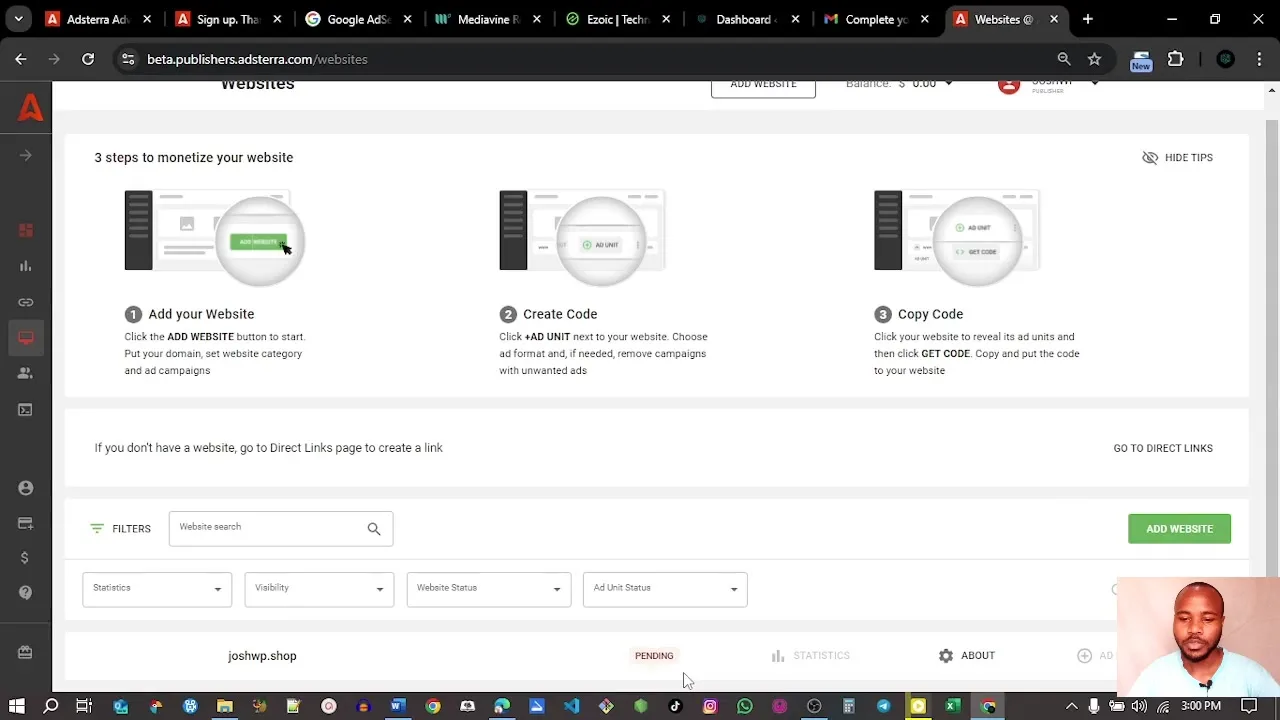
Watch the Adsterra Tutorial
Ready to Test Adsterra?
Create a publisher account, add your website, choose a format, place the code, and track performance for a few days before making final decisions.
What Is Adsterra?
Adsterra is an advertising network for publishers and advertisers. Publishers use it to monetize websites, blogs, apps, or certain social traffic sources with ad formats that go beyond classic display banners. Advertisers use it to buy traffic through pricing models such as CPM, CPC, and CPA.
For publishers, the appeal is speed and flexibility. Adsterra’s publisher guide says there is no minimum traffic requirement, and the setup flow is straightforward: register, verify email, add your website, choose an ad format, copy the code, and start monetizing once the website is approved. This is different from AdSense, where Google requires a site to meet eligibility and policy standards before ads can run.
That does not mean every publisher should replace AdSense with Adsterra. The better strategy is to test. Use Adsterra when you need an alternative, when AdSense approval is slow, when you want to monetize non-AdSense-friendly inventory, or when you want to diversify ad revenue.
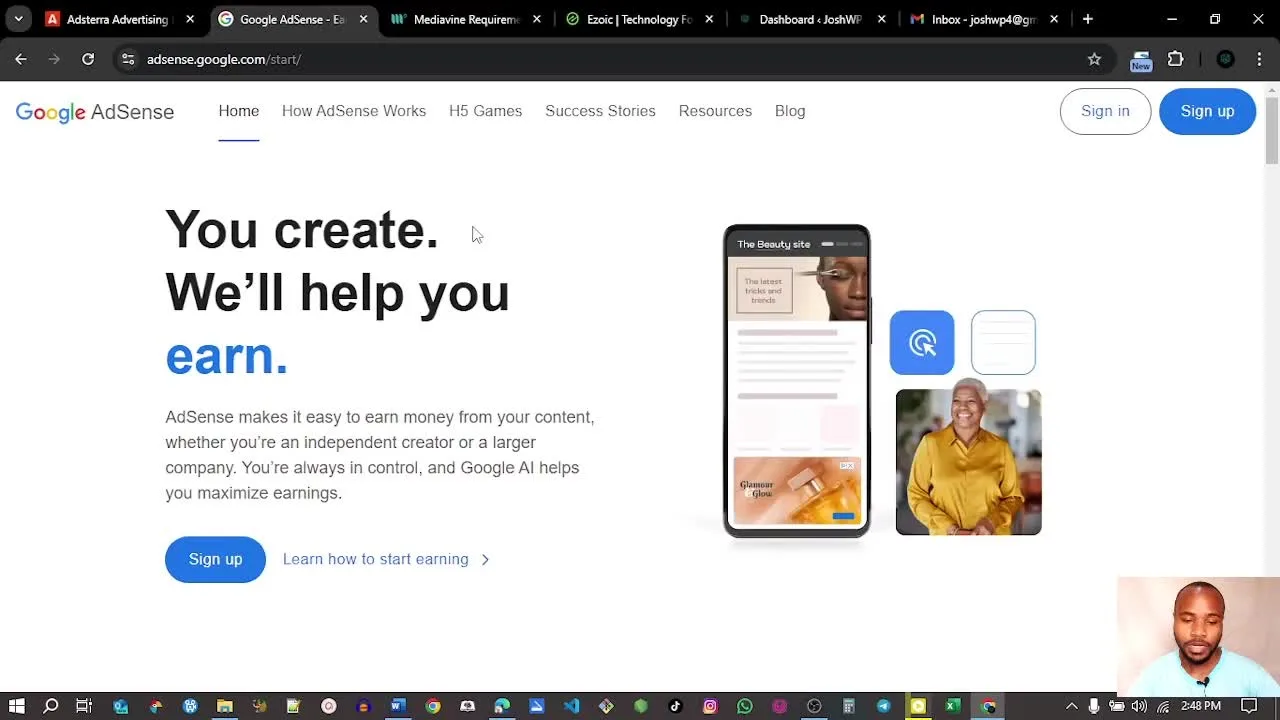
Adsterra vs Google AdSense: Which Is Better?
The best choice depends on your site, niche, traffic source, user experience goals, and monetization strategy. AdSense is often preferred for clean display ads and advertiser trust. Adsterra is often appealing for flexible ad formats, easier entry, low payout options, and global monetization.
| Factor | Google AdSense | Adsterra |
|---|---|---|
| Approval | Requires unique content, policy compliance, and site review. | Adsterra states it has flexible approval and no minimum traffic requirement. |
| Ad formats | Primarily Google display/native-style placements depending on inventory and policy. | Popunder, Social Bar, Native Banner, Display Banner, In-Page Push, Interstitial, Smartlink/Direct Link. |
| User experience | Generally cleaner and familiar to users. | Can earn well, but aggressive formats must be tested carefully. |
| Best for | Policy-safe content sites, long-term brands, high-quality blogs. | New publishers, global traffic, nontraditional niches, traffic monetization tests. |
| Payout threshold | Varies by Google payment rules and country. | Adsterra says minimum withdrawal can be $5 for Paxum, while PayPal and wire transfer thresholds are higher. |
Practical answer: If your site is AdSense-approved and your audience values a clean reading experience, keep AdSense as a baseline. If you are rejected, waiting for approval, monetizing global traffic, or testing higher-impact formats, Adsterra is worth testing.
Who Should Use Adsterra?
Adsterra is not only for publishers who were rejected by AdSense. It can also be useful when you want to diversify revenue, monetize traffic that AdSense does not perform well on, or test ad formats that are not available through standard display networks.
Adsterra is a good fit if:
- You have a new website and want to start testing monetization early.
- You have global traffic and want ad demand beyond one country or region.
- You publish in entertainment, downloads, tools, streaming, tech, tutorials, viral content, or other high-volume niches.
- You want to test formats such as Social Bar, Popunder, Interstitials, Smartlink, or In-Page Push.
- You already use AdSense but want an additional revenue stream for specific pages or geos.
- You monetize traffic from social media, referral campaigns, or landing pages where Smartlink-style monetization may fit.
Adsterra may not be ideal if:
- Your site is a premium brand publication where any aggressive ad experience could hurt trust.
- Your audience is highly sensitive to popups, popunders, or push-style prompts.
- You run a professional services website where lead quality matters more than ad revenue.
- You cannot monitor analytics, bounce rate, and complaints after adding ads.
- You want a completely hands-off monetization setup with no testing.
Decision shortcut: Use Adsterra if you are willing to test placements responsibly. Avoid turning on every format at once. A good ad network can still create a bad website experience if you use it carelessly.
Adsterra Ad Formats Explained
Adsterra’s biggest difference from AdSense is its ad format mix. Publishers can test formats that are not limited to traditional display placements. This can improve revenue, but it also means you need to protect user experience.
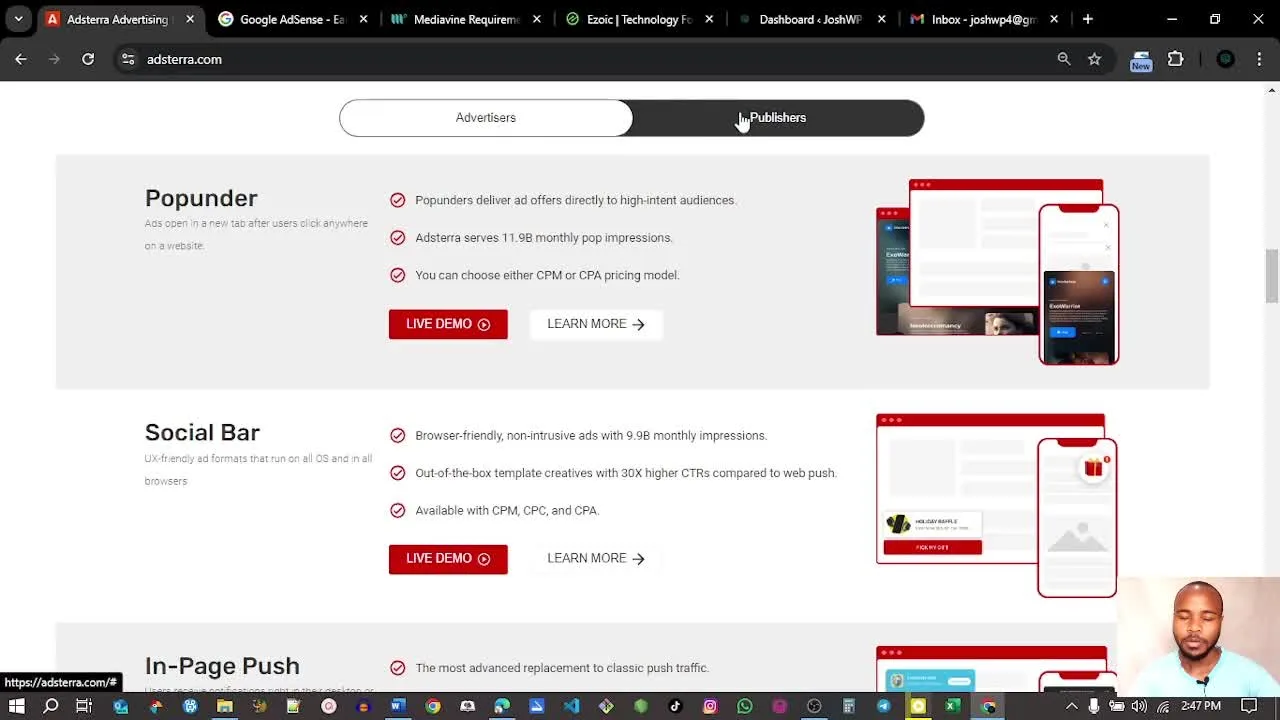
Popunder
Popunder ads open advertiser content in a separate tab or window after user interaction. They can produce strong revenue in some niches, but they are more aggressive than display ads. Use them carefully, especially on long-term brand sites.
Social Bar
Social Bar is Adsterra’s proprietary format that can resemble chat prompts, push-style notifications, or interactive widgets. Adsterra highlights it as one of its exclusive formats. It can work well on mobile traffic, entertainment, downloads, and social-style audiences.
Native Banner
Native-style placements can blend more naturally into content areas. They are usually easier to test on blogs because they feel closer to recommendation blocks than interruptive ads.
Display Banner
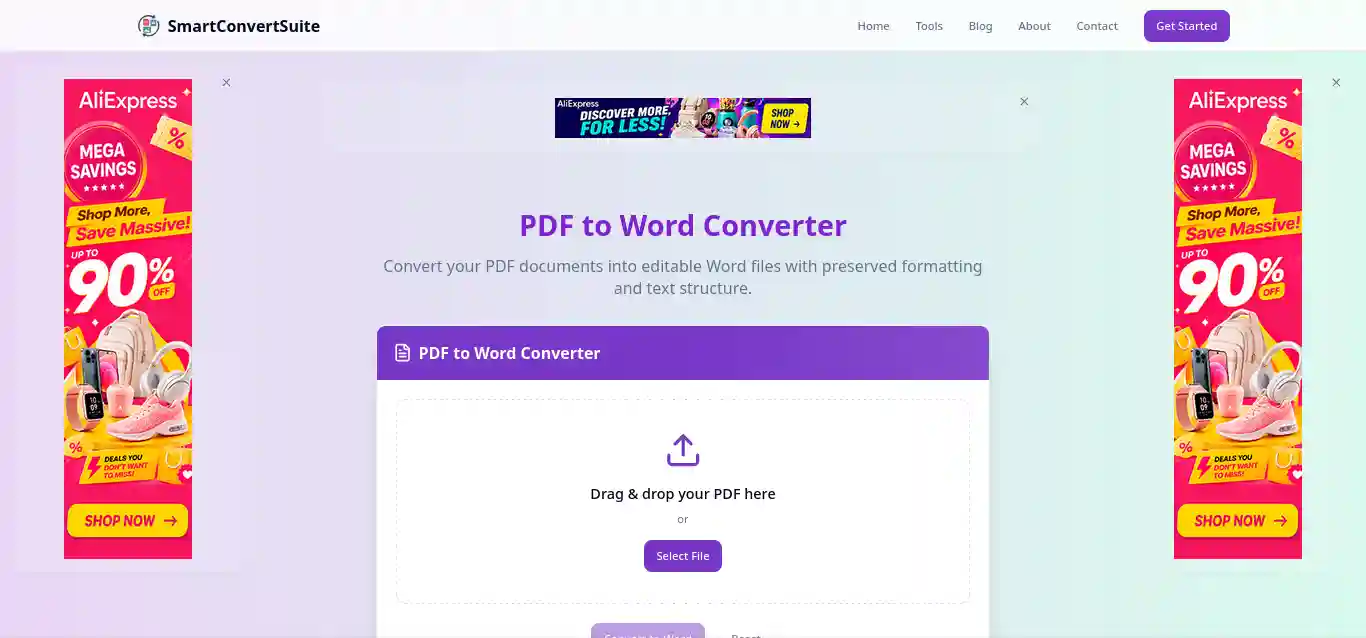
Display banners are familiar placements such as sidebar, header, footer, and in-content banner units. These are often a safer starting point if you want to protect user experience.
Direct Link or Smartlink
Smartlink monetization can be useful when you do not have a traditional ad placement or when you want to monetize social traffic, link traffic, or certain call-to-action buttons. It is not a replacement for every ad strategy, but it is flexible.
How to Set Up Adsterra as an AdSense Alternative
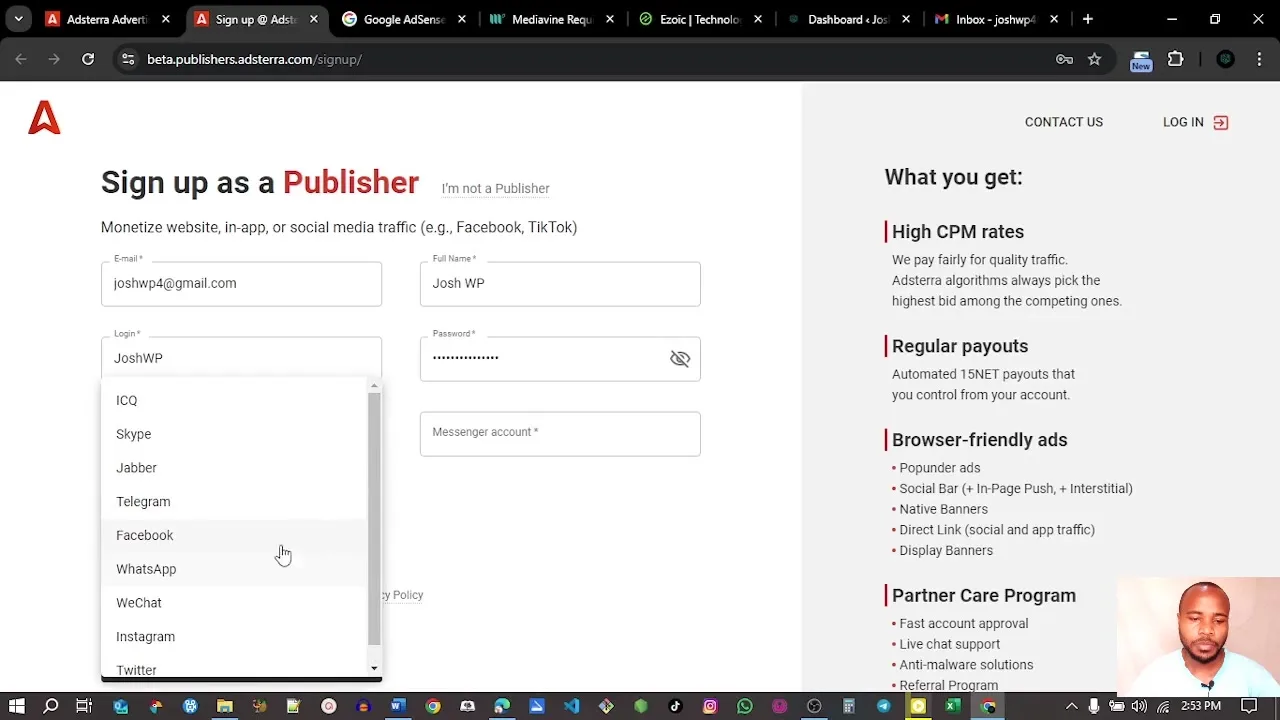
Step 1: Sign Up as a Publisher
Start by creating a publisher account. You will need to provide basic account details, contact information, preferred payment information, and the websites you want to monetize.
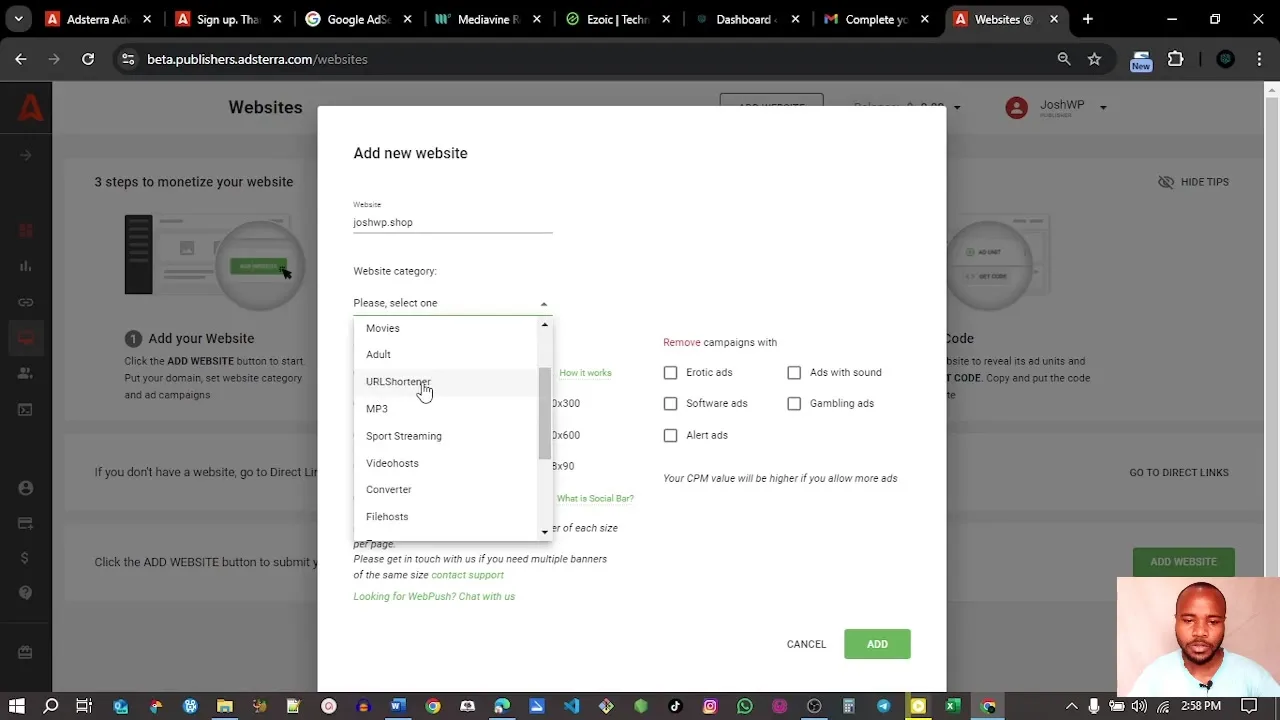
Step 2: Add Your Website
After registration and email verification, add your website inside the publisher dashboard. Choose the website category and the ad formats you want to use. If you are not sure, start with less aggressive placements such as banners or native-style units before adding Popunder or Social Bar.
Step 3: Copy the Ad Code
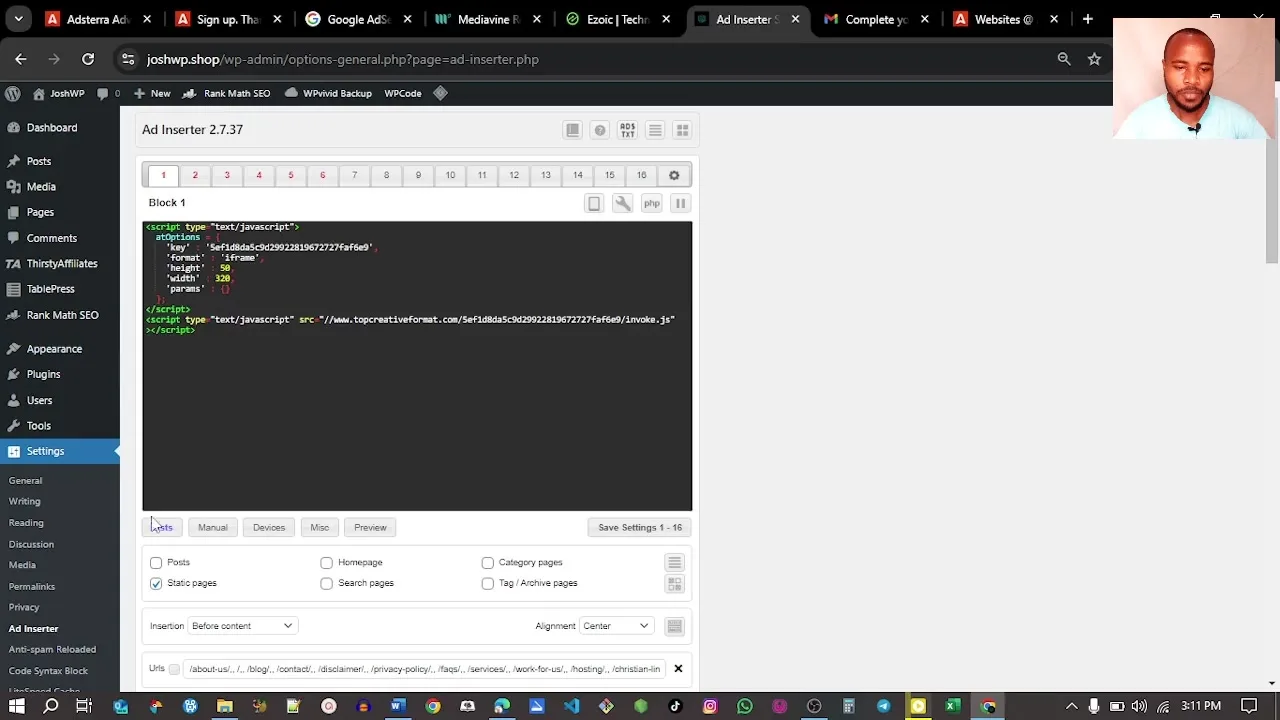
Once the website and ad unit are available, copy the ad code from the dashboard. Keep each ad unit organized by placement so you know which unit belongs in the header, sidebar, in-content area, or footer.
How to Add Adsterra Ads to WordPress
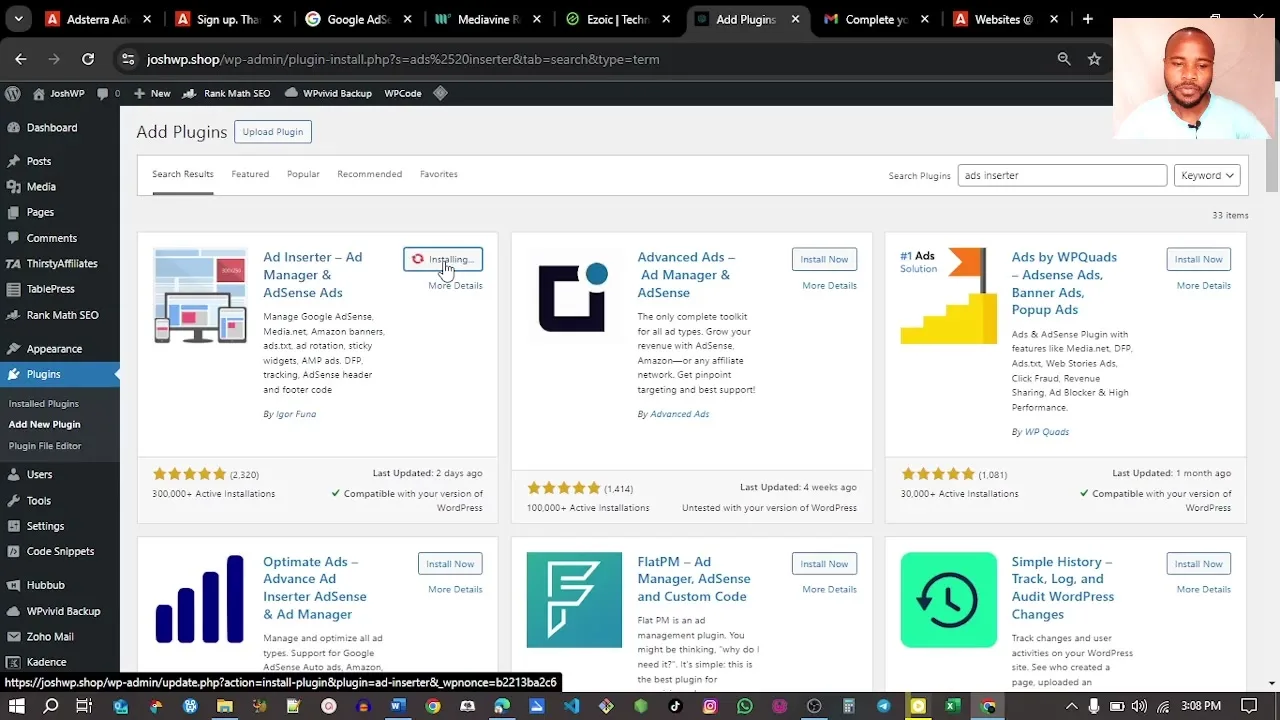
The simplest WordPress workflow is to copy your Adsterra code and paste it using an ad insertion plugin, a code snippets plugin, a widget area, or a theme hook. If you want a dedicated WordPress walkthrough, read how to insert Adsterra ads using a plugin.
For React, Next.js, or modern JavaScript apps, placement is different. Scripts may need to load on the client, avoid hydration issues, and respect route changes. Use the dedicated guide on how to implement Adsterra ads in React.js and Next.js projects.
Adsterra Payments, Minimum Payout, and Revenue Expectations
Adsterra says payout thresholds depend on the payment method. Official Adsterra materials state that the minimum withdrawal can be $5 for Paxum, while PayPal and bank wire thresholds can be higher. Adsterra’s publisher requirement guide also mentions $25 for PayPal and $1,000 for wire transfers. Always check the current payout options inside your account because available payment systems vary by country and account type.
Revenue depends on niche, geography, device type, traffic quality, user behavior, ad format, and advertiser demand. Do not judge Adsterra after a single day. Test placements for at least a few days, compare eCPM, watch bounce rate, and check whether the ad experience hurts repeat visitors.
| Revenue Factor | Why It Matters | Optimization Tip |
|---|---|---|
| Traffic geography | Advertiser demand varies by country. | Track revenue by country and format. |
| Ad format | Popunder and Social Bar may earn differently than banners. | Test one format at a time. |
| Device type | Mobile and desktop behavior can differ. | Review mobile UX before scaling aggressive formats. |
| Traffic quality | Bot or incentivized traffic can violate rules. | Focus on organic, social, email, and legitimate referral traffic. |
How to Optimize Adsterra Ads Without Hurting Your Website
The biggest mistake is adding every ad format at once. You may increase short-term revenue but damage trust, reduce session duration, or annoy loyal readers. Start simple and measure.
Adsterra optimization checklist:
- Start with one or two placements, not every format at once.
- Test banner or native placements before aggressive formats.
- Use Popunder carefully and monitor bounce rate.
- Separate mobile and desktop performance.
- Track eCPM, impressions, clicks, and conversions.
- Keep your site fast by avoiding unnecessary scripts.
- Do not place ads where they confuse navigation or forms.
- Use a privacy policy and disclose third-party advertising/cookies where required.
- Block or remove placements that hurt user trust.
If you run a faith-based website, user experience and brand safety matter even more. Start with the guide on how to monetize a Christian blog, then compare broader options in best Christian advertising networks.
Suggested Testing Plan
Use a controlled testing plan instead of guessing. Start with one placement for three to seven days. Record impressions, clicks, revenue, eCPM, bounce rate, pages per session, and complaints. Then change only one variable: placement, format, device, or frequency.
| Test | What to Measure | What Success Looks Like |
|---|---|---|
| Banner in article body | eCPM, scroll depth, page speed | Revenue increases without hurting reading behavior. |
| Native placement after content | Clicks, session duration, bounce rate | Users engage without feeling interrupted. |
| Social Bar on mobile | Mobile eCPM, repeat visits, complaints | Higher revenue with acceptable UX. |
| Popunder on selected pages | Revenue, bounce rate, return visits | Works only if revenue gain outweighs UX cost. |
Adsterra Pros and Cons
| Pros | Cons |
|---|---|
| No minimum traffic requirement stated by Adsterra. | Some ad formats can feel aggressive if overused. |
| Multiple ad formats beyond standard banners. | Revenue varies heavily by niche, geo, format, and traffic quality. |
| Can be useful for AdSense-rejected or newer websites. | Brand-sensitive sites should test very carefully. |
| Low payout option for supported methods such as Paxum. | Other payout methods can have higher thresholds. |
| Works with WordPress and custom websites. | Requires script placement and testing. |
Try Adsterra as an AdSense Alternative
Use Adsterra as a test, not a blind replacement. Start with one site, one or two formats, and measure revenue plus user experience.
Frequently Asked Questions
Is Adsterra better than Google AdSense?
Adsterra is better for some publishers, especially those who need easier approval, broader ad formats, and flexible monetization. AdSense may still be better for clean display ad experiences and highly brand-safe content sites.
Can I use Adsterra and Google AdSense together?
Many publishers test multiple networks, but you must follow each network’s policies and avoid placements that create accidental clicks, intrusive experiences, or policy conflicts. Test carefully and keep your page clean.
Does Adsterra approve new websites?
Adsterra says it accepts publishers of all sizes and has no minimum traffic requirement, but traffic must be real and comply with its rules.
What is the Adsterra minimum payout?
Adsterra states that minimum withdrawal depends on payment method. It can be $5 for Paxum, while PayPal and wire transfer thresholds are higher. Always confirm current limits in your account.
Which Adsterra ad format is best?
There is no universal best format. Popunder and Social Bar can perform well in some niches, while banners and native placements are often safer for user experience. Test by site, device, and traffic source.
How do I add Adsterra ads to WordPress?
Copy the ad code from Adsterra and place it using an ad insertion plugin, widget, code snippets plugin, or theme hook. The internal WordPress guide linked above walks through this in more detail.
Final Verdict: Is Adsterra the Best Google AdSense Alternative?
Adsterra is a strong Google AdSense alternative if you want faster entry, more ad formats, flexible traffic monetization, and a low payout option through supported methods. It is especially attractive for publishers who are not yet approved by AdSense or who want to diversify revenue beyond traditional display ads.
The smart approach is to test it carefully. Start with user-friendly placements, watch your analytics, compare revenue against engagement, and only scale formats that make sense for your audience. Adsterra can be powerful, but monetization should never come at the expense of long-term trust.
Start Testing Adsterra Today
Create a publisher account, add your website, choose a format, place the ad code, and monitor performance before scaling.