Buzzsprout Podcast Hosting Review
Buzzsprout is one of the easiest podcast hosts to learn. Its guided publishing workflow, clear statistics, automatic transcripts and audience-engagement tools remove much of the technical friction that stops first-time podcasters from launching.
The platform is no longer accurately described by the old $12/$18/$24 pricing found in outdated reviews. Current audio plans cost $19, $39 and $79 per month, with upload allowances shared across one, five or ten podcasts. Magic Mastering and Cohost AI are paid add-ons, and the free plan removes episodes after 90 days.
Is Buzzsprout Podcast Hosting Worth It?
Buzzsprout is worth it for beginners, volunteer teams and creators who value a polished workflow more than maximum publishing capacity. The $19 plan includes one audio podcast, six upload hours per month, transcripts, advanced statistics, unlimited team members, migration, dynamic content and custom players.
The $39 plan supports up to five podcasts with 15 shared hours; $79 supports up to ten with 35 shared hours. Annual audio plans provide discounted prepaid allowances. The interface is excellent, but prolific networks can get better raw capacity elsewhere.
Bottom line: choose Buzzsprout if ease, support and built-in audience tools will save your team time. Choose another host if permanent free publishing, unlimited uploads, low-cost video or several high-output shows are essential.
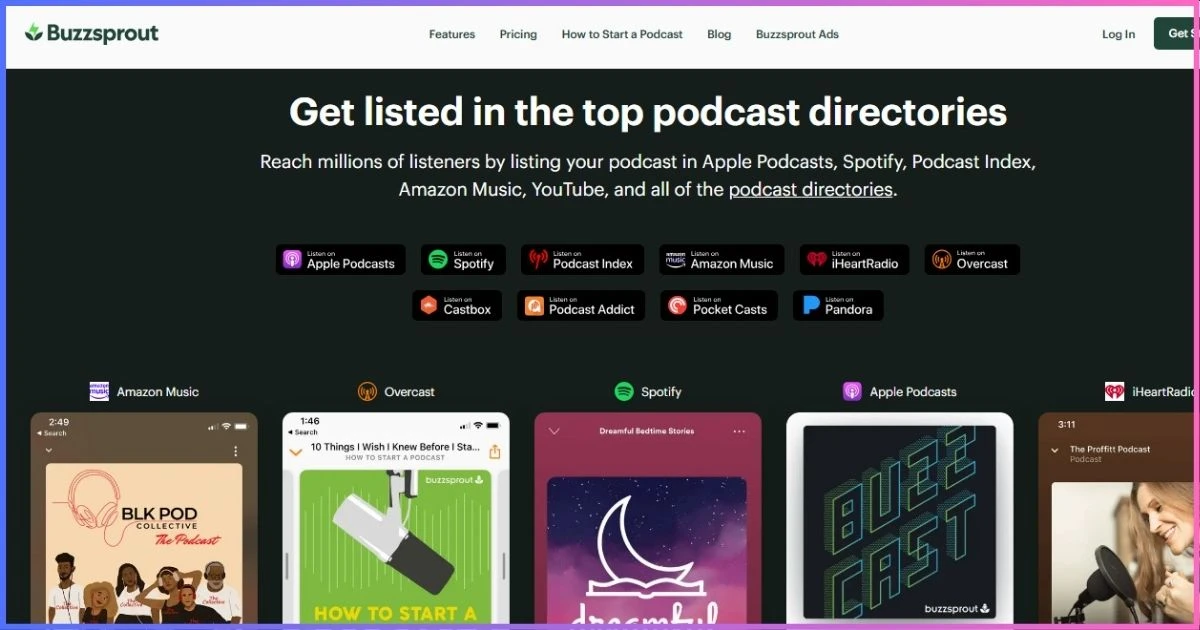
Table of Contents
Platform overviewWhat Is Buzzsprout?
Buzzsprout is a hosted podcast publishing platform that stores media, creates an RSS feed, distributes episodes, reports downloads and provides creator tools for transcripts, websites, dynamic content, listener engagement and monetization. Its central design goal is simplicity rather than giving publishers every possible technical control.
A creator can upload finished audio, add episode details, schedule a release and follow directory-submission guidance without understanding RSS markup or audio encoding. The platform optimizes uploaded audio and keeps the dashboard focused on actions a publisher uses regularly.
What changed?
Buzzsprout’s current structure groups podcast count and upload hours into $19, $39 and $79 monthly subscriptions. Many older comparisons still quote legacy prices or describe Magic Mastering as included. Existing customers may keep legacy arrangements, but a new buyer should plan from current public pricing.
Who owns the podcast?
Buzzsprout hosts the feed, but publishers should own the directory accounts, artwork, source audio and credentials. The platform supports migration and RSS redirects, so moving later should not require rebuilding an audience when the process is handled correctly.
Current costsBuzzsprout Pricing Plans Explained
| Plan | Podcasts | Upload allowance | Retention | Best for |
|---|---|---|---|---|
| Free | 1 | 2 hours/month | 90 days | Testing the workflow |
| $19/month | 1 | 6 hours/month | While subscribed | Most weekly audio shows |
| $39/month | Up to 5 | 15 shared hours/month | While subscribed | Small network or agency |
| $79/month | Up to 10 | 35 shared hours/month | While subscribed | Larger active network |
| Archive | Existing show | No new uploads | Kept online | Dormant catalog |
Free plan: a trial, not permanent free hosting
The free tier includes two upload hours each month, but episodes remain hosted for only 90 days. That makes it suitable for testing upload, distribution and analytics before paying. It is not a good long-term archive, and free accounts cannot use paid add-ons or video distribution.
$19, $39 and $79 monthly plans
The $19 plan’s six hours can cover four weekly episodes of roughly 75–80 minutes, or shorter episodes plus occasional bonuses. Multi-show allowances are shared: five podcasts do not receive 15 hours each on the $39 plan. Calculate the combined output of every show, including trailers and bonus releases.
Annual audio plans
Current annual audio options include $180 for 72 hours and one podcast, $360 for 180 shared hours across up to five, and $780 for 420 shared hours across up to ten. These totals match six, 15 and 35 average monthly hours but allow annual prepayment and may suit seasonal schedules better.
Archive plan
The $5/month Archive plan keeps an existing podcast live without new uploads. It is useful for completed limited series or an extended publishing break. A publisher can return to a standard plan later.
Monthly paid upload allowance
Hours are shared across all podcasts included in the subscription.
CapabilitiesBuzzsprout Features in Detail
Automatic optimization
Buzzsprout processes uploaded audio for consistent delivery, reducing technical encoding decisions for beginners.
Automatic transcripts
Current paid plans create transcripts for new episodes and add them to RSS feeds and podcast pages.
Unlimited team members
Invite editors, producers and clients without sharing one password or paying for each collaborator.
Dynamic content
Insert changing announcements or campaigns without permanently editing the underlying episode.
Custom players
Embed individual episodes or show players into a website with responsive playback controls.
Fan Mail
Collect listener responses tied to the show and turn passive download data into direct feedback.
Podcast websites
Use the hosted page as a simple public home, or embed Buzzsprout episodes into an existing site.
Migration tools
Import an existing RSS feed and redirect the former feed so subscribers follow to the new host.
RSS and directory distribution
Buzzsprout creates the public RSS feed and guides submissions to listening directories. Apple requires valid RSS 2.0, stable episode identifiers, artwork, enclosures and byte-range media delivery; see the Apple Podcasts RSS requirements for the underlying standard.
Core advantagePublishing Workflow and User Experience
Buzzsprout’s strongest feature is the way individual tools fit together. Uploading an episode leads naturally into title, description, artwork, chapters, transcript, dynamic content and scheduling. Distribution status and statistics are visible without requiring publishers to navigate a network-management interface.
Built for handoffs
Unlimited team members make the platform effective for a creator working with an editor, an organization with rotating volunteers or an agency that needs client access. Each collaborator should use an individual account, and publication approval should be documented outside the tool.
Five-week months and long episodes
Upload limits count finished duration. A weekly 90-minute interview uses six hours in a four-week month and exceeds it when five episodes publish. Leave capacity for trailers, replacements and bonus content rather than selecting a plan from the average month alone.
Mobile workflow
The Buzzsprout app can upload compatible media and manage aspects of the show from a mobile device. It is useful for field publishing and quick corrections, but full production still benefits from local source files, backups and a desktop editing workflow.
Accessibility and reuseBuzzsprout Transcripts and Cohost AI
Automatic paid-plan transcripts
Buzzsprout automatically creates transcripts for new episodes on current paid plans without a separate transcript fee. They can be included in the RSS feed and distributed to compatible apps, while the hosted podcast page provides readable text.
Automatic transcripts require review. Names, technical language, Scripture references, medical terms and quotations are common error points. A reviewed transcript improves accessibility, search visibility and reuse; an unreviewed one can publish misleading text.
Cohost AI add-on
Cohost AI generates titles, descriptions, chapter markers, blog posts and social content. It costs $5/month on the $19 plan, $10 on $39 and $20 on $79. The output is most useful as a production draft. Editorial voice, factual claims and sponsor language still require human approval.
Audio processingMagic Mastering: Useful but Optional
Magic Mastering automatically processes uploaded audio for loudness, clarity and balance. Current controls can include speech or music optimization, filler-word treatment and enhanced cleanup for difficult recordings. It applies to newly uploaded episodes after activation, not retroactively to the catalog.
The add-on costs $5, $10 or $20 monthly depending on the subscription. It can save time for a creator without an audio engineer, but it cannot repair clipping, severe room echo, poor microphone technique or a bad edit. Compare before-and-after results during the trial period and keep the original master.
Best beginner setup: start with the base $19 plan, use included transcripts, and add Magic Mastering or Cohost AI only after identifying a real production bottleneck.
Try the Buzzsprout Workflow →MeasurementBuzzsprout Analytics and Reporting
Paid plans include advanced statistics presented in plain language. Publishers can examine episode downloads, listener location, apps, devices and performance over time. The dashboard emphasizes actionable comparisons instead of overwhelming beginners with raw server logs.
| Question | Buzzsprout report | Practical use |
|---|---|---|
| Which episodes perform best? | Episode downloads and trends | Refine topics and formats |
| Where is the audience? | Geographic reporting | Plan promotion, events and timing |
| Which apps matter? | App/device breakdown | Prioritize platform support |
| How fast is an episode growing? | Time-based performance | Compare similar release windows |
| What do listeners say? | Fan Mail | Add qualitative context to downloads |
A podcast download is a filtered server request, not proof that a human completed an episode. Industry guidance removes bots, duplicates and insufficient delivery. The IAB Digital Audio Measurement Guide explains why download and completed-play claims differ.
- 30% ease of use
- 25% publishing/team workflow
- 19% analytics and engagement
- 16% monetization
- 10% price and capacity
Revenue toolsBuzzsprout Monetization Options
Subscriptions and listener support
Subscriptions can deliver premium or supporter content, while listener support provides a direct funding route. Define what recurring supporters receive, payment terms and a sustainable release schedule before launching a membership.
Buzzsprout Ads
The advertising marketplace can connect eligible shows with campaigns. Availability and earnings depend on audience, category, geography and advertiser demand. Review revenue share, creative approval and placement before accepting an offer.
Dynamic content
Dynamic segments can promote sponsors, products, events or house announcements across selected episodes without editing the source file. It is useful for time-sensitive campaigns and keeping older episodes commercially relevant.
Affiliate links
Affiliate marketing does not require a built-in marketplace, but disclosure and audience fit matter. Use memorable URLs in audio, place trackable links in show notes and avoid recommending products solely for commission.
Format optionsBuzzsprout Audio and Video Plans
Buzzsprout’s standard plans are audio subscriptions. Audio + Video plans are separate and add video distribution to destinations such as Apple Podcasts, Spotify and YouTube. Do not assume the $19 audio plan includes native video because an account can display video-related product information.
Video workflows use much larger files and require decisions about framing, editing, captions and platform-specific versions. An audio-first creator who only wants YouTube presence may prefer a lightweight republishing workflow; a filmed podcast should compare the complete video plan and upload allowance.
AlternativesBuzzsprout vs Other Podcast Hosts
| Host | Starting paid price | Entry limit | Best reason to choose |
|---|---|---|---|
| Buzzsprout | $19/mo | 1 show, 6 hours/mo | Beginner workflow and team access |
| Podbean | $12/mo annual | 1GB/~16 hours/mo | Capacity and monetization |
| RSS.com | $15/mo annual | Unlimited audio | Permanent free plan and value |
| Captivate | $17/mo annual | 30,000 downloads/mo | Unlimited shows/uploads and growth tools |
| Castos | $19/mo | 100 private subscribers | WordPress and unlimited public shows |
| Blubrry | $7/mo | 1.5 publishing hours/mo | Low-cost paid hosting and PowerPress |
Buzzsprout vs Podbean
Podbean costs less on annual billing and provides much more entry-level audio capacity, plus mobile/live tools and broad monetization. Buzzsprout provides the more guided interface, automatic paid-plan transcripts and unlimited team members. Read our full Podbean vs Buzzsprout comparison.
Buzzsprout vs Captivate and Castos
Captivate and Castos include unlimited public shows at entry. They are better values for several active podcasts, but each introduces a different upgrade trigger: downloads for Captivate and private/transcript/video features for Castos. Buzzsprout remains easier for a small team that prioritizes clarity.
Preserved affiliate alternatives
Creators wanting substantially more audio capacity and a permanent free route can also compare Podbean. Choose from actual production needs rather than assuming the lowest base price includes equivalent features.
Starting paid price comparison
Annual equivalent where offered; allowances differ.
TradeoffsBuzzsprout Pros and Cons
Advantages
- Excellent beginner interface
- Automatic transcripts on paid plans
- Unlimited team members
- Clear statistics and Fan Mail
- Dynamic content and custom players
- Migration support
- Subscriptions, support and ad tools
- Annual options and $5 Archive plan
- Useful mobile app
Limitations
- Free episodes expire after 90 days
- No permanent free hosting
- Upload hours shared across shows
- Magic Mastering costs extra
- Cohost AI costs extra
- Video plans are separate
- High-output networks get expensive
- Less technical feed control
Buying recommendationWho Should Use Buzzsprout?
First-time podcasters
The guided interface and educational support reduce the number of technical choices required at launch.
Volunteer teams
Unlimited individual team accounts simplify handoffs without shared passwords or per-seat fees.
Weekly audio shows
Six monthly hours suit many weekly interview, teaching and commentary formats.
Accessibility-focused creators
Automatic paid-plan transcripts create a strong starting point for reviewed accessible content.
Audience-led publishers
Fan Mail and straightforward statistics combine qualitative feedback with download trends.
Completed series
The low-cost Archive plan keeps a finished feed online without paying for unused upload capacity.
Who should choose another host?
Choose RSS.com or Podbean for permanent free hosting. Consider Podbean for more entry-level upload capacity, Captivate or Castos for several active shows, and Blubrry for a low-cost paid plan or PowerPress. Video-first creators should compare complete video plan costs before selecting Buzzsprout.
Switching hostsHow to Move a Podcast to Buzzsprout
- Back up the current show. Save audio masters, artwork, descriptions and an analytics export.
- Import the RSS feed. Let Buzzsprout retrieve episodes and show metadata from the existing public feed.
- Compare the catalog. Check episode count, dates, artwork, explicit flags, numbering and enclosure playback.
- Preserve identifiers. Stable GUIDs prevent podcast apps from treating migrated episodes as new.
- Submit or claim directories. Keep Apple, Spotify and other directory accounts under the publisher’s control.
- Set a permanent redirect. Add the new Buzzsprout feed URL at the old host and keep that account active during propagation.
- Monitor both feeds. Confirm new episodes and subscriber continuity before cancelling the former service.
Historical analytics generally remain with the old provider, so export them before moving. Begin a new baseline date in Buzzsprout and label pre-migration numbers clearly in sponsor reports.
Common questionsBuzzsprout Podcast Hosting FAQs
How much does Buzzsprout cost?
Is Buzzsprout free forever?
Is Magic Mastering included?
Is Cohost AI included?
Are transcripts included?
Can one account host several podcasts?
Does Buzzsprout host video?
Can I migrate without losing subscribers?
Final Verdict: 9.1/10
Buzzsprout remains one of the best podcast hosts for beginners and collaborative teams. Its strength is not the largest allowance or lowest price; it is the coherent workflow connecting upload, transcripts, statistics, audience feedback, dynamic content and monetization.
The weaknesses are equally clear. Free episodes expire, mastering and AI cost extra, video uses separate plans, and a prolific multi-show network can outgrow the shared-hour tiers quickly.
Recommendation: choose the $19 plan for one weekly audio show and add optional tools only after identifying a real need. Choose $39 or $79 only after totaling production across every show.
Affiliate disclosure: This review contains affiliate links. We may earn a commission if you purchase through them, at no extra cost to you. Ratings reflect published prices, limits and editorial judgment—not commission rates. Pricing and features were verified September 20, 2026 and may change; confirm checkout terms.
Sources & Comparison Methodology
We reviewed Buzzsprout’s official pricing and help documentation for plan allowances, free-plan retention, annual billing, Archive, Magic Mastering, Cohost AI, transcripts and multi-podcast subscriptions on September 20, 2026. Competitor prices were checked against official public pricing and help pages. Annual-equivalent rates are labeled; temporary promotions and taxes are excluded.
- Free: two upload hours monthly; episodes hosted for 90 days; no paid add-ons or video distribution.
- Monthly audio: $19 for one podcast/six hours, $39 for up to five/15 shared hours, and $79 for up to ten/35 shared hours.
- Annual audio: $180 for 72 hours/one show, $360 for 180 hours/up to five, and $780 for 420 hours/up to ten.
- Add-ons: Magic Mastering and Cohost AI each cost $5, $10 or $20 monthly by base tier; Archive is $5/month.
- Technical context: Apple Podcasts RSS requirements and IAB measurement guidance, linked in the article.
Scores assess ease, publishing workflow, team access, transcripts, analytics, engagement, monetization and pricing. We did not use invented uptime, market-share or performance claims. Plan capacity and add-on costs are stated separately.