Captivate Podcast Hosting Review
Captivate is a growth-focused podcast host that includes unlimited podcasts, uploads and storage on every creator plan. Instead of charging by publishing hours or number of shows, it scales by total monthly downloads: 30,000, 150,000 or 300,000.
This Captivate podcast hosting review examines current pricing, analytics, private podcasting, distribution, monetization, team workflow, growth tools and migration. The central tradeoff is straightforward: prolific publishers gain excellent value from unlimited production, while a fast-growing back catalog can push the account into a higher download tier.
Is Captivate Podcast Hosting Worth It?
Captivate is worth it for serious creators, agencies and small networks that publish frequently across several shows. Personal costs $17/month when paid yearly and supports up to 30,000 monthly downloads. Professional is $44 for 150,000, and Business is $90 for 300,000. All include unlimited podcasts, uploads, storage and the same core creator feature set.
That structure is more transparent than hosts that gate essential growth features behind expensive plans. Analytics-history importing, marketing links, sponsor media kits, guest booking, private feeds and Podcasting 2.0 support strengthen the offer.
The catch: audience growth—not production volume—drives upgrades. A successful archive can increase the bill without any new episodes, and Captivate is not the first choice for native video hosting or permanent free podcasting.
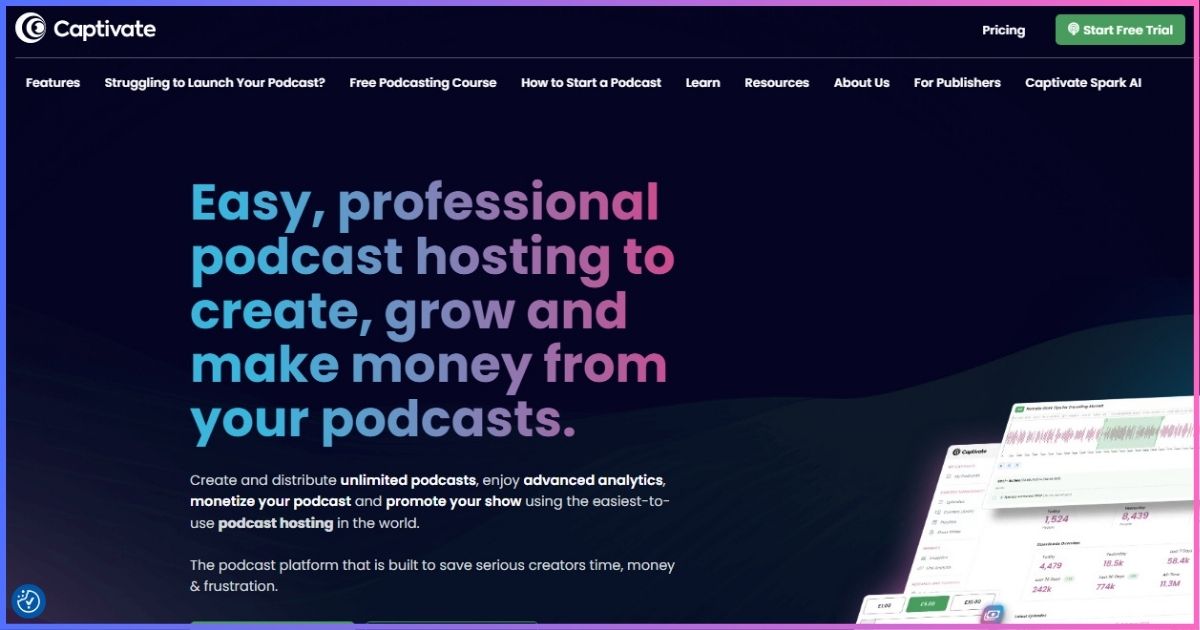
Table of Contents
Platform overviewWhat Is Captivate Podcast Hosting?
Captivate is a podcast hosting and growth platform created for independent publishers, teams and networks. It stores media, creates public RSS feeds, distributes shows, measures downloads and supplies tools for promotion, private listening, sponsorship and audience development.
Its defining pricing decision is to give every creator tier unlimited shows, uploads and storage while charging for monthly downloads. This favors a publisher with many new episodes or several smaller shows. A host that charges by upload hours can be cheaper for one infrequent but very popular show.
Who owns the feed?
Captivate generates the RSS feed, but creators retain control of the show and can redirect it during migration. Directory accounts, source files, artwork and credentials should remain under the publisher’s ownership. This separation makes the podcast portable if pricing or requirements change.
What “unlimited” does not mean
Unlimited uploads do not remove download limits, private-listener allowances or fair-use conditions. Total downloads across hosted shows determine the plan. Forecast production and audience growth independently so the correct limit is visible before launch.
Current costsCaptivate Pricing Plans Explained
| Plan | Annual-billing price | Monthly downloads | Shows/uploads/storage | Best fit |
|---|---|---|---|---|
| Personal | $17/mo | 30,000 | Unlimited | Solo creator or small network |
| Professional | $44/mo | 150,000 | Unlimited | Growing network or business |
| Business | $90/mo | 300,000 | Unlimited | Established publisher |
Current live annual pricing verified September 20, 2026. Older Captivate pages and reviews may still mention $19/$49/$99. Confirm monthly-billing and checkout terms directly before purchase.
Personal: more capable than the name suggests
Personal is not restricted to one podcast or one person’s hobby project. It includes unlimited public shows and the complete creator toolkit, with up to 30,000 downloads across the account each month. A network of five small shows can fit as readily as one established weekly podcast.
Professional and Business
Professional multiplies the allowance to 150,000 monthly downloads, making it the largest value jump. Business doubles that to 300,000. Because the primary feature set remains consistent, upgrading is mainly a capacity decision rather than a way to unlock essential publishing tools.
How download limits affect cost
A download-based model includes activity from newly released episodes and the back catalog. Evergreen shows may keep accumulating monthly traffic long after publication. Monitor the account total, seasonal spikes and the 30-day performance of each new episode before committing to an annual tier.
Monthly download allowance by plan
Shown on a 300,000-download scale.
CapabilitiesCaptivate Features in Detail
Unlimited shows
Create multiple public podcast feeds without paying per show, useful for networks, clients and experiments.
Unlimited uploads
Release long or frequent episodes without tracking storage or publishing hours; downloads determine the tier.
Distribution
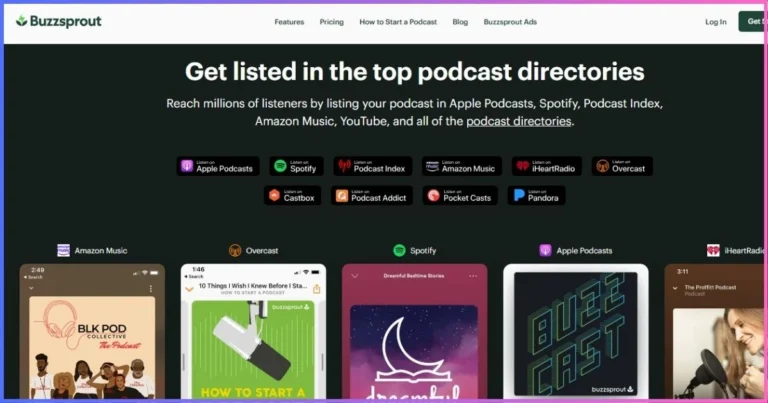
Generate compliant RSS feeds and submit shows to Apple Podcasts, Spotify and other listening platforms.
Analytics importer
Bring historical download data from a previous host into interactive Captivate reporting.
Marketing links
Create attribution links and calls to action that connect promotional activity with measurable outcomes.
Private podcasting
Publish gated audio for members, customers, students or employees, with allowances based on plan.
Media kit
Generate a sponsor-facing snapshot of show performance, audience and contact information.
Podcasting 2.0
Support modern feed features such as transcripts and other enhanced metadata where applicable.
Directory distribution and technical delivery
Captivate handles the RSS and media-delivery layer, while the publisher supplies accurate metadata and owns directory accounts. Apple requires public RSS 2.0, unique episode identifiers, valid media enclosures, artwork and byte-range delivery; see the Apple Podcasts RSS requirements for the baseline.
Podcast websites and players
Hosted show pages and embeddable players give each podcast a simple web presence. Established publishers will often embed the player into their primary site so episode pages, analytics and search strategy remain connected to the wider brand.
MeasurementCaptivate Analytics and Attribution
Captivate’s analytics are one of its strongest reasons to buy. Core reporting covers downloads, episodes, locations, listening apps, devices and trends. Custom date ranges and comparisons help a publisher distinguish a launch spike from sustained growth.
Analytics-history importing
Most migrations restart reporting at the new host. Captivate’s importer is designed to preserve historical download data and display it in interactive graphs. That continuity is valuable for sponsors, internal reporting and year-over-year analysis, although imported and newly measured data may originate from different methodologies.
Attribution links
Captivate’s marketing links help associate clicks and campaigns with podcast actions. Use separate links for newsletters, guest appearances, paid ads and social channels. Attribution will never capture every listener journey, but consistent naming makes promotion more comparable.
| Reporting question | Captivate tool | Decision it supports |
|---|---|---|
| Which episodes grow fastest? | Episode/date comparisons | Topic and format planning |
| Where do listeners come from? | Location/app/device reporting | Distribution and promotion priorities |
| Which campaign worked? | Attribution/marketing links | Marketing budget allocation |
| Can old history be retained? | Analytics importer | Migration and sponsor continuity |
| What can sponsors review? | Media kit and reports | Sales outreach and renewals |
Podcast downloads are server-side events, not proof that one human completed an episode. Industry measurement filters duplicate requests, bots and insufficient delivery. The IAB Digital Audio Measurement Guide explains the distinction.
Audience developmentCaptivate Growth Tools
Calls to action and marketing links
A show can define a primary action—join a newsletter, visit a sponsor, buy a product or support the podcast—and use trackable links instead of relying only on raw downloads. Clear calls to action are more useful than adding many competing links to every episode.
Guest booking and collaboration
Guest-management tools reduce the operational work behind interview shows. Standardize guest details, preparation, consent, release dates and promotional assets so each appearance can produce a coordinated campaign.
Growth Labs and education
Captivate includes access to its educational resources and community support. These resources are valuable for newer creators, but they are not a substitute for a documented editorial strategy. Growth comes from consistent audience value, not hosting software alone.
Sponsor media kit
The media kit packages show statistics and positioning into a shareable asset. Review every automatically populated claim before sending it, use consistent reporting windows and distinguish total downloads from estimated audience or completed listens.
Captivate’s real advantage is not one feature. It connects publishing, attribution, sponsor presentation and analytics without restricting the toolkit on the entry plan.
Explore Captivate’s Growth Tools →Gated audioPrivate Podcasting With Captivate
Private feeds can deliver premium memberships, courses, internal updates, staff training or client content in podcast apps. Captivate includes private podcasting allowances rather than making the capability exclusively enterprise-level.
Plan around listeners, not only feeds
The relevant constraint is the number of private feeds and subscribers included at each tier. Map current users, expected growth and offboarding requirements. A paid membership must cover hosting, payment processing, support and content production—not just the base subscription.
Security and access operations
Private podcasting simplifies controlled distribution but does not remove governance work. Decide who can invite or remove listeners, how quickly former employees or members lose access, what content can be downloaded and whether SSO or contractual controls are required.
RevenueCaptivate Monetization Tools
Memberships and private content
Creators can offer premium audio, early releases, ad-free versions or course material through gated delivery. The strongest membership proposition is specific and recurring; a vague promise of “bonus content” usually produces weak retention.
Dynamic content and sponsorship
Dynamic insertion lets publishers update promotions or sponsor messages across a back catalog without permanently editing original files. It works for direct sponsors, launch campaigns and house announcements. Confirm placement options, reporting and any campaign eligibility before selling inventory.
Tipping and listener support
One-time support is simpler than a membership and can suit independent shows that do not promise exclusive content. Explain what contributions fund and keep the supporter relationship portable through an owned email list.
Media kits do not guarantee sponsors
Captivate can organize audience data, but advertisers still evaluate niche fit, brand safety, consistency and creative quality. Avoid speculative revenue charts based solely on downloads; actual CPMs, fill rates and direct sponsorship terms vary too widely for a responsible universal projection.
Day-to-day usePublishing, Teams and Support
Creating and scheduling episodes
The dashboard organizes file upload, episode metadata, artwork, scheduling, distribution and promotional options. Unlimited uploads remove the need to compress editorial decisions around a monthly-hour allowance. Teams can plan special series or bonus releases without changing plans solely because production increased.
Managing several shows
Unlimited shows are valuable only when naming, permissions and reporting remain organized. Use consistent show ownership, artwork storage, campaign naming and publishing checklists. Agencies should separate client approval from final publication access.
Support and trial
The 30-day trial is long enough to build a test feed, import an existing show, invite a teammate and examine analytics. Use it to test the actual workflow—not merely browse settings. Import several old episodes and publish one private or scheduled test before committing annually.
AlternativesCaptivate vs Other Podcast Hosts
| Host | Starting paid price | Shows at entry | Primary limit | Best reason to choose |
|---|---|---|---|---|
| Captivate | $17/mo annual | Unlimited | 30,000 downloads/mo | Growth tools and multi-show value |
| Castos | $19/mo | Unlimited | 100 private subscribers | WordPress and private feeds |
| RSS.com | $15/mo annual | 1 on Plus | Plan features/show count | Permanent free option |
| Podbean | $12/mo annual | 1 audio show | 1GB uploads/mo | Capacity and monetization |
| Buzzsprout | $19/mo | 1 | 6 upload hours/mo | Beginner simplicity |
| Blubrry | $7/mo | 1 | 1.5 publish hours/mo | Low-cost paid/PowerPress |
Captivate vs Castos
Both provide unlimited public shows and uploads. Captivate scales by aggregate downloads and emphasizes growth, attribution and sponsor tools. Castos leaves public downloads unlimited but meters transcripts and private subscribers, with deeper WordPress integration. Choose Captivate for public network growth; choose Castos for WordPress and gated audio.
Captivate vs Podbean
Podbean is less expensive and offers roughly 16 monthly audio hours, mobile/live tools and broader marketplace monetization. Captivate is more flexible for several high-output shows and provides the same creator features across tiers. One show with moderate production may get better raw value from Podbean.
Captivate vs Buzzsprout
Buzzsprout has the gentlest learning curve and a $19 one-show plan with six upload hours. Captivate is better for multiple shows, unlimited production and sophisticated growth workflows. See Podbean vs Buzzsprout for that separate head-to-head comparison.
Our Christian podcast hosting guide applies these platforms to churches, ministries and faith-based creators.
Starting paid price comparison
Annual equivalent where offered; limits differ.
- 28% growth and attribution
- 25% unlimited publishing
- 21% analytics and reporting
- 16% private/monetization tools
- 10% price and video
TradeoffsCaptivate Pros and Cons
Advantages
- Unlimited podcasts, uploads and storage
- Full creator feature access on every tier
- Strong analytics and attribution tools
- Historical analytics importer
- Private podcasting allowances
- Media kit and sponsor tools
- 30-day trial
- Good multi-show economics
- Podcasting 2.0 support
Limitations
- No permanent free plan
- Total downloads drive upgrades
- Evergreen archives can increase cost
- Lowest rates require annual billing
- Native video hosting is not a core strength
- Private limits vary by plan
- Potentially excessive for one light show
- Older pages may show stale prices
Buying recommendationWho Should Use Captivate?
Multi-show networks
Unlimited public feeds and uploads make Personal unusually capable for several emerging shows.
Prolific publishers
Daily, seasonal and long-form creators do not need to track upload hours or storage.
Growth-focused creators
Attribution links, reports, media kits and education connect promotion with measurable actions.
Agencies
Multiple shows, team workflow and reports suit client production when aggregate downloads remain predictable.
Established migrating shows
The analytics importer can preserve historical reporting instead of starting from zero after a move.
Private-audio programs
Included private allowances support memberships, courses and internal content without a separate platform.
Who should choose another host?
A new creator needing permanent free hosting should consider RSS.com or Podbean. A single low-output show may cost less on Blubrry. WordPress-first private publishers should examine Castos, and creators requiring native video hosting should compare Castos Pro, RSS.com Max, Podbean Plus and Blubrry.
ImplementationHow to Start or Migrate to Captivate
- Start the 30-day trial. Use an organization-owned email and estimate monthly downloads across every planned show.
- Create or import a podcast. Add artwork, author, description, categories and explicit-content settings, or import an existing RSS feed.
- Verify the catalog. Compare episode count, dates, enclosure files, artwork, numbering and stable GUIDs.
- Import historical analytics if eligible. Label the source and date so stakeholders understand continuity and methodology.
- Configure distribution and promotion. Claim directory accounts, create attribution links, define one primary call to action and customize players/pages.
- Test private and team workflows. Invite a colleague, create a test private listener and document who approves publication.
- Redirect the old feed. Set a permanent 301 redirect and keep the former host active while directories update.
Do not cancel the previous host immediately. Monitor both feeds and major directory listings until the redirect has propagated and new episodes appear correctly.
Common questionsCaptivate Podcast Hosting FAQs
How much does Captivate cost?
Are podcasts and uploads really unlimited?
Does Captivate have a free plan?
Can Captivate import historical analytics?
Is Captivate good for multiple podcasts?
Does Captivate support private podcasts?
Does Captivate host video podcasts?
Can I migrate without losing subscribers?
Final Verdict: 9.0/10
Captivate is one of the best podcast hosts for prolific creators and multi-show publishers. Unlimited podcasts, uploads and storage remove production friction, while analytics importing, attribution links, media kits, private feeds and growth education make Personal more capable than many entry plans.
The principal limitation is the download-based upgrade model. A successful archive or several growing shows can move the account from $17 to $44 or $90 even when publishing volume remains unchanged. Video-first creators should also look elsewhere.
Recommendation: choose Captivate when public-show volume and growth tools matter more than permanent free hosting or native video. Personal is the best starting point; upgrade only when aggregate monthly downloads require it.
Affiliate disclosure: This review contains affiliate links. We may earn a commission if you purchase through them, at no extra cost to you. Ratings reflect published pricing, limits and editorial judgment—not commission rates. Prices and features were verified September 20, 2026 and may change; confirm checkout terms.
Sources & Comparison Methodology
We reviewed Captivate’s official pricing, feature comparisons and product documentation on September 20, 2026. Competitor prices were checked against official public pricing and help pages. Annual-equivalent rates are labeled; taxes and temporary promotions are excluded.
- Personal: $17/month paid yearly, up to 30,000 monthly downloads.
- Professional: $44/month paid yearly, up to 150,000 monthly downloads.
- Business: $90/month paid yearly, up to 300,000 monthly downloads.
- All creator tiers: unlimited public podcasts, uploads/storage, distribution and the core creator toolkit; 30-day trial.
- Additional capabilities: analytics-history importing, growth and attribution tools, private-podcast allowances and Podcasting 2.0 support.
- Technical context: Apple Podcasts RSS requirements and IAB audio measurement guidance, linked in the article.
Scores assess pricing, unlimited production, analytics, growth tools, private delivery, monetization, portability and video limitations. We did not use invented market-size, uptime, latency or revenue projections. “Unlimited” is qualified by monthly download and private-listener limits.