Is Buzzsprout Suitable for Christian Podcast Hosting?
Buzzsprout is a strong Christian podcast hosting choice for solo teachers, church communication teams and small ministries that value a simple publishing workflow. It handles the technical feed, directory connections, transcripts, statistics, players and a basic podcast website without expecting a volunteer to become a hosting expert.
It is not automatically the best fit for every ministry. Pricing is based on finished upload hours, the free plan removes episodes after 90 days, separate shows require a multi-podcast plan, audio processing and AI are paid add-ons, and Buzzsprout’s unusually strict copyright language deserves attention before uploading sermons containing worship music.
Is Buzzsprout Good for Christian Podcasts?
Yes—especially for one weekly sermon, devotional, Bible-study or interview show. The $180 annual Audio plan provides 72 upload hours for one podcast, equivalent to six hours per month, and includes unlimited episodes, team members, transcripts, advanced statistics, a website, RSS feed, directory guidance, dynamic content and custom players.
A church managing several separate feeds can use the $360 annual plan for up to five audio podcasts sharing 180 hours, while a media ministry can use the $780 annual plan for up to ten shows sharing 420 hours. Native video costs more and uses separate Audio + Video plans.
Main caution: Buzzsprout’s terms say copyrighted content is not allowed unless the publisher personally holds the copyright and also say mere permission is not enough. A church should obtain written clarification from Buzzsprout before uploading recordings that contain third-party worship music, even when it believes it has a performance or streaming license.
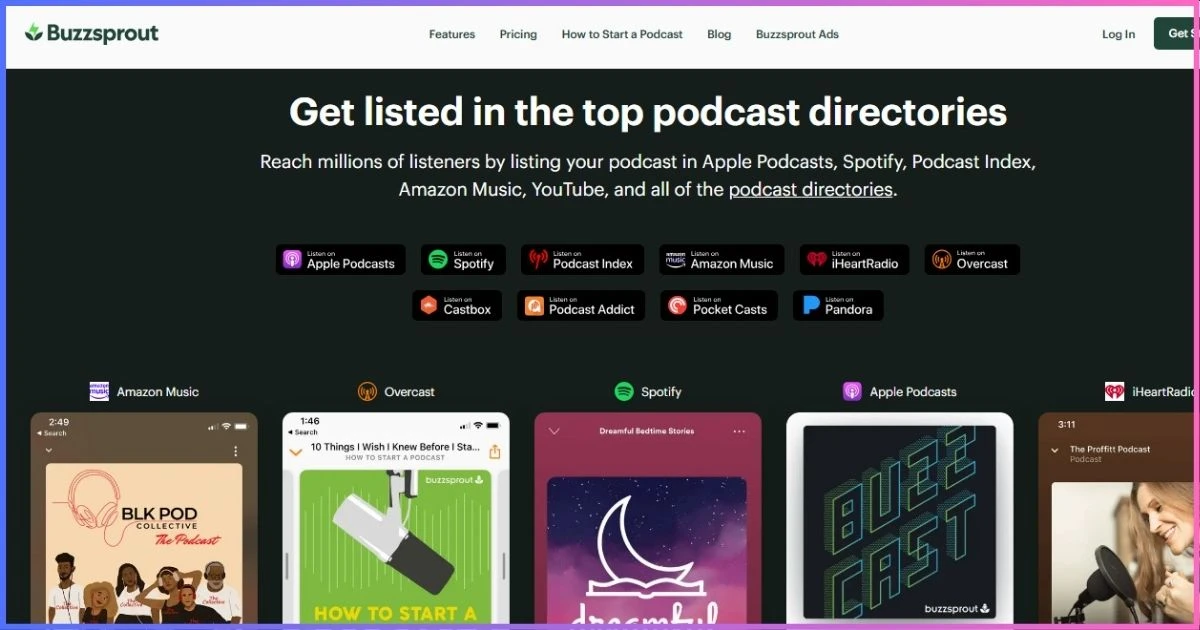
Table of Contents
Ministry fitWhy Buzzsprout Works for Christian Podcasting
Christian podcast hosting does not require a special religious distribution network. It requires a dependable RSS feed, accessible episodes, clear rights management and tools that match the ministry’s people and schedule. Buzzsprout is compelling because its dashboard is easy for pastors, administrators and volunteers to learn, while its paid plans still include the publishing features a serious show needs.
Weekly sermons
Schedule a recorded sermon, add a transcript and place the player on the church website without managing media servers.
Bible teaching
Chapter markers, descriptions and transcripts help listeners navigate long studies and find referenced passages.
Devotional series
Short, frequent episodes fit comfortably within an hour-based plan and can use dynamic announcements.
Ministry interviews
Built-in team access lets a producer, editor and ministry leader collaborate without sharing one password.
Church networks
Multi-podcast tiers consolidate up to five or ten separate programs under one subscription and shared allowance.
Video ministries
Separate video plans distribute up to 1080p video to Apple Podcasts, Spotify and YouTube from one workflow.
Current costsBuzzsprout Pricing for Churches and Christian Creators
Buzzsprout meters newly uploaded running time, not storage space or downloads. Annual plans provide a pool of hours for the entire year; monthly plans reset the allowance every billing cycle and unused monthly hours do not roll over. Higher multi-podcast tiers share the allowance across all shows.
| Plan | Price | Allowance | Shows | Good ministry fit |
|---|---|---|---|---|
| Free | $0 | 2 hours/month; episodes expire after 90 days | 1 audio | Testing the workflow, not a permanent sermon archive |
| Audio annual | $180/year ($15/mo equivalent) | 72 hours/year | 1 audio | One weekly sermon, teaching or devotional feed |
| Audio annual | $360/year ($30/mo equivalent) | 180 shared hours/year | Up to 5 audio | Church with sermon, youth and devotional feeds |
| Audio annual | $780/year ($65/mo equivalent) | 420 shared hours/year | Up to 10 audio | Denomination, network or active media ministry |
| Video annual | $300/year | 72 hours/year | 1 audio + video | One video sermon or interview program |
| Video annual | $600/year | 180 shared hours/year | Up to 5 video | Several ministry programs using native video |
| Video annual | $960/year | 420 shared hours/year | Up to 10 video | Large video-first network |
Annual prices are paid upfront and shown with monthly equivalents only for comparison. Monthly audio subscriptions are listed in Buzzsprout’s plan-management documentation at $19 for 6 hours/1 show, $39 for 15 shared hours/up to 5 shows and $79 for 35 shared hours/up to 10 shows. Checkout pricing can change, so confirm the displayed term before purchase.
Annual audio cost by ministry size
Total upfront charge; allowances are 72, 180 and 420 hours.
Extra costs to budget for
Magic Mastering and Cohost AI each cost $5, $10 or $20 per month on the corresponding audio tiers. Annual equivalents are $60, $120 and $240 per add-on. Monthly audio overages cost $4, $3 or $2 per additional hour by tier; annual plans do not permit extra-hour purchases and require an upgrade. The $5/month Archive plan keeps an inactive show online without a normal upload allowance.
Capacity planningWhich Plan Fits Your Publishing Schedule?
Estimate finished audio, not recording-session length. Four 45-minute Sunday sermons use about three hours each month. Add a weekly 30-minute midweek study and the total rises to roughly five hours—still within the entry plan’s six-hour monthly equivalent. Conferences, daily devotionals and several feeds change the calculation quickly.
| Publishing pattern | Estimated monthly audio | Likely choice | Why |
|---|---|---|---|
| Four 35-minute sermons | 2 hr 20 min | Entry Audio | Plenty of headroom for special messages |
| Four 60-minute sermons + four 25-minute studies | 5 hr 40 min | Entry Audio | Fits, but manage special-event uploads carefully |
| Three separate weekly shows at 40 minutes | 8 hours total | Up to 5 podcasts | Separate feeds require a multi-podcast tier |
| Daily 15-minute devotional | 7.5–7.75 hours | Multi-podcast/15-hour tier | Entry tier would incur regular overages |
| Video sermon every week | 3–5 hours | Single Audio + Video | Native video distribution requires a video plan |
Annual audio allowance comparison
*Free allowance resets monthly, but each episode expires after 90 days. Annual paid allowances are pooled for the year.
Publishing toolkitBuzzsprout Features That Matter to Ministries
Unlimited team members
Invite pastors, communications staff and editors, assign roles, and avoid passing a shared administrator password around volunteers.
Included transcripts
Paid plans automatically generate transcripts for new episodes and distribute them through the RSS feed and Buzzsprout website.
Dynamic content
Insert a current church announcement, event invitation or ministry appeal across episodes without permanently editing every audio file.
Chapter markers
Divide sermons or studies into welcome, Scripture reading, message points, prayer and response segments.
Podcast website
Launch a basic public home for episodes or embed customizable players within an existing church or ministry site.
Fan Mail
Invite listener-initiated text responses and reply within the feature, subject to carrier rules and privacy expectations.
Visual soundbites
Create short shareable audiograms for sermon quotes, testimonies and episode promotion on social channels.
Easy migration
Import an existing RSS catalog on a paid account without counting old episodes against the current upload allowance.
What Buzzsprout does not replace
It does not record a multi-person service, remove every editing mistake, manage music rights, create a full-featured church website or guarantee directory approval. A ministry still needs recording hardware or software, editorial review, release permissions, source-file backups and control of its Apple and Spotify directory accounts.
Policy and stewardshipChristian Content, Copyright and Music Rules
Bible teaching, sermons, testimony, apologetics, prayer, denominational discussion and faith-based interviews are not inherently prohibited. Buzzsprout’s terms focus on ownership, legality and harmful or abusive material rather than excluding religious viewpoints. Publishers remain responsible for defamation, privacy, releases and intellectual-property rights.
| Content | Practical assessment | Ministry action |
|---|---|---|
| Original sermon or devotional | Generally suitable | Confirm the speaker and ministry agree on publication rights |
| Guest testimony or interview | Suitable with consent | Obtain a recorded or written release, especially for sensitive stories |
| Scripture quotations | Translation terms differ | Follow the chosen Bible publisher’s quotation and attribution rules |
| Commercial worship recording | High risk | Do not upload without rights that satisfy both law and Buzzsprout’s policy |
| Live service containing music | Needs specific review | Check license scope and ask Buzzsprout for written account-level guidance |
| Children or counseling stories | Privacy-sensitive | Use guardian consent, anonymization and pastoral safeguarding practices |
Content policy is not a theological endorsement. A responsible ministry should state its editorial position, correct material errors, protect vulnerable people and moderate audience communication. AI-generated summaries and transcripts also need human review because names, Bible references and doctrinal language are easy to misrender.
Reach and portabilityDistribution, RSS Ownership and Migration
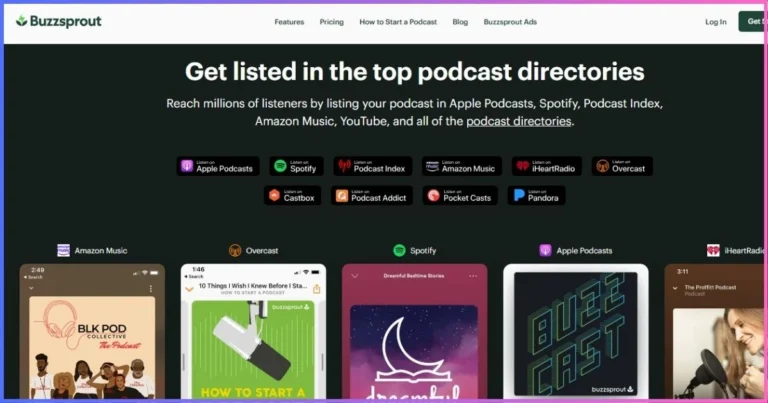
Buzzsprout creates an RSS feed and guides submission to major podcast directories. The directories remain separate services: the ministry should create and retain its own Apple Podcasts, Spotify and YouTube accounts, recovery email and credentials. That makes staff transitions and future host changes safer.
Paid migration imports the existing public catalog without consuming the new account’s allowance. Before changing hosts, compare episode counts, dates, artwork, descriptions, explicit flags, enclosure playback and unique episode identifiers. Set the old feed’s permanent redirect only after the replacement feed is correct, then monitor directory dashboards before cancelling the old service.
Apple’s podcast RSS requirements explain the artwork, feed, enclosure, GUID and server behaviors a public show needs. Keep local copies of original audio, artwork, descriptions and transcripts even when a host offers backup tools.
Measure the missionBuzzsprout Analytics for Churches and Ministries
Advanced statistics show episode downloads, listening applications, geography, devices and performance patterns. These reports can help a church compare sermon series, decide whether a midweek show serves listeners and understand whether outreach extends beyond the local congregation.
| Question | Useful signal | Better ministry decision |
|---|---|---|
| Are members returning? | Episode trends over consistent release windows | Evaluate format and schedule, not just one launch spike |
| Where is the audience? | Geographic reports | Plan language, examples, timing and outreach responsibly |
| Which apps matter? | Application/device reports | Prioritize directory instructions and technical support |
| Are shorter devotionals useful? | Compare like-for-like episodes | Continue, revise or retire the series |
| Did a campaign work? | Dynamic-content window plus referral data | Improve calls to action without overstating impact |
Downloads are filtered file deliveries, not confirmed people, full listens, conversions or discipleship outcomes. Use the data to ask better questions, then combine it with listener feedback, pastoral context and owned-channel metrics. Avoid presenting download totals as congregation size.
- 30% publishing ease
- 25% team workflow
- 20% accessibility and distribution
- 15% growth and community tools
- 10% policy and cost clarity
Audience connectionPromotion and Community-Building Tools
Buzzsprout’s strongest growth tools are practical rather than miraculous. Visual Soundbites turn a short excerpt into social media content; episode links and players make sharing easy; Fan Mail provides a low-friction response channel; and transcripts create readable, searchable versions of teaching. Podcast Achievements can encourage new creators, but they are milestones rather than evidence of ministry impact.
For durable growth, connect each episode to an owned destination: a church website, email list, event registration, prayer form or resource page. State one clear next step in the episode and description. Dynamic Content is useful for updating that call to action across the back catalog when an event ends or a new series begins.
Simple weekly workflow: upload the sermon, correct the transcript, write a listener-focused title, add Scripture and resource links, schedule publication, create one short soundbite, and send listeners to one owned next step.
Start a Christian Podcast →Funding the workListener Support, Subscriptions and Ads
Listener Support and premium subscriptions
Paid accounts can accept recurring Listener Support or offer subscriber-only episodes through personal RSS feeds. Buzzsprout states that creators retain 85% and the platform takes 15%. A ministry should disclose what supporters receive, keep financial messaging proportionate and confirm tax, receipting and charitable-giving treatment with its own adviser.
Buzzsprout Ads and outside sponsors
Buzzsprout Ads is available only to qualifying selected podcasts, so it should not be assumed in a launch budget. Ministries that accept advertising need written standards for sponsor categories, claims and conflicts with their mission. Dynamic Content can also insert a ministry’s own announcements or externally sold campaigns across episodes.
Donations outside the host
A church can keep giving on its existing donation platform and use episode descriptions or dynamic announcements to link to it. This usually preserves the ministry’s established accounting, donor communication and compliance workflow rather than treating the podcast host as the core donor system.
Production optionsVideo Podcasting, Magic Mastering and Cohost AI
Native video plans
Buzzsprout’s Audio + Video plans publish up to 1080p video to Apple Podcasts, Spotify and YouTube while keeping audio and video in one workflow. Annual pricing is $300 for one show/72 hours, $600 for up to five/180 shared hours and $960 for up to ten/420 shared hours. This is useful for interview sets and sermon recordings, but churches should compare it with their existing livestream and YouTube workflow before paying for duplication.
Magic Mastering
The optional processor improves loudness and clarity and offers settings for talk or music, filler reduction and difficult noise. It can reduce volunteer editing work, but it cannot repair poor microphone placement, clipping or an excessively reverberant sanctuary. The add-on applies to new uploads after activation.
Cohost AI
Cohost AI drafts titles, descriptions, chapters, a blog post, social posts and a transcript. For Christian teaching, every output needs review for speaker names, theological nuance, Bible citations and pastoral sensitivity. Included paid-plan transcripts may be enough if the team does not need the other generated assets.
Other optionsBuzzsprout vs Other Christian Podcast Hosts
| Host | Starting paid price | Entry model | Best ministry reason to choose |
|---|---|---|---|
| Buzzsprout | $15/mo equivalent annually | 1 show, 72 hours/year | Easy workflow, teams and included transcripts |
| Podbean | $12/mo annually | 1 audio show, 1GB/month | More capacity, live tools and monetization |
| RSS.com | $15/mo annually | Unlimited audio on free/paid tiers | Permanent free audio and simple scaling |
| Captivate | $17/mo annually | Unlimited shows/uploads; 30,000 downloads | Several ministry feeds under one entry plan |
| Castos | $19/mo | Unlimited public shows/downloads | WordPress and private-member workflows |
| Blubrry | $7/mo | 1.5 publishing hours/month | Low-cost short show and PowerPress |
Buzzsprout vs Podbean
Buzzsprout is easier for a volunteer team and includes paid-plan transcripts, while Podbean offers more entry capacity, live streaming and a wider monetization toolkit. Our full Buzzsprout review examines the platform broadly, and the Christian podcast hosting comparison covers more ministry scenarios.
Buzzsprout vs unlimited-show hosts
Captivate and Castos can be more economical when a church needs several distinct public feeds immediately. Buzzsprout becomes a stronger value when simplicity, included transcripts and unlimited collaborators matter more than unlimited show count. Read our Christian podcast launch guide before choosing the structure.
Starting paid price comparison
Lowest public paid entry; “annual” means the equivalent rate when prepaid.
TradeoffsBuzzsprout Pros and Cons for Christian Podcasters
Advantages
- Very approachable dashboard
- Free plan for testing
- Unlimited episodes on paid tiers
- Unlimited team members
- Included paid-plan transcripts
- Dynamic ministry announcements
- Website and customizable players
- Fan Mail and Visual Soundbites
- Separate native video plans
- Easy catalog migration
- Annual billing discounts
Limitations
- Free episodes expire after 90 days
- Upload hours are capped
- Unused monthly hours do not roll over
- Multi-show tiers cost more
- Annual plans cannot buy extra hours
- Magic Mastering and AI cost extra
- Strict copyright-policy language
- Subscriptions carry a 15% platform share
- No native live-podcasting workflow
- 1TB bandwidth allowance before charges
Practical launch planHow to Start a Christian Podcast on Buzzsprout
- Define the audience and promise. Choose one listener, one need and one repeatable format rather than mixing sermons, announcements and unrelated interviews.
- Audit rights and safeguarding. Confirm speaker releases, music and translation permissions, guest consent, privacy practices and approval for sensitive stories.
- Calculate finished hours. Multiply episode length by monthly frequency, add special events and retain at least 15–20% headroom.
- Create ministry-owned accounts. Use an organizational email for Buzzsprout and directories, enable strong authentication and document staff roles.
- Prepare three episodes. Record a trailer and at least two complete episodes before announcing the launch.
- Configure the show. Upload square artwork, write a clear description, set category and explicit-content status, and customize the website and player.
- Correct the transcript. Review names, Scripture references, theological terms and calls to action before publication.
- Submit to directories. Connect Apple Podcasts, Spotify and other relevant destinations while retaining the ministry’s credentials.
- Build an owned response path. Send listeners to the ministry website, email list, prayer form, event or resource—not only a listening app.
- Back up and review quarterly. Export assets, inspect permissions and evaluate whether the plan still matches finished hours and number of feeds.
Common questionsBuzzsprout Christian Podcast Hosting FAQs
Does Buzzsprout allow Christian podcasts?
What is the best Buzzsprout plan for a weekly sermon?
Is the Buzzsprout free plan permanent?
Can a church publish several podcasts?
Are transcripts included?
Can we upload worship music?
Does Buzzsprout support video sermons?
Can Buzzsprout host a private members-only church podcast?
Can we move an existing sermon podcast?
Final Verdict: Buzzsprout Is an Excellent Fit for Simple Ministry Publishing
Buzzsprout is highly suitable for Christian podcasters who want to publish consistently without maintaining technical infrastructure. The entry annual audio plan is enough for most weekly shows, transcripts improve accessibility, unlimited collaborators suit volunteer teams, and dynamic content makes time-sensitive ministry announcements manageable.
Its limits are equally important: free episodes are temporary, several feeds require a higher plan, AI and mastering are add-ons, native video has separate pricing, and music needs exceptional care under both copyright law and Buzzsprout’s terms.
Recommendation: choose Buzzsprout for one or a few public sermon, teaching, devotional or interview shows where workflow simplicity matters most. Choose an unlimited-show or dedicated private host when the ministry operates many feeds, needs tightly controlled access, or regularly publishes more hours than Buzzsprout’s tiers comfortably allow.
Affiliate disclosure: This article contains affiliate links. We may earn a commission if you purchase through them, at no additional cost to you. Recommendations and ratings reflect published features, limits and ministry use cases—not commission rates. Pricing and policies were checked September 20, 2026 and can change; confirm checkout terms and obtain professional legal, licensing or tax advice where needed.
Sources & Comparison Methodology
We reviewed Buzzsprout’s official pricing, free-plan, annual-billing, plan-switching, additional-hours, archive, video, Magic Mastering, Cohost AI, transcripts, subscriptions, migration and Terms of Service materials on September 20, 2026. Competitor figures came from their public pricing and help materials. Taxes and temporary promotions are excluded.
- Pricing: annual audio is $180/72 hours/one show, $360/180 hours/up to five and $780/420 hours/up to ten; annual video is $300, $600 and $960 for equivalent show/hour tiers.
- Free plan: two upload hours per month with 90-day episode retention; no paid add-ons or video.
- Paid features: unlimited episodes and team members, advanced statistics, transcripts, RSS, migration, dynamic content, website and players.
- Add-ons: Magic Mastering and Cohost AI vary by tier. Monthly overages vary by tier; annual plans must upgrade after exhausting their pool.
- Ministry assessment: scores weight publishing ease, team workflow, accessibility, distribution, growth tools, policy clarity and total cost. They are editorial evaluations, not laboratory measurements.
- Content caution: music licensing and host-policy compliance were treated separately; a license does not override a hosting provider’s terms.
Unsupported market-size, uptime, customer-count and invented case-study claims from the previous version were removed. Cost comparisons distinguish monthly billing from annual equivalents and separate upload allowance from bandwidth, episode count and number of feeds.