How to Open a Payoneer Account: The Complete Guide
By JoshWP Team | Updated: September 26, 2026 | ~18 min read | International Payments · Account Setup
Quick Answer
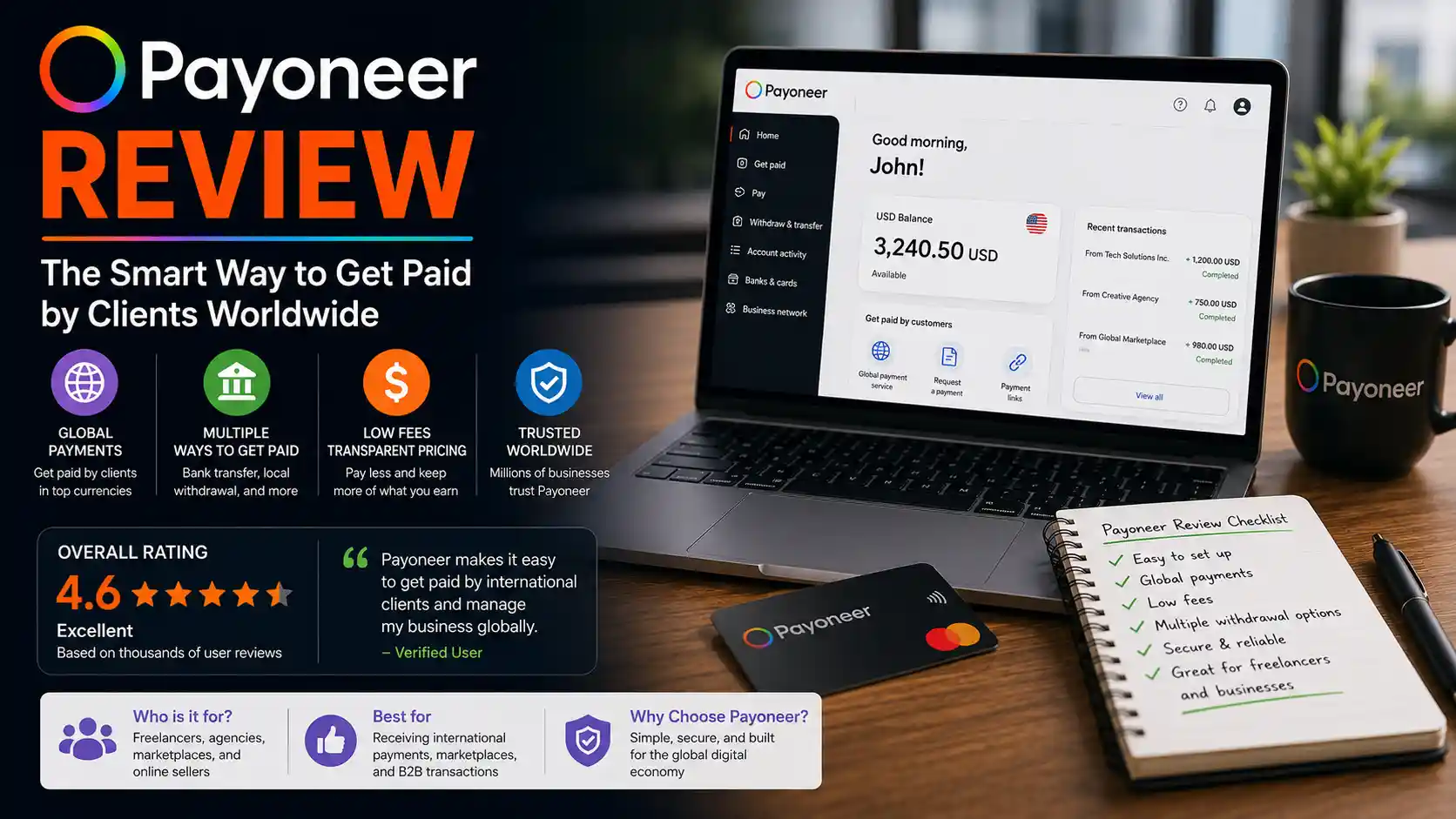
Opening a Payoneer account takes about 10–15 minutes to complete the sign-up form, though full identity verification can take anywhere from a few minutes to a few business days depending on your country and documents. You’ll need a valid government-issued ID, a mobile phone for verification, basic business details (or personal details for an individual account), and a bank account to eventually withdraw to. Payoneer is free to open, supports 190+ countries and 70+ currencies, and is widely used by freelancers and online sellers to get paid by marketplaces like Upwork, Fiverr, and Amazon. This guide walks through every screen of the real sign-up flow, then covers verification, linking a bank account, receiving and requesting money, withdrawing funds, fees, safety, and supported countries — in full, with nothing skipped.
If you freelance internationally, sell on a global marketplace, or run a business that gets paid in a currency your local bank doesn’t handle well, you’ve probably heard of Payoneer. It’s one of the most widely used cross-border payment platforms in the world, built specifically around one problem: getting paid by clients, marketplaces, and companies in other countries without losing a fortune to bank wire fees and long delays.
This guide is built to be the only page you need — a real walkthrough of the actual sign-up screens, in the exact order you’ll see them, followed by everything else you’ll want to know once your account is open: how verification works, how to link a bank account, how to actually get paid, how to request payment from a client, how to withdraw your money, what it all costs, whether it’s safe, and which countries are supported. Let’s get started.
Table of Contents
- 1. What Is Payoneer?
- 2. What You’ll Need Before You Start
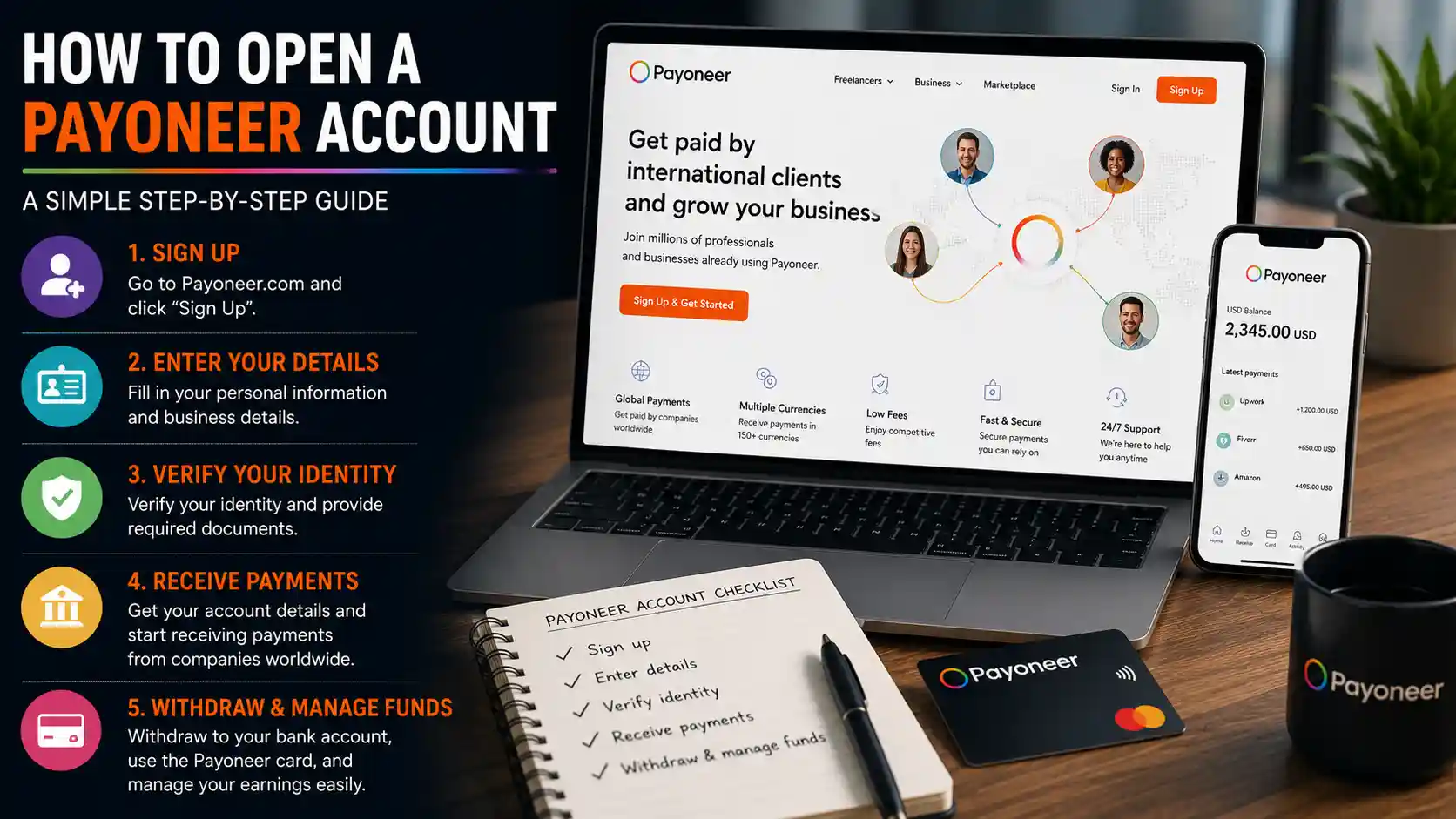
- 3. Step-By-Step: How to Open a Payoneer Account
- 4. Your Dashboard, Once Approved
- 5. How to Verify Your Payoneer Account
- 6. How to Link a Bank Account to Payoneer
- 7. How to Receive Money With Payoneer
- 8. How to Request a Payment With Payoneer
- 9. How to Withdraw Money From Payoneer
- 10. Payoneer Fees Explained
- 11. Countries Supported by Payoneer
- 12. Is Payoneer Safe?
- 13. Payoneer By The Numbers
- 14. Common Sign-Up Problems & Fixes
- 15. Pros and Cons
- 16. Frequently Asked Questions
What Is Payoneer?
Payoneer is a cross-border payments platform founded in 2005, built to help freelancers, online sellers, and businesses get paid by clients and marketplaces in other countries without relying on expensive, slow international bank wires. It’s especially popular with people who work through global marketplaces — Upwork, Fiverr, Amazon, Airbnb, and dozens of others integrate directly with Payoneer as a built-in payout option.
At its core, Payoneer gives you a multi-currency account with local receiving accounts in major currencies (USD, EUR, GBP, and more) — meaning a US client can pay you like a local, and the funds land in your Payoneer balance, ready to withdraw to your own bank account or spend with a Payoneer card. The company is publicly traded on the Nasdaq under the ticker PAYO, and reported serving nearly 2 million active customers as of its most recent public filings.
A Timely Note Worth Knowing
As of mid-2026, Payoneer agreed to be acquired by fellow payments company Nuvei in a deal reported around $2.75 billion, which would end its run as an independently traded public company. The deal had not yet closed at the time of this writing, and Payoneer continues operating normally for new and existing account holders — but it’s worth knowing that ownership may transition in the coming months, which can occasionally affect product terms or pricing down the line. This isn’t a reason to avoid signing up; it’s simply current, transparent context.
What You’ll Need Before You Start
✅ A valid email address you can access immediately, for the verification code step.
✅ A mobile phone number that can receive SMS or app-based verification.
✅ Basic business details (or personal details, if opening an individual account) — industry, website if you have one, and how you typically get paid.
✅ A government-issued photo ID — passport, driver’s license, or national ID card — for identity verification.
✅ Proof of address — a recent utility bill or bank statement, in case it’s requested during verification.
✅ Your bank account details — for eventually withdrawing funds out of Payoneer.
Step-By-Step: How to Open a Payoneer Account
Here is the actual sign-up flow, screen by screen, in the exact order you’ll encounter it.
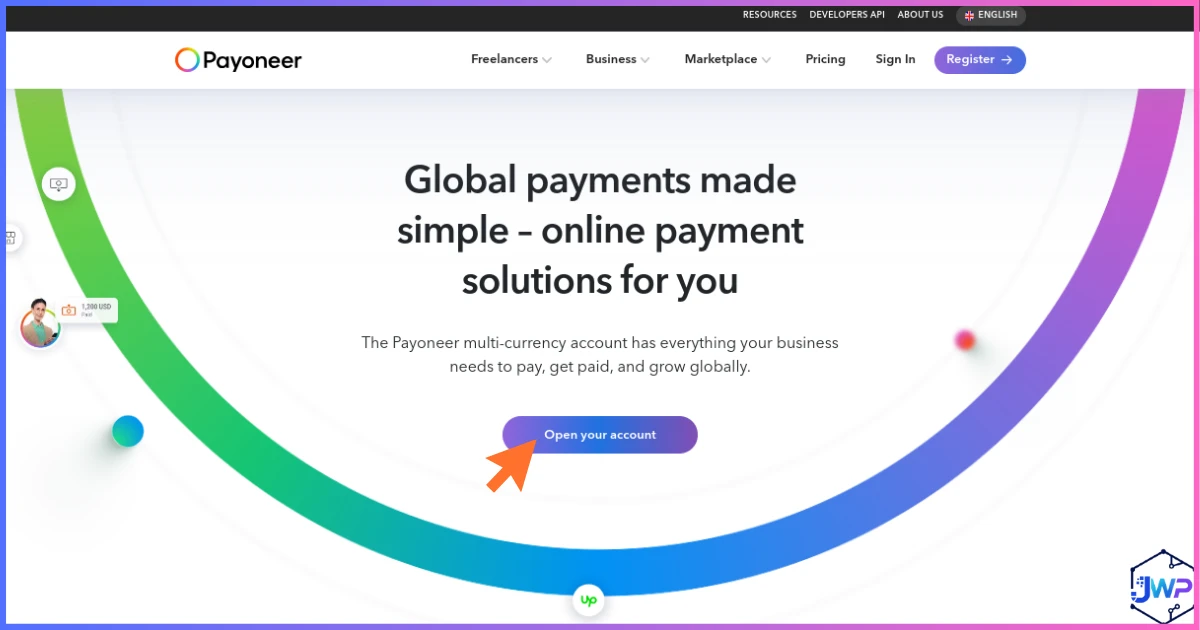
Visit the Payoneer Homepage and Click Sign Up
Head to Payoneer’s homepage and click the sign-up or “Get Started” button to begin the registration flow.
Start Your Registration
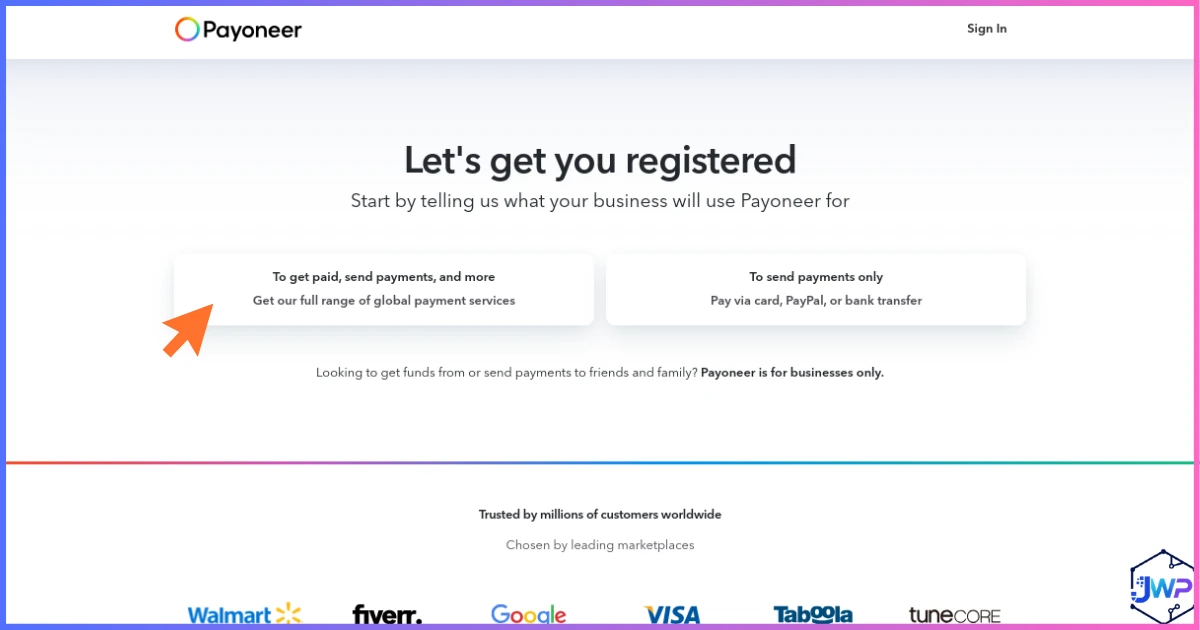
You’ll land on Payoneer’s “Let’s get you registered” screen, the starting point for the full application.
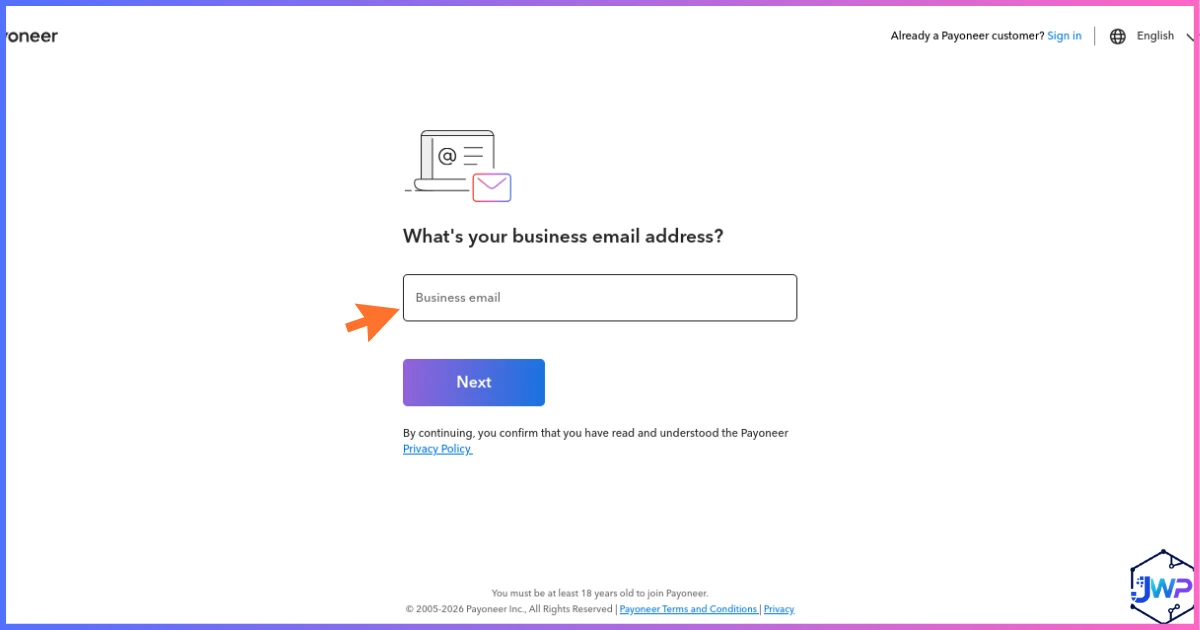
Enter Your Business Email
Enter the email address you want tied to your account — this becomes your login and where all notifications are sent.
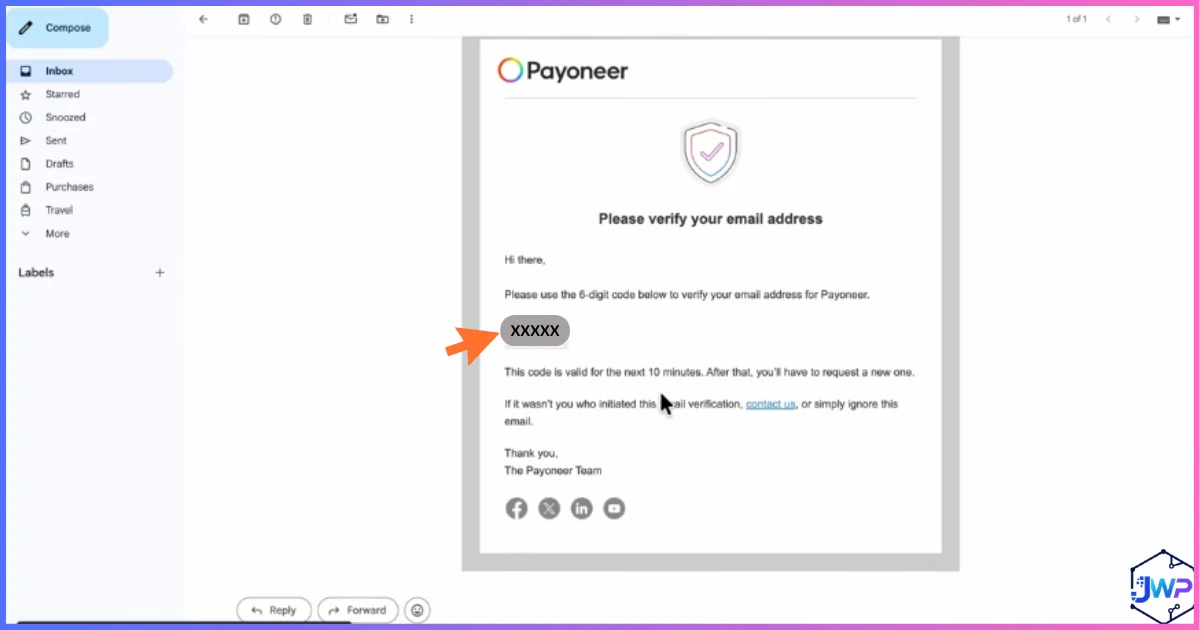
Verify Your Email Address
Check your inbox for a verification code from Payoneer and enter it to confirm the address is genuinely yours.
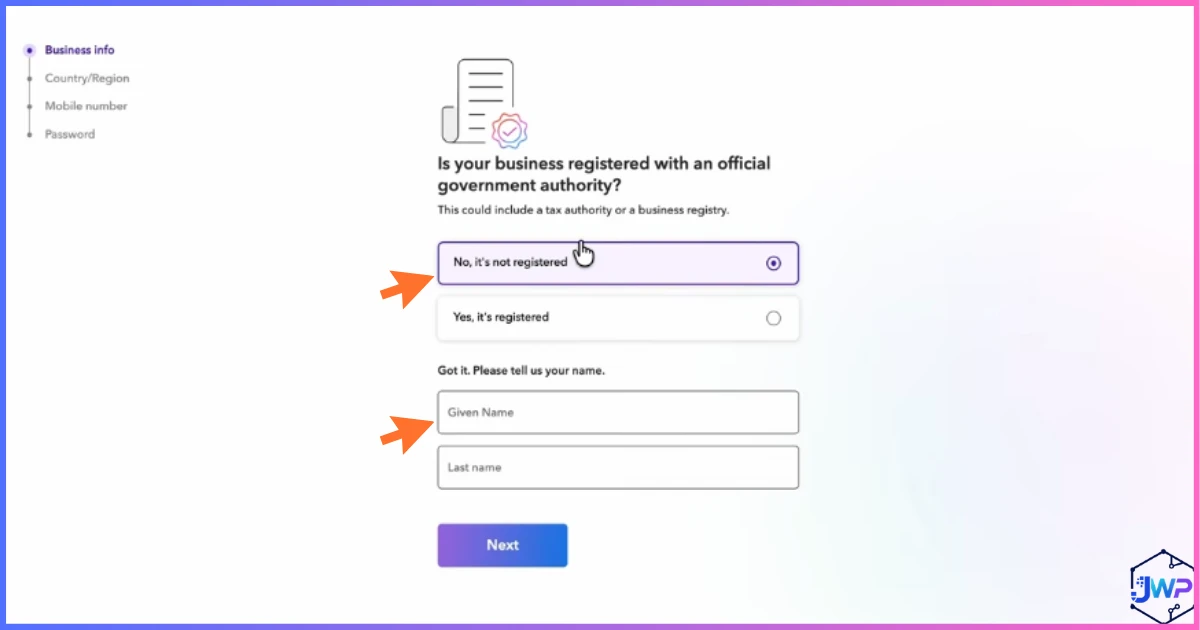
Add Your Business Information
Enter your business name and basic identifying details Payoneer needs to set up the account correctly.
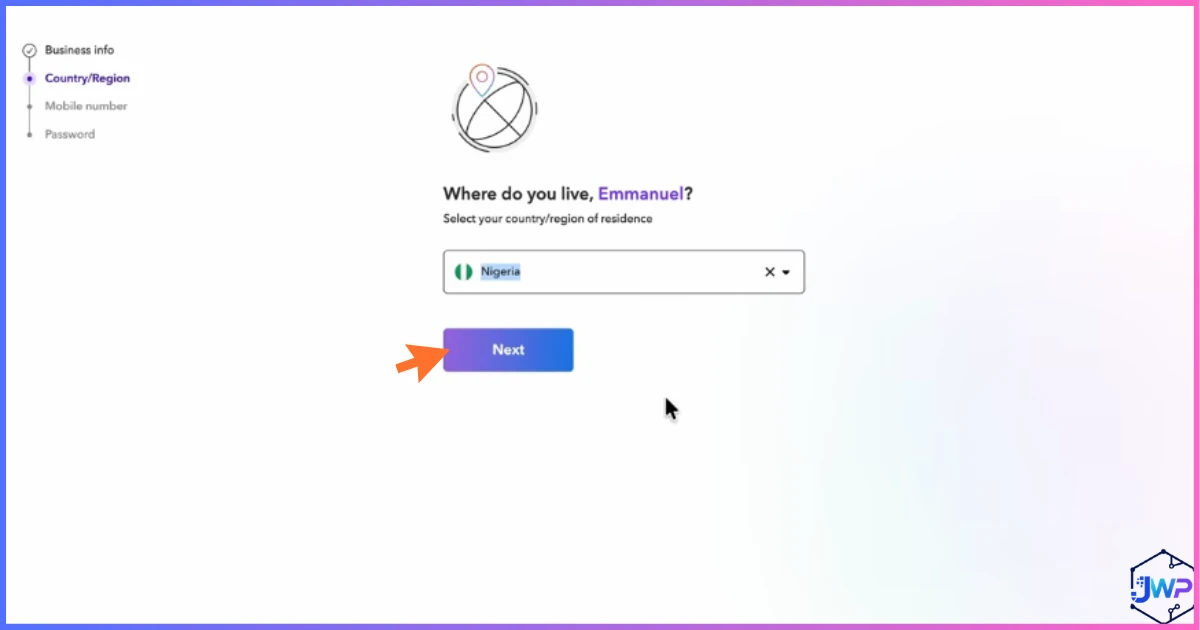
Add Your Country Information
Select the country your business (or you, personally) is based in — this determines which receiving currencies and features are available to you.
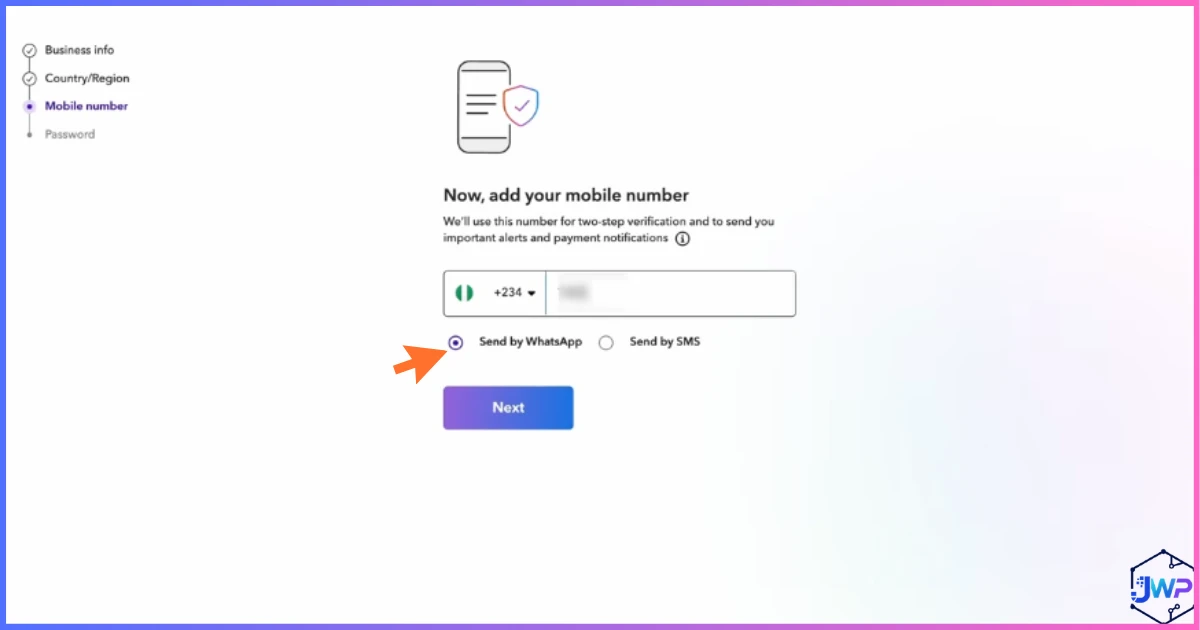
Add Your Mobile Number
Enter a mobile number you have access to — Payoneer uses this for two-factor verification on your account going forward.
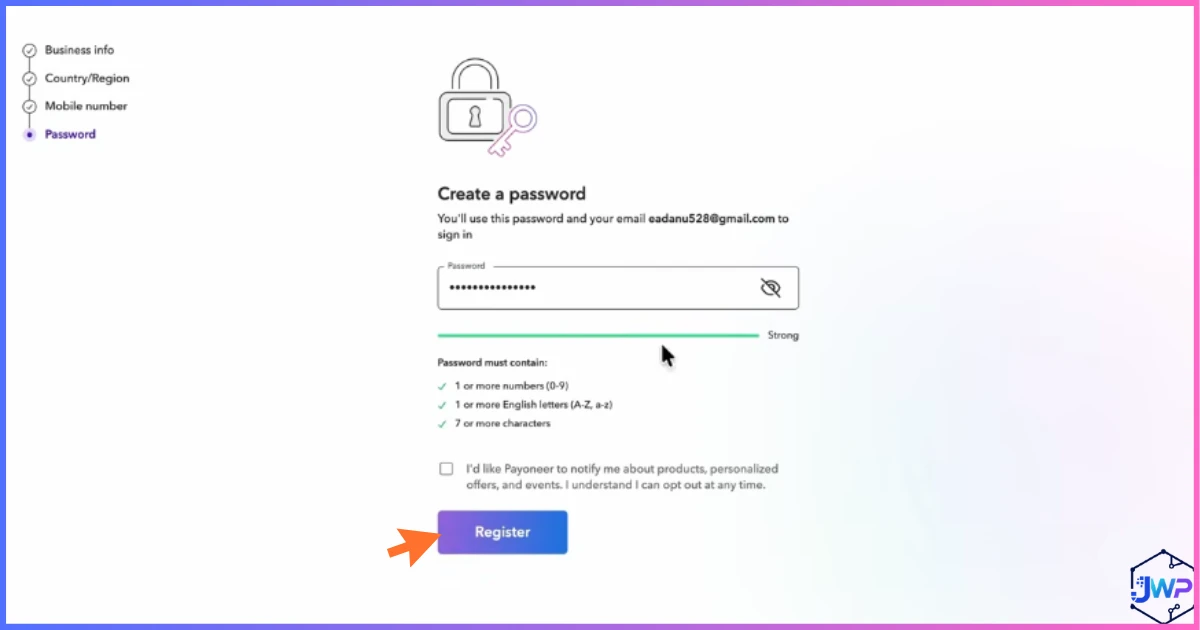
Create a Secure Password
Choose a strong, unique password — this account holds real money movement, so avoid reusing a password from another site.
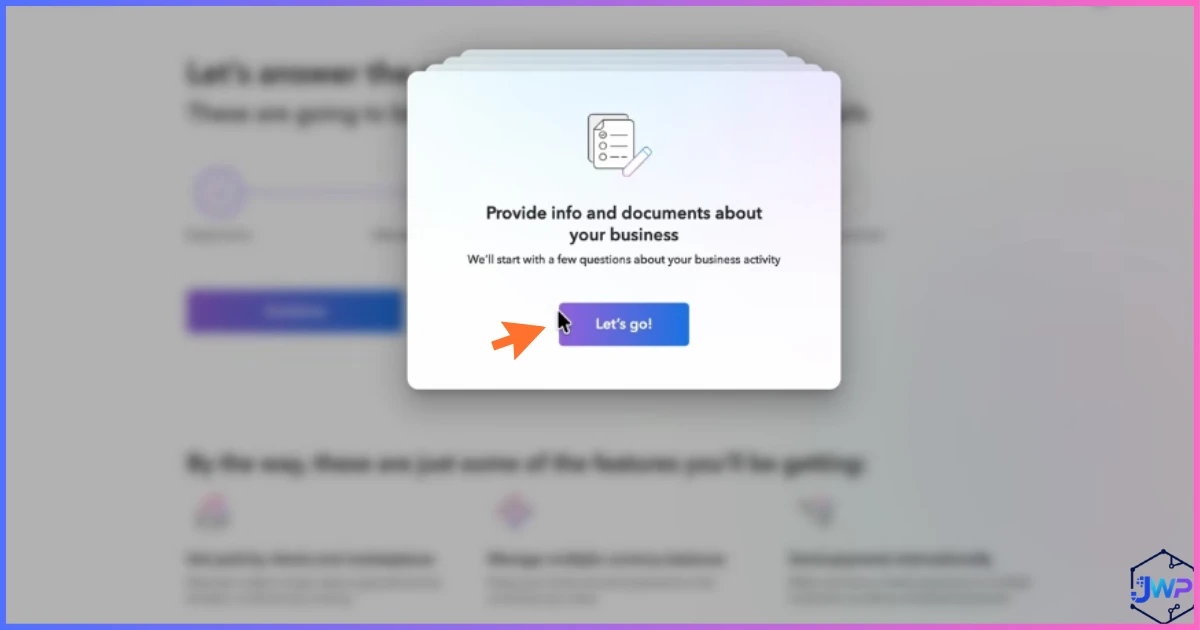
Provide Additional Business Details
Payoneer asks a few more questions to understand your business model before continuing.
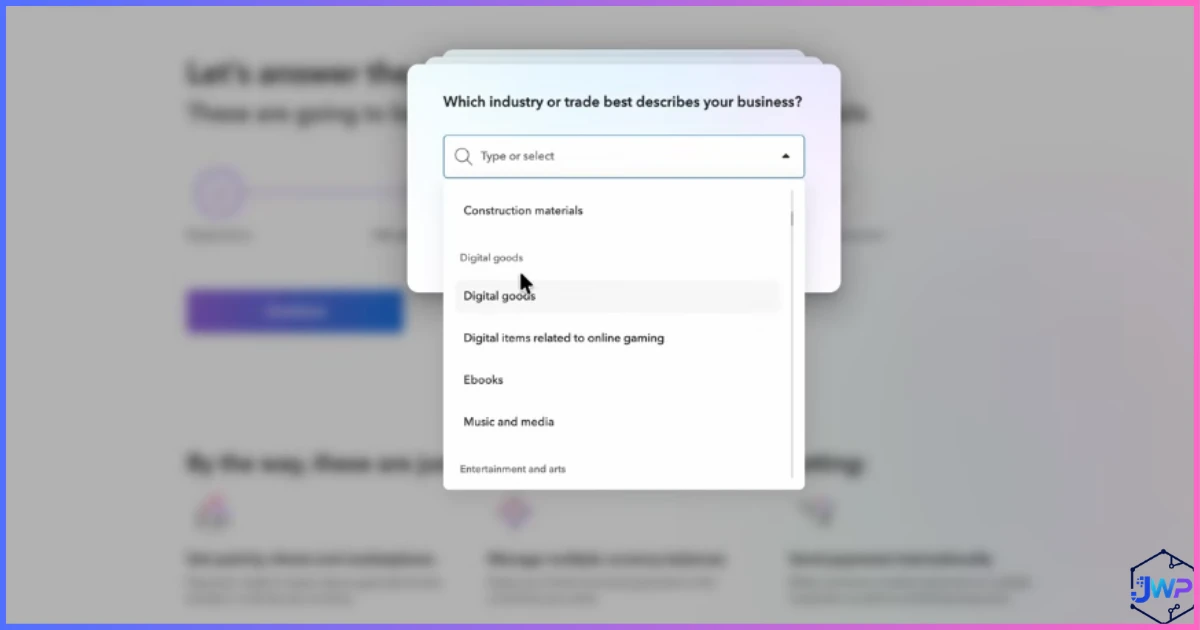
Select Your Industry
Choose the category that best fits what you do — this helps Payoneer apply the right compliance checks for your business type.
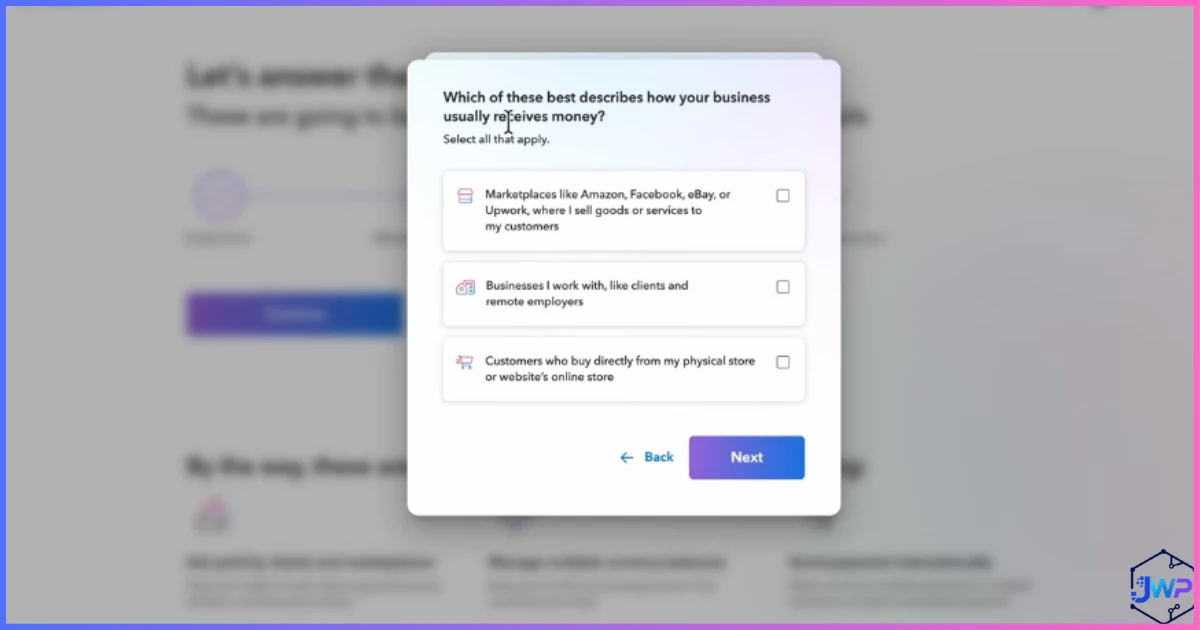
Tell Payoneer How Your Business Usually Receives Money
Select whether you’re typically paid via marketplaces, direct clients, or another method — this shapes which receiving tools Payoneer recommends for you.
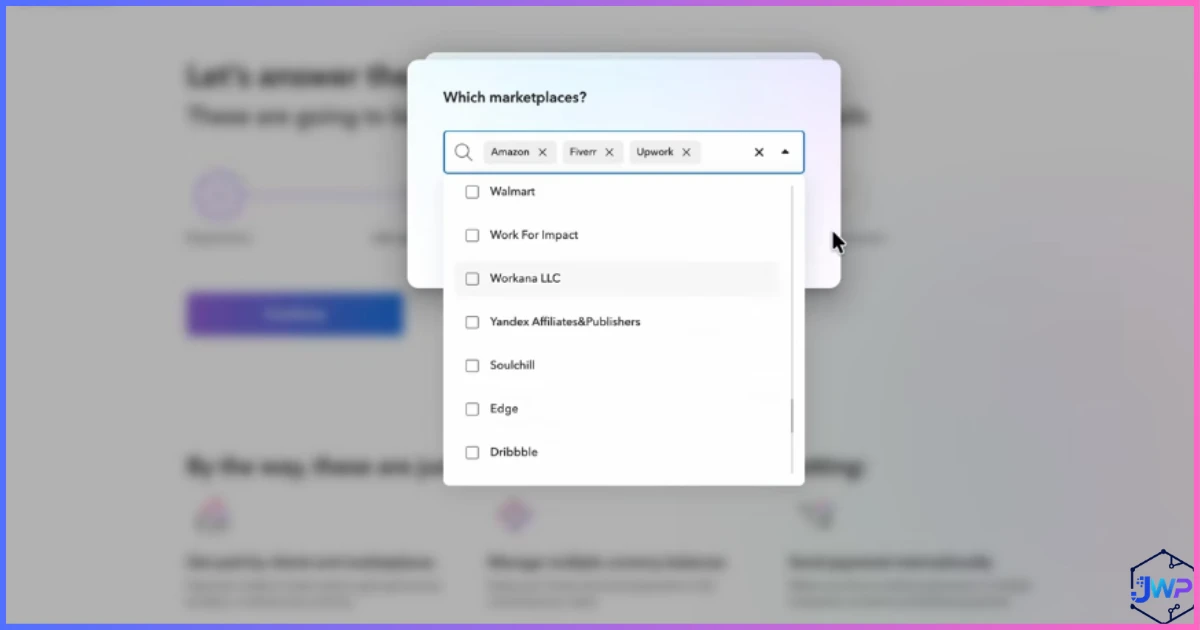
Select Your Marketplace
If you sell or work through a specific marketplace (Amazon, Upwork, Fiverr, etc.), select it here so Payoneer can pre-configure the right integration.
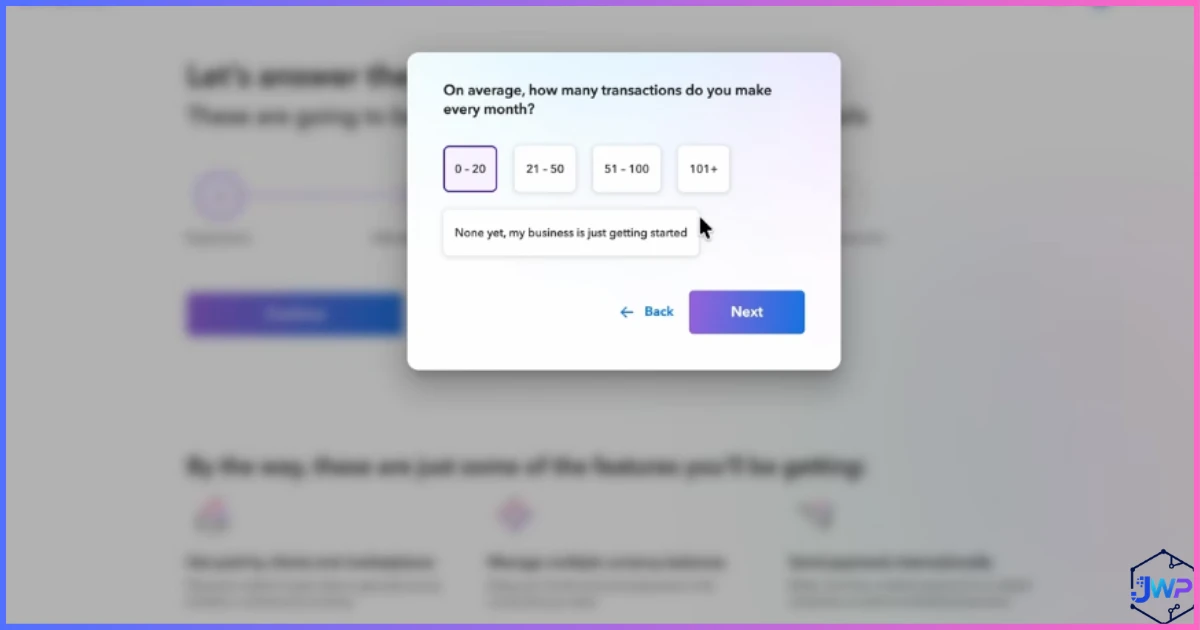
Select the Number of Transactions You Make Each Month
Give Payoneer a rough estimate of your monthly transaction volume — part of standard risk and compliance profiling.
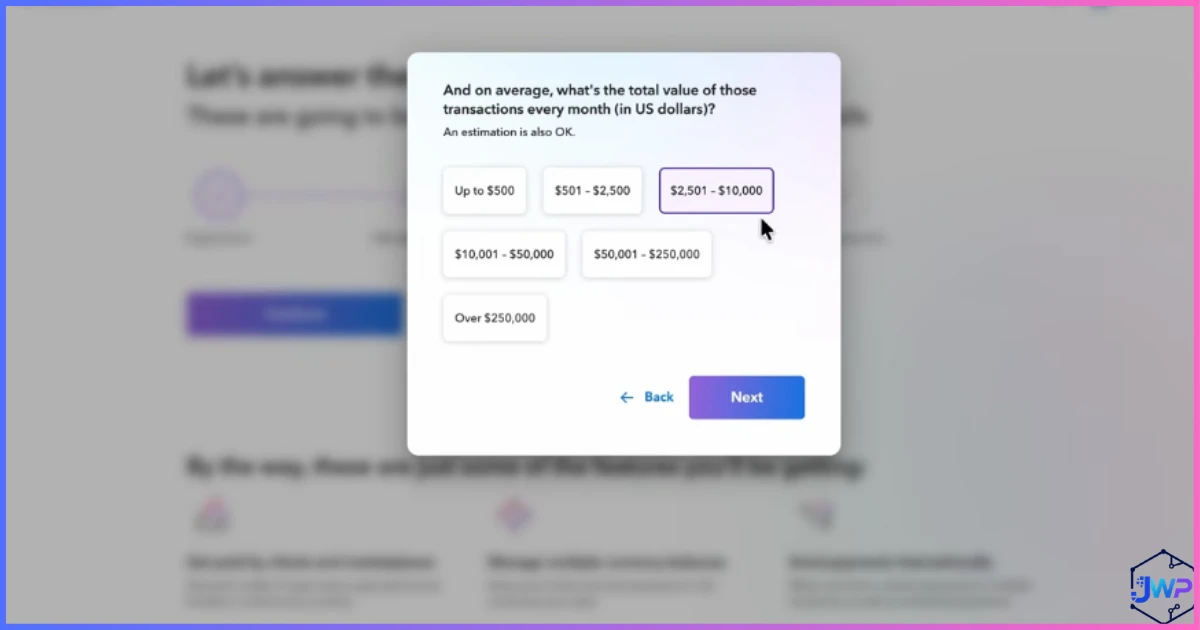
Select the Value of Transactions You Make Each Month
Estimate the total dollar value you expect to move through your account monthly.
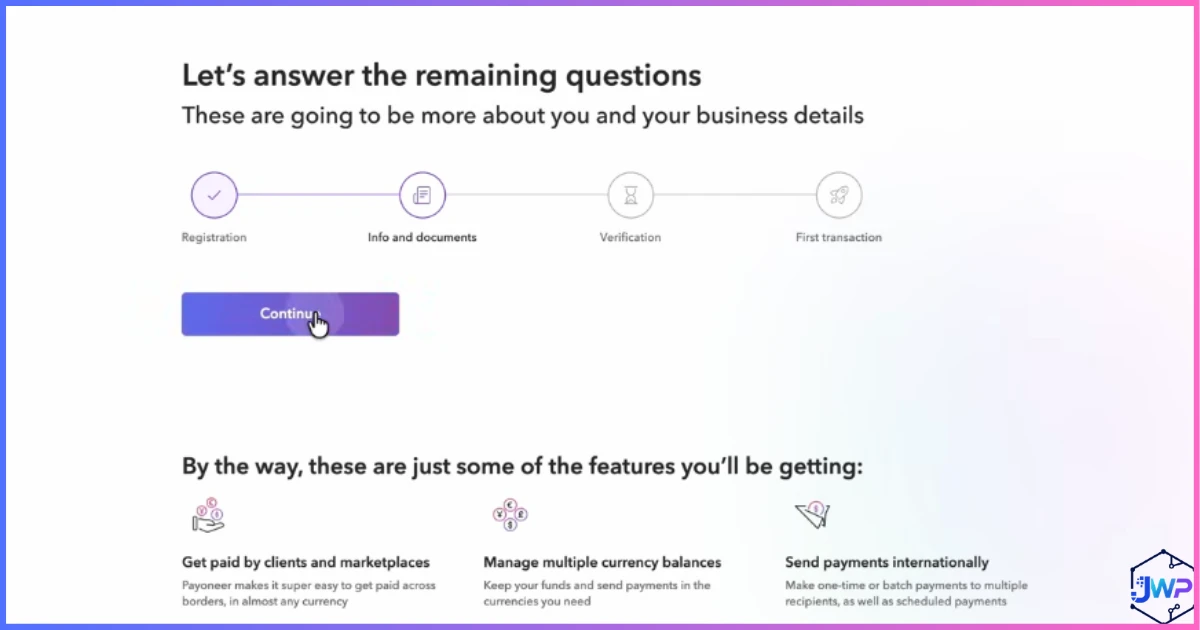
Answer the Remaining Questions
A short final set of profiling questions rounds out your business profile before moving to identity verification.
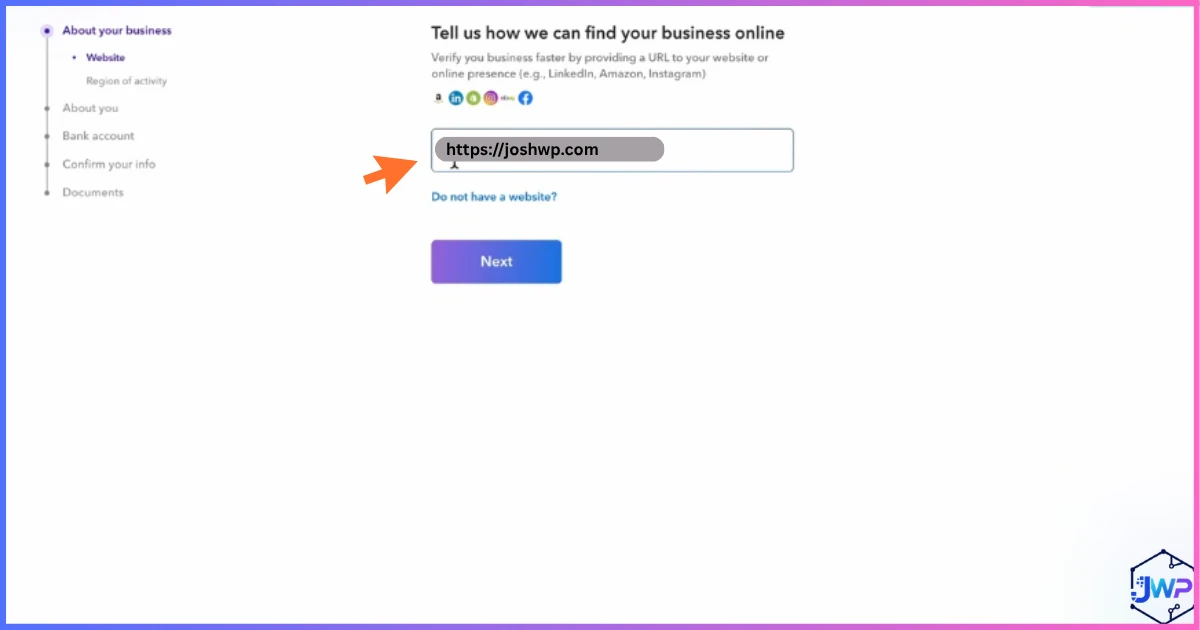
Enter Your Business Website
If you have one, enter your business website URL. If not, some account types allow you to note that you don’t have one yet.
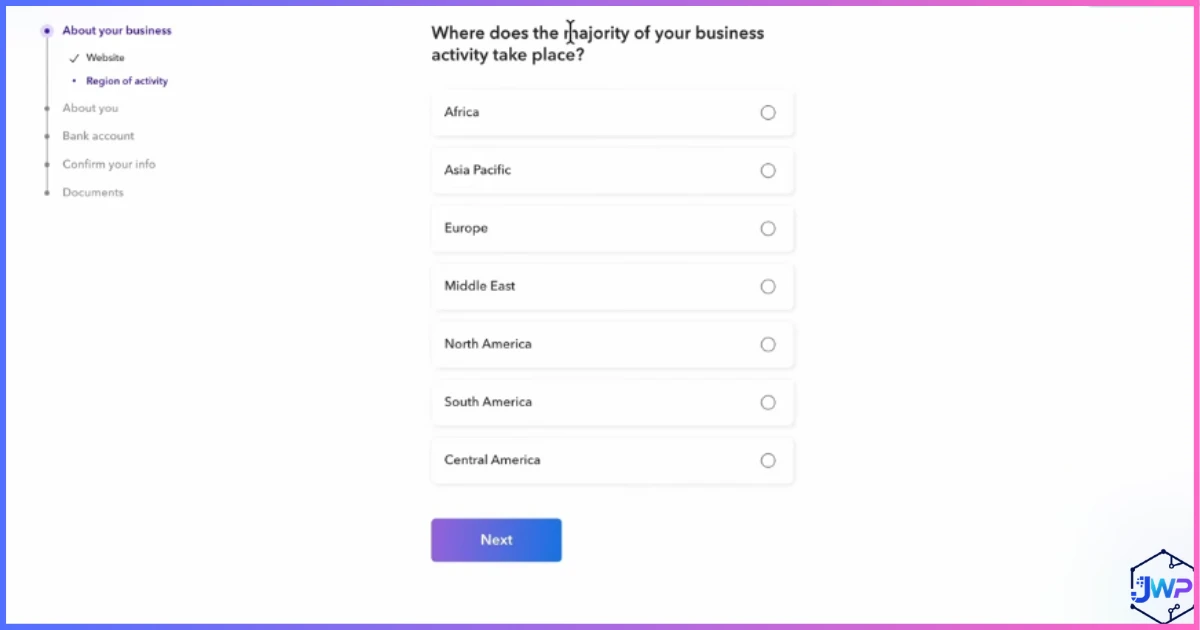
Select Where the Majority of Your Business Takes Place
Confirm the primary country or region where your business activity happens — used for regulatory and compliance purposes.
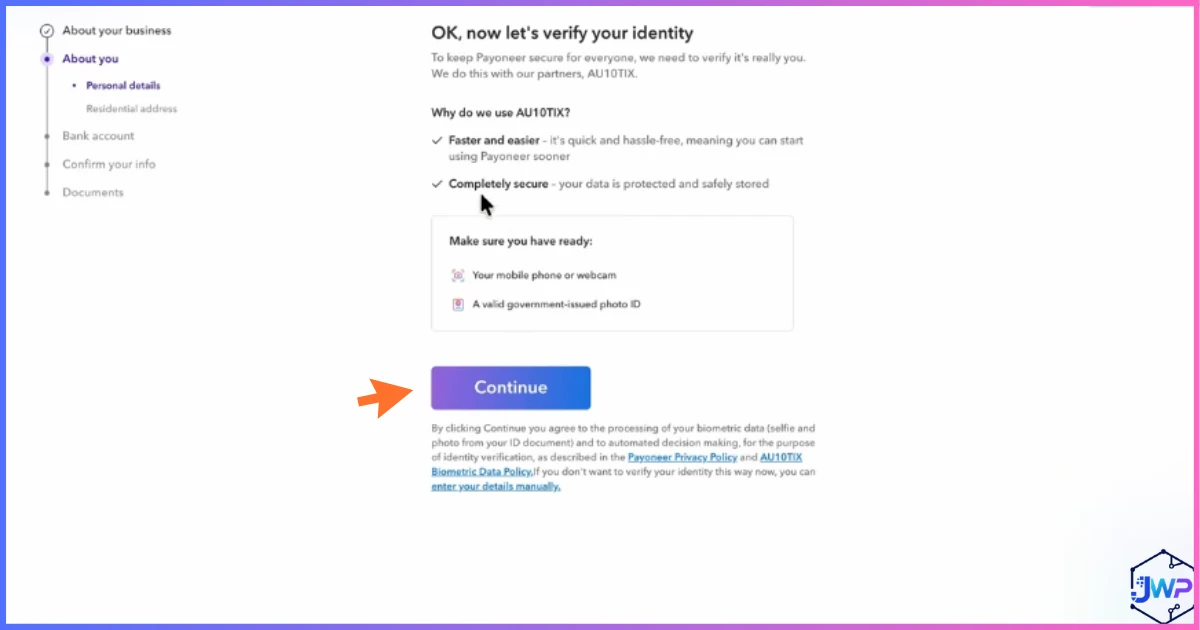
Begin Identity Verification
With your business profile complete, Payoneer moves you into identity verification — required before you can send or receive money.
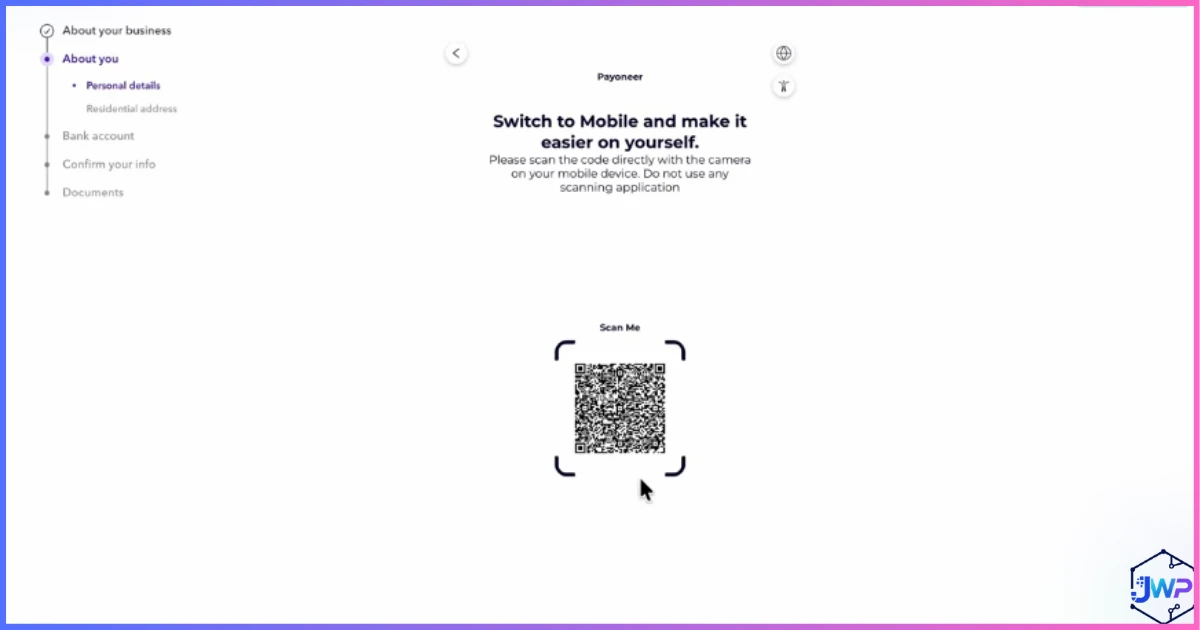
Scan the QR Code to Verify on Mobile
Payoneer’s identity check often runs through your phone’s camera for a live document and selfie scan — scan the on-screen QR code to continue on mobile.
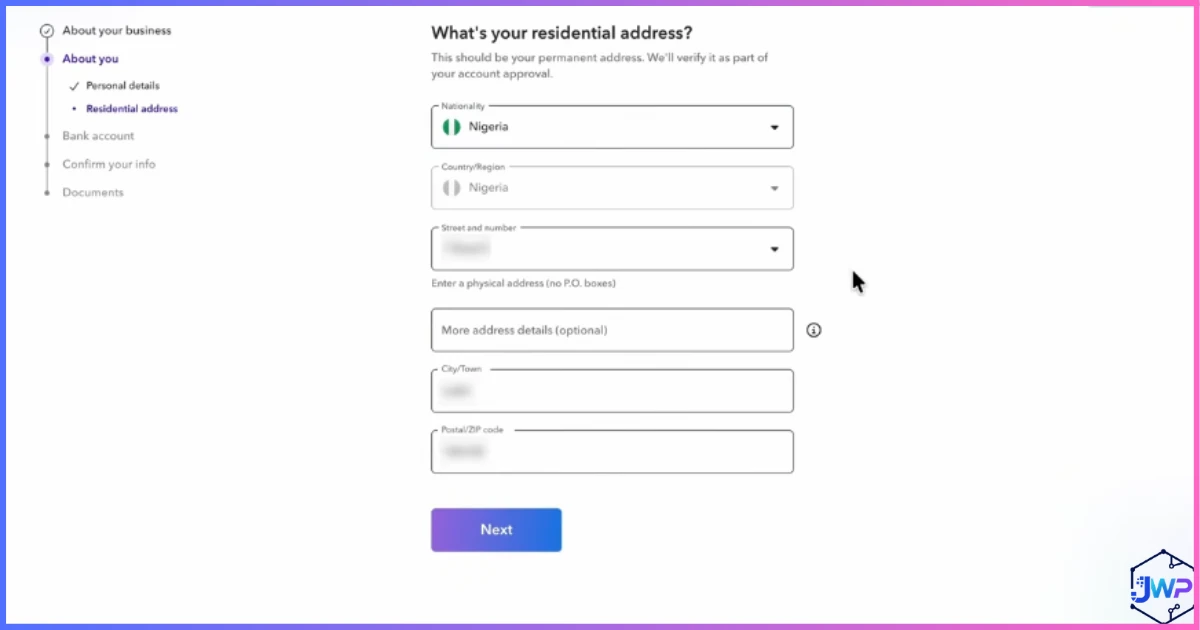
Enter Your Residential Address
Provide your current home address as part of identity verification — this should match your proof-of-address document.
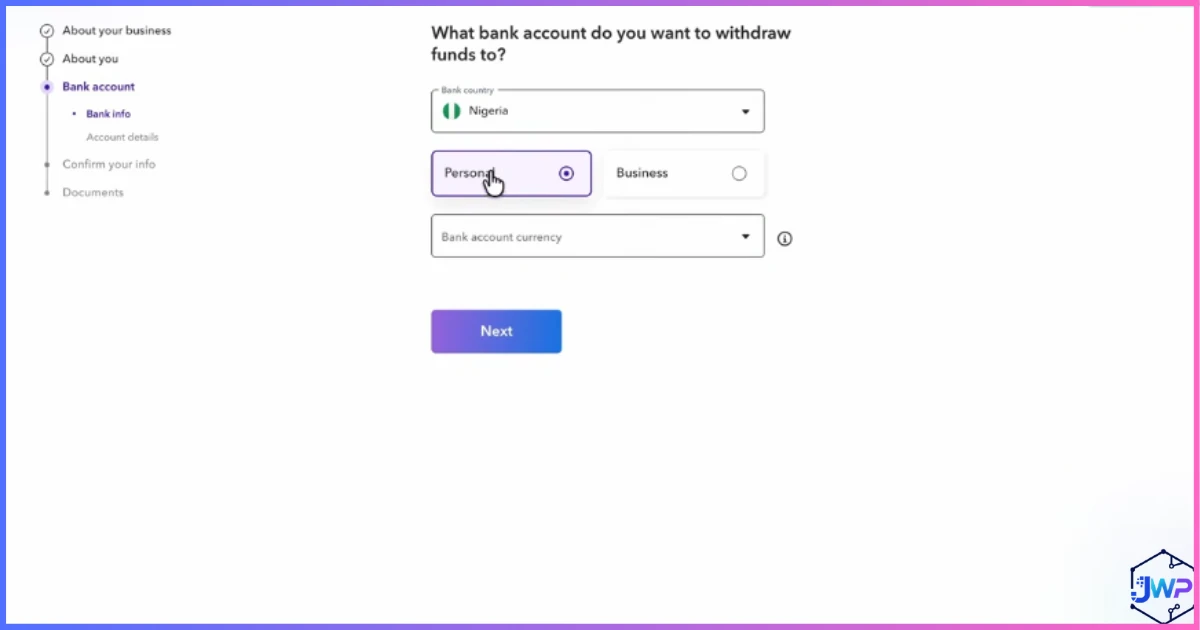
Choose the Bank Account You’ll Withdraw To
Select whether you’ll be withdrawing to a personal or business bank account.
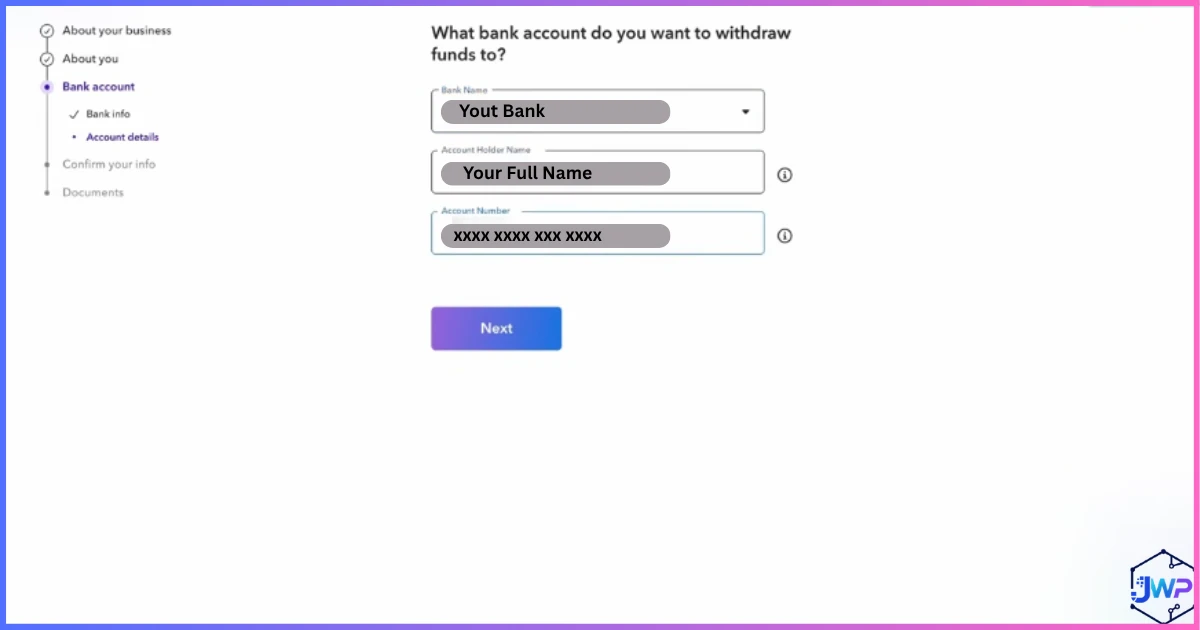
Enter Your Bank Account Details
Enter the account number, routing details, or IBAN for the bank account you’ll withdraw funds into — double-check these carefully.
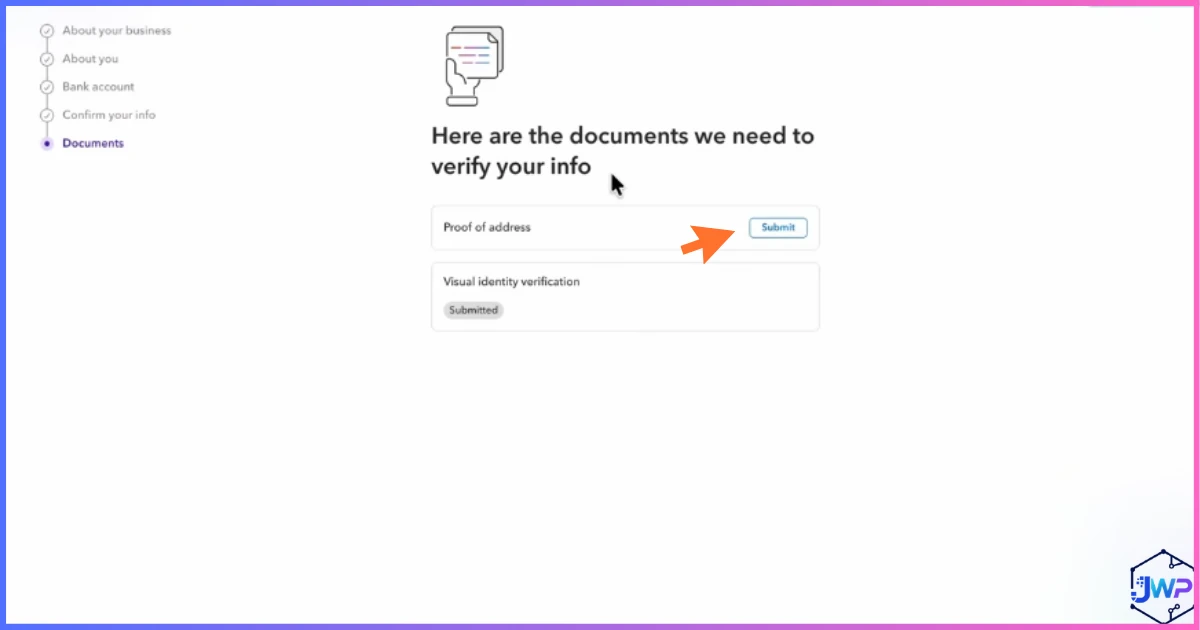
Upload Proof-of-Address Documents
Upload a recent utility bill, bank statement, or similar document showing your name and address to complete verification.
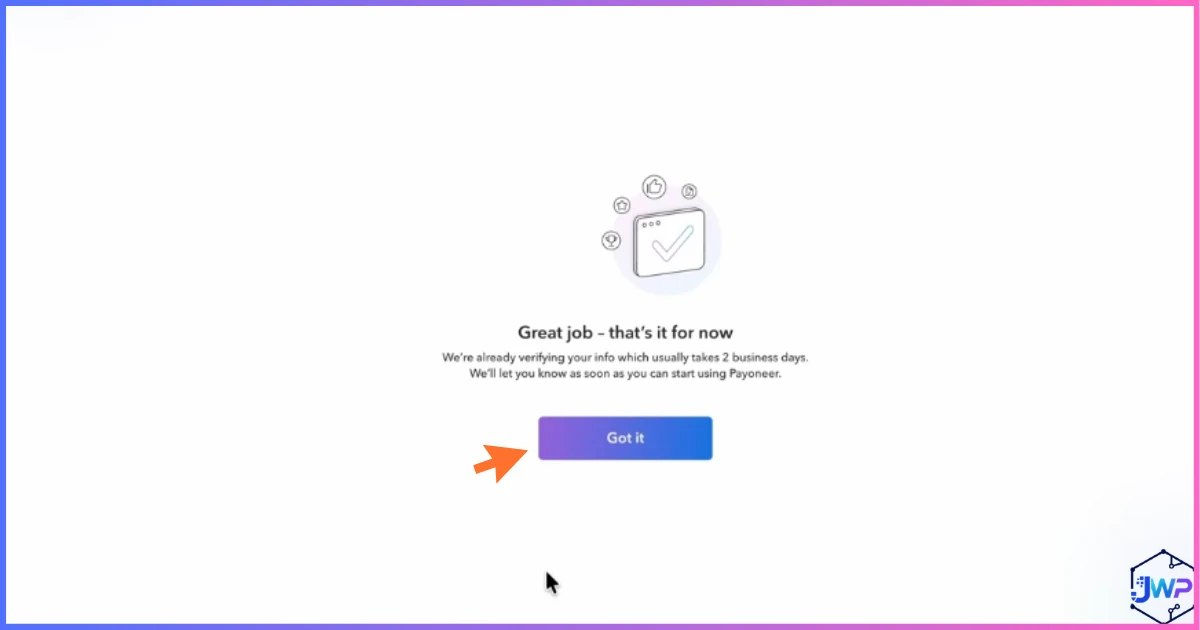
Get Your Completion Notification
Once everything is submitted, you’ll see a confirmation screen letting you know your application is complete and under review.
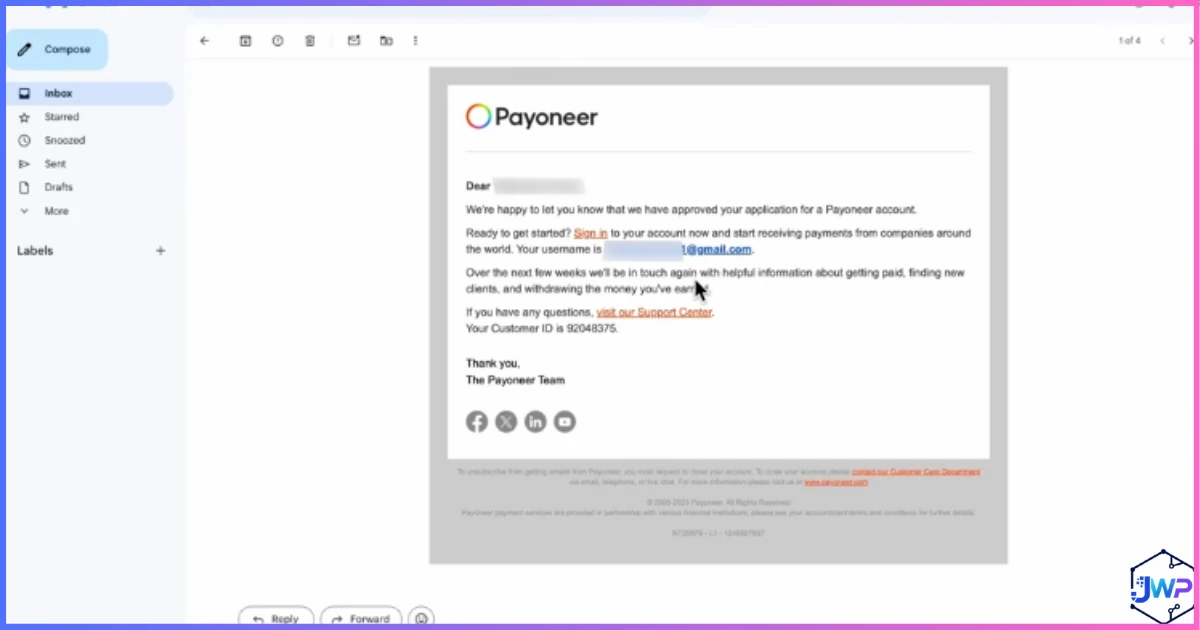
Watch Your Email for Approval
Payoneer emails you once your account has been successfully verified and approved — you’re ready to start using it.
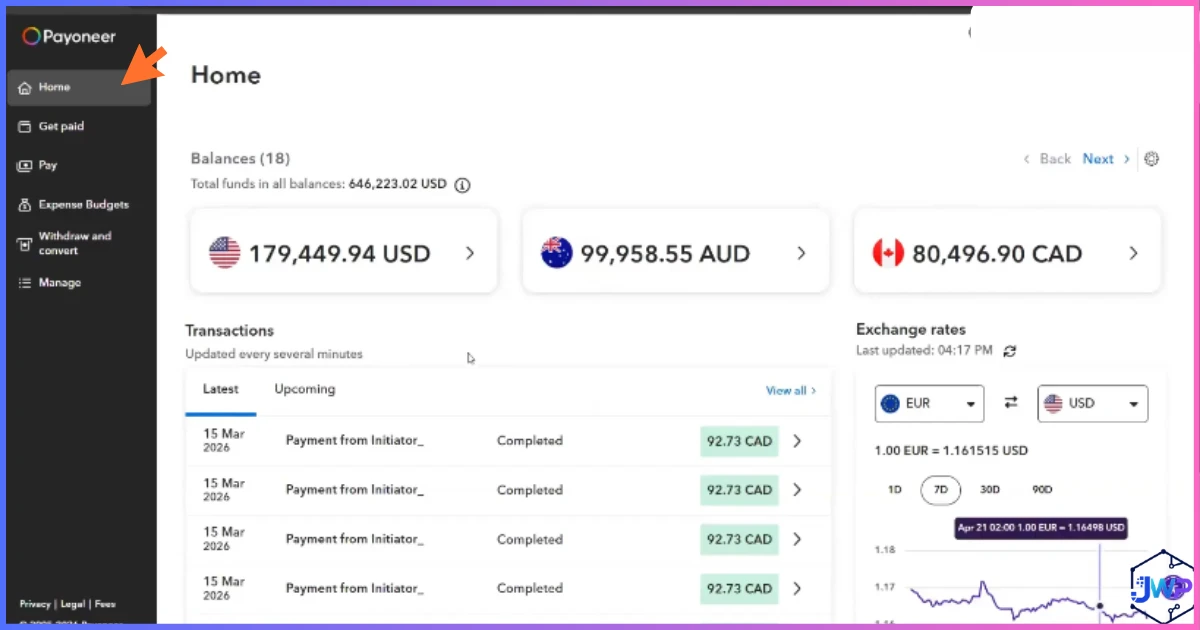
Your Dashboard, Once Approved
Once you’re verified and logged in, here’s a quick orientation to where everything actually lives.
🏠 Home
Your account overview — balances across currencies, recent activity, and quick links to your most-used actions.
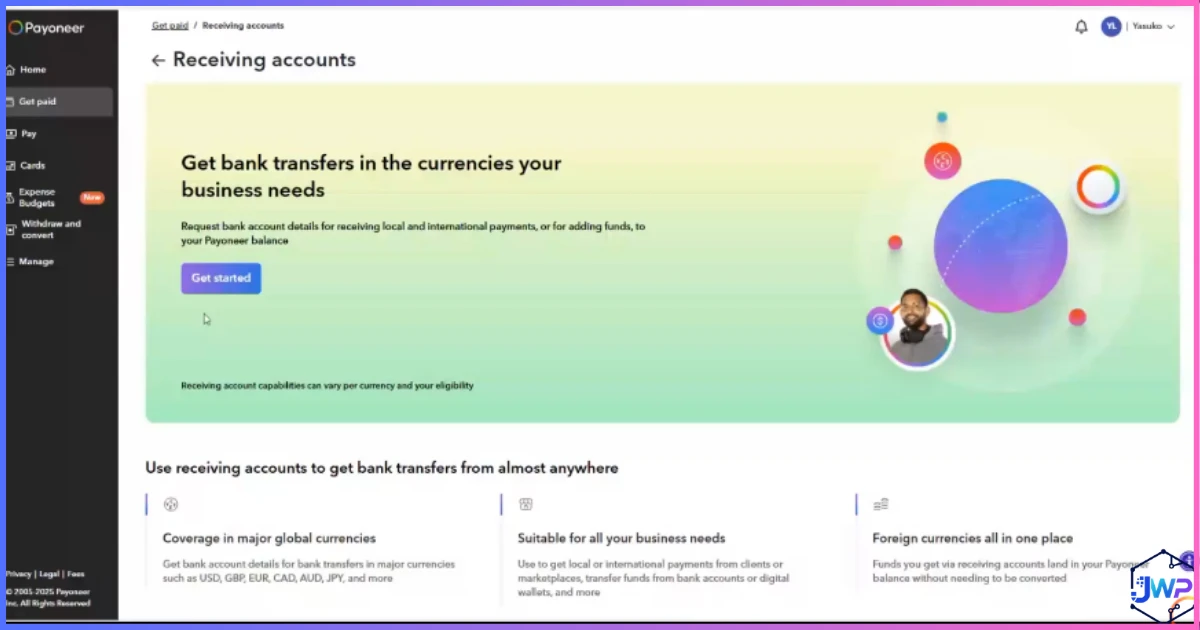
🏦 Receiving Accounts
Where you’ll find your local receiving account details (like a domestic bank account) in each supported currency.
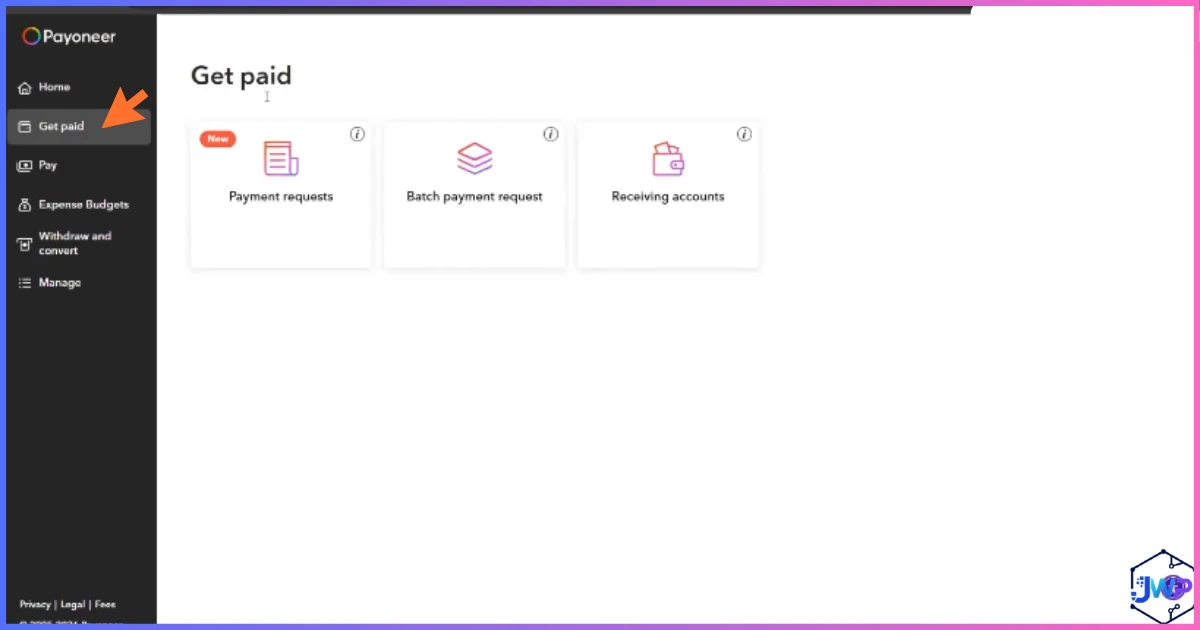
💰 Get Paid
The hub for every way to receive money — marketplace integrations, payment requests, and direct client billing.
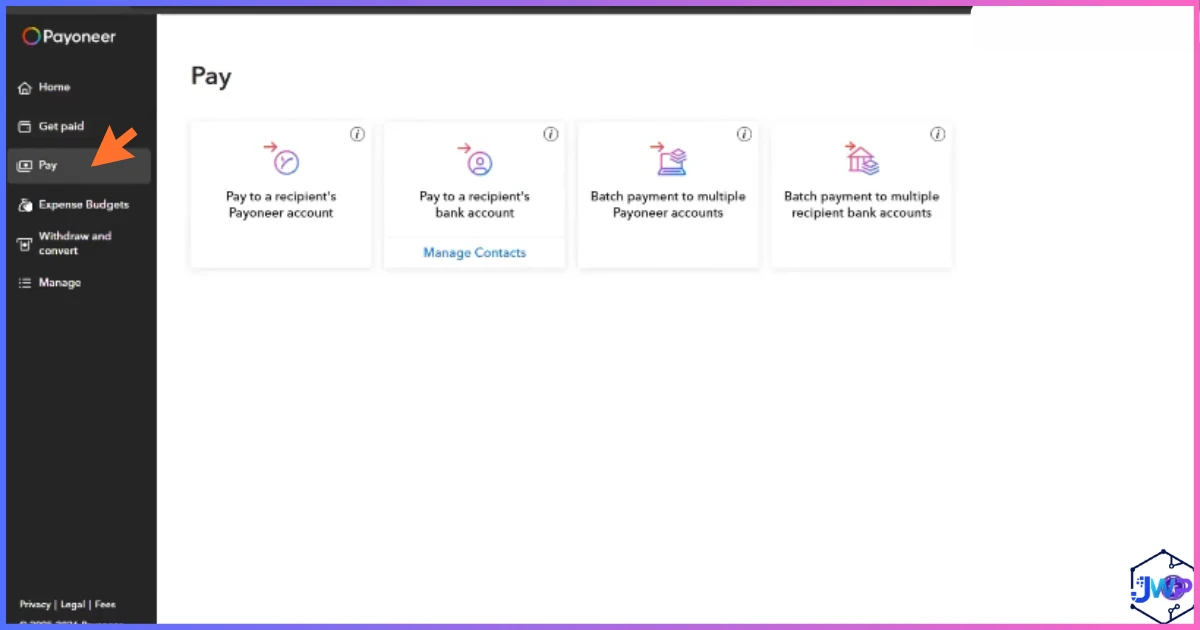
📤 Pay
Where you send money out — paying contractors, vendors, or moving funds to your linked bank account.
How to Verify Your Payoneer Account
Identity verification is required before you can send or receive real money, and it’s not optional — it’s a regulatory requirement (Know Your Customer / KYC) that every licensed payment company must follow. Here’s what to expect:
1. Government-issued ID. A passport, driver’s license, or national ID card, usually scanned live through your phone’s camera or uploaded as a clear photo.
2. A selfie or liveness check. Many verifications require a quick live selfie to confirm the ID belongs to the person opening the account.
3. Proof of address. A recent utility bill, bank statement, or government letter showing your name and current address.
4. Business documentation (if applicable). Registered businesses may need to provide incorporation documents, depending on entity type and country.
How Long Does Verification Take?
For many users, verification completes within minutes to a few hours. For others — particularly in higher-risk categories, certain countries, or when documents are unclear — it can take several business days. Submitting clear, well-lit, unedited documents on the first attempt is the single best way to avoid delays.
How to Link a Bank Account to Payoneer
Linking a bank account is how you’ll eventually move money out of Payoneer and into your own hands. From your dashboard:
1. Go to your account settings or the withdrawal section of your dashboard.
2. Choose whether the bank account is personal or business (this must match your Payoneer account type).
3. Enter your bank’s routing information — account number and routing number in the US, or IBAN and SWIFT/BIC code internationally.
4. Confirm the account name matches your verified Payoneer identity exactly — mismatches are one of the most common reasons a withdrawal gets delayed or rejected.
You can typically link multiple bank accounts and choose which one to withdraw to each time, useful if you separate personal and business finances.
How to Receive Money With Payoneer
There are three main ways money lands in your Payoneer balance:
🛍️ Marketplace Payouts
If you sell on Amazon, work through Upwork or Fiverr, or use dozens of other integrated platforms, simply select Payoneer as your payout method inside that platform’s settings — funds arrive automatically on their normal payout schedule.
🏦 Local Receiving Accounts
Under “Receiving Accounts” in your dashboard, Payoneer gives you local bank details in major currencies. Share these with a client or employer the same way you’d share your own bank details, and they pay you like a local — no international wire needed.
💳 Payment Requests
Send a client a payment link they can pay by credit or debit card directly — convenient, though this method carries the highest fee of the three (roughly 3–4%).
How to Request a Payment With Payoneer
1. From your dashboard, go to “Get Paid” and select “Request a Payment” (sometimes called Payment Request or Billing Request).
2. Enter your client’s email address, the amount, currency, and an optional invoice description.
3. Payoneer emails your client a secure payment link, where they can pay by card without needing a Payoneer account themselves.
4. Once paid, funds land in your Payoneer balance, typically minus the applicable Payment Request fee (~3–4%, covered in full below).
How to Withdraw Money From Payoneer
1. From your dashboard, select “Withdraw” and choose your linked bank account.
2. Enter the amount you want to withdraw and confirm the currency — withdrawing in the same currency as your balance avoids the currency conversion markup.
3. Review the fee shown before confirming — Payoneer displays the exact withdrawal fee upfront, so there’s no surprise deduction.
4. Confirm the withdrawal. Same-currency withdrawals to a linked bank typically arrive within 1–3 business days; cross-currency withdrawals can take slightly longer.
You can also withdraw funds via ATM using a Payoneer card, if you’ve ordered one, subject to a separate ATM withdrawal fee.
Payoneer Fees Explained
Fee transparency is one of the most-searched questions about Payoneer, so here’s the complete breakdown, with nothing left out.
| Action | Typical Fee |
|---|---|
| Opening an account | Free |
| Receiving from an integrated marketplace | ~1% (varies by marketplace agreement) |
| Receiving via local receiving account (bank transfer) | Often free or minimal, varies by currency |
| Receiving via Payment Request (card payment) | ~3%–3.99% + a small fixed fee |
| Withdrawal to your own bank, same currency | ~$1.50 flat fee (under $50,000/month); ~0.5% above that threshold |
| Withdrawal to your own bank, different currency | Currency conversion markup, typically 2%–4% above the mid-market rate |
| Currency conversion (balance-to-balance) | Up to ~3.5%–4% above the mid-market rate |
| ATM withdrawal (Payoneer card) | ~$3.15 USD / €2.50 / £1.95 per withdrawal, plus conversion if applicable |
| Annual account fee | $29.95/year, only if the account receives very little (roughly under $2,000–$6,000, depending on account type) in 12 months |
| Card replacement | ~$12.95 |
| Payoneer-to-Payoneer transfer (same country) | Free to receive; sending may carry a small flat fee |
Percentage-Based Fees
Approximate figures; actual rates can vary by country, currency, and account type.
Flat-Fee Items
All figures in USD equivalent, approximate.
The Fee Most People Miss
The currency conversion markup (up to ~4% above the real mid-market rate) tends to be the single biggest cost for most users — far bigger than the visible per-transaction fees. If you regularly convert between currencies, it’s worth comparing the total cost against a specialist currency-transfer service before converting large amounts inside Payoneer.
Countries Supported by Payoneer
Payoneer operates in 190+ countries and supports payments in 70+ currencies, making it one of the broadest-reaching platforms in its category. Major receiving currencies include USD, EUR, GBP, JPY, AUD, CAD, and many more, each with dedicated local receiving account details in supported regions.
Reach: Countries vs Currencies Supported
Restrictions Do Apply
Like every regulated payment company, Payoneer cannot operate in countries subject to international sanctions (such as North Korea, Iran, Syria, and Cuba, among others), and availability of specific features can vary by country even where the platform is supported. Always check current country and feature availability directly during sign-up, since this can change with regulatory shifts.
Is Payoneer Safe?
By most measures, yes — Payoneer is a long-established, publicly traded, regulated financial company, not a fly-by-night app. That said, “safe” has a few different dimensions worth covering individually and honestly.
✅ Regulatory Standing
Payoneer is licensed as a payment institution in multiple jurisdictions and, in the US, USD balances are typically held via FDIC-insured partner banks, giving pass-through deposit insurance eligibility up to standard FDIC limits — though this depends on the bank’s own coverage terms, not a Payoneer-specific guarantee.
✅ Account Security Features
Two-factor authentication, encryption, and ongoing fraud monitoring are standard. Enable 2FA immediately after opening your account — it’s one of the single most effective steps you can take.
⚠️ Account Reviews & Holds
A recurring theme in independent Payoneer reviews is account balances being temporarily frozen or flagged for additional compliance review, sometimes without an immediately obvious reason. This is a common pattern across the entire cross-border payments industry, not unique to Payoneer, but it’s real and worth planning around — don’t rely on any single payment platform, Payoneer included, as your only way to access funds.
⚠️ A Popular Phishing Target
Because Payoneer is so widely used, it’s a frequent target for phishing scams impersonating the platform. Always log in directly through the official site or app rather than clicking email links, and never share your verification codes with anyone.
Bottom line: Payoneer is a legitimate, well-regulated platform used by millions of freelancers and businesses worldwide, and the security fundamentals are solid. The realistic risk isn’t fraud from Payoneer itself — it’s the structural risk that applies to any single financial provider: occasional account holds during compliance review, and the wisdom of not routing 100% of your income through one platform.
Payoneer By The Numbers
Active vs Total Registered Users
“Active” reflects users transacting regularly, per Payoneer’s public filings; “total” reflects all registered accounts.
Editorial Feature Strength Assessment
Editorial scoring (0–10) based on researched features, not an official Payoneer benchmark.
Common Sign-Up Problems & Fixes
Verification code not arriving? Check spam/junk folders, confirm the email was typed correctly, and request a resend rather than repeatedly submitting the form.
Document upload rejected? Make sure the photo is well-lit, in focus, shows all four corners of the document, and isn’t a screenshot of a screenshot — image compression often causes rejections.
Name mismatch errors? Your legal name on your ID, your bank account, and your Payoneer profile all need to match exactly, including middle names and suffixes.
Verification taking longer than expected? This is common for certain countries or business categories flagged for manual review — contact support with your application reference number rather than submitting a duplicate application.
Pros and Cons
✓ Pros
- Free to open, no monthly fee
- 190+ countries, 70+ currencies supported
- Deep marketplace integrations (Amazon, Upwork, Fiverr, and more)
- Local receiving accounts in major currencies
- Transparent fee disclosure before you confirm any transaction
- Long-established, publicly traded, regulated company
- Multiple ways to get paid: marketplace, local account, or payment request
✗ Cons
- Currency conversion markup (up to ~4%) is steeper than dedicated FX specialists
- Annual inactivity fee if your account receives very little in 12 months
- Payment Request fees (~3–4%) are relatively high for card payments
- Account holds during compliance review are a recurring complaint
- Verification can take longer for certain countries or business types
- Ownership transition pending (Nuvei acquisition), worth monitoring for future changes
Related Reads
Once you’ve chosen the right payment rail, these articles are the best follow-up reads:
- Payoneer vs Wise — the most direct comparison if you still want to weigh Payoneer against Wise before signing up.
- Payoneer vs PayPal — useful when your decision is between marketplace payouts and broader checkout acceptance.
- How to Open a Wise Account — the setup guide for the lower-cost currency-conversion alternative.
- Payoneer Review — a fuller review of Payoneer’s pricing, strengths, and limitations.
Frequently Asked Questions
Is it free to open a Payoneer account?
Yes, opening a Payoneer account is completely free. You only encounter fees once you start receiving, converting, or withdrawing money, or if your account sits nearly inactive for a full year.
How long does it take to open and verify a Payoneer account?
The sign-up form itself takes about 10–15 minutes. Identity verification can complete within minutes for many users, though it can take a few business days depending on your country, business type, and document quality.
Do I need a business to open a Payoneer account?
No. Payoneer offers both individual and business account types. Freelancers and individual marketplace sellers commonly use a personal account, while registered companies typically choose a business account.
What documents do I need to verify my Payoneer account?
A government-issued photo ID (passport, driver’s license, or national ID), proof of address (a recent utility bill or bank statement), and — for registered businesses — incorporation documents depending on your entity type and country.
How do I receive money with Payoneer?
Three main ways: through an integrated marketplace’s payout settings, by sharing your local receiving account details with a client or employer, or by sending a client a Payment Request they can pay by card.
How do I withdraw money from Payoneer?
From your dashboard, select Withdraw, choose your linked bank account, enter the amount, and confirm. Same-currency withdrawals typically arrive within 1–3 business days for a flat fee around $1.50; different-currency withdrawals carry a conversion markup on top.
What are Payoneer’s main fees?
Marketplace receiving is typically around 1%. Payment Requests via card run roughly 3–4%. Same-currency bank withdrawals cost about $1.50 flat. Currency conversion carries the steepest cost, up to roughly 4% above the mid-market rate. A $29.95 annual fee applies only to accounts with very little activity in a 12-month period.
Is Payoneer safe to use?
Yes, generally. Payoneer is a long-established, regulated, publicly traded payment company with standard security features like two-factor authentication and encryption, and US balances are typically held with FDIC-insured partner banks. The main practical risk to be aware of is occasional account holds during compliance review — a pattern common across the payments industry, not unique to Payoneer.
Which countries does Payoneer support?
Payoneer operates in 190+ countries and supports 70+ currencies, though it cannot operate in countries under international sanctions (such as North Korea, Iran, Syria, and Cuba). Some features vary by country — check current availability during sign-up.
Can I have both a Payoneer and a bank account?
Yes, and it’s recommended. Payoneer is best used alongside a traditional bank account rather than as a replacement for one — you’ll link a bank account during setup specifically so you can withdraw funds out of Payoneer regularly.
Is Payoneer being acquired?
As of mid-2026, Payoneer agreed to be acquired by payments company Nuvei in a deal reported around $2.75 billion, which would end its run as a public company. The deal had not closed at the time of this writing, and Payoneer continues to operate normally for account holders in the meantime.
Disclosure: This article contains an affiliate link. If you sign up through our link we may earn a commission at no extra cost to you. Figures on fees, funding, and company statistics reflect publicly available information at the time of writing and may change — always confirm current details directly on Payoneer’s site before making financial decisions. This article is for informational purposes only and is not financial advice. Screenshots shown are from the actual Payoneer sign-up flow at the time of writing and may change as Payoneer updates its interface.