Blubrry Podcast Hosting Review
Blubrry is one of podcasting’s longest-established hosting platforms, but its current offer looks different from the old storage-based plans many reviews still describe. New creator plans are priced by monthly publishing time, beginning at $7 for 1.5 hours, and include audio/video publishing, unlimited downloads, a managed WordPress site, AI tools and PowerPress.
This Blubrry podcast hosting review examines the current pricing, workflow, analytics, WordPress integration, video support, monetization and scaling costs. It also explains where Blubrry is a strong choice—and when a different host offers a simpler or more economical fit.
Is Blubrry Podcast Hosting Worth It?
Blubrry is worth considering for WordPress publishers, video podcasters and creators who want human support with predictable time-based limits. The $7 Standard 1.5 plan is unusually inexpensive for paid hosting, while PowerPress gives WordPress users substantial feed and publishing control. Standard 3 at $15 suits many monthly or short weekly shows; Advanced 6 at $25 is the practical tier for longer weekly episodes and deeper analytics.
Its weakness is multi-show economics. Professional Hosting starts at $100/month and additional shows cost $10 each, while some competitors include unlimited public shows near $19/month. Blubrry is strongest when you value WordPress ownership, audio/video flexibility and support more than the cheapest network pricing.
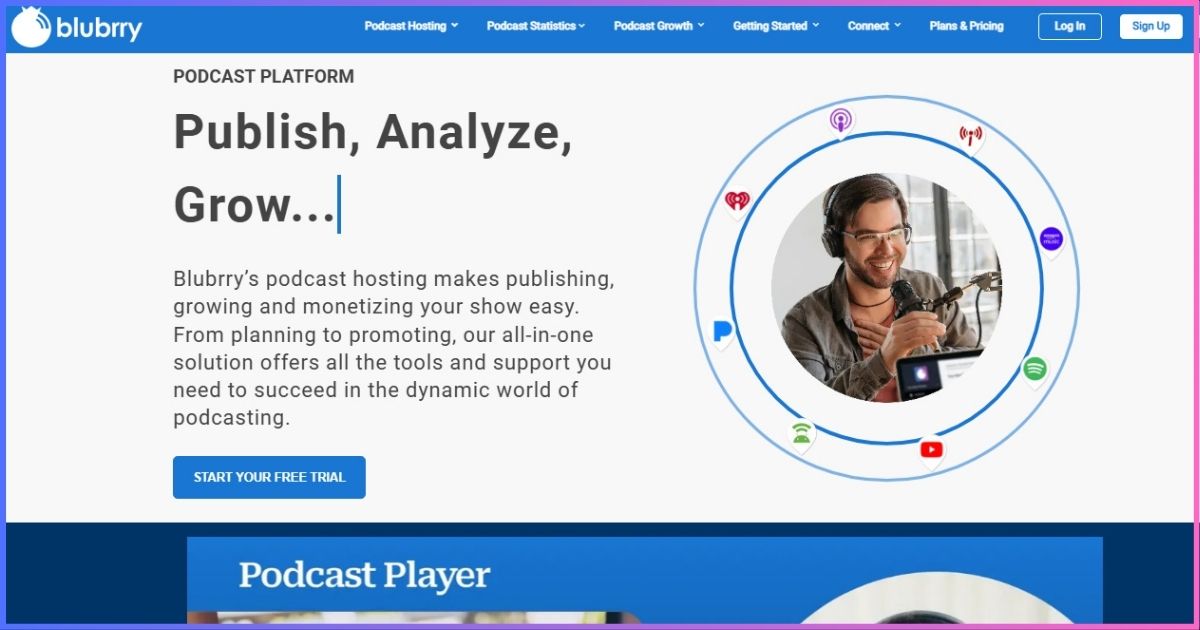
Table of Contents
Platform overviewWhat Is Blubrry Podcast Hosting?
Blubrry is a podcast hosting, distribution, analytics and monetization platform closely associated with WordPress through its free PowerPress plugin. Creators can publish from Blubrry’s dashboard, an included managed WordPress site or their own WordPress installation. It supports both audio and video podcasts and supplies the RSS feed that listening apps use to retrieve episodes.
The service is operated by RawVoice and has served podcasters since 2005. Longevity matters because a host is responsible for the URLs behind an entire back catalog. It does not guarantee that every feature or plan is best, but it provides a mature support and migration ecosystem.
What changed from older Blubrry reviews?
Older plans used monthly storage allowances such as 125MB or 400MB. Current creator plans are easier to compare by finished publishing time: Standard 1.5, Standard 3, Advanced 6 and Advanced 12. Existing customers can remain on earlier plans unless they switch, so account dashboards may not match the options shown to a new customer.
Blubrry also now includes AI planning and post-production tools across hosting plans, supports video at every creator tier and bundles a managed podcast website. These changes make old price tables and storage-overage discussions unreliable for new buyers.
Current costsBlubrry Pricing Plans Explained
| Plan | Price | Monthly publishing | Statistics | Best for |
|---|---|---|---|---|
| Standard 1.5 | $7/mo | 1.5 hours audio/video | Standard | Monthly show or short limited series |
| Standard 3 | $15/mo | 3 hours audio/video | Standard | Short weekly or longer monthly show |
| Advanced 6 | $25/mo | 6 hours audio/video | Advanced | Most weekly interview shows |
| Advanced 12 | $50/mo | 12 hours audio/video | Advanced | Frequent or long-form publisher |
| Professional | From $100/mo | Unlimited | Advanced | Networks and high-volume operations |
Standard 1.5 and Standard 3
Standard 1.5 provides 90 minutes of new publishing each month. It fits a 30-minute monthly show comfortably, three short devotionals, or a carefully scheduled limited series. A weekly show averaging 20 minutes would use about 80–100 minutes in a typical month, leaving little room for bonus episodes.
Standard 3 doubles capacity to three hours. It can cover four 40-minute episodes in most months, but a fifth release or an extended interview may exceed the allowance. Both Standard plans include unlimited downloads, audio/video support, standard statistics, directory submission, a managed website and AI tools.
Advanced 6 and Advanced 12
Advanced 6 is the practical starting tier for a conventional weekly show because six monthly hours leave room for five-week months, trailers and bonus material. Advanced 12 serves twice-weekly publishing, long interviews or video episodes. Advanced plans add deeper statistics and broader monetization capabilities.
Professional Hosting and add-ons
Professional Hosting begins at $100/month and includes one show, unlimited audio/video publishing and storage, 1TB of monthly bandwidth, advanced statistics, a network tool and simple dynamic ad insertion. Each additional hosted show costs $10/month. Full dynamic ad insertion costs $49/month, and file rebuilds can create additional charges.
Monthly creator-plan publishing allowance
Finished audio or video hours per month.
CapabilitiesBlubrry Features: What You Get
Unlimited downloads
Creator tiers do not charge more when an episode becomes popular. Publishing duration—not public audience size—is the main plan limit.
Audio and video
Every current creator tier supports both formats, avoiding the video upgrade gate used by several competitors.
Managed website
Hosting includes an optional managed WordPress podcast site, giving creators a web home without a separate hosting bill.
PowerPress
The free plugin creates feeds and publishes episodes from WordPress, with Blubrry hosting integrated into the workflow.
AI podcast tools
Planning tools help with ideas and guest questions; post-production tools can generate transcripts, titles, summaries, chapters and artwork.
Distribution
Blubrry supports submission to Apple Podcasts, Spotify, YouTube and other destinations while the creator retains an RSS feed.
Podcasting 2.0
PowerPress supports modern feed elements such as transcripts, chapters, person credits, funding links and other namespace features.
Human support
Email, phone and scheduled assistance distinguish Blubrry from low-cost platforms that rely heavily on self-service documentation.
RSS ownership and directory submission
The host generates an RSS feed that distributes media and metadata. Apple requires public RSS 2.0, stable episode identifiers, valid enclosures, artwork and byte-range support; Blubrry handles the delivery layer, while the publisher remains responsible for accurate metadata. See the Apple Podcasts RSS requirements for the technical baseline.
AI tools need editorial review
Generated transcripts and show notes can save time, but names, technical terms, sponsor language and quotations still need human review. Treat AI output as a draft. The feature is most useful when it accelerates a documented publishing process rather than replacing one.
Core advantagePowerPress and WordPress Integration
PowerPress is the strongest reason to choose Blubrry. The free WordPress plugin lets a publisher create podcast episodes, configure feed details and Podcasting 2.0 fields, embed players and manage distribution from a site the publisher controls. Blubrry hosting integrates directly, but PowerPress can also be used with externally hosted media.
Two WordPress routes
You can accept Blubrry’s managed WordPress site or connect hosting to an existing self-hosted WordPress installation. The managed option reduces maintenance; an existing site provides greater control over design, SEO, membership tools and the relationship between podcast episodes and other content.
Why feed control matters
Publishing from WordPress can make the website the durable editorial system while the host remains the media-delivery layer. That separation is useful when changing hosts later. It also creates one workflow for show notes, transcripts, internal links and structured episode pages.
PowerPress learning curve
Flexibility creates more settings. A creator unfamiliar with WordPress feeds, caching and plugin conflicts may find a hosted-only dashboard simpler. Blubrry’s support helps, but PowerPress is most valuable to someone who already wants WordPress—not a reason by itself to adopt WordPress.
WordPress publisher? Blubrry is one of the strongest host/plugin combinations available, particularly when feed ownership and advanced metadata matter.
Explore Blubrry + PowerPress →MeasurementBlubrry Podcast Statistics
Standard statistics cover the practical questions a new publisher asks: total downloads, episode trends, listener location, apps/platforms, devices and audience retention signals. Advanced plans add deeper comparisons and reporting intended for growing shows, sponsors and networks.
| Reporting need | Standard plans | Advanced/Professional | How to use it |
|---|---|---|---|
| Episode downloads | Included | Included | Compare topics and release cadence |
| Geography/apps/devices | Included | Included with deeper views | Prioritize promotion and platform support |
| Audience retention | Core insights | Expanded analysis | Improve pacing and segment structure |
| Episode comparison | Basic trends | Advanced comparisons | Build sponsor reports and benchmarks |
| Network reporting | Not the focus | Professional tools | Aggregate several shows |
Podcast analytics are server-side measurements, not a perfect count of humans who finished listening. Industry guidance filters duplicate requests, bots and insufficient media delivery. The IAB Digital Audio Measurement Guide explains why downloads and completed plays are different.
- 28% WordPress and ownership
- 24% analytics and reporting
- 20% publishing capabilities
- 16% support and maturity
- 12% pricing and scalability
Production workflowAudio and Video Podcasting
Every creator plan can publish audio and video, which is a meaningful advantage over hosts that reserve native video files for expensive tiers. A video podcaster should still calculate duration carefully: a one-hour video episode consumes the same one-hour monthly allowance even though the file is much larger.
Publishing to podcast apps and YouTube
Audio RSS remains the most portable route across podcast apps. Video support can serve compatible players and destinations, while Blubrry also offers tools related to YouTube distribution and video-to-podcast workflows. Decide whether you need native video hosting, a video RSS feed, YouTube publishing or audio extracted from video—these are distinct workflows.
Audio quality and file ownership
Export a finished master before uploading and retain local backups. Hosting is distribution, not an archive strategy. Use consistent loudness, channel format and metadata, then verify the first minutes and download behavior after publication.
Revenue toolsBlubrry Monetization Options
Programmatic advertising
Programmatic advertising can fill eligible inventory automatically. It lowers the sales burden but gives the publisher less control than direct sponsorship. Review eligibility, categories, revenue share and payout terms before enabling it.
Dynamic ad insertion
Dynamic insertion separates ads or announcements from the underlying episode so campaigns can change across the back catalog. Professional Hosting includes simple pre-roll insertion. Full pre-, mid- and post-roll capabilities cost $49/month, with file rebuild fees. The economics make more sense for a network or revenue-producing catalog than a small hobby show.
Premium podcasting
Premium feeds can deliver paid or member-only episodes, including coordination with Apple Podcasts subscriptions. Creators should compare platform fees, payment processing, subscriber ownership and portability before committing their membership business to any one system.
Blubrry’s monetization options are broad, but they are not equally valuable to every creator. Direct sponsorships and listener support can be simpler at small scale; sophisticated insertion becomes useful when a large archive and several campaigns must be managed centrally.
Day-to-day useUser Experience, Support and Reliability
Dashboard workflow
The dashboard covers publishing, statistics, distribution and monetization, while PowerPress moves much of the workflow into WordPress. This flexibility can feel less minimal than a beginner-first platform such as Buzzsprout, but experienced publishers gain more control over feeds and websites.
Setup and migration assistance
Blubrry offers free migration help and multiple support routes. The ideal migration preserves episode GUIDs, media, artwork and dates, then uses a permanent redirect from the previous RSS feed. Support is particularly valuable when a large archive or custom WordPress setup is involved.
Support channels
Blubrry emphasizes human help through email, phone and scheduled calls, supplemented by documentation and educational material. That support is part of the price proposition: a solo creator comfortable troubleshooting feeds may not value it as highly as an agency or business podcast.
Reliability claims
This review does not assign an invented uptime percentage or CDN-node count. The relevant buyer checks are whether media loads in major apps, the RSS feed validates, files support progressive delivery and the host communicates incidents. Test those behaviors during the trial or onboarding period.
AlternativesBlubrry vs Other Podcast Hosts
| Host | Starting paid price | Entry limit | WordPress approach | Best reason to choose |
|---|---|---|---|---|
| Blubrry | $7/mo | 1.5 hours/mo | PowerPress + managed site | Low paid entry, WordPress, audio/video |
| Podbean | $12/mo annual | 1GB/~16 hours/mo | Embeds/auto-sharing | High capacity and monetization |
| Buzzsprout | $19/mo | 6 hours/mo | Embed player | Easiest beginner workflow |
| RSS.com | $15/mo annual | Unlimited audio | Embeds | Strong free plan and value |
| Captivate | $17/mo annual | 30,000 downloads/mo | Sync/embeds | Unlimited shows/uploads |
| Castos | $19/mo | 100 private subscribers | Seriously Simple Podcasting | Unlimited shows and private feeds |
Blubrry vs Podbean and Buzzsprout
Podbean provides far more monthly audio capacity at its $12 annual rate and broader creator monetization. Buzzsprout costs more at entry but includes six hours and offers the simplest interface. Blubrry wins when PowerPress, native video at entry or the $7 starting price matters. For a separate head-to-head view of those alternatives, see Podbean vs Buzzsprout.
Blubrry vs Castos
Both have strong WordPress stories. Blubrry uses PowerPress and has a $7 entry plan; Castos uses Seriously Simple Podcasting, includes unlimited public shows/downloads at $19 and makes private podcasting standard. Choose Blubrry for an inexpensive single show or PowerPress control; choose Castos for multiple shows and private listeners.
Blubrry vs Captivate and RSS.com
Captivate is more economical for a prolific multi-show publisher until its download cap becomes the binding constraint. RSS.com offers unlimited free audio and lower-cost multi-show tiers, but Blubrry provides a more established WordPress plugin workflow and phone-oriented support.
Browse our broader best podcast hosting comparison or the ministry-focused Christian podcast hosting guide for use-case rankings.
Entry paid price comparison
Annual-billing equivalent where offered; plan limits are not equivalent.
TradeoffsBlubrry Pros and Cons
Advantages
- Low $7 entry price
- Audio and video on every creator plan
- Unlimited downloads
- PowerPress integration and feed control
- Managed WordPress site included
- Standard or advanced statistics
- AI planning/post-production tools
- Human support and migration assistance
- Mature monetization options
Limitations
- Only 1.5 hours on the cheapest plan
- Advanced analytics start at $25
- Professional Hosting jumps to $100
- Additional professional shows cost extra
- Full DAI has a separate monthly fee
- PowerPress can overwhelm beginners
- No permanent free hosting tier
- Legacy customers may see different plans
Buying recommendationWho Should Use Blubrry?
WordPress publishers
PowerPress makes Blubrry particularly compelling when episode pages, SEO, transcripts and feed settings should live inside WordPress.
Short monthly shows
Standard 1.5 is one of the least expensive ways to obtain paid audio/video hosting, unlimited downloads and support.
Video podcasters
Every creator tier accepts audio and video, avoiding a large video-only plan jump for low-output productions.
Analytics-focused weekly shows
Advanced 6 combines a practical weekly allowance with deeper reporting at $25 per month.
Agencies and networks
Professional tools, APIs, network reporting and dynamic ads can support larger operations—provided the $100+ economics fit.
Creators who want human help
Phone, email and scheduled assistance are valuable when feed migration or WordPress configuration is unfamiliar.
Who should choose an alternative?
High-output audio creators get substantially more capacity from Podbean’s entry paid plan. Beginners who want the least technical dashboard may prefer Buzzsprout. Multi-show publishers should compare Captivate or Castos, while someone requiring permanent free hosting should examine RSS.com.
Switching hostsHow to Move a Podcast to Blubrry
- Back up the existing show. Save source media, finished files, artwork, descriptions and a statistics export.
- Create the Blubrry account and destination feed. Decide whether to publish from the Podcaster Dashboard, managed site or PowerPress on an existing WordPress site.
- Import the current RSS feed. Compare episode count, publication dates, artwork, enclosure URLs, explicit flags and season/episode numbering.
- Preserve episode identifiers. Stable GUIDs prevent podcast apps from treating old episodes as new downloads.
- Validate and test. Play several old episodes, subscribe in multiple apps and confirm the new feed responds correctly.
- Set a permanent redirect at the old host. Keep the old service active while directories and subscribers follow the redirect.
- Update owned channels. Change website links, directory dashboards, players, email templates and social profiles.
Do not cancel the old host immediately. A redirect needs time to propagate, and a rollback is easier while both accounts remain accessible.
Common questionsBlubrry Podcast Hosting FAQs
How much does Blubrry cost?
Does Blubrry offer unlimited podcast hosting?
Can I host video podcasts?
Is PowerPress free?
Does Blubrry include a website?
What happens if I exceed the monthly hours?
Is Blubrry good for multiple podcasts?
Can I migrate an existing podcast?
Final Verdict: 8.7/10
Blubrry is a strong podcast host for WordPress users, video creators and publishers who value analytics, feed control and human support. Its $7 plan makes paid hosting accessible, and Advanced 6 at $25 is the best-balanced plan for a typical weekly production.
The main reservation is scaling cost. A high-output single show may get more capacity elsewhere, and multi-show organizations should compare $100+ Professional Hosting with competitors that include several or unlimited public feeds at lower prices.
Recommendation: choose Blubrry when PowerPress, audio/video flexibility and support are central to your workflow. Choose another host when unlimited publishing or low-cost multi-show management is the primary requirement.
Affiliate disclosure: This review contains affiliate links. We may earn a commission if you purchase through them, at no extra cost to you. Ratings reflect published pricing, limits and editorial judgment—not commission rates. Prices and features were verified September 20, 2026 and can change; confirm terms at checkout.
Sources & Comparison Methodology
We reviewed Blubrry’s official Podcast Hosting, Professional Hosting, PowerPress and product documentation on September 20, 2026. Competitor prices were checked against their official public pricing and help pages. Annual-equivalent competitor prices are labeled; temporary promotions and tax are excluded.
- Creator pricing: Standard 1.5 ($7), Standard 3 ($15), Advanced 6 ($25) and Advanced 12 ($50), all measured by monthly publishing time.
- Included features: audio/video publishing, unlimited downloads, standard or advanced statistics, managed WordPress site, AI podcast tools, directory submission and PowerPress.
- Professional Hosting: from $100/month with one show, unlimited publishing/storage, 1TB bandwidth, advanced statistics, simple DAI and network tools; additional shows and full DAI cost extra.
- Technical context: Apple Podcasts RSS requirements and IAB audio measurement guidance, linked in the article.
Scores are editorial assessments of value, usability, publishing capability, WordPress integration, analytics, support and scalability. We did not invent uptime, response-time or CDN-location measurements. “Unlimited” is qualified wherever bandwidth, publishing time, show count or another constraint applies.