VPN vs Proxy: What’s the Difference and Which Should You Use?
A VPN and a proxy can both send a connection through an intermediary, so a destination may see the intermediary’s IP address. Their scope and security properties differ. A VPN client usually creates an encrypted tunnel for device-wide or selected network traffic. A proxy usually handles requests from a configured application or service and does not automatically encrypt the connection between you and the proxy.
That makes neither tool universally “better.” Choose a VPN when you need an encrypted path across an untrusted network or broader device routing. Choose a proxy when a specific application or organization needs controlled egress, web filtering, or request routing. Speed, privacy, and reliability depend on the specific service, configuration, route, and workload—not just whether it is called a VPN or proxy.
VPN vs proxy: which is right for you?
Use a VPN for a device- or network-level encrypted tunnel, such as protecting traffic on public Wi-Fi or connecting securely to a work network. Use a proxy when one application needs an intermediary or an organization needs outbound web policy, filtering, or caching. Both shift trust to the operator, and neither guarantees anonymity or faster speeds.
For most personal users who want broader traffic protection, a reputable VPN is the simpler fit. For managed business web access and authorized app-specific routing, a proxy may be the right component. Some organizations use both for different jobs.
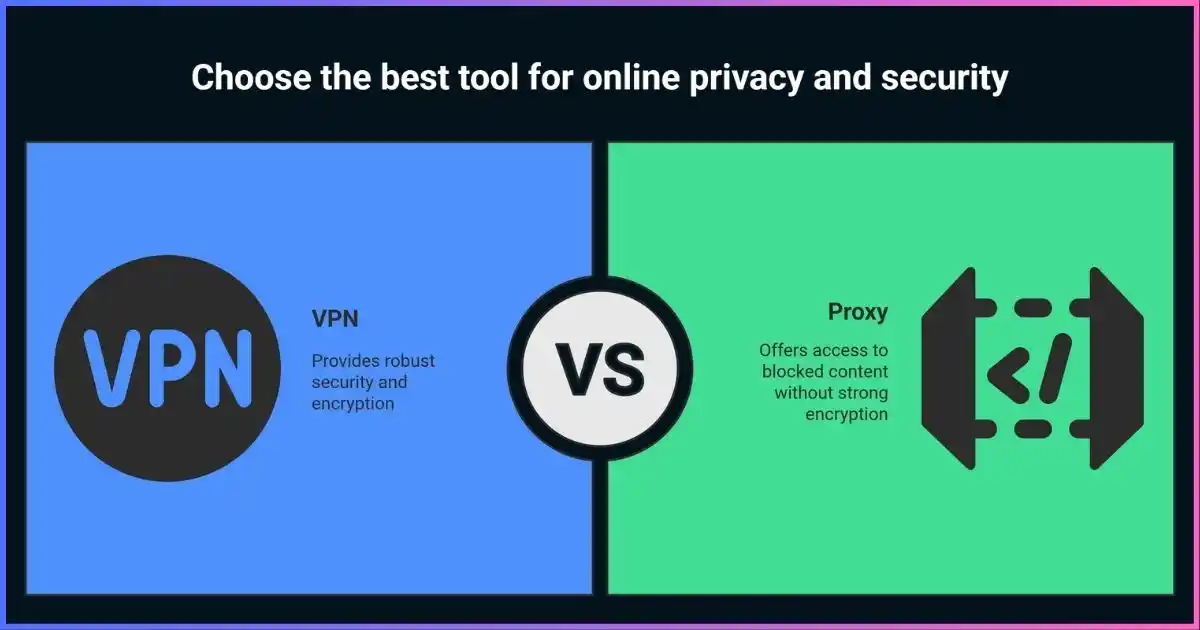
Table of Contents
The differenceVPN vs proxy: at a glance
The main difference between a VPN and a proxy server is how traffic is routed and protected. A VPN app typically installs a virtual network interface and routes packets through an encrypted tunnel to a VPN endpoint. A forward proxy is commonly configured in a particular browser, app, or enterprise network to forward selected requests. Some proxies use TLS to protect the client-to-proxy hop, and HTTPS can remain encrypted through a CONNECT tunnel; a proxy itself does not automatically provide VPN-style encryption.
Relative fit for common requirements
Qualitative comparison, not a score or product benchmark.These bars show typical design fit only. Real product behavior depends on routing, protocol, application support, configuration, and provider infrastructure.
VPN fundamentalsWhat is a VPN and how does it work?
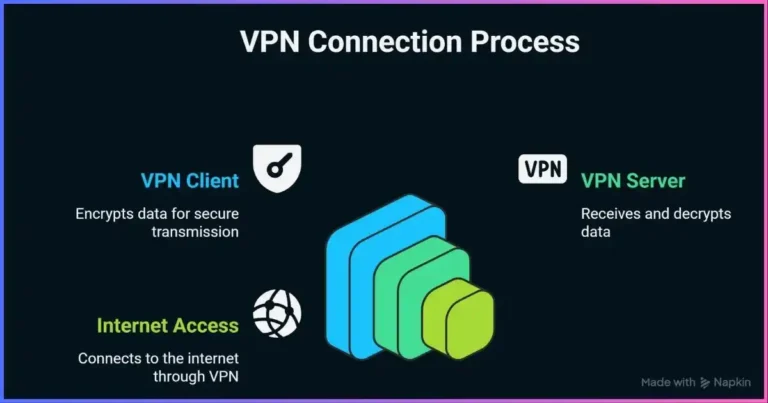
A virtual private network creates a logical, authenticated connection between your device or network and a remote VPN endpoint. The client encapsulates and encrypts selected packets before they cross the local network. At the endpoint, the tunnel is removed and traffic is forwarded to its destination. Replies travel back through the tunnel. A VPN can therefore reduce what the local Wi-Fi operator or ISP can read from the protected path and change the source IP seen by destinations.
“All traffic” is conditional: split tunneling can exclude apps or routes, some apps use their own resolver or networking stack, and IPv6/DNS configuration matters. HTTPS continues to protect the browser-to-website connection after it leaves the VPN server. The VPN provider may still see connection metadata, DNS, or destination IPs depending on architecture. A VPN does not prevent account-based identification, cookies, malware, or phishing. Learn more in our guide to how VPNs work.
| VPN property | What it means | What it does not mean |
|---|---|---|
| Encrypted tunnel | Protects configured traffic between device and VPN endpoint | Does not automatically encrypt the leg from VPN server to a non-HTTPS destination |
| Virtual interface/routes | OS routes selected packets into the VPN client | Does not prove every app or DNS request uses that route |
| Exit IP change | Destination sees VPN endpoint address for tunneled traffic | Does not make account logins or browser identifiers anonymous |
| Kill switch | Firewall/routing rules can block traffic if the tunnel fails | Does not work identically across every app, OS, and default configuration |
Proxy fundamentalsWhat is a proxy server?
A proxy server is an intermediary that receives a client’s request and makes or relays a connection to another server. A forward proxy represents clients making outbound requests. A reverse proxy receives requests on behalf of origin servers and may terminate TLS, route traffic, cache eligible responses, or balance load. Those are distinct designs often grouped under the word “proxy.”
HTTP proxies understand HTTP requests and can apply web policy. An HTTP proxy can use CONNECT to create a tunnel to an HTTPS destination; in the ordinary case, TLS remains between browser and site. “HTTPS proxy” may instead refer to TLS protecting the client-to-proxy connection. SOCKS5 can relay supported TCP and UDP traffic, but SOCKS5 does not encrypt payloads by itself. DNS resolution can happen on the client or proxy depending on the app configuration.
Proxies are useful for application-level routing, corporate web controls, caching, and authorized QA or data collection. They do not necessarily route all device traffic, encrypt all traffic, or hide client identity from the proxy operator. See our proxy provider guide.
| Proxy design | Typical role | Key caveat |
|---|---|---|
| HTTP forward proxy | Web request forwarding, filtering, authentication, caching | Encryption and HTTPS behavior depend on TLS/CONNECT configuration |
| SOCKS5 forward proxy | Relay supported application connections, including optional UDP | Client/server support varies; protocol itself is not payload encryption |
| Intercepting proxy | Network redirects traffic to an intermediary for policy or captive portal | Client may not know it is in use; can create privacy and compatibility issues |
| Reverse proxy / gateway | Accept inbound traffic for origin apps, route, balance, terminate TLS | Not a consumer privacy proxy; security depends on origin and header configuration |
Side by sideKey differences between a VPN and a proxy
| Factor | VPN | Proxy |
|---|---|---|
| Traffic scope | Often device-wide or route/app-selected through a virtual interface | Usually only configured applications or requests; network interception is also possible |
| Encryption | VPN protocol encrypts the configured device-to-endpoint tunnel | Not automatic; HTTPS CONNECT and TLS-to-proxy have distinct roles |
| Visible exit IP | VPN endpoint address for tunneled traffic | Proxy address for requests that use it; headers may reveal source |
| DNS behavior | Depends on tunnel routes, client DNS, split tunnel, and app resolver | Depends on whether client resolves locally or sends hostname to proxy |
| Common purpose | Untrusted network protection, remote network access, broad routing | Application egress, web policy, caching, reverse-proxy service delivery |
| Speed | Depends on protocol, route, endpoint load, device, and workload | Depends on same network factors; less encryption does not guarantee faster service |
| Provider trust | VPN operator handles connection and may observe metadata | Proxy operator handles request/connection and may observe metadata or content per TLS |
| Failure behavior | Kill switch may block direct fallback if configured and supported | App may fail, retry, or connect direct depending on its settings |
| Cost model | Often consumer subscription or business per-user/device | May be billed per IP, traffic, request, user, or managed gateway |
The table describes common designs, not a guarantee. A VPN can use split tunneling; an HTTP proxy can be reached over TLS; an organization can force traffic through a proxy; and reverse proxies have a different direction from the forward-proxy privacy use case.
Security and privacyVPN vs proxy: which is more secure?
A properly configured VPN commonly provides more complete encryption across the local access network because it protects traffic routed into the tunnel, regardless of whether the application itself uses HTTPS. This is useful on untrusted Wi-Fi. A proxy can also be secure for a specific app if the client-to-proxy hop is protected and the app uses HTTPS to its destination; the difference is that this protection is not inherent to every proxy configuration.
Security is not a property of the product label alone. VPN apps can have bugs, weak configurations, DNS or IPv6 leaks, and misleading logging claims. Proxies can be misconfigured, expose credentials, log requests, or intercept content. Both move trust from one part of the path to an operator. Evaluate software maintenance, authentication, encryption, routing, logging, and operational transparency.
| Threat | VPN considerations | Proxy considerations |
|---|---|---|
| Local Wi-Fi observer | Tunnel encryption protects routed traffic to the VPN endpoint | May see client-to-proxy traffic unless protected by TLS; destination HTTPS still matters |
| Provider visibility | Provider sees connection metadata; may see DNS/destination IP depending on design | Proxy sees requests/metadata; HTTP content may be readable, HTTPS tunnel typically opaque unless intercepted |
| Traffic outside configured path | Split tunnel, IPv6, DNS, or app-specific behavior may bypass | Unconfigured apps or direct fallback may bypass |
| Tracking by destination | Accounts, cookies, fingerprints, and app IDs still identify users | Same; an exit IP change does not remove identity signals |
| Malware/phishing | VPN alone does not prevent these threats | Proxy filters may help if enabled but are not a complete endpoint defense |
| Fail closed | Check kill-switch mode and test tunnel loss/network change | Check app fallback behavior and enforce network policy if needed |
A peer-reviewed NDSS 2026 study of 281 popular Android VPN apps found technical issues within that sample, including cleartext app communications and traffic leaks. It should not be generalized to all VPN apps or platforms; it is a reminder that app-store presence and “encrypted” marketing do not replace technical scrutiny. Our free VPN safety guide discusses the study’s scope and findings.
PerformanceWhich is faster: VPN or proxy?
There is no universal winner. A VPN encrypts and encapsulates traffic, which can add processing and packet overhead. A proxy may avoid VPN tunneling overhead for a particular client, but it still adds an intermediary hop. Distance, peering, congestion, protocol, server capacity, DNS, packet loss, caching, TLS, device hardware, and workload often dominate the result. A distant overloaded proxy can be slower than a nearby VPN.
Claims such as “proxies are 30% faster” or “WireGuard loses only 5%” need a reproducible test to mean anything. Benchmark the same destination, device, network, time window, and task. Measure throughput, median and tail latency, completed requests, errors, timeouts, reconnects, and recovery. If a security requirement calls for encryption, do not disable it based on a generic speed percentage.
What affects observed performance?
Relative influence varies by task; this is a factor map, not a measured comparison.Illustrative factor prominence only. It does not show measured effect sizes and should not be interpreted as test data.
How to run a fair test
- Record a direct baseline and control the same device, access network, destination, and time period.
- Use the same workload and data size; state VPN protocol or proxy protocol and exit location.
- Run enough repetitions to capture network variation; compare median and p95 latency plus throughput.
- Count failures, timeouts, DNS issues, and reconnect time; do not report only the fastest successful run.
- Retest after changing server, protocol, or settings and label those results separately.
Choose for the jobWhen to use a VPN vs a proxy
Use a VPN when you need broader encrypted routing
- Protecting traffic from the local network on public or shared Wi-Fi.
- Connecting a remote device to a company or private network with approved access controls.
- Routing multiple apps through a selected network endpoint.
- Reducing direct exposure of your home IP to destinations for traffic routed through the VPN.
For workplace resources, use the service and configuration approved by your organization. For a consumer VPN, assess logging and privacy claims; do not assume that an exit-location change overrides service terms or account location.
Use a proxy when you need application-level control
- Configuring a browser or app to use a particular outbound gateway.
- Applying enterprise web access, authentication, filtering, or audit policy.
- Using a reverse proxy to route inbound requests to services you operate.
- Caching eligible content or carrying out authorized QA and market research.
For web collection, use official APIs when practical, get authorization, respect service terms and rate limits, and minimize personal data. Rotating proxy IPs do not authorize scraping or bypass access controls.
Use both only when they solve separate problems
An application can sometimes use a proxy while the device is connected to a VPN, but the route order, DNS behavior, authentication, MTU, and failure handling become more complex. For example, an enterprise might tunnel a device to a corporate network and then apply a web proxy policy to browser requests. For ordinary personal browsing, chaining a commercial proxy and VPN usually adds complexity without a clear benefit.
Cost and valueVPN vs proxy pricing
Prices are volatile and not directly comparable across these categories. Consumer VPNs are commonly sold as subscriptions, while proxies may be priced per IP, data volume, requests, account, or enterprise gateway. A residential traffic pool is not comparable to a single datacenter IP. Renewal pricing, usage limits, support, geographic targeting, and service terms can change the total cost.
| Service | Common billing basis | Cost drivers to compare | Value question |
|---|---|---|---|
| Consumer VPN | Subscription term; device limit or tier | Initial vs renewal price, locations, simultaneous devices, add-ons, refunds | Does it meet privacy, routing, and support needs across your devices? |
| Business VPN / access | Per user, device, gateway, or contract | Identity integration, endpoint management, support, logging and audit | Does it provide least-privilege access and compliance controls? |
| Datacenter proxy | Per IP, port, bandwidth, or monthly plan | Dedicated/shared status, region, concurrency, traffic allowance | Is the pool’s capacity and reputation sufficient for the permitted workload? |
| Residential/mobile proxy | Traffic volume, session, or endpoint plan | Sourcing, location/carrier targeting, sticky sessions, consent safeguards | Are IP sourcing and abuse controls transparent and acceptable? |
| Managed secure web gateway | Per user, request, bandwidth, or enterprise agreement | Filtering, TLS inspection, logging, retention, integrations | Are privacy terms and operational controls suitable for your users? |
Compare total cost for the work you actually need: data volume, number of users, support, failed tasks, configuration time, renewal price, privacy review, and incident response. Do not treat a free service as costless if its funding model, data handling, or reliability is unclear.
Selection checklistHow to choose a VPN or proxy provider
VPN checklist
- Supported modern protocols and clear authentication/encryption configuration.
- DNS, IPv6, split-tunnel, and kill-switch behavior documented for your device.
- Privacy policy separates activity, connection metadata, diagnostics, account, and billing records.
- Independent audits identify scope, date, methodology, and remediation process.
- Named operator, support channels, transparency history, renewal pricing, and cancellation terms.
Proxy checklist
- Correct protocol support for your client, including CONNECT, SOCKS5 UDP, or remote DNS if required.
- TLS and authentication on the client-to-proxy hop; understand destination TLS and any inspection.
- Clear operator, IP sourcing, residential participant consent, opt-out, and abuse controls.
- Logging fields, retention, access restrictions, and data-sharing terms.
- Destination/port restrictions, reliability details, support, pricing unit, and acceptable-use policy.
Our links below are commercial offers, not universal independent test winners. Compare current provider terms against your own requirements before purchasing.
Common questionsVPN vs proxy FAQs
What is the main difference between a VPN and a proxy?
Which is faster, a VPN or proxy?
Is a proxy as secure as a VPN?
Can a VPN or proxy make me anonymous?
Can I use a VPN and proxy together?
Which is better for public Wi-Fi?
Are free VPNs or proxies safe?
Which is better for streaming?
Do businesses need both a VPN and a proxy?
Choose based on scope and trust
Use a VPN for broader encrypted routing. Use a proxy for controlled application or web-request routing. Evaluate the provider and test the exact configuration.
Conclusion: VPN or proxy?
Choose a VPN when you need a secure tunnel across an untrusted network or broader device traffic routed through a remote endpoint. Choose a proxy when a particular app or organization needs request-level routing, web policy, filtering, or a reverse-proxy service. VPNs and proxies are both intermediaries, and both shift trust to their operators.
Neither tool guarantees anonymity, speed, or access. Understand what traffic uses the service, whether each network hop is encrypted, what DNS and failure behavior look like, and what provider data is retained. Select the simplest design that meets your actual requirement.
Disclosure: Some links on this page are affiliate links. JoshWP may earn a commission if you purchase through them, at no extra cost to you. Affiliate relationships do not determine the comparisons or technical criteria in this guide.
Sources & comparison methodology
This guide is an educational comparison, not a speed, price, security, or provider benchmark. Tables describe common designs and may not apply to every implementation. The visual is qualitative and does not represent measured scores. Protocol statements rely on standards and primary documentation; product-specific behavior should be verified in the current client documentation.
- IETF RFC 9110: HTTP Semantics — proxy, gateway, tunnel, CONNECT
- IETF RFC 1928: SOCKS Protocol Version 5
- WireGuard: protocol design
- OpenVPN 2.6 manual: ciphers and data channel offload
- NDSS 2026: MVPNalyzer mobile VPN study
- U.S. Federal Trade Commission: VPN apps and privacy claims
- JoshWP: How VPNs work
- JoshWP: Proxy provider guide
Performance, prices, privacy practices, service compatibility, and laws change by product and location. Check current documentation and terms for the service you intend to use.