How VPNs Work: A Clear Guide to Virtual Private Networks
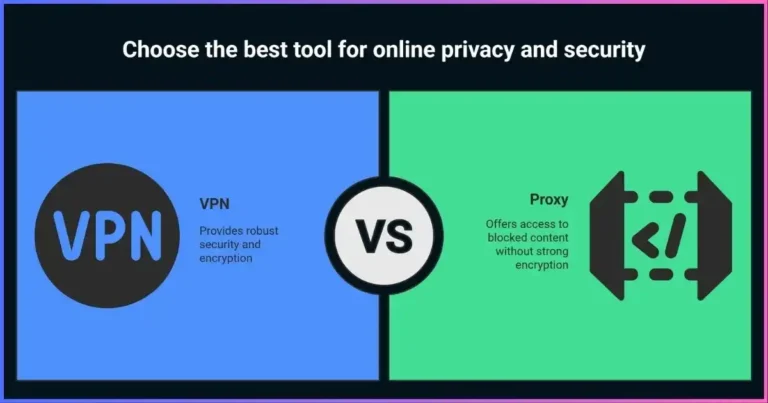
A virtual private network (VPN) creates an authenticated, encrypted connection between a device or network and a VPN endpoint. Your device puts selected network packets inside that protected tunnel; the VPN server removes the outer layer and forwards the traffic. Replies return through the tunnel. This can protect the path between your device and the VPN server and change the public IP address that destination services see.
A VPN does not make you invisible, encrypt every connection from end to end, or automatically protect you from malware and tracking. Websites can still recognize accounts, cookies, browser fingerprints, and other identifiers. The VPN operator becomes a party you must trust with connection metadata. This guide explains the packet path, encryption, VPN protocols, common VPN types, practical benefits and limits, and how to set up and verify a connection.
How does a VPN work?
Your VPN app authenticates to a VPN server and negotiates cryptographic keys and settings. The operating system routes selected traffic into a virtual network interface. The VPN client encapsulates and encrypts those packets, sends them to the VPN endpoint, and the server decrypts and forwards them to the destination. Return traffic follows the reverse route. A kill switch uses routing or firewall rules to block traffic that would otherwise escape if the tunnel fails.
The key limitation: the tunnel protects the device-to-VPN-server path. After the VPN server forwards traffic, HTTPS or another application protocol must protect the next leg. The VPN provider can observe some metadata and may be able to associate activity with your account or connection.
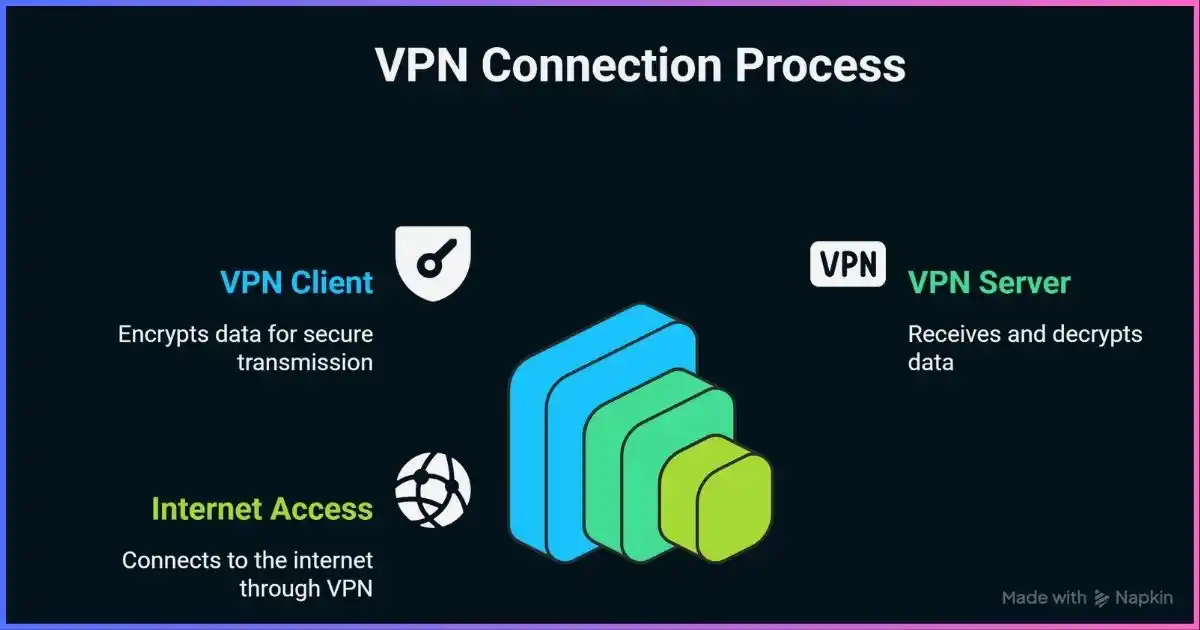
Table of Contents
FundamentalsWhat is a VPN?
A VPN is a way to carry network traffic through a protected connection to another network or server. “Virtual” means the connection is created using software over an existing network rather than a dedicated physical cable. “Private” describes the protected logical path and access controls; it does not mean the provider can never see metadata or that traffic is anonymous.
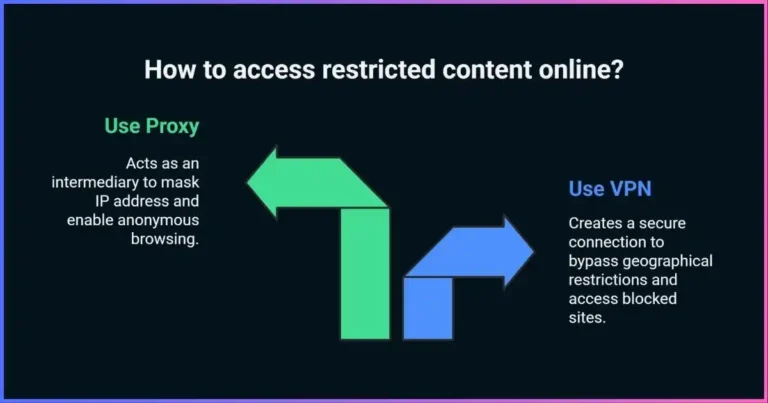
Consumer VPN apps typically route internet traffic through servers operated by a commercial provider. Business VPNs often connect a remote user or office to private company networks. Site-to-site VPNs link two network gateways. These uses share tunneling concepts but solve different problems: a commercial privacy VPN is not automatically a secure way into a company network, and a corporate remote-access VPN may not be designed to change your public location.
While the tunnel is active, an access-network operator such as a café Wi-Fi provider or home ISP can generally see that your device communicates with a VPN endpoint, along with timing and volume. Proper encryption prevents it from reading the protected packet contents in transit. The destination website sees the VPN exit address, but HTTPS still protects page content between your browser and that website. A VPN does not prevent the website from identifying you after you sign in.
Packet flowHow VPN tunneling works, step by step
- The client starts and authenticates.The VPN app contacts a configured server. The two endpoints authenticate using credentials, certificates, public keys, or another protocol-defined method. The handshake establishes which peer is allowed to connect.
- They negotiate cryptographic state.The peers agree on protocol parameters and derive session keys. Secure modern designs use authenticated encryption and rotate or refresh keys according to protocol and implementation behavior.
- The operating system selects traffic.Routes determine which packets enter the virtual interface. A full-tunnel configuration normally routes most or all internet traffic through the VPN; split tunneling deliberately excludes specified apps, networks, or destinations.
- The client encapsulates and encrypts packets.The original packet becomes the inner payload. The VPN adds an outer header addressed to the VPN server and cryptographically protects the data. Intermediate networks deliver the outer packet without reading the protected inner contents.
- The VPN server decapsulates and forwards.At the endpoint, the outer layer is removed. The server forwards the inner request toward its destination, often using network address translation so replies return to the VPN server.
- Replies return through the tunnel.The VPN server sends the response back through the protected connection. The client verifies and decrypts it, then gives the original response to the requesting application.
- Routing and firewall rules control failure.A well-configured kill switch prevents traffic from falling back onto a direct network path when the tunnel drops. Behavior varies by app and operating system; test it rather than assuming it is active.
VPNs add an outer IP/UDP or IP/TCP transport around inner traffic. This can reduce the effective maximum packet size (MTU). If packet sizes are not handled correctly, fragmentation or path-MTU problems can cause slow connections or sites that partially load. Providers and operating systems may adjust MTU or packet sizing to resolve this.
CryptographyVPN encryption, keys, and authentication
Encryption transforms data into ciphertext so that a party without the relevant key cannot read it. A VPN connection uses cryptographic mechanisms to authenticate peers, agree on session keys, protect data integrity, and encrypt the data channel. The precise algorithms depend on the protocol, app, server configuration, and negotiated options.
Authenticated encryption matters
Modern VPN configurations commonly use authenticated encryption with associated data (AEAD), such as AES-GCM or ChaCha20-Poly1305. AEAD provides confidentiality and detects tampering as part of the data-channel operation. A cipher name alone does not establish that a VPN is secure: peer authentication, key exchange, implementation quality, configuration, software updates, and routing behavior all matter.
Key exchange and forward secrecy
During connection setup, the client and server establish shared session keys without sending the final secret key in readable form across the network. Key exchange mechanisms can provide forward secrecy: compromising a later long-term key does not automatically reveal previously recorded sessions when ephemeral session keys were correctly negotiated and erased. The exact property depends on the protocol and implementation; it is not a blanket guarantee for every VPN setup.
Encryption is not anonymity
Encryption does not hide every fact about a connection. The access network can often see the VPN server’s IP address, timing, and traffic volume. The VPN provider can see the originating connection and may see destination IPs, DNS requests, or other metadata depending on routing and HTTPS. Websites can track you through account logins, cookies, browser fingerprinting, and information you submit.
Protocol choicesVPN protocols compared
A VPN protocol defines how peers establish the connection and protect traffic. There is no single fastest or universally best protocol for every device and network. Compare the implementation and configuration offered by the actual client. The table summarizes protocol characteristics, not a lab speed ranking.
| Protocol | Transport and design | Strengths | Trade-offs and fit |
|---|---|---|---|
| WireGuard | Modern, compact protocol carried over UDP; uses a small fixed cryptographic suite including Curve25519 and ChaCha20-Poly1305 | Small codebase, efficient operation, rapid roaming between network addresses when supported by client | Does not provide TCP transport or obfuscation on its own. Provider integration and key/endpoint handling matter. Often a good default on compatible networks. |
| OpenVPN | Open-source TLS-based VPN; can run over UDP or TCP, with modern AEAD data ciphers in current configurations | Mature, configurable, broad ecosystem and platform support; TCP option can work on networks that block UDP | More configuration options mean more ways to misconfigure. TCP-over-TCP can perform poorly under loss. Data Channel Offload changes performance on supported configurations. |
| IKEv2/IPsec | IPsec security associations negotiated with IKE; common on OS-integrated clients | Widely supported; mobility extensions can help maintain sessions as network addresses change | Interoperability and cipher/authentication choices depend on implementation. Firewall/NAT behavior may vary. |
| IPsec site-to-site | Often ESP in tunnel mode between gateways; policy selects protected traffic | Standard business tool for linking private networks and gateways | Usually managed by administrators; not the same product or use case as a consumer privacy VPN. |
| PPTP / obsolete configurations | Legacy tunneling | Historical compatibility only | PPTP is insecure and should not be used for protection. Avoid deprecated ciphers and weak authentication. |
WireGuard
WireGuard uses a deliberately small protocol design and a modern cryptographic suite. It carries packets over UDP; it does not include a native TCP mode or built-in traffic obfuscation. A provider may add its own transport or app-level features around WireGuard, but those should not be confused with protocol properties. See the WireGuard project and our VPN protocol guide.
OpenVPN
OpenVPN uses TLS for secure control-channel negotiation and supports UDP or TCP transport. Current OpenVPN 2.6 data-cipher negotiation defaults to AEAD choices such as AES-GCM and, when available, ChaCha20-Poly1305. Data Channel Offload (DCO) can move eligible data processing into the kernel on supported platforms and configurations, so blanket claims that OpenVPN must always be slow are outdated. UDP is a common default; TCP can help where UDP is blocked, but TCP inside TCP may compound retransmission behavior on lossy networks.
IKEv2/IPsec
IKE negotiates and manages IPsec security associations; ESP protects IP packets in transport or tunnel mode according to policy. Implementations vary, so evaluate the selected authentication and encryption algorithms, certificate or key validation, routing, and client behavior. Mobile clients may support re-establishing a session after changing Wi-Fi or cellular networks.
Qualitative protocol fit
Relative fit for common needs, not a performance score. App and network behavior may change the choice.Bars indicate common suitability categories and are editorial, not measured benchmark results. Avoid selecting a protocol based only on a provider’s “fastest” label; consider security configuration, app support, network restrictions, and your threat model.
ArchitectureTypes of VPNs
Remote-access VPN
A remote-access VPN connects an individual device to a private network or VPN service over the internet. The client authenticates the user and often the device, then routes permitted traffic through a gateway. Businesses use it to provide access to internal applications; consumer services use a similar tunnel concept to route traffic through their own servers.
Site-to-site VPN
A site-to-site VPN connects networks through gateways, often using IPsec tunnel mode. It can link branch offices, data centers, or partner networks. Administrators define which subnets can communicate, configure keys and policies, and monitor availability. It does not usually require each user to open a VPN app for every session.
Consumer VPN service
A commercial VPN service supplies client apps and VPN endpoints, typically allowing users to select among locations. It can protect the device-to-provider path and change the visible exit IP. It does not, by itself, secure company resources or guarantee privacy from the provider. See our VPN provider guide.
Managed access and zero-trust networking
Some modern business access products use identity-aware gateways and per-application policies rather than placing a remote device broadly on a private network. These can still use encrypted tunnels, but access is granted at a different granularity. Choose based on the organization’s identity, device, segmentation, and monitoring requirements.
Use and limitsVPN benefits and what a VPN cannot do
Protecting the local network path
A correctly configured VPN can encrypt traffic between your device and the VPN endpoint, reducing what an untrusted Wi-Fi operator or access ISP can read from that path. It does not authenticate a fake hotspot or make a malicious captive portal safe. HTTPS remains important, as do software updates and secure account practices.
Remote access to private resources
Organizations use VPNs to carry traffic securely between remote users and private networks. Strong authentication, least-privilege routing, device health checks, network segmentation, and monitoring are needed alongside encryption. A VPN alone does not prevent an infected endpoint from accessing resources it is allowed to reach.
Changing the visible IP address
Websites generally see the VPN exit address for traffic that exits through the tunnel. This may help with location testing or reduce exposure of a home IP address to destinations. It is not a guarantee of anonymity: logged-in accounts, cookies, browser fingerprints, GPS, payment details, and service rules can still identify or locate a user.
Avoiding ISP-level destination visibility
A VPN may hide DNS queries and destination details from the local network when DNS and traffic are routed through it. The ISP can still see the VPN connection’s endpoint, timing, and volume; the VPN operator may see connection metadata instead. HTTPS prevents the VPN from reading full page content and paths in ordinary end-to-end connections, but DNS and destination IPs can reveal clues.
Limits to remember
- A VPN does not stop phishing, malware, unsafe downloads, credential theft, or browser tracking.
- It does not make all internet traffic end-to-end encrypted; HTTPS or other application security protects traffic after it leaves the VPN server.
- It does not ensure every app uses the tunnel; split tunneling, IPv6, DNS settings, and app-specific network stacks affect routing.
- It does not guarantee streaming access or override account, licensing, payment, GPS, or platform rules.
- It does not guarantee that a provider keeps no logs. Policies, architecture, audits, legal obligations, and operations matter.
Buying criteriaHow to choose the right VPN
Choose a VPN based on the data and systems you want to protect—not on a slogan or server-count headline. A VPN provider can observe connection information, so assess its operator and practices as carefully as the app’s cryptography.
| Factor | What to investigate |
|---|---|
| Threat model and routing | Which networks and apps should use the tunnel? Do you need remote access, device-wide routing, or a specific exit location? |
| Protocol and security | Modern maintained protocols, authenticated encryption, secure key exchange, certificate validation, and timely app updates |
| Leak and failure controls | DNS/IPv6 behavior, kill-switch scope, split-tunnel exclusions, reconnect handling, and what happens during sleep/network changes |
| Privacy and logging | What traffic, connection metadata, diagnostics, account, and billing information is collected; retention; sharing; and audit scope |
| Ownership and accountability | Named legal operator, jurisdiction, transparency reporting, support, and a history of responding to security issues |
| Performance and locations | Test nearby and required locations under your own workload; consider latency, reliability, and congestion, not just advertised server totals |
| Commercial terms | Renewal price, device limits, refund conditions, cancellation process, and what features require higher tiers |
“No logs” is not a standardized technical certification. Find out whether it refers to browsing activity, DNS, source IP, connection times, server choice, diagnostics, aggregate metrics, or account records. An audit should say what system and period it examined, who performed it, what evidence was available, and whether findings were remediated. Open-source apps and RAM-only servers can support confidence but do not by themselves prove what is logged at every service layer.
Getting startedVPN setup and verification guide
- Choose the right service and app.Use the provider’s official website or device app store. Confirm the app publisher and permissions before installing.
- Install updates and sign in securely.Keep the operating system and VPN client current, use a unique password, and enable multifactor authentication if available.
- Pick the protocol deliberately.Start with the app’s secure recommended default. Switch only if you have a compatibility or network-blocking issue; document the choice.
- Review routes and DNS settings.Check whether the app uses full or split tunneling, which apps are excluded, how IPv6 is handled, and which DNS resolvers are used.
- Enable the kill switch if needed.Understand whether it blocks only unexpected drops or all traffic whenever the VPN is disconnected. OS-level always-on/block-without-VPN settings may provide stronger enforcement.
- Connect to an appropriate endpoint.For routine privacy, a nearby server often reduces delay. For company resources, use the gateway and routes specified by your administrator.
- Verify the path.Check public IPv4 and IPv6, DNS resolution, and the actual apps you use. Confirm that excluded apps behave as intended. A status icon alone does not prove every packet is tunneled.
- Test reconnect and failure behavior.On a non-sensitive connection, switch between Wi-Fi and mobile data, sleep and wake the device, and disconnect the VPN. Confirm that the kill switch blocks traffic when expected.
Do not disable IPv6 or change system DNS blindly to fix a suspected leak. First identify which interface and resolver handled the request. Browser DNS-over-HTTPS, OS DNS policy, VPN routing, and app-specific resolvers are separate layers. Our DNS leak guide and kill-switch guide provide detailed troubleshooting.
Common questionsFrequently asked questions about how VPNs work
Does a VPN encrypt all my internet traffic?
Can my VPN provider see what I do online?
Will a VPN slow down my internet?
Is WireGuard more secure than OpenVPN?
Does a VPN hide my IP address?
What is a VPN kill switch?
Are free VPNs safe?
Can a VPN guarantee anonymity or streaming access?
Is PPTP still safe to use?
Build your privacy around the actual threat
A VPN can protect a network path, but good security also depends on app routing, account protection, updates, and provider trust.
Explore a VPN option →Conclusion: what a VPN does
A VPN authenticates a connection to a remote endpoint, encapsulates and encrypts selected packets, and routes them through a virtual interface. This protects the configured device-to-VPN path and changes the visible exit IP. It does not provide blanket anonymity or replace HTTPS, endpoint security, good account hygiene, or careful provider selection.
For personal use, select a maintained protocol and app, examine the privacy policy and audit scope, configure DNS and failure protections, and verify the route. For business use, pair encryption with identity, least privilege, segmentation, monitoring, and data governance.
Disclosure: Some links on this page may be affiliate links. JoshWP may earn a commission if you purchase through them, at no extra cost to you. Affiliate relationships do not determine the technical explanations or evaluation criteria in this article.
Sources & comparison methodology
This is an educational guide, not a benchmark of VPN providers. Protocol descriptions draw on primary specifications and official project documentation. The protocol visual is qualitative and identifies common use cases; it does not rank performance or assert a protocol is universally best. Provider implementations can differ from base protocol behavior. Claims about encryption scope, DNS, routing, and kill switches are qualified by configuration and operating-system behavior.
- WireGuard: protocol and cryptographic design
- WireGuard project documentation
- OpenVPN 2.6 manual: cipher negotiation and DCO
- IETF RFC 4301: IPsec security architecture
- Android Developers: VPN app and always-on/block-without-VPN behavior
- U.S. Federal Trade Commission: privacy claims and VPN apps
- Common VPN protocols explained
- DNS leaks and prevention
Protocol and platform features evolve. Consult the specific client’s current documentation and test its behavior on the device and network where you use it.