Octoparse Review: Is This No-Code Web Scraper Worth It?
Octoparse turns web scraping into a visual workflow: open a page in its built-in browser, click the data you want, teach it pagination or navigation steps, preview the output, and run the task locally or in the cloud. That makes it one of the most approachable tools for analysts, marketers, researchers, and operations teams that need repeatable web data without building a crawler from scratch.
This Octoparse Review examines the current Free, Standard, Professional, and Enterprise plans; local versus cloud extraction; templates; scheduling; exports; APIs; proxies; CAPTCHA costs; and optional managed services. Our verdict: Octoparse is one of the best no-code scraping builders for non-developers, but serious cloud usage starts at $83 month-to-month, task/process limits matter, and the final cost can exceed the subscription once templates, proxy traffic, CAPTCHA solving, or setup help are added.
Is Octoparse Worth It?
Yes, for teams that want to design scrapers visually and run repeatable extraction without maintaining a codebase. The free plan is useful for learning and local jobs; Standard adds cloud execution, schedules, rotating IPs, residential proxies, CAPTCHA automation, unlimited export, templates, automatic delivery, and API access; Professional adds 20 cloud processes, more destinations, monitoring, Advanced API, priority support, task review, and training.
Skip it if: your project is API-first, requires version-controlled custom code, needs massive programmable concurrency, or has such a simple target that a lightweight scraping API is cheaper. Octoparse reduces coding, not the need to understand page structure, data quality, blocking, schedules, and responsible use.
Table of Contents
The essentialsOctoparse at a Glance
Octoparse is a desktop visual scraper paired with optional cloud execution. The desktop application contains a browser and workflow canvas. Users select page elements, define extraction fields, add pagination, clicks, loops, waits, conditions, or navigation, then test and run the task. Free users execute locally; paid users can send eligible tasks to Octoparse’s cloud.
This architecture separates building from running. The visual builder remains central even when data is later retrieved through an API. Octoparse is therefore not merely a hosted endpoint: custom task creation still requires visual configuration. That is excellent for a business user who thinks in page actions and fields; it is less natural for an engineering team that expects every workflow to begin as code.
From page to datasetHow Octoparse Works
- Open a target pageLoad a public webpage in Octoparse’s built-in browser and allow the page to render.
- Select data visuallyClick titles, prices, links, images, dates, or other elements; Octoparse proposes fields and repeated lists.
- Build the workflowAdd pagination, scrolling, clicks, loops, conditions, waits, navigation, and extraction steps on the visual canvas.
- Preview and clean fieldsCheck whether rows align, rename columns, remove unwanted fields, and test edge cases.
- Run locally or in the cloudFree tasks run on the user’s machine. Paid cloud tasks can continue independently of the PC and use schedules.
- Export or deliverDownload data or send it through supported destinations and APIs, depending on plan.
The visual layer reduces coding but does not remove scraping logic. A user still needs to understand repeated elements, pagination, dynamic loading, authentication, missing values, deduplication, rate control, and changes in site structure. Good no-code scraping is still engineering—just expressed as blocks and page interactions.
Cost breakdownOctoparse Pricing and Plan Comparison
| Plan | Price | Tasks | Cloud concurrency | Best for |
|---|---|---|---|---|
| Free | $0 forever | 10 | None; 2 concurrent local runs | Learning, occasional local extraction |
| Standard | $83 monthly; from $69/mo annually | 100 | Up to 3 cloud processes | Scheduled individual/team workflows |
| Professional | $299 monthly; $249/mo advertised annually | 250 | Up to 20 cloud processes | High-frequency operations and integrations |
| Enterprise | Custom | 750+ | 40+ | Teams, larger capacity, dedicated success |
Annual Standard totals $829 in the current official guide (16% advertised savings). Professional annual total is $2,999, equal to about $249.92/month despite the rounded $249 headline. Monthly, quarterly, and annual billing are offered.
Octoparse paid monthly commitment
Month-to-month versus annual-effective headline. Common $0–$299 scale; annual plans require upfront/term commitment.
Add-ons and variable costs
| Extra | Current starting price | What changes the bill |
|---|---|---|
| Pay-per-result templates | $0.001–$3 per 1,000 results advertised | Listing, target, result volume, cloud-only rules |
| CAPTCHA solving | $1–$1.50 per 1,000 | Challenge frequency and target behavior |
| Crawler setup | From $399 | Target complexity and workflow scope |
| Managed data service | From $599 | Data specification, volume, maintenance, delivery |
| Residential proxy traffic | May be separate | Bandwidth and chosen proxy configuration |
Task and cloud-process limits by plan
Column heights show different units: task capacity and concurrent cloud processes are placed in separate groups; they do not represent throughput.
tasks
tasks
tasks
cloud
cloud
Task bars use a 250-task maximum; cloud bars use a separate 20-process maximum.
Start free, then upgrade only when cloud execution creates value. Test the target locally before committing to an annual subscription.
Check Octoparse Plans →Zero-cost entryOctoparse Free Plan Review
The Free plan costs $0 indefinitely and supports 10 tasks on one device/user. Tasks run locally rather than in Octoparse’s cloud. Current help says two concurrent local runs are permitted. Each export is capped at 10,000 rows, with 50,000 exported rows per month; pages per run are advertised as unlimited.
This is a useful learning environment and can support small recurring jobs if the computer remains available. It is not a cloud trial in disguise: schedules independent of the PC, rotating cloud IPs, cloud CAPTCHA automation, automatic exports, and paid support belong to higher tiers.
The Free plan is enough when…
- You are learning visual scraping or validating whether a page can be modeled.
- Ten tasks cover the project.
- Jobs can run while the desktop is online.
- 10,000 rows per export and 50,000 monthly exports are sufficient.
- You can handle troubleshooting through self-service resources.
Upgrade when…
- Tasks must run on a schedule while the desktop is off.
- You need more than ten saved workflows.
- Export limits constrain useful output.
- Cloud IP rotation, CAPTCHA solving, or automatic delivery is necessary.
- Multiple jobs must run remotely and reliably.
First production tierOctoparse Standard Plan Review
Standard costs $83 month-to-month or is advertised from $69/month on annual billing ($829 total in the current guide). It raises task capacity to 100 and adds the features that transform Octoparse from a desktop helper into an automation service:
- Cloud extraction independent of the user’s machine.
- Scheduled runs and up to three concurrent cloud processes on the current pricing page.
- 500+ preset templates.
- Cloud IP rotation, residential proxies, and automatic CAPTCHA solving.
- Unlimited export, image/file download, and automatic export.
- Data Export API and Standard support.
Older help content mentions six cloud nodes or concurrent tasks, while the current pricing page says up to three cloud processes. This review uses the current pricing page. If concurrency determines the purchase, obtain written confirmation at checkout rather than assuming the older figure still applies.
Standard is the sensible plan for a solo analyst or small operations team running scheduled scraping without complex destinations or high concurrency. The annual discount is meaningful only after the target has survived a monthly pilot.
Higher throughputProfessional and Enterprise Plans
Professional
Professional costs $299 month-to-month or $2,999 annually (advertised as $249/month, mathematically about $249.92). It expands capacity to 250 tasks and up to 20 concurrent cloud processes, then adds operational features that matter to larger pipelines:
- Cloud task monitoring and cloud backup.
- Google Sheets/Drive, Dropbox, and Amazon S3 destinations.
- Advanced API access.
- Priority support.
- Task review and one-to-one training.
The increase from three to 20 cloud processes is substantial, but it is not a guaranteed 6.7× throughput gain. A task must be splittable, cloud nodes must be available, and the target, pagination, waits, and workflow design determine real speed.
Enterprise
Enterprise is custom-priced and advertises 750+ tasks, 40+ cloud processes, higher-performance cloud infrastructure, larger capacity, team collaboration, and a dedicated success manager. Exact limits, support, security, retention, availability, overages, and service levels belong in the contract.
Upgrade mechanics
Octoparse’s upgrade help says moving from Standard to Professional charges the full new-plan price. Unused Standard value converts into additional Professional days rather than reducing the immediate new-plan charge. That can affect cash flow; schedule an upgrade with procurement expectations in mind.
Core experienceThe Visual Workflow Builder
Octoparse’s main strength is the built-in browser and visual task canvas. Instead of writing selectors, request loops, and navigation code, users click elements and arrange actions. Common blocks cover opening pages, extracting data, looping through lists, clicking links, pagination, scrolling, conditional branches, waits, and text cleaning.
The abstraction is especially effective on consistent listing/detail sites. A user can select one product card, let Octoparse infer similar rows, create fields, then loop through pagination. Dynamic sites remain harder: infinite scrolling, nested frames, delayed network calls, authentication, changing classes, anti-bot systems, and irregular layouts still require careful debugging.
| Visual builder strength | What it solves | What can still go wrong |
|---|---|---|
| Point-and-click fields | Reduces selector/code work | Wrong repeated pattern or unstable selector |
| Loop and pagination blocks | Repeats navigation and extraction | Duplicate pages, missing termination, changing controls |
| Built-in browser | Shows rendered page state | Target can differ in cloud or by region |
| Conditions and waits | Handles dynamic and optional content | Slow jobs and brittle timing assumptions |
| Data preview | Reveals obvious schema issues | Small preview may miss edge cases |
Octoparse workload-fit radar
Qualitative editorial assessment—not a measured speed or success benchmark.
Fast startsPreset and Pay-Per-Result Templates
Octoparse advertises more than 500 preset templates on Standard. A template task accepts parameters—such as URLs, keywords, or locations—and runs a prebuilt workflow. This can eliminate the initial build for popular websites.
Official preset templates are parameterized but not user-editable. If the supplied fields or logic do not match the project, create an OTD/custom task in the visual builder. Some JavaScript or Python templates are cloud-only and may impose usage limits. Pay-per-result listings advertise a very broad $0.001–$3 per 1,000 results, so each listing’s live price and definition of a result must be evaluated independently.
Template checklist
- Which fields and regions are supported?
- Can it run locally, or is cloud execution mandatory?
- What counts as a billable result?
- Are there daily limits, minimum charges, or proxy/CAPTCHA extras?
- How quickly is the template updated when the target changes?
- Can your team validate completeness and duplicates?
Automation layerCloud Extraction, Scheduling, and Storage
Cloud extraction runs tasks on Octoparse infrastructure rather than the user’s computer. This enables reliable schedules, remote execution, cloud IP rotation, concurrent processes, and automatic delivery. It also changes debugging: a task that works locally can behave differently in the cloud because of IP location, browser environment, target defense, timing, or resource availability.
Schedules can run tasks at recurring times so price, inventory, leads, news, or rankings stay current. More frequent schedules increase data freshness and also increase request volume, CAPTCHA exposure, proxy usage, and the chance of overlapping processes.
Current help says cloud data remains stored for three months after a premium subscription expires, but export becomes unavailable until renewal. Organizations with retention or continuity requirements should export governed data before expiry and confirm current contract terms rather than relying on cloud storage as an archive.
Getting data outExports, Destinations, and APIs
Paid plans advertise unlimited export, while Standard includes automatic export and Data Export API. Professional adds Google Sheets/Drive, Dropbox, Amazon S3, Advanced API, cloud monitoring, and backup. “Unlimited export” should not be confused with unlimited extraction, cloud processes, proxy traffic, storage, or destination capacity.
The current Open API page advertises 23 REST endpoints and OpenAPI 3.0. APIs support task execution and data workflows, but custom task creation remains rooted in visual configuration. Octoparse is therefore best described as a visual builder with APIs—not an API-native programmable scraping runtime.
The AgentTools API can discover, parameterize, and execute supported cloud templates. This creates a useful bridge for agents and automation systems, but availability, template compatibility, limits, and billing remain product-specific.
| Delivery method | Plan context | Best use | Caveat |
|---|---|---|---|
| Manual file export | Free and paid, plan limits differ | Analysis and one-off jobs | Free row/monthly limits |
| Automatic export | Standard+ | Recurring delivery | Destination and scheduling configuration |
| Data Export API | Standard+ | Pulling completed data into systems | Not a replacement for visual task creation |
| Sheets/Drive, Dropbox, S3 | Professional+ | Operational pipelines and shared storage | Destination permissions and quotas |
| Advanced API | Professional+ | Deeper orchestration | Plan-dependent scope |
Access layerProxies, CAPTCHAs, and Anti-Bot Limits
Standard and higher plans advertise cloud IP rotation, residential proxies, and automatic CAPTCHA solving. Those features improve access but are not a guarantee that every website can be scraped. Residential bandwidth may be charged separately, and CAPTCHA solving is advertised at $1–$1.50 per 1,000 challenges.
A poorly configured task can create its own block problem through excessive concurrency, rapid pagination, repeated failures, or unnecessary browser assets. Rotating IPs cannot compensate for invalid request behavior forever. Use waits, rate controls, caching, deduplication, and clear stop conditions.
For responsible automation, follow target policies and minimize load. The neutral Robots Exclusion Protocol specification (RFC 9309) explains robots.txt mechanics, but robots.txt is neither complete authorization nor a legal opinion.
No universal benchmarkSpeed, Reliability, and Real Limits
There is no single truthful Octoparse speed or success score. Cloud performance depends on whether a task can split, the available processes/nodes, target response, rendering, waits, pagination, workflow design, CAPTCHA rate, proxy choice, and output validation. This review does not invent a benchmark.
Measure these instead
- Accepted rows after schema, completeness, freshness, and duplicate checks.
- Pages per minute and rows per minute by task—not across unrelated sites.
- Failure categories: navigation, selector, timeout, CAPTCHA, login, pagination, or export.
- p50 and p95 task duration across scheduled runs.
- Cloud-process utilization and queue time.
- CAPTCHA, proxy bandwidth, template, and subscription cost per 1,000 accepted rows.
- Maintenance hours after target layout changes.
For API integration concepts, MDN’s neutral Fetch API overview explains browser request/response primitives. Octoparse abstracts much of this, but teams integrating exported data or APIs still benefit from understanding request failures and response handling.
Workload matchingWhat Octoparse Is Best For
E-commerce price and inventory monitoring
Visual selection works well on product lists and detail pages. Schedules can refresh prices and availability; loops and pagination cover catalogs. Validate variants, currencies, duplicate products, and missing inventory states.
Lead and directory collection
Octoparse can extract public company listings, names, locations, categories, and contact fields. Respect privacy, terms, marketing law, and data minimization; public visibility does not remove compliance duties.
Market and competitor research
Analysts can build tasks without waiting for engineering, export data to spreadsheets, and schedule refreshes. Professional destinations and APIs help operationalize recurring datasets.
Real estate, travel, and local listings
These sites often use dynamic filters and pagination. Octoparse’s browser workflow is easier than a request-only API when interactions matter, though anti-bot defenses and regional output may increase proxy/CAPTCHA costs.
News, reviews, and content monitoring
Schedules can collect headlines, timestamps, ratings, review text, or changes. Build stable identifiers and deduplication rules so repeated runs do not inflate datasets.
When Octoparse is the wrong tool
- Every workflow must be code-reviewed, version-controlled, and deployed through CI/CD.
- The project needs hundreds of programmable concurrent runs at low entry cost.
- A simple API request can retrieve the target for far less than a Standard subscription.
- The site requires unsupported authentication, interactions, or data handling.
- You need a dataset immediately and a maintained marketplace actor/API already provides it.
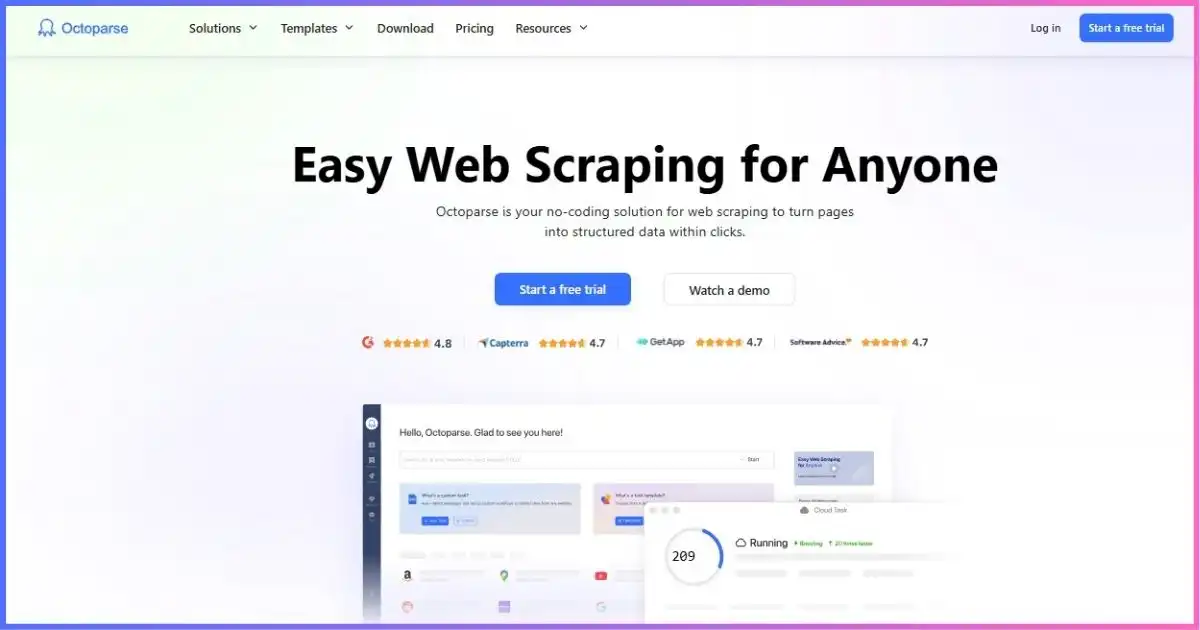
Archival project image. Use the current application and pricing page for live interface and plan details.
Market contextOctoparse Alternatives
Octoparse wins when a visual builder is the core requirement. Developer platforms and scraping APIs can offer lower entry prices, more code-level control, or simpler request billing, but they solve a different problem.
| Tool | Paid entry* | Best reason to choose it | Trade-off vs Octoparse | Read next |
|---|---|---|---|---|
| Octoparse | $83 monthly / $69 annual-effective | Best visual no-code builder | Higher entry and less code-native | This review |
| Apify | $19 + PAYG | Programmable Actors, storage, scheduling, marketplace | More developer-oriented | Apify vs Octoparse |
| ScrapingAnt | $19 / 100K credits | API value and browser rendering | No comparable desktop visual task builder | Head-to-head |
| Scrape.do | $29 / 250K credits | Simple feature-rich retrieval API | Credit/API model requires code or integration | Head-to-head |
| ScraperAPI | $49 / 100K credits | Retrieval and pipeline suite | Less visual workflow design | Head-to-head |
*Researched September 2026 public entry. Credits, tasks, compute, cloud processes, and accepted results are not equivalent units.
Paid monthly entry across selected tools
Sticker-price context only. Octoparse includes a visual builder/cloud plan; API tools bill credits or usage.
Choose Octoparse when…
- Non-developers need to build and debug extraction visually.
- Page interactions, pagination, and rendered content matter.
- Cloud schedules, automatic exports, and training/support are valuable.
- The workflow benefits from templates but may require custom visual edits.
Choose an alternative when…
- Your team is comfortable coding and wants version-controlled deployable scrapers.
- A request API covers the target with simpler usage pricing.
- Massive programmable concurrency matters more than visual ease.
- A maintained marketplace actor or ready dataset already solves the task.
Balanced assessmentOctoparse Pros and Cons
Pros
- Approachable visual point-and-click builder
- Useful free plan with local execution
- 500+ preset templates advertised
- Cloud execution and scheduling on Standard+
- Rotating cloud IPs and CAPTCHA automation
- Automatic exports and API access
- Professional cloud destinations and monitoring
- Training, task review, and enterprise support path
Cons
- $83 month-to-month paid entry is relatively high
- Standard currently lists only three cloud processes
- Older six-node help text creates limit ambiguity
- Templates can be non-editable and listing-specific
- Proxy bandwidth, CAPTCHA, templates, and services can cost extra
- Custom task creation remains desktop/visual
- Less code-native than developer platforms
- Cloud export locks after subscription expiry until renewal
How we arrived at 8.7/10
Editorial weighting uses researched current pricing, features, plan limits, workflow fit, and terms—not an invented performance benchmark.
- 25% — Visual builder and usability
- 20% — Cloud scheduling and automation
- 20% — Templates, exports, integrations
- 15% — Price and plan accessibility
- 10% — Limits and cost clarity
- 10% — Support and scaling path
FAQsOctoparse Review: Frequently Asked Questions
Is Octoparse free?
How much does Octoparse cost?
Does Octoparse require coding?
Can Octoparse run in the cloud?
Does Octoparse include proxies?
Can Octoparse solve CAPTCHAs?
What are Octoparse templates?
Does Octoparse have an API?
What happens when an Octoparse subscription expires?
Is Octoparse legal to use?
Octoparse Is One of the Best Visual Scrapers—If You Need the Visual Workflow
Octoparse succeeds at its central promise: turning complex page navigation and extraction into a visible workflow that non-developers can build, test, schedule, and export. The free plan provides a credible learning path, Standard unlocks the practical cloud automation stack, and Professional adds enough concurrency, destinations, monitoring, API access, support, and training for serious operations.
The trade-offs are a relatively high $83 monthly entry, current three-process Standard cloud limit, non-editable templates, variable proxy/CAPTCHA/template costs, and less code-native control than developer platforms. Octoparse is not the cheapest way to fetch a simple page; it is valuable when visual configuration and operational automation replace development time.
Bottom line: build the target on Free, prove it locally, buy one month of Standard for a cloud pilot, and commit annually only after measuring accepted rows, reliability, process utilization, and full add-on cost.
For broader options, see our best web scraping tools, Apify vs Octoparse, Octoparse vs Scrape.do, and ScraperAPI vs Octoparse guides.
Disclosure: This article contains an affiliate link. If you purchase through it, we may earn a commission at no extra cost to you. The rating reflects independent analysis of the current research, not commission rates. Prices, limits, templates, and terms can change; verify checkout. This is not legal advice.
Sources & Comparison Methodology
This review uses the current September 18, 2026 research. Plan features and limits come from the official Octoparse pricing, blog, template, cloud, API, and help sources.
The 8.7/10 editorial score weights visual builder/usability (25%), cloud scheduling/automation (20%), templates/exports/integrations (20%), price/accessibility (15%), limit/cost clarity (10%), and support/scaling path (10%). Charts display published prices and plan limits or explicitly labeled qualitative fit—not fabricated speed or success measurements.
- Official Octoparse source: pricing, 2026 pricing guide, template gallery, cloud scraping, Open API, cloud extraction, template tasks, scheduling, upgrades, expiry retention, and AgentTools API help.
- Alternative pricing: researched Apify, ScrapingAnt, Scrape.do, and ScraperAPI entry plans. Credits, compute, tasks, processes, and accepted records are not treated as equivalent.
- Neutral context: MDN Fetch API documentation and IETF RFC 9309, linked above.
- Images: approved JoshWP featured artwork and archived Octoparse screenshot; image text is not treated as current evidence.
Evaluate a representative target with a capped pilot. Track accepted rows, failure categories, p95 duration, cloud-process utilization, proxy/CAPTCHA cost, and maintenance hours.