DNS Leaks: How to Test, Fix, and Prevent Them
A DNS leak happens when a name lookup that should follow your VPN’s protected path instead reaches a resolver through the underlying ISP, Wi-Fi, cellular, or another unintended route. The VPN can still show “connected,” your public IP can look correct, and HTTPS can still encrypt page content—yet the resolver outside the tunnel may learn which domains your device asks for.
Modern diagnosis is more nuanced than “a test showed a DNS server I do not recognize.” Browsers can use DNS over HTTPS (DoH), operating systems can use encrypted DNS, corporate VPNs can intentionally split private and public names, and a public resolver reached through the VPN is not automatically a tunnel leak. This guide shows how to tell the difference.
How do you prevent a DNS leak?
Use the VPN provider’s native app, leave DNS on automatic unless the provider instructs otherwise, enable its kill switch, and avoid stacking a custom browser/OS resolver until you know how it interacts with the tunnel. Test before connecting, while connected, after changing Wi-Fi, and during a forced reconnect. A leak is strongly indicated when your pre-VPN ISP resolver—or another resolver reached through your real network—reappears while the full-tunnel VPN is active.
Do not “fix” every unfamiliar result. A VPN may use a resolver in the same data center under a different organization name. A browser may intentionally send encrypted DNS to a chosen provider through the VPN exit. Check route, timing, location, provider documentation, and multiple apps before concluding that the tunnel leaked.
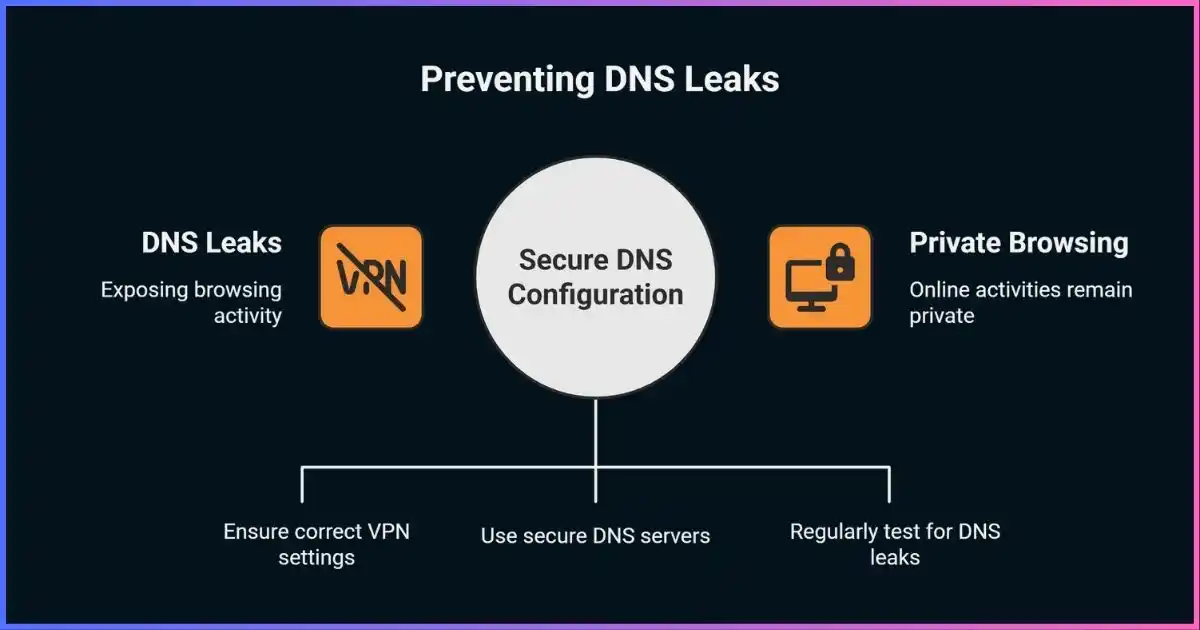
Table of Contents
The request pathWhat Is a DNS Leak?
The Domain Name System maps names such as example.com to IP addresses. A typical device sends the query to a recursive resolver selected by the router, ISP, operating system, browser, or administrator. The resolver may contact other DNS infrastructure and return an answer the app can use.
With a full-tunnel consumer VPN, the intended path is normally: app → system or browser resolver → encrypted VPN tunnel → the VPN’s resolver (or an approved resolver reached from the VPN exit). A leak occurs when a query that the VPN promises to protect bypasses that path and leaves via the physical interface or another excluded route.
Realistic impactWhat Does a DNS Leak Reveal?
A resolver can usually see the queried domain, request time, record type, and source IP that reached it. Repeated queries can reveal interests and service use. But “your entire browsing history is exposed” is too broad: DNS normally does not include the full HTTPS URL path, page content, form entries, passwords, or the exact video watched. Cached answers may produce no fresh query, and multiple apps generate background lookups unrelated to deliberate browsing.
A leaking resolver may learn
- Domains and subdomains requested
- Timing and frequency of lookups
- Your real source IP if the request bypasses the tunnel
- Device/application clues from patterns or encrypted-DNS metadata
DNS alone normally does not reveal
- Full HTTPS URLs and page paths
- Encrypted page contents or passwords
- The account logged into a website
- Every page visited when caching or encrypted service discovery applies
A DNS leak also does not necessarily expose your real IP to the website itself. It exposes information to the unintended resolver and observers on that path. An IPv4, IPv6, or WebRTC leak is the category more likely to reveal a non-VPN address directly to a test page or peer.
Do not mix the symptomsDNS Leaks vs IPv4, IPv6, WebRTC, and Traffic Correlation
| Leak / issue | What escapes | Who may see it | Correct test |
|---|---|---|---|
| DNS leak | Domain lookup through unintended route/resolver | ISP, local network, unintended resolver | Controlled DNS queries plus resolver comparison |
| IPv4/IPv6 leak | Real public address outside tunnel | Destination or test site | Compare public IPv4 and IPv6 before/after |
| WebRTC exposure | Candidate addresses used for peer connectivity | Web page or communications peer | Browser ICE-candidate test |
| Split-tunnel bypass | Selected app/site traffic and possibly its DNS | Underlying network and destination | Test inside and outside the excluded app |
| Traffic correlation | Timing, direction, and volume—not a routing “leak” | Observer with visibility at both ends | Threat-model analysis, not a browser leak test |
Read our split tunneling vs full tunneling guide before treating intentionally excluded traffic as a software failure.
Where routing goes wrongCommon Causes of DNS Leaks
VPN route or firewall failure
The app does not install the DNS route, loses it after sleep/network change, or briefly removes protection during reconnect.
Custom DNS overrides
A manually configured OS, router, security app, or Private DNS setting can compete with the VPN’s resolver.
Browser-level encrypted DNS
A browser can resolve independently of the OS. Depending on routing, this may use an intentional resolver through the tunnel or bypass VPN DNS policy.
Incomplete IPv6 handling
An IPv4-only tunnel that neither supports nor blocks IPv6 can allow IPv6 DNS and traffic onto the underlying interface.
Split DNS and split tunneling
Enterprise profiles route internal namespaces to corporate DNS and public names elsewhere. Consumer split tunneling may exclude an app and its lookups.
Multiple active interfaces
Ethernet, Wi-Fi, cellular, virtual adapters, containers, and other VPN clients can leave competing DNS priorities or stale routes.
Captive portals and transitions
Hotel/airport login pages may require local DNS before the tunnel starts; roaming between networks can expose a short reconnect window.
Manual protocol profiles
Third-party WireGuard/OpenVPN configs may omit DNS directives or fail to integrate with the platform resolver as well as the native app.
Three different protectionsDoH, DoT, DNSSEC, and VPN DNS
DNS over HTTPS and DNS over TLS encrypt the connection from client to resolver. DNSSEC authenticates signed DNS data; it does not hide queries. A VPN encrypts the route from your device to the VPN server and can carry classic DNS safely inside that tunnel. These tools overlap but solve different problems.
| Technology | Protects against | Does not solve | VPN interaction |
|---|---|---|---|
| VPN-carried DNS | Local ISP/Wi-Fi observation between device and VPN | Trust in the VPN/resolver; endpoint tracking | Usually the simplest consumer configuration |
| DoH | On-path DNS reading/tampering to the DoH resolver | Resolver visibility; all-device traffic; DNSSEC authenticity | May run through tunnel or follow an app-specific path |
| DoT / Private DNS | On-path reading/tampering to the configured resolver | Resolver visibility; website traffic | Can conflict with provider DNS on some platforms |
| DNSSEC | Forged signed DNS answers when validation succeeds | Query confidentiality or IP masking | Complementary to VPN and encrypted DNS |
The IETF’s DNS over HTTPS standard (RFC 8484) explicitly separates transport privacy from DNSSEC authenticity and notes that IP, TLS, HTTP headers, and long-lived connections can still enable correlation.
Browser defaults matter. Chrome’s automatic Secure DNS mode can fall back to unencrypted resolution when lookup fails; a manually selected custom provider does not default to that fallback. Firefox’s default protection can disable DoH when it detects VPN, enterprise, parental-control, or network policy, while an explicit “Max Protection” choice behaves differently. Mozilla’s current DoH documentation explains these modes and resolver trust trade-offs.
A reproducible procedureHow to Test for DNS Leaks Correctly
Online tools are useful, but they report the recursive resolver that contacted the test’s authoritative DNS—not necessarily the resolver address configured on your device. Anycast, relays, resolver egress, and data-center ownership can make names or locations look unfamiliar.
- Record a disconnected baseline. Note public IPv4/IPv6, resolver organization, resolver country, browser, network, and any custom DNS setting.
- Clear the test state. Use the test site’s fresh/random hostname. A cached domain may not trigger a new lookup; private/incognito mode alone does not guarantee an empty OS cache.
- Connect with full tunneling. Choose a VPN server in a clearly different region. Confirm the app says connected and the public IP matches that exit.
- Run standard and extended DNS tests. Repeat in two browsers. If results differ, browser DoH or an extension is a likely cause.
- Inspect system resolver state. On Windows use
Get-DnsClientServerAddressandResolve-DnsName; macOS usescutil --dns; Linux with systemd-resolved useresolvectl status. - Test transitions. Change Wi-Fi, wake from sleep, switch VPN servers, and force a reconnect. A kill switch should prevent queries on the physical interface during the gap.
- Check IPv6 and split apps separately. A clean IPv4 result does not prove IPv6 routing; an excluded app is expected to use the non-VPN path.
Diagnostic confidence by test depth
Qualitative confidence, not measured prevalence. More independent observations reduce false positives.
The bar lengths visualize diagnostic completeness only; they are not probabilities.
Avoid false positivesHow to Interpret DNS Leak Test Results
Do not judge by resolver brand alone. Some VPNs colocate DNS in the same data center, and the resolver may be registered to a hosting company. Conversely, a famous privacy resolver is not proof of a clean VPN route: if the device contacted it outside the tunnel, it saw your real IP even though the DNS payload was encrypted.
Fix the proven layerHow to Fix DNS Leaks on Each Platform
Universal repair order
- Reconnect and update the native VPN app. Remove competing VPN clients or stale virtual adapters only if you know they are unused.
- Return DNS to automatic. Let the VPN install its resolver unless its support documentation specifies custom addresses.
- Enable the kill switch. Prefer an always-on or “block without VPN” mode when available; read how VPN kill switches work.
- Align browser Secure DNS. Start with the browser’s default/current-provider mode or temporarily disable custom DoH to see whether results converge.
- Retest every route. Test IPv4, IPv6, multiple browsers, and reconnect transitions. If the native app still leaks, send evidence to the provider and switch services if unresolved.
Windows 11
Set IPv4 and IPv6 DNS assignment to Automatic on the physical adapter unless the VPN requires otherwise. Inspect
adapters and resolver assignments rather than relying on nslookup alone; Microsoft notes that apps
with their own resolver can bypass Windows DNS policy.
Get-DnsClientServerAddress
Resolve-DnsName example.com
ipconfig /flushdns
Check Chrome/Firefox encrypted-DNS settings separately. Enterprise VPNs may intentionally use Name Resolution Policy Table rules for specific namespaces, so do not delete NRPT entries on a managed device.
macOS
Use scutil --dns while disconnected and connected to compare scoped resolvers. Remove unused DNS
profiles or network extensions, set the active Wi-Fi/Ethernet DNS page back to automatic, and inspect browser
DoH. On managed Macs, split DNS may be installed by MDM and should be changed only by the administrator.
Android
Android VPN apps can assign DNS servers to their virtual interface; if none is assigned, the default network’s DNS can remain relevant. Start with Private DNS set to Automatic or follow the provider’s instructions, enable Always-on VPN plus “Block connections without VPN” when the app supports it, and remember that per-app split tunneling intentionally lets excluded apps use ordinary networking.
iPhone and iPad
Remove obsolete DNS configuration profiles, content filters, or other VPN profiles that compete with the active service. Test Safari and another browser. iCloud Private Relay is not a replacement for a full-device VPN: it primarily protects Safari web browsing and DNS resolution through Apple’s relay design, and availability varies by region and network.
Linux
Determine which component owns DNS—systemd-resolved, NetworkManager, resolvconf, the VPN client, or a local
resolver such as dnsmasq. Do not permanently overwrite /etc/resolv.conf if it is generated by
another service.
resolvectl status
resolvectl query example.com
ip -4 route
ip -6 route
Verify the VPN interface owns the intended default route and DNS scope. With manual WireGuard/OpenVPN profiles, use the distribution’s supported DNS integration or the provider’s native app.
Routers, smart TVs, and consoles
A router VPN must push or enforce protected DNS for connected clients; otherwise clients may retain ISP/router or hard-coded resolvers. Smart DNS is not a VPN and is not designed to encrypt or hide all traffic. Surfshark discontinued its legacy SmartDNS service in February 2026, so old TV configurations should be returned to automatic DNS or migrated to a supported VPN/router setup.
Still troubleshooting access rather than privacy? DNS failure, geo-blocking, and a true leak can look similar. See how to unblock websites with VPNs or proxies before changing multiple network layers at once.
Try Surfshark’s Native VPN Apps →Make protection durableDNS Leak Prevention Checklist
| Control | Recommended setting | Why it matters |
|---|---|---|
| VPN application | Current native app from provider | Integrates routing and DNS with the platform |
| DNS selection | Automatic/provider DNS unless documented otherwise | Avoids competing resolver overrides |
| Kill switch | System-wide; always-on for higher risk | Blocks transition leaks |
| IPv6 | Supported inside tunnel or explicitly blocked | Prevents fallback outside an IPv4-only tunnel |
| Browser DoH | Known, tested configuration | Browsers may bypass OS resolver policy |
| Split tunneling | Off while testing; exclusions documented | Separates intended bypass from leaks |
| Testing cadence | After updates, new networks, or config changes | Routing behavior can change |
| Evidence capture | Save baseline, VPN server, time, screenshots, platform | Makes support escalation reproducible |
For the wider privacy picture, read how VPNs work and our evidence-based guide to VPN logging policies.
Documented protection modelsVPN DNS Leak Protection Comparison
This table compares published DNS designs, not an unrepeatable “leak rate.” Protection still depends on app version, platform, protocol, split-tunnel choices, and the network used.
| VPN | Published DNS approach | IPv6 / routing note | Configuration caution |
|---|---|---|---|
| Surfshark | Assigns Surfshark DNS after connection and routes requests through the encrypted tunnel | Claims DNS, IPv6, and WebRTC safeguards in native apps | Its SmartDNS service ended Feb. 2, 2026; remove legacy TV settings |
| Proton VPN | Own DNS resolvers; firewall/platform rules aim to keep DNS on VPN interface | Full IPv6 support or IPv6 prevention varies by platform | Proton warns global third-party DNS can override protections |
| ExpressVPN | Private DNS runs on each VPN server within TrustedServer architecture | Built-in IP, DNS, and WebRTC safeguards documented | Split tunneling has had a remediated Windows DNS issue; keep apps updated |
| NordVPN | Native apps automatically select NordVPN private DNS when connected | Provider DNS addresses are available for manual/third-party setups | Manual clients need correct DNS and kill-switch integration |
Vendor documentation describes intended behavior; it is not a substitute for testing on your own device. A 2024 Nettitude review documented and retested remediation of an ExpressVPN Windows split-tunneling DNS issue—an example of why current versions and transition testing matter.
Common questionsDNS Leak FAQ
How can I tell whether a DNS server is my ISP’s?
Run a disconnected baseline and record the resolver organization and location. Reconnect the VPN and compare. WHOIS labels can reflect a data center or upstream network, so confirm with the VPN’s documentation and a second test rather than relying on the displayed brand alone.
Is Google or Cloudflare DNS in a result automatically a leak?
No. A browser or OS may intentionally use a public DoH/DoT resolver, and the connection may still travel through the VPN. Investigate whether that resolver received your real IP or the VPN exit IP and whether using it matches your intended privacy policy.
Should I disable IPv6 to stop DNS leaks?
Only as a documented workaround after proving incomplete IPv6 handling. A better fix is a VPN that tunnels IPv6 correctly or blocks it reliably. Blindly disabling IPv6 can break services and conceal a provider defect.
Does HTTPS hide DNS queries?
Website HTTPS encrypts the web connection after name resolution; it does not automatically encrypt classic DNS. DoH and DoT encrypt the DNS transport. A VPN can also protect classic DNS by carrying it inside the encrypted tunnel.
Does DNS over HTTPS prevent VPN DNS leaks?
It prevents observers between the client and DoH resolver from reading the query. Whether it prevents a VPN leak depends on route: DoH through the VPN can be compatible; DoH outside it may expose your real source IP to the resolver and bypass provider policy.
Can split tunneling cause DNS leaks?
It can create intentional non-VPN DNS paths for excluded apps or destinations. That is not necessarily a bug, but apps can behave inconsistently if their web traffic and DNS follow different routes. Test excluded and included apps separately.
How often should I test?
Test after installing or updating the VPN, changing protocol or DNS settings, enabling split tunneling, adding a security app, or using a new network. Higher-risk users should also test sleep/wake, roaming, and forced reconnect behavior.
What if the leak persists in the provider’s current native app?
Capture the platform, app version, VPN protocol/server, network, baseline and connected results, browser settings, and transition steps. Send that evidence to security/support. If a reproducible full-tunnel leak remains unresolved, stop relying on that setup and change provider.
Bottom Line
A DNS test is a clue, not a verdict. Establish a baseline, compare browsers and the OS, test IPv4 and IPv6, and probe reconnect transitions. The most reliable setup is usually the provider’s current native app with automatic/provider DNS, system-wide kill-switch protection, and no untested resolver override.
DoH and DoT improve DNS transport privacy, but they do not replace a VPN or prove the resolver stayed inside its policy boundary. Diagnose the path first; fix only the layer that failed.
Disclosure: This article contains affiliate links. Purchases may earn us a commission at no extra cost to you. Affiliate relationships do not change the test method or comparison criteria. Product behavior can vary by platform and update; verify current documentation.
Sources & comparison methodology
We reviewed standards, current OS/browser behavior, Android VPN APIs, vendor documentation, and a published remediation report. We removed unrelated breach counts and unsupported market-wide leak percentages because they did not measure current DNS behavior across comparable products.
- IETF: RFC 8484 (DoH), RFC 9076 (DNS privacy considerations), and RFC 8932 (DNS privacy service recommendations).
- Browsers and operating systems: current Google Chrome Secure DNS help; Mozilla Firefox DoH protection and network-detection documentation; Microsoft Windows DNS encryption, VPN NRPT, and VPN profile documentation; Android VpnService.Builder API; Apple Private Relay and encrypted DNS deployment documentation.
- VPN providers: Surfshark DNS assignment, connection testing, VPN security, and SmartDNS retirement support pages; Proton VPN DNS leak documentation; ExpressVPN private DNS/features and Nettitude remediation report; NordVPN private DNS support documentation.
- Method: a “leak” requires an unintended path or resolver relative to the promised configuration. Provider claims are labeled as published behavior. The diagnostic chart visualizes completeness and is explicitly not a prevalence estimate.
Research cut-off: September 21, 2026. Test instructions favor native inspection commands and comparative states; no single commercial test site is treated as authoritative.