Apify vs Octoparse: Which Scraping Platform Fits Your Workflow?
Apify is the better fit for developers and API-led teams that want ready-made Actors, custom JavaScript or Python, cloud execution, storage, schedules, webhooks, and integrations in one programmable system. Octoparse is the better fit for analysts and operations teams that want to build scraping workflows through a visual desktop interface and run paid-plan tasks in the cloud.
The choice is less about which service is universally “better” and more about where your team wants complexity to live. Apify exposes infrastructure and code-level control but uses multi-layer usage pricing. Octoparse hides more engineering behind a visual workflow and subscription limits, while some advanced templates, CAPTCHA solving, residential traffic, custom crawler setup, and data services can add separate charges.
Table of contents
Apify vs Octoparse at a glance
| Category | Apify | Octoparse | Better fit |
|---|---|---|---|
| Primary interface | Console, Actor input forms, code, API, SDKs | Visual desktop workflow builder and templates | Depends on team skill |
| Custom development | JavaScript and Python Actors with full code control | Visual steps, selectors, conditions, loops, and some advanced configuration | Apify for code |
| No-code task building | Store input forms; custom work generally code-led | Core product experience | Octoparse |
| Cloud execution | Core Actor runtime on every plan within limits | Standard and above; Free is local-only | Apify entry access |
| Marketplace / templates | Large public Actor Store with community developers | 500+ preset templates on Standard; some are separately metered | Different models |
| Billing model | Prepaid usage plus Actor events/resources and overages | Subscription limits plus selected add-ons and metered templates | Octoparse is simpler at plan level |
| Built-in storage | Datasets, key-value stores, request queues | Local/cloud results and plan-dependent exports/integrations | Apify for programmable storage |
| Best audience | Developers, data engineers, automation teams | Analysts, researchers, operations teams, no-code users | Role-dependent |
How Apify works
Apify packages web-data and automation programs as Actors. An Actor accepts structured input, runs in Apify’s cloud, and can write results to a dataset, arbitrary data to a key-value store, and URLs or requests to a queue. Runs can start manually, through saved tasks, on schedules, from webhooks, through the REST API, or from other Actors.
The Store is a major shortcut. Current official page titles advertise more than 69,000 tools, but the count should not be confused with 69,000 equally maintained scrapers. Listings come from Apify and community developers, use different pricing models, and can vary in update frequency, documentation, target coverage, and support.
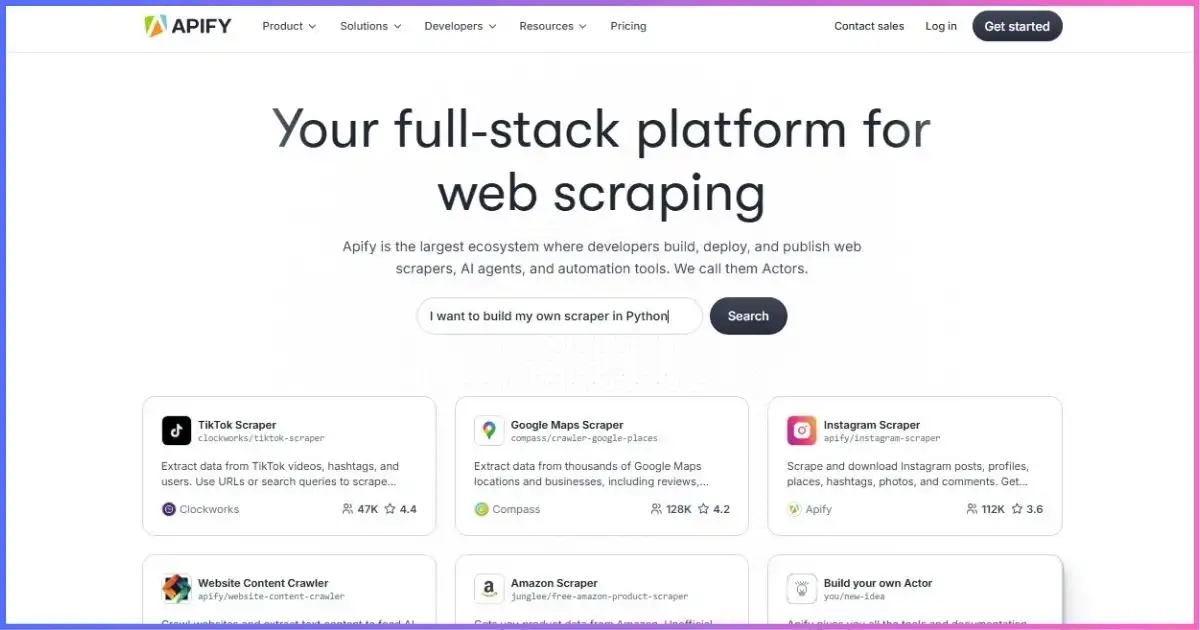
Archived Apify screenshot from the supplied image list. Use the current tables in this comparison for pricing.
Strongest advantage
One programmable environment for code, cloud runs, proxy access, schedules, storage, APIs, webhooks, and integrations.
Main learning curve
Ready-made Actors can be simple, but debugging, extending, securing, and maintaining custom Actors requires technical skill.
Pricing strength
The $5 Free allowance and $19 Starter plan create an inexpensive path to small cloud tests.
Pricing weakness
Actor events, compute, proxies, transfer, storage operations, and unused prepaid credit can make forecasting complex.
How Octoparse works
Octoparse centers on a desktop application that loads a page in a built-in browser and lets the user select elements, pagination, clicks, fields, loops, and conditions through a visual workflow. Users can also begin with a preset template and supply parameters instead of building a task from scratch.
The Free plan runs locally. Standard and higher plans add cloud extraction, scheduling, rotating cloud IPs, automatic export, API access, and other automation features. Because a cloud task runs on Octoparse infrastructure, the user’s computer can be off. The pricing page currently lists up to 3 concurrent cloud processes on Standard and 20 on Professional.
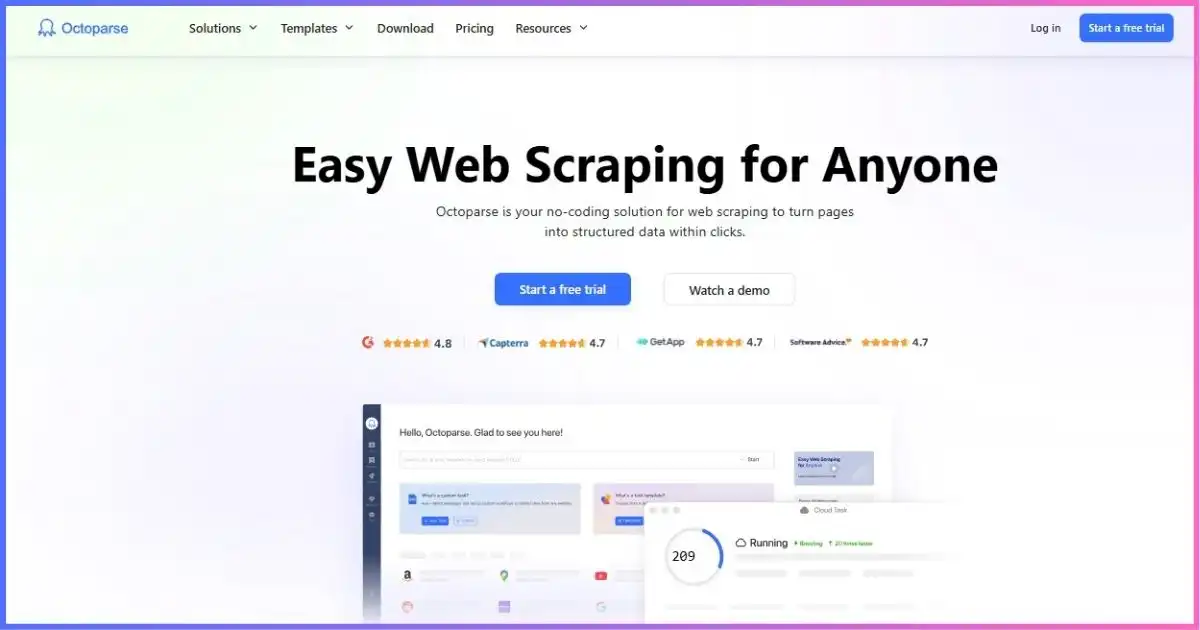
Archived Octoparse screenshot from the supplied image list. Product screens and limits can change.
Strongest advantage
Visual page selection and workflow steps make custom extraction accessible without writing a full crawler.
Main learning curve
No-code does not eliminate concepts such as selectors, pagination, AJAX, login state, retries, and anti-bot behavior.
Pricing strength
Paid cloud extraction is included within plan task and concurrency limits rather than metered by run time.
Pricing weakness
The first cloud plan costs more than Apify Starter, and templates, proxies, CAPTCHA solving, setup, or data services may add fees.
Feature comparison
| Feature | Apify | Octoparse | Practical consequence |
|---|---|---|---|
| Custom logic | Full Actor code and dependencies | Visual workflow steps and configuration | Apify handles unusual logic better when engineering is available. |
| Browser automation | Browser-based Actors and frameworks | Built-in browser and visual actions | Octoparse is easier to inspect visually; Apify is easier to version as code. |
| Reusable presets | Public Store Actors | Preset templates and saved tasks | Check maintainer, price, editability, and output before choosing. |
| Template editing | Actor source availability depends on listing; custom Actors fully editable | Official template tasks are not user-editable; custom tasks are | A preset that almost fits may still require a custom workflow. |
| Cloud scheduling | Schedules available within plan limits | Paid plans; Free is local-only | Apify offers a lower-cost cloud entry point. |
| APIs | REST API, clients, SDKs, webhooks, Actor API endpoints | Data Export API, Advanced API, Open API, AgentTools for supported templates | Apify is more infrastructure-oriented; Octoparse API depth varies by plan/workflow. |
| Storage | Datasets, key-value stores, request queues with operation pricing | Local/cloud data with export destinations depending on plan | Apify exposes more programmable primitives. |
| Proxy access | Datacenter, residential, SERP, Unblocker with plan-specific rates | Cloud IP rotation; residential bandwidth can be an add-on | Compare the exact target and traffic, not a generic “proxy included” label. |
| Output destinations | API, exports, webhooks, storage and integrations | Files; automatic export; Professional cloud destinations include Google and S3 options | Both automate delivery, with different configuration models. |
| Team / enterprise | Plan-based support and custom enterprise scope | Enterprise collaboration, larger capacity, success manager | Request a contract-specific comparison for governed production use. |
Apify vs Octoparse pricing
The two companies sell different units. Apify subscriptions are prepaid platform usage: Actors spend credits on events or resources, and paid accounts can incur overages within configured limits. Octoparse plans primarily set task counts, cloud concurrency, exports, support, and product features; selected templates and services can still be metered separately.
Apify plans
| Plan | Monthly price / prepaid usage | CU price | Max RAM | Concurrent runs | Support |
|---|---|---|---|---|---|
| Free | $0 / $5 | $0.20 | 16 GB | 5 | Community |
| Starter | $19 / $19 | $0.20 | 64 GB | 32 | Chat |
| Scale | $199 / $199 | $0.16 | 256 GB | 128 | Priority chat |
| Business | $999 / $999 | $0.13 | 512 GB | 256 | Account manager |
| Enterprise | Custom | Custom | Custom | Custom | Custom |
Octoparse plans
| Plan | Monthly billing | Annual equivalent | Tasks | Cloud processes | Important scope |
|---|---|---|---|---|---|
| Free | $0 | $0 | 10 | None; local only | 10,000 rows/export; 50,000/month |
| Standard | $83 | From $69/month | 100 | Up to 3 on current pricing page | Cloud, schedules, IP rotation, Data Export API |
| Professional | $299 | About $249/month | 250 | Up to 20 | Monitoring, integrations, advanced API, priority support |
| Enterprise | Custom | Custom | 750+ | 40+ | Team collaboration, high capacity, success manager |
Published monthly subscription prices
Common scale: $0 to $999. This compares subscription commitments, not equivalent included work.
Published parallel-run limits
Apify numbers are maximum concurrent Actor runs; Octoparse numbers are cloud processes. They describe different execution models and should not be treated as equivalent throughput.
Free
Starter
Standard
Pro
Business
How to model the real cost
Apify’s invoice is usually more granular. A pay-per-usage Actor can consume compute units, proxy traffic, storage, transfer, reads, and writes. A pay-per-event Actor can bill starts, pages, items, or other developer-defined events; most include platform usage, but some add it separately. Unused monthly prepaid usage expires.
Octoparse’s base subscription is easier to forecast when a custom task stays inside its task and cloud-process limits. Cost can still change through pay-per-result templates, residential proxy bandwidth, CAPTCHA solving, crawler setup, data services, or a higher plan required for concurrency and integrations.
Use the same targets, fields, geography, schedule, and validation rules.
Include plan, events, compute, proxies, add-ons, and engineering time.
Compare total cost per valid, accepted record.
| Cost component | Apify | Octoparse | Measurement |
|---|---|---|---|
| Base commitment | $0, $19, $199, $999, custom | $0, $83, $299, custom monthly | Use actual billing interval and taxes. |
| Execution | Actor events or resource usage | Cloud execution within paid plan limits | Count representative runs and retries. |
| Network access | Plan-specific proxy/Unblocker rates | Cloud IP rotation included; residential add-on can apply | Track transferred GB and target success. |
| Premium templates | Actor-specific event or usage price | $0.001–$3 per 1,000 results advertised | Read the exact listing before scaling. |
| CAPTCHA | Can be part of Actor/proxy/unblocking cost | $1–$1.50 per 1,000 advertised | Count attempted solves and successful output. |
| Implementation | Developer time or Actor selection | Visual task design; crawler setup starts at $399 | Include setup and maintenance hours. |
| Useful result | Total monthly cost ÷ schema-valid, deduplicated, accepted records | This is the fairest final unit. | |
Building, debugging, and maintaining workflows
Apify development model
A developer can start from an Actor template, use JavaScript or Python, add dependencies, test locally or in the cloud, version builds, and expose structured input. Code review, source control, automated tests, and reusable components fit naturally. The trade-off is that a non-developer may need help once a ready-made Actor stops matching the requirement.
Octoparse development model
A user loads a page, selects elements, and lets the visual workflow represent actions such as pagination, scrolling, clicking, loops, and extraction. This makes the initial state visible and can shorten training for analysts. Complex pages still require an understanding of DOM structure, AJAX, authentication, timing, and anti-bot behavior. A visual flow can also become difficult to audit when it grows large.
| Maintenance task | Apify | Octoparse |
|---|---|---|
| Selector change | Update code or rely on Actor maintainer | Re-select in visual builder or wait for template update |
| Logic review | Diffable code and version history | Inspect visual workflow and settings |
| Reusable components | Libraries, SDKs, modules, Actor-to-Actor workflows | Templates, duplicated/saved tasks, plan integrations |
| Automated testing | Fits standard software testing and CI practices | More dependent on task runs and output checks |
| Non-technical ownership | Best with a well-designed Actor input form | Stronger for teams that own visual workflows directly |
Cloud execution, APIs, storage, and integrations
Apify treats cloud execution as the default runtime, including on its limited Free plan. Every Actor run can use platform storage, and the API exposes runs, tasks, schedules, datasets, key-value stores, and queues. Integrations and webhooks make it suitable as an application component rather than only an extraction interface. For neutral background on the request-and-response interface used by many custom integrations, see the MDN Fetch API guide.
Octoparse separates local and cloud operation more clearly. Free tasks run on the user’s device, while Standard and higher plans can run and schedule tasks on Octoparse servers. Professional adds cloud monitoring, more destinations, advanced API access, priority support, and task review or training. Current Open API and AgentTools material expands automation for supported cloud templates.
Performance, reliability, and security
The old comparison used percentage scores and broad performance claims without a reproducible benchmark. Those have been removed. The faster platform depends on the target, task design, browser use, page weight, proxy route, concurrency, splitting, retries, and output validation. An Apify HTTP Actor can outperform a browser workflow on a static site; an Octoparse cloud task can outperform a poorly tuned custom Actor.
| Metric | Definition | Why it matters |
|---|---|---|
| Valid-result yield | Accepted records ÷ attempted records | Measures useful output rather than run status. |
| Cost per accepted record | Total platform, add-on, and labor cost ÷ accepted records | Normalizes different pricing models. |
| P50 / P95 duration | Median and slow-tail end-to-end run time | Shows schedule headroom and variability. |
| Retry / block rate | Retries or blocked responses ÷ attempts | Reveals target friction and hidden traffic. |
| Maintenance recovery | Time from target breakage to valid output | Captures maintainability and support quality. |
| Freshness | Time from source change to delivered record | Tests the complete schedule and export pipeline. |
For security, Apify documents SOC 2 Type II compliance and a shared-responsibility model. Octoparse’s current API page also markets SOC 2 for procurement context, but regulated buyers should request the applicable report and contract rather than treating a badge as complete due diligence. Review credential storage, token scope, data retention, subprocessors, export destinations, and deletion behavior on either platform.
Best use cases for each platform
| Scenario | Recommended starting point | Reason |
|---|---|---|
| Developer-built data product | Apify | Code, APIs, reusable storage, webhooks, and deployment fit software workflows. |
| Analyst-owned recurring extraction | Octoparse | Visual task builder and paid cloud scheduling reduce coding dependence. |
| Quick test of an existing target | Check both catalogs | A maintained Actor or template may remove most setup work. |
| Complex custom browser logic | Apify | Full code control is easier to extend, test, and version. |
| One-off visual extraction | Octoparse Free | Local no-code task with capped exports can be sufficient. |
| AI agent calling live web tools | Either, after testing | Apify offers Actor/API/MCP patterns; Octoparse offers Open API and AgentTools for supported templates. |
| Data with strict governance | Contract-led evaluation | Security reports, DPA, retention, permissions, and regions matter more than interface. |
| Lowest paid cloud entry cost | Apify | Starter is $19, but usage charges still need forecasting. |
| Predictable recurring custom cloud tasks | Octoparse | Subscription includes cloud runs within task/concurrency limits; add-ons remain possible. |
Pros and cons
Apify
Advantages
- Large Actor marketplace
- Full JavaScript and Python customization
- Cloud execution on the Free plan within credit limits
- Strong API, storage, scheduling, and integration primitives
- Low paid-plan entry commitment
- Fits software development and version-control practices
Limitations
- Actor quality and maintenance vary
- Multi-layer pricing is harder to forecast
- Monthly prepaid usage expires
- Custom work requires development skill
- Proxy-heavy browser jobs can consume credit quickly
- Platform spending limits are estimates
Octoparse
Advantages
- Visual point-and-click workflow builder
- Free local plan for learning and small jobs
- Paid cloud scheduling with the computer turned off
- Automatic export and plan-based integrations
- 500+ preset templates advertised on Standard
- Subscription model can simplify recurring custom-task budgeting
Limitations
- Higher first paid cloud-plan commitment
- Official preset templates are not user-editable
- Advanced logic still has a learning curve
- Selected templates and services add metered costs
- Plan documentation has occasional limit discrepancies
- Custom task creation remains tied to the desktop workflow
Related: Apify vs ScraperAPI and Apify vs Scrape.do.
Apify vs Octoparse FAQ
Is Apify or Octoparse easier for beginners?
Octoparse is generally easier for a beginner building a custom task because its workflow is visual. Apify can be equally simple when a ready-made Actor exactly matches the requirement, but custom Actor development is code-led.
Which platform is cheaper?
Apify has the lower paid entry price at $19/month and includes limited cloud use on Free. Octoparse Standard costs $83 monthly or from about $69/month annually. Actual value depends on Apify usage charges versus Octoparse plan limits and add-ons.
Which free plan is better?
Apify Free includes $5 in cloud platform usage and up to five concurrent Actor runs. Octoparse Free supports 10 local tasks, up to 10,000 rows per export and 50,000 rows per month, but no cloud extraction. Choose based on whether cloud execution or visual local building matters more.
Can Octoparse replace a custom Apify Actor?
Sometimes. A visual task can cover many pages, actions, loops, and schedules. If the workflow needs custom libraries, complex transformations, unusual protocols, reusable code, or application-level integration, an Apify Actor usually offers more control.
Can Apify be used without coding?
Yes, when a ready-made Actor provides a clear input form and appropriate output. Non-developers may still need technical help to diagnose a broken target, modify unsupported logic, secure integrations, or control costs.
Do both services provide proxies?
Yes, but under different pricing and execution models. Apify publishes plan-specific datacenter, residential, SERP, and Unblocker rates. Octoparse paid cloud tasks use rotating cloud IPs, while residential bandwidth and CAPTCHA solving can be add-ons.
Which is better for APIs and automation?
Apify offers the broader programmable platform for custom APIs, storage, webhooks, schedules, and Actor composition. Octoparse offers export and advanced APIs plus newer Open API and AgentTools paths, but custom task creation still begins in its visual client.
Which is faster?
Neither is universally faster. Test the same target, output fields, location, concurrency, browser mode, retry policy, and schedule. Compare valid-result yield, P50/P95 duration, and cost per accepted record.
Do these tools make scraping legal?
No. The user remains responsible for permissions, target terms, privacy, intellectual-property rules, access controls, and applicable law. Technical access is not legal authorization.
Apify or Octoparse: which should you choose?
Choose Apify if developers or data engineers own the workflow, you need code-level control, or the extraction must become part of an API, application, agent, or multi-step data pipeline. Its low cloud entry price and broad platform primitives are compelling, but itemized usage needs active cost monitoring.
Choose Octoparse if analysts or operations staff need to build and maintain custom scraping tasks visually, and the workload fits Standard or Professional cloud limits. Its paid commitment is higher, yet the plan structure can be easier to budget for recurring custom tasks that do not rely heavily on metered templates or add-ons.
Run the same representative job on both free plans where possible. Validate data quality, record maintenance time, and calculate the full cost per accepted record. That short pilot will answer more than marketplace counts, feature checkmarks, or unsupported performance scores.
- Pricing, limits, billing models, cloud execution, APIs, storage, templates, and support were checked against current official Apify and Octoparse pages on September 17, 2026.
- No paid checkout, controlled cross-platform performance benchmark, support-response timing test, or marketplace-wide quality audit was performed.
- Charts show published prices or limits and explicitly note where the underlying units differ.
- Affiliate links open in a new tab and use
nofollow sponsored.