When Should You Use a Proxy Instead of a VPN?
A proxy is usually the better tool when you need to route a particular application’s traffic through an intermediary—for example, a company’s outbound web gateway, a test client, or an authorized data-collection workflow. A VPN is usually the better fit when you want to protect traffic from multiple apps or devices over the network between you and a VPN server. Neither is automatically faster, anonymous, or more secure: those properties depend on the protocol, configuration, provider, route, and what traffic actually uses the service.
This guide explains when to use a proxy instead of a VPN, where SOCKS5 and HTTP proxies differ, why “proxy is faster” claims are unreliable, how to assess P2P and business use, and how to compare costs without relying on invented service averages.
When should you use a proxy instead of a VPN?
Use a proxy when you need per-application routing, a forward proxy mandated by an organization, controlled egress for a specific automation client, or an intermediary that can authenticate, filter, log, cache, or apply policy to selected web requests. Use a VPN when you need device- or network-level routing and an encrypted tunnel across an untrusted access network. If protecting all device traffic is the priority, a proxy configured in one browser or app is not a substitute for a VPN.
A proxy may have less protocol overhead in a particular benchmark, but it does not inherently outperform a VPN. Measure the same endpoint, workload, protocol, and time window—and do not trade away encryption or policy controls based on a generic speed percentage.
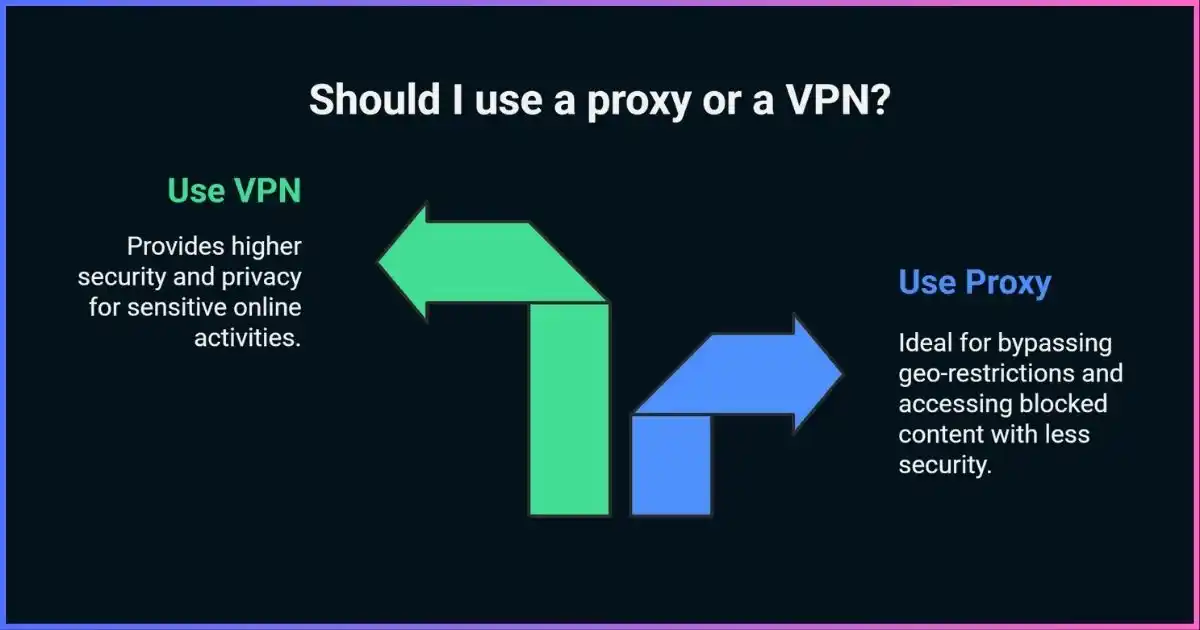
Table of Contents
Core differenceProxy vs VPN: how each one routes your traffic
Both can relay connections through another server, causing a destination to see the intermediary’s exit IP instead of your device’s public IP for the traffic that actually traverses it. The scope is different. A forward proxy is commonly configured in a browser, application, or managed network, so traffic from unconfigured apps can connect directly. A VPN client usually creates a virtual network interface and routes selected or all device traffic through a tunnel, subject to split tunneling, exclusions, DNS settings, and operating-system behavior.
| Question | Forward proxy | VPN |
|---|---|---|
| Which traffic is routed? | Usually only clients configured to use it; organization policies may redirect traffic | Traffic selected by routes and app settings; often device-wide by default |
| Encryption? | Not guaranteed. HTTPS to a website can remain end-to-end through an HTTP CONNECT tunnel; the client-to-proxy hop may or may not use TLS | Typically encrypts the device-to-VPN-server tunnel when correctly configured; traffic beyond the VPN server uses its own protocol encryption, such as HTTPS |
| Typical control point | Application, browser, proxy auto-configuration (PAC), or enterprise gateway | Operating system, VPN client, router, or managed network |
| Common purposes | Web policy, access control, caching, application-specific egress, test automation | Remote network access, protecting traffic on untrusted networks, centralized device routing |
| Who can observe metadata? | Proxy operator and destination, depending on TLS and logging | VPN operator and destination, depending on TLS and logging |
Terminology can be confusing. “HTTPS proxy” may mean an HTTP proxy that supports CONNECT to HTTPS websites, or it may mean that the connection from your app to the proxy itself is protected by TLS. Those are different features. With CONNECT, the proxy relays a tunnel and your browser can establish TLS directly to the destination. If an organization installs a trusted certificate and performs TLS inspection, it can instead decrypt and re-encrypt selected sessions under its policy.
SOCKS5 is a general proxy protocol with TCP connection commands and a UDP relay command, but SOCKS5 does not encrypt application data by itself. Whether DNS is resolved locally or by the proxy depends on the client and whether it passes a hostname or an IP address. The types of proxy servers guide explains these distinctions.
Pick by requirementA practical decision guide
Which tool is a closer fit?
Qualitative comparison of common capabilities; implementation details can change the answer.Bars visualize relative fit for the named task, not a benchmark or measured score. A well-configured proxy can secure its client connection; a VPN can route only selected traffic; compare actual product behavior.
In a workplace, follow IT policy. A corporate proxy may be needed for identity-aware access, malware filtering, audit records, or data-loss prevention; bypassing it with a personal VPN may violate policy or break access controls. Conversely, a VPN can be required for remote access to internal subnets even when browser traffic also uses an enterprise proxy.
PerformanceAre proxies faster than VPNs?
Not as a rule. A proxy that does not encrypt its client-to-proxy connection may use fewer cryptographic operations than a VPN, but encryption is only one part of total latency and throughput. The proxy or VPN server’s distance, congestion, peering, protocol, CPU, packet loss, DNS resolution, destination, browser behavior, and provider capacity can matter more. A nearby well-provisioned VPN can outperform a distant or overloaded proxy; a proxy may win when it is close to both the client and target and handles the application’s workload efficiently.
“Speed loss” figures without a reproducible test are not useful comparisons. A valid benchmark defines the baseline and target, controls the client and access network, measures multiple runs, and publishes the protocol, server location, time, concurrency, and failure handling. Measure latency and tail latency as well as throughput; include failed requests, timeouts, reconnects, and the time it takes to recover.
| Performance factor | Why it matters | How to compare fairly |
|---|---|---|
| Route and server location | Extra distance and poor peering add round-trip delay | Use comparable locations and record the route or endpoint |
| Protocol and encryption | Different implementations have different CPU and framing costs | Record protocol and cipher/configuration; do not compare unlike modes |
| Congestion and capacity | Shared exit pools can queue traffic or throttle workloads | Repeat at different times and report median plus slow-tail results |
| Workload | Bulk downloads, interactive browsing, and API calls stress different limits | Test the real app, request sizes, concurrency, and destinations |
| Reliability | Fast successful requests do not capture failures or connection drops | Report completion rate, errors, timeouts, and recovery |
If privacy or a security policy requires encryption, do not disable it to chase a generic speed advantage. First try a nearby server, a supported modern protocol, wired networking, or a provider with adequate capacity. For a deeper comparison see common VPN protocols explained.
Use casesWhen using a proxy instead of a VPN makes sense
Application-specific browsing and testing
Use a proxy when a particular browser, command-line client, QA tool, or application needs a controlled egress path and already supports proxy configuration. This is useful for testing how a site behaves from a particular region, checking localization, verifying an organization’s outbound policy, or isolating one app from the device’s other traffic. Keep DNS behavior in view: the app may resolve a hostname locally or send it to the proxy.
Authorized web data collection
For a permitted research or monitoring workflow, a forward proxy can provide centralized credentials, per-request routing, access logs, and separate egress addresses for test runs. Choose the smallest pool and rotation strategy that meets the technical need. Respect the target’s terms, robots guidance where applicable, rate limits, privacy obligations, and applicable law. Do not use proxy rotation to evade access controls, account restrictions, paywalls, or anti-abuse protections. A proxy does not make a request authorized.
Enterprise web access and policy enforcement
Organizations commonly use forward proxies or secure web gateways to authenticate users, filter destinations, log access for a defined purpose, inspect threats, or enforce data-handling controls. These tools can complement VPN remote access. A reverse proxy is a different architecture: it sits in front of servers to route inbound requests, terminate TLS, cache content, or balance loads. It is not a consumer privacy proxy.
Regional QA and ad verification
Teams may use geographically distributed exits to check whether their own sites, ads, or localized products appear correctly from selected markets. Use provider routes whose IP sourcing and user consent are documented. Record that the apparent IP location is approximate and can be wrong; it is not proof of a user’s physical location.
Caching and controlled outbound access
An enterprise proxy may cache eligible resources, reduce repeated upstream traffic, or permit selected applications to access external services while blocking others. Modern HTTPS limits what an ordinary intermediary can cache without decrypting traffic. Caching must respect cache-control directives and sensitive-data boundaries; TLS inspection has separate privacy, certificate-management, and compliance implications.
Streaming and region-specific services
A proxy may route a supported app through another region, but streaming providers actively manage location and licensing rules. Compatibility, IP reputation, account country, payment region, GPS, cookies, and service terms can all affect access. No proxy provider can guarantee that a catalog or service will remain available. Compare with our streaming VPN guide and check the platform’s terms before changing apparent location.
Peer-to-peerShould you use a proxy or VPN for torrenting?
Use only peer-to-peer networks and content you are authorized to access. A SOCKS5 proxy may be available inside a torrent client and can route that client’s supported connections through a proxy server. This is narrower than routing the device through a VPN. It may not cover tracker lookups, web searches, other applications, or DNS if the client is misconfigured. Some clients also handle UDP, peer discovery, or proxy authentication differently; test the exact client and provider combination.
| Consideration | SOCKS5 proxy in the client | VPN client |
|---|---|---|
| Traffic scope | Usually only the configured client’s proxy-capable traffic | Can route the device or selected apps, depending on settings |
| Encryption | SOCKS5 itself does not encrypt payloads | Encrypts the configured tunnel to VPN server |
| Failure protection | Depends on client proxy behavior; traffic may fall back directly if not configured to fail closed | Kill switch/firewall behavior can block traffic if the tunnel fails; verify it |
| DNS and UDP | Depends on client and server support; remote DNS and UDP relay are not universal in products | Depends on VPN app routing, DNS configuration, and split-tunnel rules |
| Best fit | One compatible application needs proxy egress and you understand its limits | Broader device protection or a verified fail-closed setup is required |
A proxy or VPN does not provide “legal protection” and does not change copyright law. It also cannot guarantee that an IP address will not be observed: peer lists, DNS, IPv6, local interfaces, client fallback, and account activity all matter. For privacy-sensitive use, configure the application carefully, confirm the actual public IP and DNS path, and test behavior after intentionally disconnecting the service. See our VPNs for torrenting guide.
Cost and valueHow to compare proxy and VPN costs
There is no meaningful universal price table for “proxies”: a small datacenter endpoint, a residential traffic pool billed per gigabyte, a mobile IP, and an enterprise gateway are different products. VPN prices also change with billing term, renewal rate, country, promotions, and device limits. Compare current quotes for the same workload instead of relying on old monthly ranges.
| Service model | Common billing unit | Cost drivers | Questions to ask |
|---|---|---|---|
| Datacenter proxy | IP, port, bandwidth, or monthly plan | Dedicated/shared allocation, location, concurrency, support | Are IPs shared? Is traffic unlimited? What destinations are permitted? |
| Residential/mobile proxy | Traffic volume, session, or endpoint plan | Pool sourcing, country/carrier targeting, sticky sessions, bandwidth | How are users informed and compensated? What are abuse controls and retention? |
| Consumer VPN | Subscription term and number of devices | Plan length, renewal price, add-ons, payment and refund terms | What is the renewal amount, device limit, and cancellation process? |
| Business VPN / secure access | Per user, device, gateway, or usage tier | Identity, device management, support, logging, geographic footprint | Does the service meet access-control, audit, and data residency needs? |
| Managed web proxy | Per user, request, bandwidth, or enterprise contract | Filtering, inspection, logging, retention, integrations, support | What data is inspected or retained, and can policy be customized? |
Calculate the total cost for the job: expected data transfer, number of destinations and sessions, concurrency, operational setup, failed requests, support, compliance review, and the value of any logs or security controls. “Cheapest per IP” may be poor value if IP reputation is low or sessions fail; “unlimited bandwidth” may still include fair-use limits or restrictions.
For organizationsProxy and VPN roles in business networks
Proxies and VPNs solve different network problems and are often deployed together. A remote-access VPN or zero-trust access service can authenticate a device and connect it to internal resources. A secure web gateway or forward proxy can govern outbound web access, apply user-based policy, and provide centrally managed inspection. Reverse proxies protect and scale services that an organization hosts. Architecture should follow the threat model and data policy rather than choosing the tool with the broadest marketing label.
| Business requirement | Common component | Key design questions |
|---|---|---|
| Remote staff access to private subnets | Remote access VPN or identity-aware access | Device posture, MFA, least privilege, route scope, logging, incident response |
| Outbound web filtering and user policy | Forward proxy / secure web gateway | Authentication, bypass rules, TLS inspection, data retention, false positives |
| Publish internal web services safely | Reverse proxy or application gateway | TLS termination, identity, rate limits, origin isolation, failover |
| Geo-distributed QA of owned services | Authorized proxy or cloud test locations | IP sourcing, request limits, personal-data minimization, target authorization |
| Secure branch-to-branch connectivity | Site-to-site VPN or routed private links | Key rotation, segmentation, route filtering, redundancy, monitoring |
Enterprise proxy logs can contain employee identifiers, destinations, timestamps, and security events. Set a clear purpose, access controls, retention period, and notice. TLS inspection can expose sensitive content and may be inappropriate for health, financial, legal, or personal services. Similarly, VPN connection logs and endpoint posture data need defined governance. Security tooling does not remove an organization’s privacy responsibilities.
For automation and market research, use documented APIs where available, get permission from the site owner, minimize collection, honor applicable privacy and consumer-protection laws, and follow contractual terms. Proxy rotation should not be used to evade rate limits, authentication requirements, or blocks. A reputable provider should describe its IP sourcing and respond to abuse reports.
Provider selectionHow to choose a proxy or VPN provider
Proxy provider checklist
- Know the operator: legal entity, ownership, support contacts, and where service terms apply.
- Confirm IP sourcing: especially for residential and mobile exits—consent, compensation, opt-out/removal, and abuse handling.
- Check transport security: TLS to the proxy endpoint, supported authentication, credential handling, and certificate behavior.
- Understand logging: request metadata, source addresses, timestamps, destinations, retention, and sharing.
- Test client compatibility: HTTP CONNECT, SOCKS5 TCP/UDP, DNS mode, sticky/rotating session behavior, IPv6, and concurrency.
- Review acceptable use and controls: allowed targets, ports, rate limits, abuse response, and account security.
- Benchmark your workload: representative targets and geography, complete request rate, median/p95 latency, errors, and recovery.
VPN provider checklist
- Look for clearly documented protocols, modern encryption, DNS and IPv6 handling, and tested kill-switch behavior.
- Read the privacy policy and independent audit scope; distinguish app security review from server-side logging assurance.
- Check ownership, jurisdiction, transparency reporting, support, device limits, renewal pricing, and cancellation terms.
- Test split tunneling carefully so excluded apps or subnets do not route outside the expected path.
There is no single “best proxy” or “best VPN” for everyone. The proxy option linked below is a commercial offer, not a claim of a universal benchmark result; compare its present terms, documentation, IP-source disclosures, and fit for your use case before buying. For device-wide encrypted routing, compare VPN providers against the same criteria.
Verify the routeSetup and testing checklist
- Define the goal.Write down which app or traffic needs routing, which destinations are allowed, whether you need encryption, and what should happen if the service fails.
- Choose the right proxy mode or VPN route.Set the proxy in the specific app or OS configuration; configure VPN routes and split tunneling for the intended apps and subnets. Do not assume one setting covers every program.
- Protect credentials.Use unique credentials, avoid embedding secrets in shared scripts, and protect configuration files and logs. Confirm that the app authenticates to the proxy securely.
- Check IP and DNS separately.Compare your direct baseline with the connected route. Test IPv4, IPv6, and DNS resolution. A changed IPv4 exit alone does not prove that all traffic or DNS uses the intermediary.
- Test failure behavior.Disconnect the proxy or VPN in a controlled non-sensitive test. Confirm whether traffic stops or falls back direct, and set the behavior to match your privacy and operational needs.
- Test the real application.Some apps ignore system proxy settings, use their own DNS, or communicate over UDP. Check logs and destination-side behavior for the actual software you intend to use.
- Document and review.Record endpoint, protocol, bypass rules, data handling, owner, expiry, and support contact. Re-test after app, OS, network, or provider changes.
Common questionsFrequently asked questions
Is a proxy safer than a VPN?
Why are proxies sometimes faster than VPNs?
What is the difference between HTTP and SOCKS5 proxies?
Can I use a proxy for streaming?
Can I use a proxy for torrenting?
Can I use a proxy and VPN at the same time?
Are free proxies safe?
Do I need a proxy if I already use a VPN?
Match the tool to the traffic
Choose a proxy for controlled application-level routing. Choose a VPN when you need an encrypted tunnel for broader device or network traffic.
Conclusion
A proxy is the right choice when a particular application or organization needs controlled egress, request policy, or an intermediary service. A VPN is the better starting point for encrypted, broader-scope device traffic or remote access. The choice is about scope and controls as much as speed.
Check encryption on every network hop, learn how DNS and unconfigured apps behave, evaluate provider logging and IP sourcing, and benchmark the work you actually need to do. Avoid generic speed percentages and “legal protection” promises; verify the route and select the narrowest tool that satisfies your real requirement.
Disclosure: Some links on this page are affiliate links. JoshWP may earn a commission if you purchase through them, at no extra cost to you. Affiliate relationships do not determine the technical distinctions or selection criteria in this guide.
Sources & comparison methodology
This article explains technical distinctions and use cases; it does not claim a controlled speed test of proxy or VPN providers. Comparisons are qualitative and based on the scope of common proxy and VPN configurations. Product support varies. Performance should be benchmarked against the same target, device, access network, protocol, and workload, including tail latency, completion rate, failures, and recovery. Sources prioritize standards and primary technical documentation; commercial product offers are affiliate links and are not presented as independent test winners.
- IETF RFC 9110: HTTP Semantics — intermediaries, CONNECT, and tunnel behavior
- IETF RFC 1928: SOCKS Protocol Version 5
- Google Threat Intelligence Group: residential proxy network risks and disruption (2026)
- U.S. Federal Trade Commission: privacy-enhancing technology promises
- MDN: Proxy servers, tunneling, and PAC files
- JoshWP: Types of proxy servers
- JoshWP: Common VPN protocols explained
External standard references explain protocol behavior; Google’s threat report covers one identified residential proxy network, not every provider. No universal proxy speed, reliability, cost, or success-rate claims are inferred from these sources.