Types of Proxy Servers: HTTP, HTTPS, SOCKS5, Residential, Reverse & More
A proxy is an intermediary, but “proxy type” can describe several independent things: the protocol it speaks, which side selected it, where its exit IP comes from, whether that IP rotates, whether it is shared, and how much identifying information it forwards. An HTTP residential rotating proxy, for example, combines at least three categories. Treating HTTP, residential, anonymous, and rotating as competing alternatives leads to bad comparisons.
This guide builds a practical taxonomy, explains what each proxy can see and protect, and shows how to select a proxy without confusing IP reputation with encryption or “elite” marketing with anonymity.
What are the main types of proxy servers?
For client-side use, the main protocol families are HTTP/HTTPS proxies for web requests and CONNECT tunnels, and SOCKS5 proxies for general TCP plus optional UDP relay. By traffic direction, there are forward proxies chosen for clients and reverse proxies deployed in front of servers. Commercial exit networks are commonly classified as datacenter, ISP/static residential, residential, or mobile, then as static or rotating and shared or dedicated.
No proxy label guarantees encryption. HTTPS to the destination can protect content through a tunnel; SOCKS5 itself does not encrypt payloads; and a proxy that terminates TLS can inspect plaintext by design.
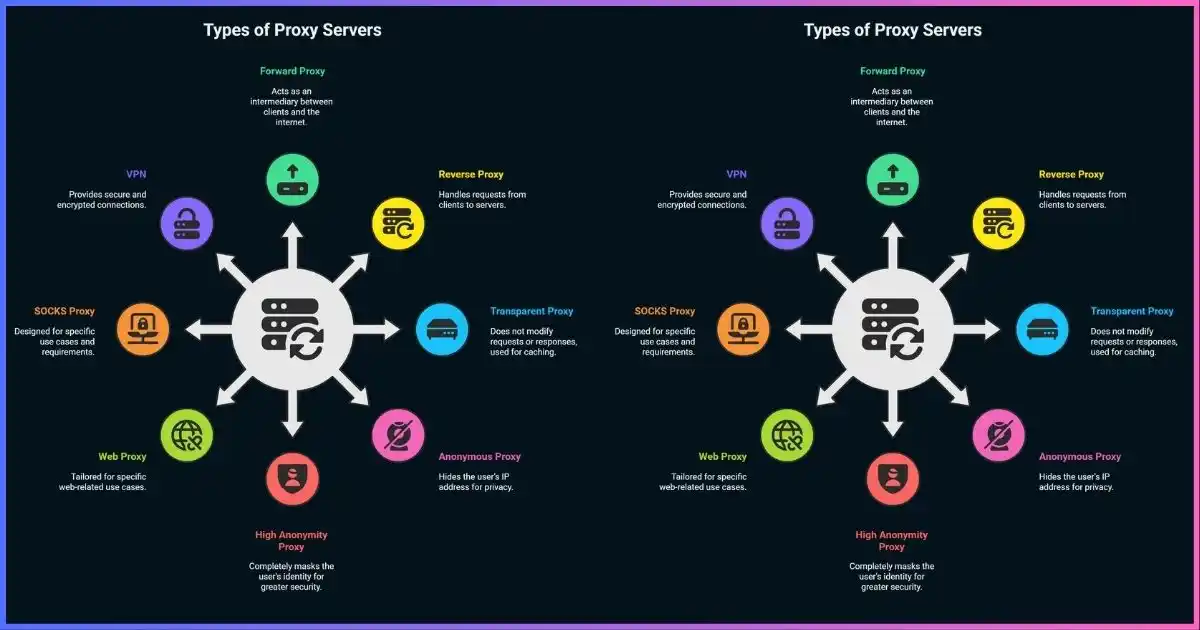
Table of Contents
- The six classification axes
- Forward vs reverse proxies
- HTTP and HTTPS proxies
- SOCKS4 and SOCKS5
- HTTP/2, HTTP/3, and MASQUE
- Transparent/intercepting proxies
- Datacenter, residential, ISP, mobile
- Static, rotating, shared, dedicated
- Anonymous and “elite” labels
- Master comparison table
- Security and privacy
- Best type by use case
- Selection checklist
- FAQs
- Sources & methodology
Build the description correctlyThe Six Axes of Proxy Classification
A useful proxy description answers six questions. A product can occupy one choice on every axis at once, so do not use one axis as a shortcut for another.
Who the intermediary representsForward Proxy vs Reverse Proxy
Forward proxy
Selected on behalf of a client or organization. It sends outbound requests, changes the source IP seen by the destination, and may enforce access policy, cache web objects, or provide egress control.
- Browser or OS proxy
- SOCKS endpoint
- Enterprise secure web gateway
- Commercial scraping/access proxy
Reverse proxy / gateway
Selected by the service owner and presented as the destination. It accepts inbound traffic, then forwards it to origins or application servers.
- Load balancer and CDN
- Web application firewall
- TLS termination
- Origin hiding, caching, rate limits
The HTTP standard calls a reverse proxy a gateway: it behaves like an origin toward the client while forwarding to one or more inbound servers. A CDN can therefore be a reverse proxy even though end users never configure it.
Web-aware intermediaryHTTP and HTTPS Proxies
An explicit HTTP proxy receives HTTP requests in proxy form and can apply policy using methods, hosts, headers, and—when traffic is plaintext—paths or content. For HTTPS destinations, clients commonly send the CONNECT method with a host and port. After a successful response, the proxy blindly forwards bytes while the client establishes end-to-end TLS with the destination.
The IETF’s HTTP CONNECT specification warns proxies to restrict unsafe targets and ports because an unrestricted tunnel can be abused to relay other protocols.
| Label | Client-to-proxy connection | Proxy visibility | Important nuance |
|---|---|---|---|
| HTTP proxy + HTTP site | Usually plaintext unless another secure channel protects it | Request method, host, path, headers, and content | Can filter, transform, and cache eligible responses |
| HTTP proxy + HTTPS site | Proxy connection begins as HTTP; CONNECT forms a tunnel | Destination host/port and connection metadata; not TLS content normally | Credentials to an unencrypted proxy need careful handling |
| HTTPS proxy | TLS-protected connection from client to proxy | Depends on forward-request vs CONNECT behavior | “HTTPS proxy” often describes transport to the proxy, not automatic inspection |
| TLS-inspecting proxy | Client trusts organization-installed CA | Decrypts and re-encrypts HTTPS by design | Powerful enterprise control with major trust and key-management implications |
Caching and filtering are conditional—not automatic
HTTP awareness makes caching and content policy possible, but modern personalized HTTPS content is often private, dynamic, or explicitly non-cacheable. There is no universal cache-hit ratio. Performance depends on workload, headers, freshness policy, object reuse, storage, and whether TLS is terminated.
Protocol-agnostic relaySOCKS4 and SOCKS5 Proxies
SOCKS relays connections without interpreting HTTP application semantics. SOCKS5 added IPv6 and domain-name address types, authentication negotiation, and commands for TCP CONNECT, BIND, and UDP ASSOCIATE. In practice, client and provider support varies; a service advertised as SOCKS5 may support TCP CONNECT but not working UDP relay.
The official SOCKS5 standard, RFC 1928, defines negotiation and relay behavior. It does not make payload encryption a default property. Username/password authentication identifies access to the proxy; it is not a substitute for TLS, SSH, or a VPN.
| Capability | SOCKS4 | SOCKS5 | HTTP proxy |
|---|---|---|---|
| TCP CONNECT | Yes | Yes | Yes for allowed CONNECT targets |
| UDP relay | No | Specified via UDP ASSOCIATE | Classic CONNECT is TCP; modern CONNECT-UDP is separate |
| IPv6 destination | Not native | Specified | Implementation/protocol dependent |
| Domain passed to proxy | SOCKS4a extension | Native address type | Host/authority supplied for web proxying |
| Auth negotiation | Limited user ID convention | Method negotiation | HTTP proxy-authentication framework |
| HTTP content filtering | No | No | Possible when messages are visible |
| Built-in payload encryption | No | No | No; TLS can protect relevant hops |
Proxy DNS vs local DNS
If the client passes a domain name to SOCKS5, the proxy can resolve it. If the application resolves locally first
and passes an IP address, DNS may bypass the proxy. Software labels such as socks5h often mean
“resolve hostname through the proxy,” but syntax is application-specific. Test rather than assume.
Beyond classic TCP CONNECTHTTP/2, HTTP/3, MASQUE, and UDP Proxying
Classic HTTP CONNECT creates a TCP tunnel. Modern HTTP extended CONNECT mechanisms can carry other protocols over multiplexed HTTP/2 or HTTP/3 connections. MASQUE work includes CONNECT-UDP for proxying UDP payloads and CONNECT-IP for IP packets. These standards support newer privacy relays, enterprise access tools, and VPN-like systems over QUIC.
This does not make every “HTTP proxy” UDP-capable. Client, proxy, and policy must implement the relevant extension. HTTP/3 can reduce head-of-line blocking between multiplexed streams and handle network changes well, but real performance still depends on implementation, route, congestion, and workload.
No explicit client selectionTransparent, Intercepting, and Explicit Proxies
An explicit proxy is chosen through application, operating-system, PAC, or managed policy. An intercepting proxy redirects traffic without the application intentionally selecting it. “Transparent” is overloaded: it can mean transparent to the user, or a proxy that forwards the client address rather than anonymizing it.
Explicit proxy
- Client knows proxy address
- Authentication and failure are clearer
- CONNECT can be negotiated intentionally
- PAC files can return proxy or DIRECT by host
Intercepting proxy
- Gateway redirects selected traffic
- Common in captive portals and managed networks
- Plain HTTP is easier to intercept than authenticated TLS
- TLS inspection requires trusted certificates and governance
RFC 9110 notes that interception proxies are not selected by the client and can introduce security or interoperability problems when they violate HTTP semantics. Squid’s documentation likewise warns that interception makes clients believe they are speaking directly to the origin.
Where the visible IP comes fromDatacenter, ISP, Residential, and Mobile Proxies
| Exit category | Typical network registration | Strength | Trade-off / due diligence |
|---|---|---|---|
| Datacenter | Cloud, hosting, or colocation ASN | Predictable capacity, static options, usually economical | Easier for sites to classify as proxy/hosting traffic |
| ISP / static residential | Consumer ISP ASN, often hosted infrastructure | Stable session with residential-looking classification | Verify what “ISP” means, exclusivity, location, and allocation |
| Residential peer | Household broadband assigned to an end-user device/router | Diverse consumer-network exits | Consent, compensation, SDK disclosure, uptime, and lawful use are critical |
| Mobile | Cellular carrier, often carrier-grade NAT | Carrier reputation and large shared address pools | High cost/variability; strongest consent and sourcing scrutiny needed |
For provider-level comparisons, see our guides to mobile proxy server providers and the best proxy providers.
Session behavior and allocationStatic, Sticky, Rotating, Shared, and Dedicated Proxies
Static
One exit remains assigned for an extended period. Useful for account continuity, allowlists, remote administration, and sessions sensitive to IP changes.
Sticky session
A pool holds the same exit for a token, credential, or time window, then rotates. Useful when workflows need temporary continuity.
Rotating
The service may change IP per request, after a time interval, or on demand. Rotation policy must match cookies, authentication, concurrency, and target rules.
Shared vs dedicated
Shared exits are used by multiple customers; dedicated IPs are reserved, but “dedicated” may describe only the IP—not server hardware or bandwidth.
Rotation is not anonymity. A site can correlate cookies, account login, TLS/browser fingerprint, request patterns, or payment identity across IP changes. Aggressive rotation can also look more suspicious and break sessions.
Exit-IP spectrum: stability versus network diversity
A conceptual map, not a speed or trust score. Products can differ substantially within each category.
Marketing labels need evidenceTransparent, Anonymous, and “Elite” Proxy Levels
Older proxy lists often rank “transparent,” “anonymous,” and “elite/high-anonymity” proxies by whether they
forward headers such as Forwarded, Via, or legacy X-Forwarded-For. These
labels are not standardized certifications and do not support universal privacy percentages or detection rates.
A destination can detect or infer proxy use through IP ownership, reputation feeds, latency, TLS and HTTP fingerprints, header anomalies, browser characteristics, authentication, and behavior. A proxy that hides the source IP at the HTTP layer can still log traffic itself. HTTPS CONNECT also changes what headers the forward proxy can insert into the encrypted origin request.
Master referenceProxy Server Types Compared
| Type | Traffic scope | Encryption by itself? | Best for | Avoid when |
|---|---|---|---|---|
| HTTP forward | HTTP requests; CONNECT commonly tunnels TCP | No | Web egress, policy, debugging, automation | App lacks proxy support or needs arbitrary UDP |
| HTTPS-to-proxy | HTTP proxy semantics over TLS to proxy | Client–proxy hop | Protecting proxy credentials and first hop | Terminology/implementation is unclear |
| SOCKS5 | General TCP; optional UDP relay | No | Protocol-flexible app proxying | You need web-content inspection/caching |
| Reverse proxy | Inbound service traffic | Optional TLS termination/passthrough | CDN, load balancing, WAF, origin protection | You need a client anonymity tool |
| Intercepting | Gateway-selected flows | No; inspection may terminate TLS | Managed networks, captive portals, enforcement | Client consent, compatibility, or end-to-end trust is unclear |
| Datacenter exit | Depends on protocol | Depends on transport | Fast, stable, scalable workloads | Target rejects hosting ASNs |
| Static ISP | Depends on protocol | Depends on transport | Long sessions needing ISP-classified IP | Provider cannot explain allocation/source |
| Residential/mobile | Depends on protocol | Depends on transport | Authorized geo testing and market research | Consent and lawful-use controls are not auditable |
| Rotating pool | Depends on protocol | Depends on transport | Authorized large-scale collection with session controls | Accounts require stable IP continuity |
| Web/CGI proxy | Pages fetched through a website interface | Browser-to-service may use HTTPS | One-off page access without configuring a client | Sensitive credentials or full-app coverage |
Trust boundaryProxy Security and Privacy Risks
A forward proxy can see connection metadata and, for plaintext protocols or intentional TLS interception, content and credentials. It can block, alter, inject, delay, or log traffic. Free/open proxies are particularly hard to attribute and may disappear or change behavior without notice.
Risks to control
- Plaintext proxy credentials or destination traffic
- Undisclosed logs, resale, or traffic modification
- DNS resolving outside the intended proxy path
- Open relay abuse and contaminated IP reputation
- Residential peers without meaningful consent
- Overbroad CONNECT ports and internal-network access
Evidence to request
- Legal entity, ownership, and abuse contact
- Exact protocol, TLS, DNS, auth, and UDP behavior
- Logging fields and retention period
- Peer sourcing and consent lifecycle
- IP allocation, rotation, and sharing definitions
- Independent testing and incident disclosure
A proxy usually protects one configured application or protocol. A VPN normally creates a device-level virtual interface and routing policy. Compare them in VPN vs proxy, and use our foundational explanation of what a proxy server is.
Proxy authentication is not traffic encryption
Basic proxy authentication encodes credentials; it does not encrypt them. SOCKS5 username/password negotiation also does not inherently encrypt the channel. Prefer TLS to the proxy where supported, and keep end-to-end TLS enabled to destinations. Never install an unknown root certificate merely to make a proxy “work.”
Match the tool to the jobWhich Proxy Type Is Best for Each Use Case?
| Use case | Starting choice | Why |
|---|---|---|
| Web debugging and API inspection | Explicit HTTP(S) development proxy | Understands requests, headers, status, and controlled TLS inspection |
| Browser egress policy | Authenticated HTTP proxy or secure web gateway | Web-aware rules, identity, logging, and PAC/managed deployment |
| Non-web TCP application | SOCKS5 | Relays arbitrary TCP without HTTP semantics |
| UDP-capable application | Verified SOCKS5 UDP or CONNECT-UDP/MASQUE | Classic HTTP CONNECT is TCP-oriented |
| Website protection and acceleration | Reverse proxy/CDN | Load balancing, caching, WAF, TLS, and origin shielding |
| Stable account/allowlist | Dedicated static datacenter or ISP IP | Predictable identity and session continuity |
| Authorized geo-local testing | Consent-verified residential/mobile pool | Tests consumer/carrier network view in chosen region |
| Large authorized crawl | Managed rotating pool with sticky-session controls | Concurrency, rotation, retries, and geographic selection |
| Whole-device privacy on Wi-Fi | VPN, not an app proxy | Broader routing, DNS, IPv6, and kill-switch coverage |
Need commercial HTTP or SOCKS access? Compare authentication, country/ASN targeting, session controls, sourcing disclosures, and support for your exact client before scaling.
Check ProxyShare Availability →Buy specifications, not labelsHow to Choose the Right Proxy Server
- Define the authorized task. State the application, destinations, data, jurisdictions, target terms, expected volume, and owner.
- Choose direction and scope. Client egress needs a forward proxy; website infrastructure needs a reverse proxy; device-wide privacy may need a VPN instead.
- Select protocol capabilities. Verify TCP, UDP, DNS-at-proxy, IPv6, HTTP versions, authentication, and client-to-proxy TLS with a live trial.
- Select the exit source. Prefer datacenter for stability and scale unless an authorized test genuinely requires ISP, residential, or mobile context.
- Set session behavior. Match static, sticky, or rotating exits to authentication, cookies, concurrency, retries, and rate limits.
- Audit trust and sourcing. Read logging/retention, ownership, subprocessors, consent, abuse controls, and incident history.
- Run controlled tests. Measure end-to-end success, latency distribution, throughput, failure codes, DNS path, IP reputation, and session stability on your workload.
- Design safe failure. Decide whether proxy failure should block traffic or fall back to DIRECT. PAC files with a DIRECT fallback can silently bypass policy.
The common VPN protocols guide covers a different layer; SOCKS5 and HTTP proxying should not be presented as VPN tunnel protocols.
Common questionsProxy Server Types FAQ
Is SOCKS5 better than an HTTP proxy?
Neither is universally better. SOCKS5 is more protocol-agnostic and can specify UDP relay; HTTP proxies understand web semantics and can enforce web-specific policy or caching. Choose by application requirements, DNS behavior, authentication, encryption, and implementation quality.
Does SOCKS5 encrypt traffic?
No, not by default. It relays connections and negotiates authentication methods. Use application-layer TLS, an encrypted client-to-proxy transport, SSH, or a VPN where confidentiality is required.
What is the difference between an HTTP and HTTPS proxy?
The label is ambiguous. It may mean a proxy that can tunnel HTTPS destinations with CONNECT, or a proxy reached over TLS. Ask whether the client-to-proxy hop is encrypted and whether destination TLS is passed through or intercepted.
Is a reverse proxy useful for personal anonymity?
No. A reverse proxy protects and fronts a server or service. It represents the origin side, not an end user seeking to change outbound IP.
Are residential proxies undetectable?
No. Residential registration can change one signal, but sites use IP history, behavior, cookies, accounts, browser/TLS fingerprints, concurrency, and challenge results. “Residential” also says nothing about ethical sourcing.
What is a transparent proxy?
Usually an intermediary that traffic reaches without explicit client configuration. The term can also mean a proxy that reveals client information. Use “intercepting” for the network architecture and describe header/IP disclosure separately.
Can a proxy handle UDP?
SOCKS5 specifies UDP ASSOCIATE, and modern HTTP extensions specify CONNECT-UDP, but many services and clients do not implement them. Verify with the target application instead of assuming support from the protocol label.
Can I chain multiple proxies?
Yes, if clients and intermediaries support it, but each hop adds another trust boundary, failure point, and latency source. A chain does not guarantee anonymity; endpoints, accounts, cookies, DNS, timing, and the chain operator can still correlate activity.
When should I use a VPN instead?
Use a VPN when you need broad device traffic coverage, DNS/IPv6 integration, a kill switch, or public-Wi-Fi protection across many apps. Read when to use a proxy instead of a VPN for the boundary.
Bottom Line
Choose a proxy by building its full description: direction, protocol, client-awareness, exit source, session behavior, and allocation. HTTP and SOCKS5 describe how the client talks to the proxy; residential and datacenter describe the exit network; rotating and static describe session behavior; anonymous and elite are unstandardized claims.
For most authorized automation, start with a reputable authenticated datacenter HTTP or SOCKS5 service and add complexity only when the task requires it. If you need residential or mobile exits, ethical sourcing and abuse controls are core technical requirements—not optional branding.
Disclosure: This article contains affiliate links. Purchases may earn us a commission at no extra cost to you. Affiliate relationships do not change the taxonomy or selection criteria. Use proxies only where authorized and lawful, and respect target terms, privacy rights, rate limits, and data-protection obligations.
Sources & comparison methodology
We reviewed protocol standards, current HTTP semantics, proxy implementation documentation, reverse-proxy architecture, PAC behavior, and contemporary threat research. We removed fabricated benchmarks, cache rates, privacy scores, detection percentages, and market-share charts. Visuals are taxonomic and qualitative unless explicitly labeled otherwise.
- IETF: RFC 1928 (SOCKS5), RFC 1929 (username/password method), RFC 9110 (HTTP semantics, proxies, gateways, tunnels, CONNECT, and interception), RFC 9114 (HTTP/3 CONNECT), RFC 9298 (CONNECT-UDP), and RFC 9484 (CONNECT-IP).
- Implementation references: Squid interception-caching documentation; MDN Proxy Auto-Configuration reference; NGINX proxy/load-balancer capabilities; Cloudflare reverse-proxy and CDN architecture documentation.
- Sourcing risk: Google Threat Intelligence reporting on disruption and analysis of a large residential proxy network distributed through embedded SDK components.
- Method: categories are compared on observable protocol and deployment properties, not vendor-defined “anonymity” labels. Performance claims require workload-specific tests using consistent endpoints, geography, concurrency, TLS, and rotation policy.
Research cut-off: September 21, 2026. Support for SOCKS5 commands and modern HTTP extensions must be verified per client and provider; specification support does not prove product implementation.