What Is a Proxy Server and How Does It Work?
A proxy server is an intermediary that receives a client’s request and makes or relays a connection to another server. A forward proxy usually represents a client or group of clients on outbound requests; a reverse proxy represents one or more origin servers to incoming clients. Proxies can apply access rules, authenticate users, route requests, filter or inspect traffic, and cache eligible responses.
The word “proxy” does not guarantee privacy, anonymity, encryption, speed, or safety. Those depend on the proxy’s protocol, network path, configuration, operator, and what information the application sends. This guide explains how proxy servers work, how common types differ, when they are useful, what security trade-offs they introduce, and how to select or deploy one responsibly.
What is a proxy server?
A proxy server is a network intermediary between a client and another server. The client sends a request to the proxy; the proxy applies its rules, connects to the requested destination, and relays the response. A forward proxy is used on the client side; a reverse proxy sits in front of services and handles inbound traffic.
A proxy may hide a client’s IP address from the destination in a particular connection, but it does not inherently encrypt that connection or make the user anonymous. HTTPS protects content between the browser and website when end-to-end TLS remains intact.
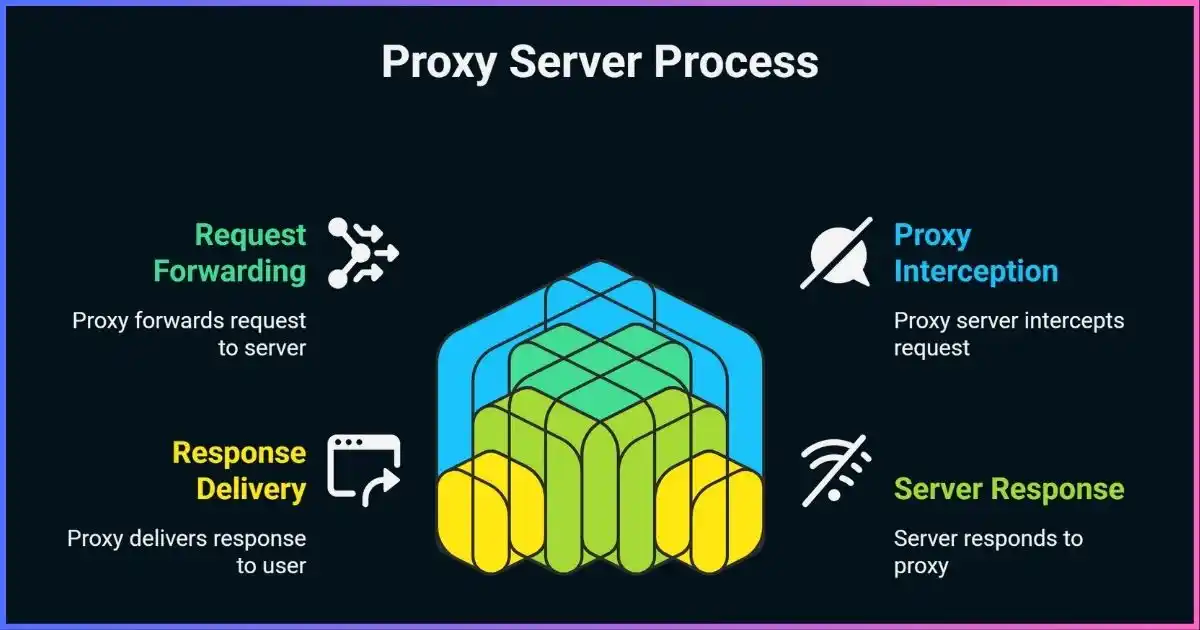
Table of Contents
Networking basicsProxy server meaning and key concepts
In networking, an intermediary receives communications from one party and forwards them toward another. The term “proxy server” covers several designs rather than one universal product. A web forward proxy may understand HTTP requests and apply web policies; a SOCKS proxy may relay supported TCP or UDP traffic without interpreting application content; a reverse proxy may terminate TLS and distribute requests across origin servers.
Clients can be explicitly configured to use a proxy through an application setting, operating-system setting, or Proxy Auto-Configuration (PAC) file. A network may also redirect traffic through an intercepting proxy without the client choosing it. These designs have different security and compatibility consequences. “Transparent” is an overloaded term: it can refer to interception without explicit client configuration or to how much information a proxy reveals about the client. Describe the actual behavior rather than treating “transparent,” “anonymous,” or “elite” as standardized privacy grades.
What it can doWhat does a proxy server do?
A proxy can stand between clients and services and enforce a policy or provide a network function. Depending on its role and protocol, it may:
- Authenticate users or applications and allow or deny destinations.
- Forward requests through a controlled outbound IP address or gateway.
- Filter web traffic according to organization policy or threat intelligence.
- Cache eligible content to reduce repeated upstream requests and bandwidth use.
- Record connection metadata for security or operational troubleshooting under a defined retention policy.
- Distribute incoming requests among backend servers, terminate TLS, or provide other reverse-proxy functions.
- Support authorized regional quality assurance, localization checks, or market research.
These are capabilities, not guarantees. A proxy that does not inspect HTTPS cannot filter encrypted page contents; a caching proxy cannot serve every response from cache; and an exit IP change does not prevent tracking through accounts, cookies, or fingerprints.
Request lifecycleHow proxy servers work
- The client selects a proxy.The application is configured with a proxy address, receives a proxy setting through system policy or PAC, or has traffic redirected by a managed network.
- The client connects to the proxy.The connection may use authentication. Some deployments protect this client-to-proxy hop with TLS; others may not. Credentials should never be sent over an untrusted unencrypted connection.
- The client identifies the destination.For ordinary HTTP proxy requests, the client sends a request identifying the target URL. To access an HTTPS website through a classic HTTP proxy, it commonly sends CONNECT with the destination host and port.
- The proxy applies its policy.The proxy can authenticate the client, allow or deny the target, enforce port and domain rules, log selected metadata, or route through another proxy. A reverse proxy uses its own routing policy to select an origin server.
- The proxy connects or relays.It opens a connection to the target and forwards the request. For CONNECT, after successful approval it relays data in both directions as a tunnel; it does not need to interpret the HTTPS messages inside that tunnel.
- The origin responds.The response returns through the intermediary, which forwards it to the client and may apply allowed transformations or caching.
The IETF HTTP specification distinguishes proxies, gateways, and tunnels. A gateway (often called a reverse proxy) receives a request as if it were the origin, then forwards it to another server. A tunnel is a blind relay between connections once established. CONNECT proxies should restrict permitted ports and destinations; unrestricted tunnels can be abused to reach services such as mail servers.
What HTTPS does through a proxy
HTTPS can remain end-to-end from the browser to the website while passing through a proxy. In a typical CONNECT flow, the proxy knows the requested host and port and relays encrypted TLS bytes, but it cannot read the protected page contents. This differs from TLS inspection, where an organization deliberately terminates the client’s TLS connection and creates another TLS connection to the origin using a managed certificate authority. TLS inspection introduces significant privacy, security, and compliance responsibilities.
“HTTPS proxy” can mean two different things
The phrase may describe an HTTP proxy that supports CONNECT to HTTPS websites, or a proxy endpoint reached over TLS from the client. The first is about tunneling to an HTTPS destination; the second is encryption on the client-to-proxy hop. Ask which is meant. SOCKS5 itself also does not encrypt application payloads, though a client can use TLS or another encrypted protocol on top.
Types and dimensionsTypes of proxy servers explained
Proxy categories are not mutually exclusive. One service can be a forward proxy using SOCKS5, backed by residential IPs, with sticky sessions and a rotating pool. Classify a proxy across several independent dimensions: direction, protocol, client configuration, exit-IP source, session behavior, and allocation.
| Dimension | Common options | What the label tells you |
|---|---|---|
| Traffic direction / role | Forward proxy; reverse proxy/gateway | Whether it represents clients making outbound requests or services receiving inbound traffic |
| Protocol | HTTP proxy; HTTP CONNECT; SOCKS5 | How the client asks the intermediary to relay or process traffic; product support varies |
| Client awareness | Explicitly configured; intercepting | Whether the client knowingly selects the proxy or a network redirects traffic |
| Exit IP source | Datacenter; ISP/static residential; residential peer; mobile carrier | The network associated with the egress address; does not certify consent, quality, or trust |
| Session behavior | Static; sticky; rotating | How long a client keeps an exit address before a provider may assign another one |
| Allocation | Shared; dedicated | Whether an IP or account resource is shared; “dedicated IP” does not necessarily mean dedicated hardware or bandwidth |
HTTP forward proxies
An HTTP proxy understands HTTP request semantics and can be configured in a browser or application. It may forward ordinary HTTP requests directly. For HTTPS destinations, clients commonly use CONNECT to establish a TCP tunnel, after which the client and origin negotiate TLS through the proxy. A proxy can inspect or modify unencrypted HTTP content; whether it can inspect HTTPS depends on TLS termination or managed inspection.
SOCKS5 proxies
SOCKS5 is a protocol for relaying connections and supports commands including TCP CONNECT and UDP ASSOCIATE, along with IPv4, IPv6, and domain-name destination forms. A client may send a domain name for the proxy to resolve or resolve it locally and send an IP address; remote DNS behavior is client-specific. Some commercial products implement only part of the protocol, so verify UDP, authentication, and DNS support for the app you plan to use. See our proxy server types guide.
Reverse proxies
A reverse proxy sits in front of one or more origin servers. It may terminate TLS, route requests by hostname or path, balance load, cache eligible content, or enforce application protections. Unlike a consumer forward proxy, its primary job is to receive traffic on behalf of a service. Cloud gateways and content-delivery networks often provide reverse-proxy functions.
Datacenter, residential, and mobile exits
Datacenter exits come from hosting networks and are often appropriate for controlled testing and infrastructure tasks. Residential and mobile proxies use IP addresses associated with ISP or carrier networks. Those labels describe network attribution, not whether an IP owner gave informed consent. Ask how devices or connections are sourced, whether participants are compensated, how they can opt out, how customer traffic is controlled, and how abuse is handled.
Static, sticky, and rotating sessions
A static address remains assigned; a sticky session attempts to retain the same exit for a defined interval or session; a rotating pool changes exits based on provider rules or request settings. Rotation may support authorized testing across locations, but it does not erase cookies, account identity, browser fingerprints, or behavioral correlation. Rotation should never be used to evade authentication, rate limits, access blocks, or a website’s restrictions.
Transparent and intercepting proxies
An intercepting proxy receives traffic without explicit client configuration, often through network routing or firewall rules. It can be used for captive portals or enterprise policy, but interception may cause compatibility and security problems if it violates HTTP expectations. “Transparent proxy” is also used to describe whether the proxy discloses the source address in headers; these are separate properties.
Quick proxy-type fit by task
Qualitative orientation only. The right choice depends on protocol, permissions, target, and configuration.*Confirm your client and provider support the required SOCKS5 commands, UDP, authentication, and DNS behavior. These bars are illustrative fit, not quality or speed scores.
Use casesBenefits and common uses of proxy servers
Access control and outbound policy
Organizations can require users or applications to authenticate to a forward proxy, permit approved destinations, and apply different rules by identity or device. This can reduce unmanaged outbound paths and provide a central point to investigate network issues. A proxy is not a complete security boundary: administrators must secure the proxy itself, prevent bypass routes where appropriate, and keep rules and software current.
Caching and bandwidth management
A caching proxy may store responses that are safe and eligible to reuse, reducing duplicate requests and upstream bandwidth. Modern HTTPS limits ordinary intermediary caching because content is encrypted end-to-end. Cache directives, personalization, authorization headers, and privacy-sensitive data must be respected. A cache can improve some repeated requests but does not make every connection faster.
Reverse proxying and availability
Reverse proxies can route inbound requests across multiple backend servers, terminate TLS, apply rate limits, and provide health checks or failover. They are widely used to publish web applications and APIs. Misconfigured forwarding headers, weak origin protection, or incorrect caching can expose users or backend services, so configuration and logging need careful review.
Authorized testing and research
Teams can route test traffic through specific egress points to verify localization, owned-site availability, advertisements, or application behavior in a region. Proxies may also provide controlled access to internal tools or allow an application to use a defined outbound identity. Use authorized targets, minimize personal data, respect terms and rate limits, and prefer official APIs when available.
IP masking and location checks
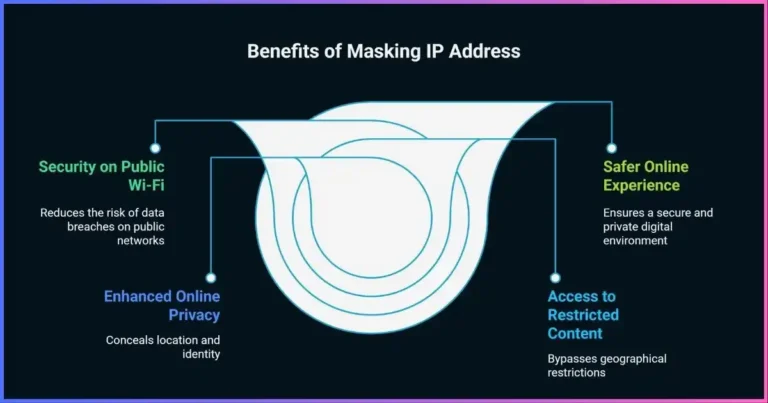
A destination typically sees the proxy’s exit IP for requests routed through it, though client IP headers or other application data may disclose the source. IP geolocation is approximate and does not prove physical location. A proxy cannot guarantee anonymity, remove account identity, or ensure that a location-restricted service will work.
Trust and safetyProxy security and privacy considerations
A proxy becomes part of the communication path and can observe or influence traffic according to its role. Treat it as a trusted network operator. Before sending sensitive traffic through one, establish what the proxy can see, how it authenticates clients, what it logs, and whether the client-to-proxy connection is encrypted.
| Risk or question | What it means | Mitigation |
|---|---|---|
| Unencrypted client-to-proxy hop | Nearby network observers may read credentials or request data on that leg | Use TLS to the proxy endpoint and strong authentication; avoid transmitting secrets over plain HTTP |
| TLS interception | A managed proxy may decrypt HTTPS using an installed trust certificate | Use only approved devices and certificates; document notice, scope, exclusions, and retention |
| Proxy logs | May include source IP, identity, destination, timestamps, and request metadata | Minimize fields, restrict access, set retention, encrypt logs, and document the purpose |
| DNS outside the proxy | Local DNS may reveal lookups or disagree with the proxy exit location | Check client resolver behavior and test DNS from the actual application |
| Forwarded headers | HTTP headers may disclose a source address or proxy chain | Understand and control headers; do not assume the proxy hides client identity |
| Untrusted residential exit software | Device owners may unknowingly become exit nodes; customer activity may be attributed to their IP | Verify consent, removal, compensation, device behavior, abuse response, and provider transparency |
| Open CONNECT relay | Unrestricted destinations or ports can make a proxy useful for abuse | Require authentication and restrict targets/ports to approved needs |
HTTPS typically protects the content of a browser-to-site connection through a CONNECT tunnel, but the proxy can still know the destination host and timing in many setups. If the proxy is the destination server’s TLS endpoint—as with a reverse proxy—it can handle decrypted content by design. An installed certificate can also allow a managed forward proxy to inspect client TLS. Understand which architecture applies.
Free proxies and provider evaluation
A free proxy is not automatically malicious, but an unknown operator may have weak security, unreliable infrastructure, opaque logging, or monetization you do not expect. Do not use an unvetted endpoint for passwords, banking, confidential work, or personal data. Review the legal operator, policy, support channels, authentication, transport security, IP sourcing, retention, acceptable-use terms, and incident response.
Never install an unfamiliar root certificate or device profile just to make a proxy work. That can allow interception of TLS connections. If an employer requires a certificate for managed inspection, verify the instruction with IT and understand the organization’s policy.
Plan and operateProxy implementation guide
- Define the purpose and authorized traffic.Identify applications, destination services, users, regions, and whether you need a forward proxy, reverse proxy, cache, or tunnel.
- Choose the protocol and client path.Confirm HTTP, CONNECT, SOCKS5 TCP/UDP, DNS mode, and TLS-to-proxy support in the exact application. A label on a pricing page is not enough.
- Vet the operator and IP source.Check the company, service terms, privacy policy, ownership, IP sourcing, participant consent, support, and abuse process.
- Design access and failure rules.Require strong authentication, restrict destinations and ports, define direct-access bypasses, and document fail-open or fail-closed behavior.
- Protect credentials and configuration.Use unique credentials or approved authentication, store secrets safely, protect PAC files from unauthorized changes, and encrypt management interfaces.
- Set privacy-safe logging.Record only what operations and security require. Define retention, access controls, redaction, and deletion procedures before production.
- Test representative workloads.Measure completed tasks, median and tail latency, errors, timeouts, concurrency, reconnects, DNS behavior, and location accuracy. Do not use an arbitrary “speed” score.
- Monitor, update, and review.Track service health, capacity, unusual traffic, abuse reports, vendor changes, software updates, and whether the original need remains valid.
Client-side setup and verification
Configure the proxy in the application or operating system that should use it. Remember some apps ignore system settings, resolve DNS independently, or use direct UDP connections. Test the actual target app: check its apparent exit IP, DNS behavior, HTTPS certificate, authentication, bypass list, and what happens when the proxy is unreachable. On Windows and macOS, user proxy settings, browser settings, and service-specific networking can differ; our Windows and macOS proxy setup guide covers those controls.
Common questionsFrequently asked questions about proxy servers
What is the difference between a proxy and a VPN?
Does a proxy server hide my IP address?
Are SOCKS5 proxies encrypted?
What is the difference between an HTTP proxy and HTTPS proxy?
Are proxy servers legal?
Can a proxy make my internet faster?
What is a reverse proxy?
What are residential proxies, and are they safe?
Can I use a proxy for web scraping?
Choose a proxy with clear sourcing and controls
Compare the service’s protocol support, operator transparency, data handling, IP sourcing, and fit for your authorized use case.
Explore ProxyShare →Conclusion: what a proxy server does
A proxy server intermediates a connection between a client and another service. It can enforce policy, authenticate and route users, filter traffic, cache eligible responses, or protect and scale origin servers. Proxy types should be understood across multiple dimensions: direction, protocol, interception, IP source, session, and allocation.
A proxy is not automatically private, secure, anonymous, or fast. Verify encryption on each hop, DNS and header behavior, provider logging and IP sourcing, and whether applications can bypass it. Use clear access rules, limited logging, and authorized targets.
Disclosure: Some links on this page are affiliate links. JoshWP may earn a commission if you purchase through them, at no extra cost to you. Affiliate relationships do not determine the technical explanations in this guide.
Sources & comparison methodology
This is a technical explainer, not a proxy-provider performance test or market-size report. Protocol behavior is drawn from standards and documentation; product implementations may support only subsets. The fit chart is qualitative and makes no security, speed, reliability, or success-rate claim. The residential proxy risk example is explicitly scoped to Google’s report about IPIDEA and is not generalized to all providers.
- IETF RFC 9110: HTTP Semantics — proxies, gateways, tunnels, and CONNECT
- IETF RFC 1928: SOCKS Protocol Version 5
- Google Threat Intelligence Group: residential proxy network investigation
- MDN: Proxy servers, tunneling, and Proxy Auto-Configuration
- Squid documentation: proxy server configuration reference
- JoshWP: Best proxy providers
- JoshWP: Types of proxy servers