Split Tunneling vs Full Tunneling: Which VPN Mode Should You Use?
Full tunneling makes the VPN the default route for internet traffic; split tunneling creates rules that send only selected apps, destinations, or networks through—or around—the tunnel. Full tunnel gives the simplest privacy boundary. Split tunnel reduces unnecessary detours and preserves local access, but every exception becomes traffic you must classify, secure, and test.
The correct choice is not “security versus speed” in the abstract. It depends on which traffic needs the VPN, whether the device is trusted, how DNS and IPv6 follow the policy, and whether direct traffic still receives endpoint, cloud, or network security controls.
Should you use split or full tunneling?
Use full tunneling by default on public Wi-Fi, for sensitive work, when you want one consistent VPN location, or whenever you are unsure which apps create network traffic. Use split tunneling for a narrow, tested reason: reaching a printer or NAS, keeping a latency-sensitive game direct, excluding a banking app that rejects VPN addresses, or offloading approved cloud endpoints from a corporate VPN.
For most consumers, the safest split configuration is full tunnel with a small exclusion list. “Only selected apps use the VPN” is easier to misconfigure because new apps, helpers, update services, and background processes default to the unprotected route.
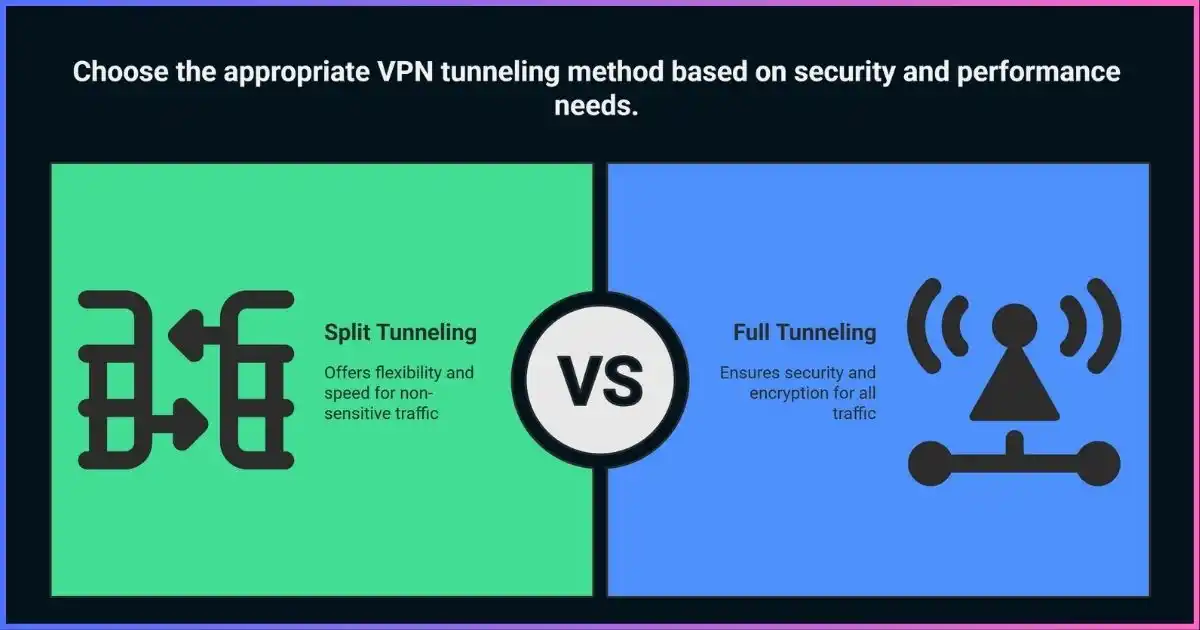
Table of Contents
Routes decide, not labelsHow VPN Traffic Routing Actually Works
A device chooses a network interface using its routing table and policy rules. A consumer VPN app creates a virtual interface, encrypts packets sent to it, and transports them to a VPN server. In a full/force-tunnel design, the app normally installs IPv4 and IPv6 default routes through that interface. In a split design, more-specific rules select traffic by destination, application, or an exclusion from the VPN default. Microsoft’s Windows VPN routing documentation shows this distinction at the route-table level.
“All traffic” is useful shorthand, not a literal guarantee. The VPN control connection itself must reach the server over the physical network. Local-network routes, captive portals, system services, IPv6, multicast, or explicit exclusions may behave differently. A strong client accounts for these paths and explains local-network access separately.
Full / force tunnel
Split tunnel
One default privacy boundaryWhat Is Full Tunneling?
Full tunneling routes internet-bound traffic through the VPN unless a more-specific permitted route says otherwise. Websites see the VPN exit address; the local network and ISP generally see an encrypted connection to the VPN rather than each remote destination. DNS should follow the protected path, and a system-wide kill switch can block traffic if that path disappears.
Why use it
- Simple rule: new apps are protected by default
- Consistent public IP and apparent location
- Centralized corporate inspection where required
- Lower risk of app/helper misclassification
- Easier leak testing and policy explanation
Trade-offs
- All traffic takes the VPN route, even when inefficient
- Local printers, casting, or LAN services may need an explicit allowance
- Banking and streaming sites may reject shared VPN IPs
- Corporate gateways can become bandwidth and latency bottlenecks
- A VPN outage can stop all traffic when fail-closed
Full tunneling does not make a device anonymous or safe from malware. Logins, cookies, browser fingerprints, endpoint compromise, and the VPN provider’s data practices remain separate concerns. See our guide to VPN logging policies.
Selective routingWhat Is Split Tunneling?
Split tunneling sends two classes of traffic over different paths at the same time. The protected class uses the VPN; the direct class uses the ordinary Wi-Fi, Ethernet, or cellular interface. Direct traffic normally exposes the user’s ISP-assigned IP to destinations and may expose metadata to the local network or ISP. It is not “partly encrypted” by the VPN—it is outside that VPN.
The feature can improve performance and compatibility, but only for bypassed traffic that would otherwise suffer a meaningful detour or bottleneck. If the VPN server is nearby and fast, the difference may be negligible. If the app itself uses HTTPS or another secure protocol, direct traffic may still be encrypted end-to-end, but it loses the VPN’s IP masking and tunnel-level protections.
Five rule modelsTypes of VPN Split Tunneling
| Model | How it decides | Best use | Main caveat |
|---|---|---|---|
| Exclude apps | Everything uses VPN except chosen applications | Banking app, local game, printer utility | Helper processes may not share the main executable’s rule |
| Include apps / inverse | Only chosen applications use VPN | One protected browser or work client | New/unlisted traffic defaults outside VPN |
| IP or subnet routes | Destination network determines path | Corporate networks, NAS, approved cloud ranges | Cloud IP ranges change; shared IPs can overmatch |
| Domain / website rules | Hostname or resolved destination selects route | A site incompatible with VPN | CDNs, redirects, app DNS, and changing addresses complicate rules |
| Browser-extension scope | Only browser-originated traffic is proxied/tunneled | Separate browsing location | Other apps and some browser-integrated traffic remain outside |
Side-by-sideSplit Tunneling vs Full Tunneling
| Factor | Full / force tunnel | Split tunnel |
|---|---|---|
| Default path | VPN for internet traffic | VPN or direct according to rules |
| Privacy consistency | Higher: new apps inherit VPN route | Varies: bypass traffic exposes ordinary public IP |
| Performance | All traffic pays VPN route/protocol cost | Direct traffic avoids VPN detour and gateway load |
| Local network access | May need an explicit LAN allowance | Easier to preserve selectively |
| DNS behavior | Usually one protected resolver path | Provider/platform specific; can be split or centralized |
| Kill switch | Straightforward system-wide fail-closed model | Must distinguish protected from intentionally direct traffic |
| Configuration | Simple default; fewer rules | Rules require ownership, maintenance, and retesting |
| Corporate visibility | Central gateway can inspect/log approved traffic | Direct traffic needs endpoint/cloud controls instead |
| Best fit | Privacy, public Wi-Fi, sensitive work, simple policy | Local access, approved SaaS offload, compatibility, low latency |
Measure your actual pathPerformance: What Split Tunneling Can and Cannot Improve
There is no defensible universal “10–30% VPN slowdown.” Overhead changes with server distance, congestion, protocol, CPU, MTU, ISP peering, upload/download mix, and whether the workload is latency-sensitive. Split tunneling improves only the traffic sent direct; it does not accelerate the protected apps.
Illustrative traffic allocation—not a benchmark
How three policies might divide the same workload. Width represents routing choice, not measured speed.
Full tunnel
Full tunnel + narrow exclusions
Selective corporate tunnel
Benchmark both modes on the same server and network. Record latency, jitter, upload, download, application behavior, and VPN-gateway load—not only a browser speed test. Voice/video calls care about latency and jitter; backups care about throughput; gaming cares about route stability; local device access cares about reachability.
The bypass path is deliberate exposureSecurity and Privacy Considerations
Split tunneling is not inherently insecure. It changes which controls cover each flow. A direct SaaS connection can still use strong TLS, phishing defenses, device posture, MFA, endpoint detection, and cloud access policies. The risk comes from assuming that traffic remains behind VPN-based filtering, logging, or IP allowlists when it no longer does.
Consumer risks
- Excluded apps reveal the residential/mobile IP
- Background helpers may take an unexpected path
- DNS path may not match the app route
- Mixed locations can trigger fraud or session checks
- Kill-switch expectations may be misunderstood
Business risks
- Direct traffic bypasses on-premises inspection
- Compromised endpoints have simultaneous internet and private access
- IP allowlists and compliance logs may be incomplete
- Cloud endpoint lists require controlled updates
- Data-loss controls must exist at endpoint or service layer
A split-tunneled machine does not automatically “bridge” the public internet into a private network, but a compromised endpoint can become a pivot because it has both paths. Strong host firewalling, patching, EDR, least-privilege access, MFA, segmentation, and service-side authorization remain essential.
The hidden edge casesDNS, IPv6, Local Networks, and Kill Switches
DNS may not follow the app rule
Some clients keep every DNS query on the VPN resolver even for excluded apps; ExpressVPN documents this behavior. Other implementations scope DNS by interface, namespace, or app. Browser DoH can create another resolver path. Test hostname resolution as well as public IP, and read our guide to preventing DNS leaks.
IPv4 and IPv6 need equivalent policy
A rule that matches only an IPv4 address does not automatically cover the service’s IPv6 address. A reliable client must tunnel, exclude, or block each address family consistently. Test both after changing split rules.
Local network access is its own control
A “allow LAN” switch commonly adds private-address routes for printers, casting, routers, and NAS devices. It is broader than excluding one internet app. Leave it off on hostile Wi-Fi unless you need local discovery, and never assume a hotel’s private subnet is trusted.
Kill-switch semantics vary
A system-wide kill switch cannot block intentionally direct apps without defeating split tunneling. Good implementations block protected-app traffic when the VPN fails while preserving declared bypass traffic. Proton currently documents split tunneling as incompatible with its kill switch on most platforms except Windows; this kind of interaction must be checked per device.
Choose by objectiveBest Tunneling Mode for Common Scenarios
| Scenario | Recommended starting point | Why |
|---|---|---|
| Airport, hotel, café Wi-Fi | Full tunnel | Consistent protection; disable LAN access unless required |
| Banking app rejects VPN | Full + one app exclusion | Narrow bypass; bank still uses TLS but sees real IP |
| Printer, NAS, casting at home | Full + trusted LAN allowance | Preserves internet privacy while reaching local devices |
| Gaming with distant VPN | Exclude the game/launcher | Avoids extra latency; account traffic exposes real IP |
| Torrent client | Full tunnel or include-only client | Keep client, DNS, tracker, and helper traffic aligned; bind interface if supported |
| Streaming local catalog | Exclude streaming app | Direct local access while other apps remain protected |
| Remote access to company network | Admin-defined routes | Corporate policy, DNS, inspection, and access controls decide |
| High-risk research/journalism | Full tunnel | Avoids classification mistakes and mixed identities |
For content-access troubleshooting, see how to unblock websites with VPNs or proxies.
From perimeter to policySplit Tunneling for Businesses and Remote Teams
Enterprises use split tunneling to avoid hairpinning high-volume cloud traffic through a data center. Microsoft documents several models, from force tunnel with a few trusted exclusions to a selective tunnel that carries only corporate networks. Its Microsoft 365 guidance favors tightly scoped, high-volume, latency-sensitive “Optimize” endpoints rather than a blanket bypass for every cloud service.
The security question is not whether packets traverse headquarters; it is whether equivalent controls exist on the direct path. Modern designs can enforce identity, device compliance, MFA, EDR, DLP, secure web gateways, CASB/SSE, and application-layer authorization outside a legacy VPN perimeter.
- Inventory flows and owners. Identify applications, destinations, ports, DNS needs, data sensitivity, and business impact.
- Start with force tunnel plus narrow exclusions. Prefer vendor-published, machine-readable endpoint sets with change management.
- Move controls to the correct layer. Direct traffic needs endpoint and cloud enforcement, not an assumption that the VPN gateway sees it.
- Protect the private side. Segment internal resources, require MFA/device posture, and prevent a compromised remote host from reaching more than necessary.
- Observe both paths. Collect endpoint, identity, SaaS, DNS, and gateway telemetry with privacy and retention controls.
- Test failure and rollback. Validate DNS, IPv6, route changes, network transitions, kill switch, and emergency revocation.
Current documented supportSplit Tunneling by VPN Provider and Platform
Capabilities move quickly and feature names hide meaningful differences. At the platform level, Android’s official VpnService.Builder reference shows that VPN apps can set routes and DNS, allow or disallow individual applications, and control IPv4/IPv6 families—one reason two Android VPNs can implement “split tunneling” differently. The table reflects vendor documentation reviewed for this update; verify the exact app build and protocol before purchase.
| Provider | Documented platforms | Rule types / important caveats |
|---|---|---|
| NordVPN | Windows, Android, Android TV; browser Allowlist differs | Native apps document app exclusions. Platform availability and Allowlist scope differ. |
| ExpressVPN | Windows, macOS, Linux, Android, iOS | Apps plus website/IP/subnet controls vary by platform; iOS uses website IPv4 exclusions. Documentation says DNS remains on ExpressVPN while connected. |
| Surfshark Bypasser | Windows, macOS, Android, iOS; browser extension | App and website bypass options vary. A browser-extension rule covers browser scope, not the whole device. |
| Proton VPN | Windows, macOS, Linux GUI, Android, Android TV, browser extension | Include/exclude modes and IP/domain options vary. Linux package/distro limitations apply; kill switch is incompatible on most split-tunnel platforms except Windows. |
Platform support is not feature equivalence. For example, a website exception on iOS, an Android per-app exclusion, and a Windows IP range are three different routing controls.
NordVPN is the straightforward app-exclusion pick for Windows and Android users who want selected apps to bypass the tunnel while the rest remain protected.
Check NordVPN’s Current Offer →Trust, then verifyHow to Configure and Test Split Tunneling Safely
- Write the desired policy in plain language. Example: “Everything uses VPN except the game and 192.168.1.0/24 at home.”
- Choose exclude mode when possible. It keeps future and unknown apps protected by default.
- Add the smallest rule. Prefer one signed application or narrow subnet over a broad browser or cloud range.
- Reconnect and restart affected apps. Existing sockets may keep their old route; Proton specifically requires restarts for affected Linux apps.
- Verify public IP per app. Protected apps should show VPN exit; bypass apps should show ISP IP. Check IPv4 and IPv6.
- Verify DNS and local access. Confirm resolvers and private routes match the policy rather than merely “working.”
- Force a VPN drop. Protected traffic should stop or follow documented behavior; bypass traffic should behave as intentionally configured.
- Retest after updates. App paths, CDN addresses, helper processes, and OS routing can change.
On Windows, advanced users can inspect routes before and after connecting:
Get-NetRoute | Sort-Object DestinationPrefix, RouteMetric
Get-DnsClientServerAddress
Resolve-DnsName example.com
Do not edit managed corporate routes. Send discrepancies to the administrator with timestamps, app version, connection profile, and route/DNS output.
Common questionsSplit vs Full Tunneling FAQ
Is split tunneling safe?
It can be, when exceptions are narrow and direct traffic has appropriate endpoint and application security. It is less forgiving than full tunnel because excluded apps reveal the ordinary IP and bypass VPN-based controls.
Does split tunneling make the VPN faster?
It can improve direct traffic by avoiding VPN distance, congestion, and protocol overhead. It does not speed up protected traffic, and there may be little benefit with a nearby, uncongested server.
Is inverse split tunneling the same as include mode?
Usually. Only selected apps or destinations use the VPN; everything else goes direct. Terminology varies, so verify what happens to unlisted and newly installed apps.
Can I use split tunneling for one website?
Some products support domain, website, IP, or subnet rules. Modern sites depend on multiple domains and changing CDN addresses, so a single-host rule can be incomplete. Test login, media, payments, and redirects.
Does the kill switch protect excluded apps?
Excluded apps are intentionally outside the VPN, so a VPN kill switch generally should not make them private. Implementations vary: confirm whether only protected traffic fails closed and whether split tunneling disables the kill switch on your platform.
Can split tunneling cause DNS leaks?
It can create multiple intentional DNS paths or inconsistent app/DNS routing. Some providers keep all DNS on their VPN resolver; others scope it. Test both included and excluded applications instead of relying on one browser result.
Should a company use split tunneling?
Only through managed policy. Narrow offload of approved SaaS can improve scale and calls, but direct flows need identity, endpoint, cloud, logging, and data controls that replace the gateway functions they bypass.
Which mode is best for torrenting?
Full tunnel is simplest. Include-only mode can work if the torrent client, DNS, trackers, helper processes, IPv6, and kill-switch behavior are all verified. Binding the client to the VPN interface adds protection where supported.
Bottom Line
Full tunneling is the safer default because every new flow inherits the VPN route. Split tunneling is a precision tool: it earns its complexity when a specific direct path improves local access, compatibility, cloud scale, or latency.
Start full, create the smallest necessary exclusion, and test public IP, DNS, IPv6, reconnect behavior, and helper processes. In business environments, never remove gateway visibility without replacing it with endpoint, identity, cloud, and application controls.
Disclosure: This article contains affiliate links. Purchases may earn us a commission at no extra cost to you. Affiliate relationships do not change the routing analysis or comparison criteria. Features vary by app version, platform, protocol, and region; confirm current vendor documentation.
Sources & comparison methodology
We reviewed OS routing documentation, enterprise architecture guidance, Android VPN APIs, current vendor support pages, and published security evidence. We removed unsupported adoption percentages, fixed speed-loss claims, and invented radar ratings. Visual allocations are explanatory—not performance measurements.
- Microsoft: Windows VPN routing decisions and VPNv2 CSP; force tunnel adds IPv4/IPv6 default routes, while split tunnel uses inclusion/exclusion routes. Microsoft 365 guidance documents force-tunnel, narrow-exclusion, broad-exclusion, selective-tunnel, and no-VPN models.
- Android: VpnService.Builder supports allowed/disallowed apps, routes, DNS, bypass, and address-family policy, explaining why per-app and IPv6 behavior must be tested separately.
- NordVPN: current split-tunneling support article for Windows, Android, Android TV, and browser Allowlist behavior.
- ExpressVPN: 2026 desktop and platform split-tunneling documentation; current page lists Windows, macOS, Linux, Android, and iOS with platform-specific controls. The 2024 Nettitude report was reviewed for the remediated Windows DNS/split-tunnel issue.
- Surfshark: 2026 feature/support documentation lists Bypasser on Windows, macOS, Android, iOS, and browser extensions.
- Proton VPN: current setup and lifecycle pages for Windows, macOS, Linux GUI, Android/TV, and browser extension; Linux and kill-switch limitations included.
Research cut-off: September 21, 2026. “Supported” means documented by the provider, not independently verified on every build. Provider names are not ranked solely by platform count because rule scope and failure behavior matter more.