VPN vs Antivirus: What Each One Protects
A VPN protects the path your internet traffic takes. Antivirus and endpoint security protect the device that creates and receives that traffic. They address different risks, and neither one replaces the other layers of a sensible security setup.
On this page
What is a VPN?
A virtual private network (VPN) creates an encrypted connection between a device or router and a VPN server. While connected, traffic selected by the VPN app or operating system is routed through that server. Websites and other internet services generally see the VPN server’s public IP address as the source of that connection, while the local network sees an encrypted connection to the VPN endpoint.
This can reduce what a public Wi-Fi operator or local internet provider can observe about the contents and destinations of traffic that actually passes through the tunnel. HTTPS already encrypts most modern web sessions between browser and website; the VPN adds a protected device-to-provider segment and can limit local-network visibility into DNS and destination metadata depending on routing, DNS configuration, and protocol behavior.
What a VPN can help with
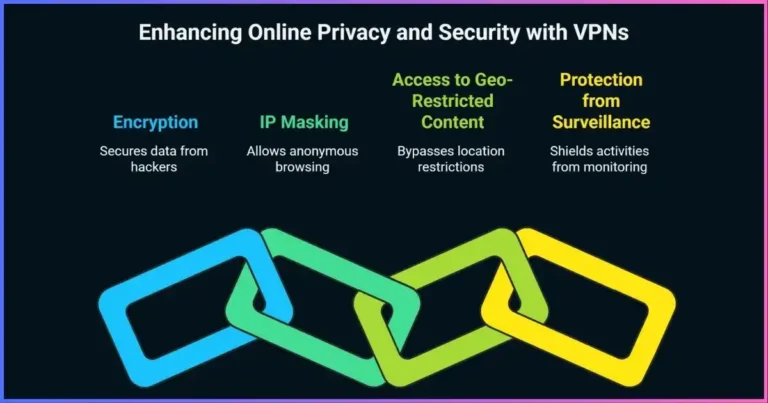
- Encrypting supported traffic on the first network hop, especially useful when using networks you do not administer.
- Reducing direct exposure of your home or mobile network IP to websites, apps, and peer connections while traffic exits through the VPN.
- Connecting to a trusted organization’s private network when its administrator provides a VPN.
- Changing the apparent network location for services that use IP geolocation, subject to the service’s rules and other location signals.
A VPN provider becomes part of the trust chain. Depending on the service, it may be able to associate your account or connection with traffic metadata. Read its privacy policy and independent audit scope rather than treating “no logs” as a standardized guarantee. A VPN also cannot make account activity anonymous or conceal cookies, GPS, device identifiers, or browser fingerprints by itself. For provider selection, see our guides to VPN providers and choosing the right VPN.
What is antivirus software?
Antivirus is a familiar name for endpoint protection software that looks for malicious software on a device. Modern products commonly combine signatures and reputation data with behavior monitoring, cloud-delivered analysis, exploit protections, and controls for suspicious files or applications. The exact features differ by operating system, product, and subscription.
It can scan files when they are downloaded, opened, or executed, and may monitor processes and system changes in real time. If it identifies a threat, it can block execution, quarantine a file, alert the user, or offer remediation. For example, Microsoft documents real-time and scheduled anti-malware protection in its current Microsoft Defender anti-malware guidance.
Common detection approaches
Signatures and reputation
Known malicious files, domains, certificates, and publishers can be identified from threat intelligence. This is effective for recognized threats but depends on current, relevant information.
Behavior monitoring
Suspicious actions—such as unexpected encryption of many files or attempts to alter security settings—may trigger a block even when a sample is unfamiliar.
Heuristics and cloud analysis
Rules and remote analysis can assess suspicious code or file characteristics. These systems may miss new threats or produce false positives, so alerts still need careful handling.
Web and application controls
Some endpoint suites block known malicious URLs, restrict risky apps, or provide firewall features. These are product-specific functions, not universal properties of every antivirus product.
Antivirus is not a guarantee against malware or fraud. It may fail to detect a new or altered threat, cannot reliably undo every action, and cannot prevent a person from willingly disclosing credentials to a convincing scam. Keep the operating system and apps updated, use supported software, back up important files, and use multifactor authentication.
VPN vs antivirus: the key differences
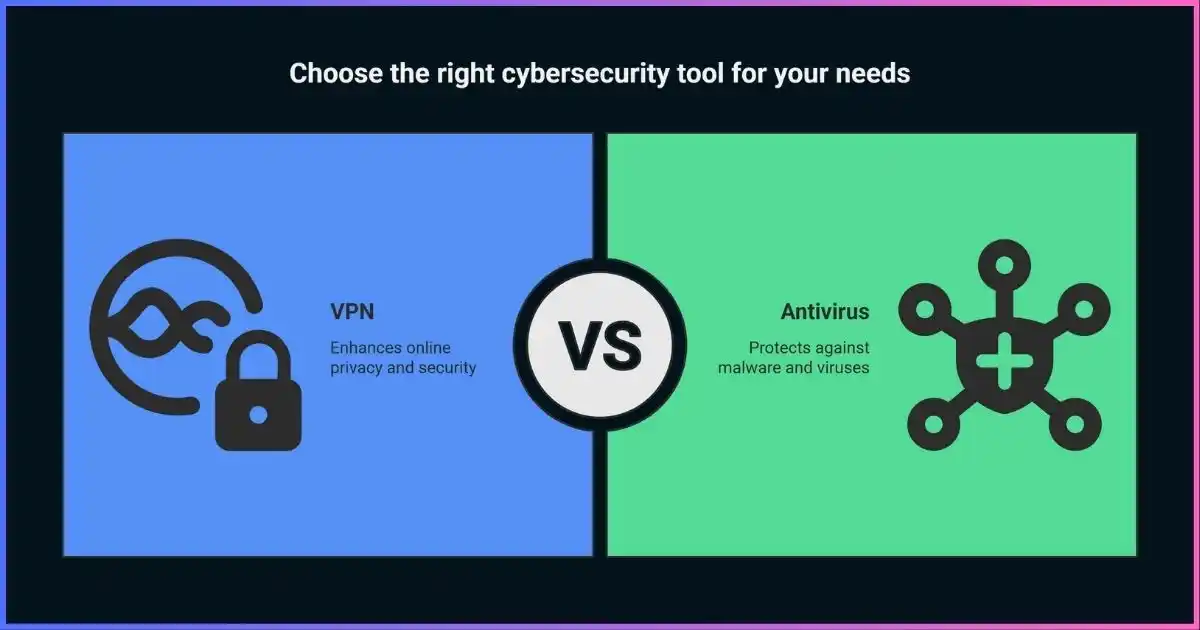
The simplest distinction is the layer each tool works at. A VPN primarily changes how selected network traffic travels. Antivirus primarily observes and controls activity on the device. Some commercial security bundles include both, but a bundled brand name does not mean every feature is active, included on every platform, or equally capable.
Focus: traffic routing, local-network privacy, and visible source IP.
Focus: malicious files, applications, and activity.
| Question | VPN | Antivirus / endpoint security |
|---|---|---|
| Main purpose | Route chosen traffic through an encrypted connection to a VPN server. | Detect, block, or remediate malware and other endpoint threats. |
| Where it acts | Network stack, VPN app, device profile, or router. | Operating system, files, applications, and processes. |
| What it may hide or inspect | Can hide the home/public IP from destinations and reduce local-network visibility into tunneled traffic; provider still becomes a trust point. | Can inspect local files and behaviors; it does not inherently conceal your public IP from websites. |
| Typical threats addressed | Untrusted first-hop networks, direct IP exposure, and selected private-network access needs. | Malicious downloads, ransomware behavior, spyware, and other detectable endpoint threats. |
| What it does not solve | Malware already on the device, phishing, weak passwords, unsafe accounts, or every DNS/routing leak. | Traffic privacy from the ISP or Wi-Fi operator, identity exposure, all scams, or every zero-day. |
| Coverage depends on | Whether the app is connected, which traffic is routed, DNS/IPv6 settings, provider practices, and device configuration. | Operating-system support, enabled features, updates, permissions, product quality, and user response. |
| Can it replace the other? | No. It is not a malware scanner. | No. It is not a VPN tunnel. |
It is inaccurate to say that either category always protects “all” traffic or prevents all cyberattacks. VPN split tunneling, excluded apps, operating-system traffic, DNS settings, and connection failures can affect what uses the tunnel. Endpoint tools also have limits and can be disabled, misconfigured, or bypassed.
Threat analysis: match the tool to the risk
Protection is easiest to reason about by asking what you are trying to protect, from whom, and at which point in a connection. The qualitative diagram below compares each tool’s usual area of influence; it is a scope illustration, not a measured efficacy score.
| Scenario | VPN contribution | Endpoint contribution | Other useful control |
|---|---|---|---|
| Using hotel or café Wi-Fi | Encrypts routed traffic between device and VPN server; reduces hotspot visibility into that segment. | Can detect malicious files or suspicious device activity. | Prefer HTTPS, verify the network, avoid unexpected portal prompts, and keep software updated. |
| Malicious attachment or download | Usually little direct protection; encryption does not make a file safe. | May scan or block the file or its behavior. | Verify the sender and expected file; keep backups and restrict macros/scripts. |
| Phishing login page | Does not make a deceptive page legitimate. | Web protection may block known dangerous sites, depending on product. | Use a password manager, MFA/passkeys, and check the domain before signing in. |
| Website sees your network IP | Typically presents the VPN exit IP for traffic routed through it. | No inherent IP masking. | Review account, browser, location, and tracking settings. |
| Ransomware reaches a device | Cannot disinfect or restore files. | May stop known or suspicious behavior, but no detection is perfect. | Maintain tested offline or versioned backups and patch promptly. |
Public Wi-Fi deserves a nuanced view: HTTPS protects the contents of most properly configured web sessions, so a VPN is not a substitute for HTTPS or careful browsing. It can still protect the device-to-VPN hop and reduce what the hotspot can infer about tunneled destinations. Neither tool makes a fake Wi-Fi portal, a compromised laptop, or a fraudulent website safe. The FTC explains that VPNs also shift trust to the VPN provider; read its guidance on evaluating VPN apps and privacy claims.
When should you use a VPN, antivirus, or both?
Choose based on the exposure you want to reduce. Most people benefit from keeping their operating system’s built-in security enabled and using a VPN when they have a clear network-privacy or private-access need. A VPN is optional for many ordinary home browsing activities; endpoint protection and timely updates remain important even when no VPN is connected.
Consider a VPN when…
- You want to reduce local network visibility while using a network you do not control.
- You need a secure connection to a work or school network configured by its administrator.
- You want websites to see a VPN exit address instead of your connection’s public IP for supported traffic.
Check provider jurisdiction, privacy policy, independent assurance, leak protections, platform support, and whether all relevant traffic uses the tunnel.
Use endpoint protection when…
- You download, install, or open files and apps.
- You want monitoring for malware and suspicious changes on a supported device.
- You need local detection and quarantine capabilities even while offline or disconnected from a VPN.
Keep one primary real-time antivirus product active unless the platform vendor explicitly supports your configuration. Multiple real-time scanners can conflict.
Practical examples
- Traveler: Keep device security and updates current; use a reputable VPN for the added tunnel on untrusted networks if it fits your needs. Still verify HTTPS and avoid unknown portal downloads.
- Home user: Enable built-in firewall and endpoint protections, apply updates, use unique passwords and MFA, and make backups. Add a VPN when its privacy or remote-access benefit is relevant.
- Remote worker: Follow employer requirements. A company VPN provides access to designated resources and is not necessarily a personal privacy service; do not install unapproved security software on managed equipment.
- Shared or higher-risk device: Use a separate account with limited privileges, supported software, reputable endpoint controls, and a recovery plan. A VPN does not mitigate someone with local access or administrator control.
Free products deserve scrutiny. “Free” alone does not establish that a VPN or security app is safe, private, or effective. Review who operates it, what data it collects, permissions, funding, independent assessments, update history, and platform availability. Our explainer covers whether free VPNs are safe.
Using a VPN and antivirus together
These tools can run together because they address different parts of a connection. The VPN routes traffic; endpoint security inspects activity on the device. A VPN provider’s optional malware or ad-blocking feature can add network-level filtering, but it is not automatically equivalent to a full endpoint product and cannot inspect every encrypted connection in the same way as local software.
A sensible layered setup
- Secure the device: install operating-system and app updates, enable built-in firewall and endpoint protections, and remove software you no longer need.
- Secure accounts: use a password manager, unique passwords, MFA or passkeys, and account recovery options.
- Protect data: maintain encrypted, versioned backups and test recovery.
- Add a VPN for a defined purpose: select a trusted provider or organization profile, enable appropriate leak protection, and understand whether split tunneling or exclusions are active.
- Check compatibility: some endpoint firewalls, web shields, DNS filters, or corporate agents may conflict with VPN adapters or DNS routing. Follow vendor or IT guidance rather than turning off protection broadly.
If performance changes after installing both products, identify the cause systematically: update both, check whether either app reports a conflict, compare behavior with one feature at a time only if safe, and ask the device administrator or vendor for support. Avoid disabling the firewall or antivirus as a routine workaround.
Frequently asked questions
Do I need both a VPN and antivirus?
They solve different problems, so using both may make sense: endpoint protection for malware risks and a VPN for a specific network privacy or private-access need. Many devices already include baseline endpoint protections. A VPN is not mandatory for every user or every connection.
Can a VPN protect me from viruses?
A VPN tunnel encrypts routed traffic to its server; it does not generally scan files or clean infections. Some VPN subscriptions add malicious-domain blocking, but that is an additional feature and should not be confused with endpoint antivirus.
Can antivirus hide my IP address?
Not ordinarily. Antivirus may include a separately configured VPN, firewall, or privacy service, but malware scanning itself does not replace your public IP with a relay address.
Does a VPN replace antivirus on public Wi-Fi?
No. The VPN can protect the network path to its server, while endpoint protection can scan files and monitor device behavior. Use HTTPS, verify network names, and avoid suspicious downloads or certificate warnings as well.
Is the antivirus built into my computer enough?
Built-in protections can provide a solid baseline when enabled, supported, and updated. Whether to add another product depends on your operating system, needs, administrator requirements, and product-specific features. Avoid running multiple real-time antivirus engines unless supported.
Will using both slow down my device?
Impact varies by device, product, configuration, and workload; there is no reliable universal slowdown figure. VPN encryption, routing distance, file scans, web filtering, and overlapping security modules can each affect performance. Keep software updated and consult compatibility guidance if you notice problems.
Can a VPN make me anonymous?
No. It changes the network path and usually the IP visible to destinations, but accounts, cookies, browser fingerprints, device identifiers, and the VPN provider itself remain relevant to privacy.
Do free antivirus and VPN apps protect me?
Some free offerings are legitimate, while others may have limited protection, intrusive permissions, weak privacy practices, or unclear operators. Evaluate each service independently. See our guide to free VPN safety for VPN-specific considerations.
The takeaway: different tools, different jobs
VPNs and antivirus software are complementary, not competing substitutes. A VPN changes how selected traffic travels and what network address destinations see; antivirus focuses on threats to the device itself. Neither makes phishing, weak account security, unpatched software, or poor backups disappear.
Start with updated devices, active endpoint protections and firewall, strong account security, and backups. Add a VPN when its network privacy or secure-access benefits match your needs, and assess the provider’s practices as carefully as you assess its features.
Sources & comparison methodology
This guide compares the usual functions of consumer VPNs and endpoint antivirus products, rather than ranking particular vendors. Product capabilities vary by operating system, plan, settings, and version. We removed unsupported breach rates, market projections, universal performance claims, and fabricated threat percentages; the scope graphic is qualitative and explicitly not an efficacy measurement.
- U.S. Federal Trade Commission: Understanding VPN apps — explains VPN routing, privacy limits, app permissions, and the trust relationship with providers.
- Microsoft Support: Getting started with anti-malware in Microsoft Defender — current product documentation for real-time and scheduled protection.
- Microsoft Support: Protect your PC from unwanted software — guidance on keeping protections updated and obtaining applications from trusted sources.
- CISA: Best Practices for Using Public Wi-Fi — public-network precautions and layered security advice.
Method: explain the primary protection layer, state meaningful limits, and map common user scenarios to complementary controls. We do not imply a VPN encrypts traffic after it exits the VPN server, that every connection is necessarily routed through the tunnel, or that antivirus detects every threat. Review primary product documentation for exact platform support and settings.
Some links may be affiliate links. If you purchase through them, the site may earn a commission at no additional cost to you.