How to Choose the Right VPN for Your Needs
The right VPN is not the one with the biggest server count or the loudest “military-grade” claim. It is the provider whose trust model, apps, routing controls, and failure behavior fit what you need to protect—and whose claims you can verify.
This guide turns VPN shopping into a practical decision: define your threat model, evaluate privacy evidence, compare protocols and safety controls, account for devices and destinations, calculate the real subscription cost, and test the winner before its refund window closes. If you are unsure whether a tunnel solves your problem, first ask whether you really need a VPN and review the realistic benefits of using a VPN.
What Should You Look for in a VPN?
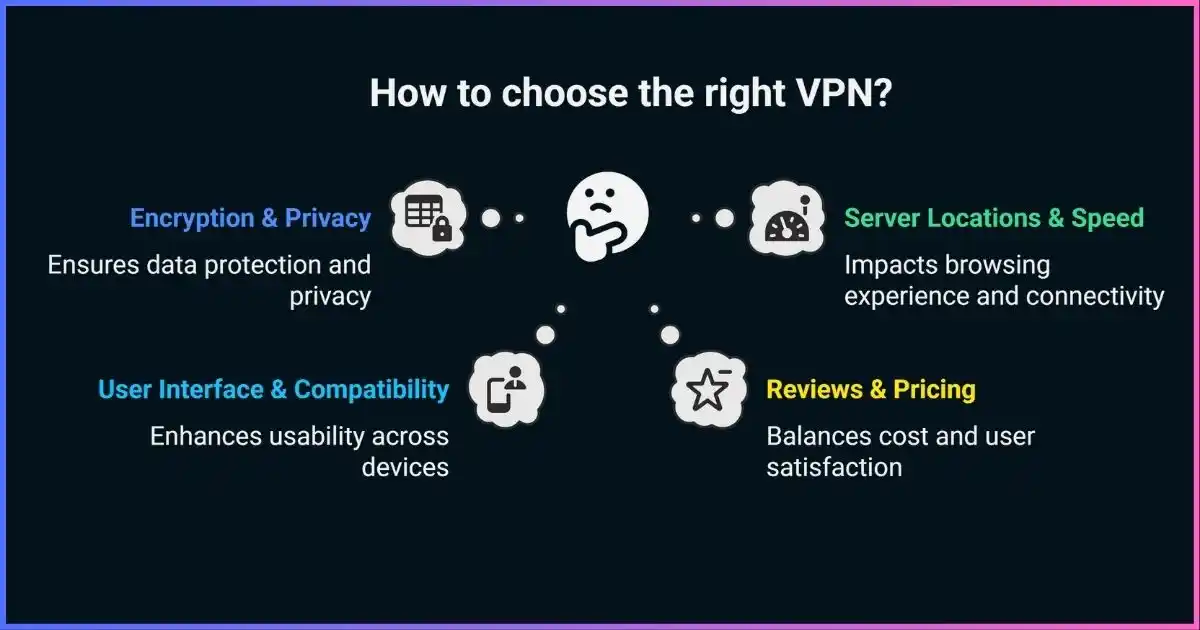
For most people, the best VPN has modern WireGuard or OpenVPN support, a kill switch that works on every device you use, VPN-controlled DNS, a precise logging policy, recent independent assurance with a useful scope, nearby servers, and apps you can test during a refund period. Ownership and business model matter because a VPN moves visibility from your internet provider and local network to the VPN operator.
Choose for the job: privacy buyers should prioritize data minimization and verifiable controls; travelers need reliable reconnection and suitable countries; streamers need tested platform access; gamers need low latency; torrent users need explicit P2P support and a robust kill switch; people facing targeted surveillance need specialist advice, not a consumer ranking.
Table of Contents
- Start with your threat model
- Evaluate ownership and trust
- Read logging claims correctly
- Protocols and security controls
- Speed, servers, and reliability
- Devices, apps, and routing
- Choose by use case
- Comparison framework
- Price and subscription traps
- VPN red flags
- Buying and testing checklist
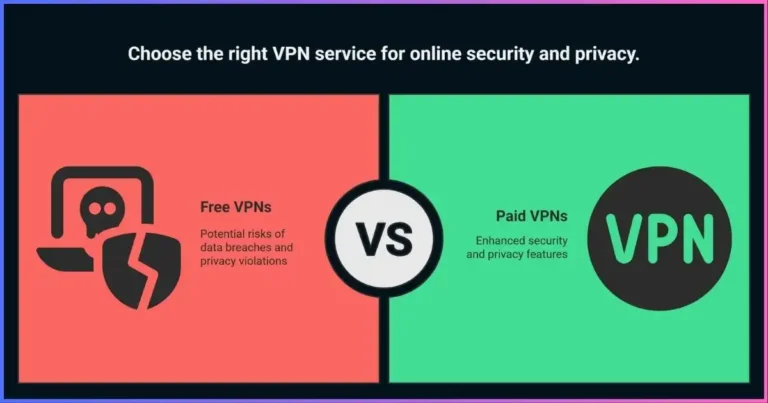
- Free VPNs
- FAQs
- Final decision
Step 1Start With Your Threat Model, Not a Top-10 List
A threat model states what you want to protect, from whom, on which devices, and what happens if protection fails. A commuter protecting traffic on café Wi-Fi has a different problem from a traveler accessing home services, a gamer improving route stability, a journalist protecting sources, or an employee connecting to company systems.
What needs protection?
Browsing destinations, DNS lookups, a peer-to-peer IP address, work traffic, location inference, or home-region access.
Who concerns you?
A hotspot operator, ISP, advertiser, destination, abusive peer, network censor, employer, or targeted adversary.
Which traffic and devices?
One browser, every app, a family’s devices, router, television, console, or organization-managed laptop.
What is the consequence?
Inconvenience, exposed metadata, account lockout, policy violation, personal danger, or loss of access abroad.
- Name the primary job. Privacy, travel, streaming, gaming, P2P, censorship resistance, or private-network access.
- List required platforms. Include phones, desktops, routers, TVs, and consoles—not only your main laptop.
- Set three non-negotiables. For example, Android lockdown, a nearby location, Linux GUI, scoped no-logs assurance, or router compatibility.
- Set a total budget. Compare the full first term, renewal, tax, and add-ons rather than the promotional monthly equivalent.
Trust firstEvaluate the Company Before Its Features
A VPN does not eliminate trust; it relocates it. The hotspot and ISP lose visibility inside the tunnel, while the operator handles the exit connection. The U.S. Federal Trade Commission’s VPN app guidance recommends researching the developer, permissions, encryption coverage, privacy practices, and how a free service is funded.
| Trust question | Strong evidence | Weak signal |
|---|---|---|
| Who owns it? | Named entity, leadership, parent company, and acquired brands. | Hidden ownership or conflicting company names. |
| How is it funded? | Clear subscription, limited free tier, or documented revenue. | Unlimited free service with no credible explanation. |
| What can it observe? | Data fields, purpose, retention, recipients, and deletion stated separately. | “Zero logs” paired with broad exceptions. |
| How are demands handled? | Request guidelines, transparency reports, and specific disclosures. | Jurisdiction slogans without procedure. |
| How is security maintained? | Update history, security contact, audits, and transparent clients. | Abandoned apps or no vulnerability channel. |
Jurisdiction matters, but it is not a score. Ask what is collected, which entity contracts with you, where orders can be served, and whether the system can produce that data. “Outside the 14 Eyes” is not a substitute for those answers.
Evidence qualityRead No-Logs Policies and Audits Correctly
“No logs” is not standardized. Separate traffic/activity data (destinations, DNS, content), connection metadata (timestamps, source IP, exit, bandwidth), diagnostics (crashes and device details), and account/payment data. A provider may keep none of the first category but retain limited records in the others.
The Center for Democracy & Technology’s signals of a trustworthy VPN emphasize ownership, incentives, data practices, legal process, and security—not one badge. Our VPN logging policy guide explains each field.
VPN privacy evidence ladder
Higher levels provide stronger support; no single item proves every claim forever.
Five questions for every audit
- What was examined? An app penetration test is not an infrastructure no-logs review.
- When and for how long? An audit is point-in-time evidence.
- Who performed it? Look for an identifiable independent firm.
- Can customers read the result? Scope and limits matter more than a “passed” press release.
- Were findings fixed? Documented remediation can be more useful than a vague clean badge.
Technical fitProtocols, Encryption, and Failure Protection
Modern VPNs commonly offer WireGuard, OpenVPN, IKEv2/IPsec, or a documented provider protocol. Protocol names alone do not decide safety: implementation, authentication, key management, DNS routing, app behavior, and updates matter. Avoid PPTP; L2TP alone does not encrypt. See the full VPN protocol comparison.
| Protocol | Strengths | Check | Good default use |
|---|---|---|---|
| WireGuard | Compact, fast setup, efficient on mobile. | UDP-only at protocol level; privacy mapping and stealth are provider-specific. | Everyday desktop/mobile use. |
| OpenVPN | Mature, flexible, widely reviewed; UDP or TCP. | Can use more resources; TCP is a fallback, not a speed upgrade. | Compatibility and restricted UDP networks. |
| IKEv2/IPsec | Strong mobility and quick reconnection. | Implementation and availability vary by OS. | Phones moving between Wi-Fi and cellular. |
| Provider protocol | May combine speed, reconnection, and stealth. | Design documents, independent review, and fallback behavior. | When well documented and purpose-fit. |
- Kill switch: distinguish app-only, reactive system-wide, and always-on lockdown. Test the exact OS; see how kill switches work.
- DNS and IPv6: both should follow the intended route. An unfamiliar resolver is not automatically a leak; use the DNS leak guide.
- Auto-connect: test sleep, network changes, captive portals, and outages.
- Obfuscation: helps on networks that identify VPNs but does not make traffic invisible. Read about VPN obfuscation.
- Maintenance: favor signed installers, active releases, and a vulnerability-reporting process.
Real-world speedCompare Performance Without Fake Percentages
Every VPN adds processing and route distance, but there is no universal speed-loss figure for a protocol or provider. Baseline connection, Wi-Fi, CPU, exit distance, load, ISP routing, packet loss, time, and destination all change results. A huge server total does not guarantee a fast nearby route.
What usually drives a VPN speed test
Qualitative influence for buying tests—not provider measurements.
A fair performance comparison
- Measure a non-VPN baseline. Keep the device, network, destination, and time window consistent.
- Test the nearest useful exit. Repeat several times instead of saving only the best run.
- Test the route you need. Home-country, streaming, or gaming routes can behave differently.
- Record more than download. Include latency, jitter, upload, failures, reconnect time, and workload stability.
- Compare medians and ranges. Small differences inside ordinary network variation are not meaningful wins.
Daily usabilityCheck Devices, Apps, and Routing Controls
Install the actual client on every important platform. Feature parity is not guaranteed: kill switch, split tunneling, DNS, or obfuscation may exist on Windows but not iPhone, macOS, Linux, or TV.
| Requirement | Verify | Common surprise |
|---|---|---|
| Device limit | Active vs installed devices; whether a router counts as one. | Family devices exceed a low cap quickly. |
| Router support | Firmware, guides, CPU performance, and support scope. | Low-power routers bottleneck encrypted throughput. |
| Split tunneling | Include/exclude mode, apps vs destinations, OS and DNS/IPv6 behavior. | Excluded apps expose the normal IP by design. Compare split vs full tunneling. |
| TVs/consoles | Native app, router, connection sharing, or Smart DNS. | Smart DNS is not full VPN encryption. |
| Accessibility | Keyboard use, labels, contrast, scaling, and clear status. | Controls fail if users cannot reliably operate them. |
| Support | Technical accuracy, docs, status page, escalation. | 24/7 chat can still be scripted. |
Match the jobChoose a VPN for Your Use Case
| Use case | Prioritize | Do not overvalue | Guide |
|---|---|---|---|
| Privacy | Ownership, minimized logs, scoped audits, kill switch, DNS/IPv6. | Country counts and novelty extras. | Best providers |
| Travel | Locations, mobile reconnection, auto-connect, captive portals, lawful stealth. | One home-network benchmark. | Travel VPNs |
| Streaming | Playback-device apps, tested compatibility, capacity, refund window. | Promises of permanent access. | Streaming VPNs |
| Gaming | Latency, jitter, stable routing, nearby exits. | Throughput beyond the game’s need. | Gaming VPNs |
| Torrenting | P2P policy, system kill switch, DNS/IPv6, optional port forwarding. | Claims a VPN makes infringement lawful. | Torrenting VPNs |
| Restricted networks | Maintained stealth, multiple transports, reachable support, local-law review. | “Undetectable” claims. | Restrictive countries |
| Remote work | Employer approval, device management, MFA, organization controls. | Consumer VPN as company access. | VPN vs ZTNA |
| High-risk work | Individual assessment, endpoint security, compartmentation, expert help. | Generic rankings and anonymity promises. | Journalist VPNs |
Decision modelUse a Weighted Comparison Framework
First disqualify providers that fail a non-negotiable; then score survivors with weights that match your job. This example suits a general privacy buyer. Travelers or gamers should redistribute the weights.
Example weights for an everyday privacy buyer
Change these before comparing providers.
- 30% — Privacy, ownership, audits, requests
- 25% — Protocols and failure behavior
- 20% — Performance and reliability
- 15% — Apps and usability
- 10% — Total cost and support
| Criterion | Weight | Score 1–5 | Save this evidence |
|---|---|---|---|
| Privacy/accountability | 30% | Vague/hidden → specific plus repeated corroboration. | Policy version, audit scope/date, ownership, transparency report. |
| Security/failures | 25% | Obsolete/untested → verified modern controls on required OSes. | Protocols, failure tests, DNS/IPv6, update history. |
| Performance/reliability | 20% | Frequent failures → stable across actual routes and transitions. | Medians, ranges, latency, failures, recovery. |
| Apps/usability | 15% | Missing platform → full fit with accessible controls. | Feature matrix, router support, device cap. |
| Cost/support | 10% | Unclear/poor → transparent cost, refund, capable help. | Checkout, renewal, terms, support answer. |
Formula: sum (score ÷ 5 × weight). A high total never overrides a failed non-negotiable.
Ready for provider-specific research? Apply this framework to our current comparison hub.
Compare the Best VPN Providers →Total costCompare Price, Renewal, and Refund Terms
Landing pages often divide a multi-year prepayment into a small “per month” number. Your card is usually charged for the full term, renewal may be shorter or costlier, and bundles can include tools you do not need.
| Cost field | Question | Why it matters |
|---|---|---|
| Initial charge | Exact amount due today, including tax? | This is the real entry cost. |
| Initial term | Billed months plus bonus months? | Free months distort plan comparisons. |
| Renewal | Price, length, and date? | The next charge may be higher. |
| Refund | Days, payment exclusions, usage limits? | Guarantee details vary. |
| Add-ons | Are dedicated IP or extra tools separate? | Headline price may omit a requirement. |
Divide the checkout total by the usable initial term, then calculate renewal separately. For price-led choices, compare the best cheap VPNs and use legitimate VPN free trials.
Walk awayVPN Red Flags That Matter
- Absolute anonymity claims that ignore accounts, cookies, fingerprints, GPS, and endpoints.
- “Military-grade” language without protocol and implementation detail.
- No-logs badges with no assessor, date, scope, or report.
- Unclear ownership or funding.
- Unrelated device permissions with no explanation.
- Lifetime subscriptions or fake countdowns for infrastructure with recurring costs.
- Guaranteed streaming or censorship access.
- Stale apps and no security contact.
- Undisclosed review-site commercial relationships.
Before you commitBuying and Refund-Window Checklist
Before purchase
- Write down the main job, devices, locations, and three non-negotiables.
- Identify the legal entity, parent, funding model, and policy version.
- Check data collected for connections, diagnostics, support, accounts, and payment.
- Read the latest audit’s date, scope, assessor, limits, and remediation.
- Confirm exact features on each required OS.
- Save checkout, renewal, and refund terms.
During the refund window
- Install from the official source. Update the OS and question unexplained permissions.
- Record the normal path. Note public IPv4/IPv6, resolver behavior, and baseline performance.
- Check connected routing. Confirm the visible IP changes and DNS/IPv6 follow the intended route.
- Force failures. Interrupt the VPN, sleep/wake, change Wi-Fi, and switch Wi-Fi/cellular.
- Run the real workload. Test calls, games, video, lawful P2P, work apps, and needed regions.
- Test support. Ask one technical, platform-specific question.
- Set reminders. Decide before refund expiry and record renewal.
Free plansShould You Choose a Free VPN?
A reputable provider’s limited free tier can suit occasional use if it shares the maintained apps and clearly explains its funding. Expect fewer locations, devices, and premium features. The risky category is an unaccountable “unlimited free” app with vague ownership, excessive permissions, unclear encryption, or undisclosed sharing. App-store presence is not proof of safety. Apply the same tests more strictly and consult our free VPN safety guide.
FAQsHow to Choose a VPN: Frequently Asked Questions
What is the most important VPN feature?
How do I know whether a VPN keeps no logs?
Is WireGuard better than OpenVPN?
How many servers do I need?
Can a VPN make me anonymous?
Should I choose based on jurisdiction?
Will a VPN always slow my internet?
How often should I reevaluate my VPN?
Choose the VPN You Can Explain and Verify
The right VPN solves your primary problem, handles failures safely on every required platform, and provides enough specific evidence to deserve the trust you transfer. Set non-negotiables, compare credible candidates, calculate the complete cost, and test real routes and failure states before the refund deadline. Ignore universal speed percentages, raw server totals, and anonymity slogans when evidence is missing.
Disclosure: This article contains affiliate links. If you buy through them, we may earn a commission at no extra cost. The framework is based on privacy evidence, security behavior, platform fit, performance, usability, and total cost—not commission rates. Features, prices, and policies change; confirm current terms. This is general information, not legal or operational-security advice.
Sources & comparison methodology
This guide uses a threat-model-first comparison, not a universal ranking. The example weights privacy/accountability at 30%, security/failure behavior at 25%, performance/reliability at 20%, apps/usability at 15%, and total cost/support at 10%. Readers should change the weights and treat failed non-negotiables as disqualifying.
- U.S. Federal Trade Commission, “Shopping for a VPN App? Read This.” Used for provider, permissions, encryption, privacy, and funding checks.
- Center for Democracy & Technology, “Signals of Trustworthy VPNs.” Used for ownership, incentives, data practice, legal process, and security transparency.
- WireGuard documentation, OpenVPN 2.6 manual, and IETF IKEv2/MOBIKE standards. Used to distinguish protocol properties from provider implementation.
- Platform VPN documentation from Apple, Android, Microsoft, and major Linux stacks. Used to treat kill switches, DNS, IPv6, and routing as platform-specific.
- Recent provider assurance materials reviewed in 2025–2026. Used to define the audit checklist: assessor, date, system, claims, period, limitations, access, and remediation.
No universal market, adoption, speed-retention, or protocol-score statistics are used because they do not predict a reader’s route. Performance should use same-device, same-network repeated tests with medians, ranges, latency, failures, and recovery.