Webshare Proxy vs Bright Data Proxy: Prices, Features & the Right Fit
Webshare is usually the more economical starting point when you already have an application and need proxy connections. Bright Data becomes more interesting when you want a broader data-collection platform, managed unlocking, remote browser infrastructure, or a procurement process built around a specific business workload.
That distinction matters more than the old “small business versus enterprise” shorthand. A large project can run well on straightforward proxy infrastructure; a small project can need a managed browser immediately. This guide compares the actual products, billing units, access conditions and operational trade-offs so you can buy the right capability. Our guide to the best proxy providers puts both services in the wider category.
Disclosure: We may earn a commission from purchases through our affiliate links, at no extra cost to you. This update compares published offers and technical documentation; it does not claim a new hands-on speed test or independently audited network results.
Which Should You Choose?
Choose Webshare for inexpensive datacenter IP lists, small residential packages and a configuration you manage inside your own scraping or testing stack. Its current residential targeting is more capable than older comparisons suggest.
Choose Bright Data when its separately priced Unlocker API, Browser API or data products can remove work you would otherwise build and maintain. Its larger advertised residential pool is worth evaluating, but network size alone does not establish better target-site performance.
Check eligibility first: Bright Data has specific requirements for new residential access. Read the access and billing section before planning an immediate residential rollout. Neither a free API tier nor a generic trial invitation guarantees residential-network access.
Table of contents
Start with the workloadAre You Buying IP Access or a Data-Collection Service?
A raw proxy forwards your application’s requests through another IP address. Your software still handles scheduling, retries, cookies, page rendering, parsing and output validation. A managed access product can take responsibility for some of those layers. A structured scraper API can go further by returning selected records instead of an entire page.
These services cannot be compared solely by their advertised price per gigabyte. A proxy may have a low traffic bill but leave you maintaining a browser fleet. Conversely, a request-priced API may be unnecessary overhead for a stable endpoint that your existing client can fetch directly through an inexpensive datacenter proxy.
- Proxy networkYour client → provider exit IP → target. You manage requests, rendering and parsing.
- Managed accessYour request or browser session → managed retrieval → page content. Some access handling moves to the provider.
- Structured collectionYour job specification → scraper API or dataset → records. Check schema, freshness and delivery terms.
The previous version included market-growth projections that did little to resolve this choice. The useful question is whether a service reduces the total cost of completing your particular job. Start with the smallest product that meets the requirement, and upgrade when the pilot identifies a concrete bottleneck.
Provider overviewHow Webshare and Bright Data Differ
Webshare: Flexible Connections at a Low Entry Cost
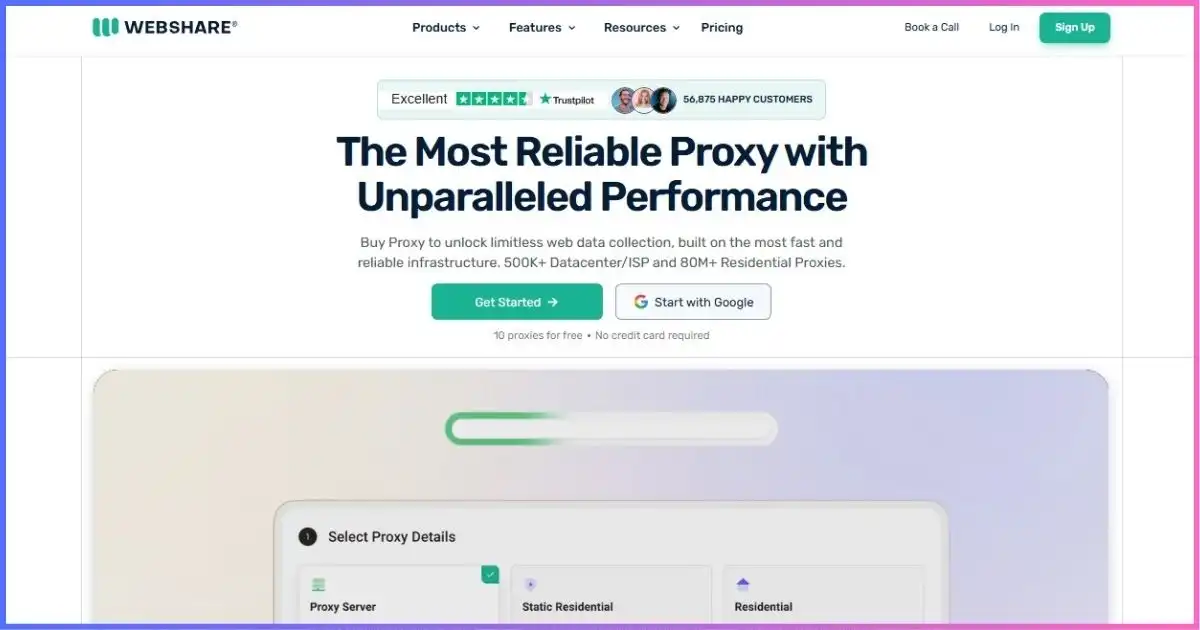
Archived media-library screenshot; use the dated pricing tables below for current specifications.
Webshare’s core catalog covers datacenter proxy servers, static residential/ISP addresses and rotating residential traffic. The practical attraction is a gradual purchasing path: test a client on free datacenter access, then choose a paid allocation and the configuration the application actually needs.
That flexibility also creates decisions. Standard, private and dedicated products are not interchangeable, and extra bandwidth or concurrency can change the invoice. Its proxy connection API and endpoint tools support automation, but a proxy-management API should not be confused with an API that delivers finished scraped records. See our Webshare Proxy review for the wider provider overview.
Bright Data: Networks Plus Separately Priced Data Tools
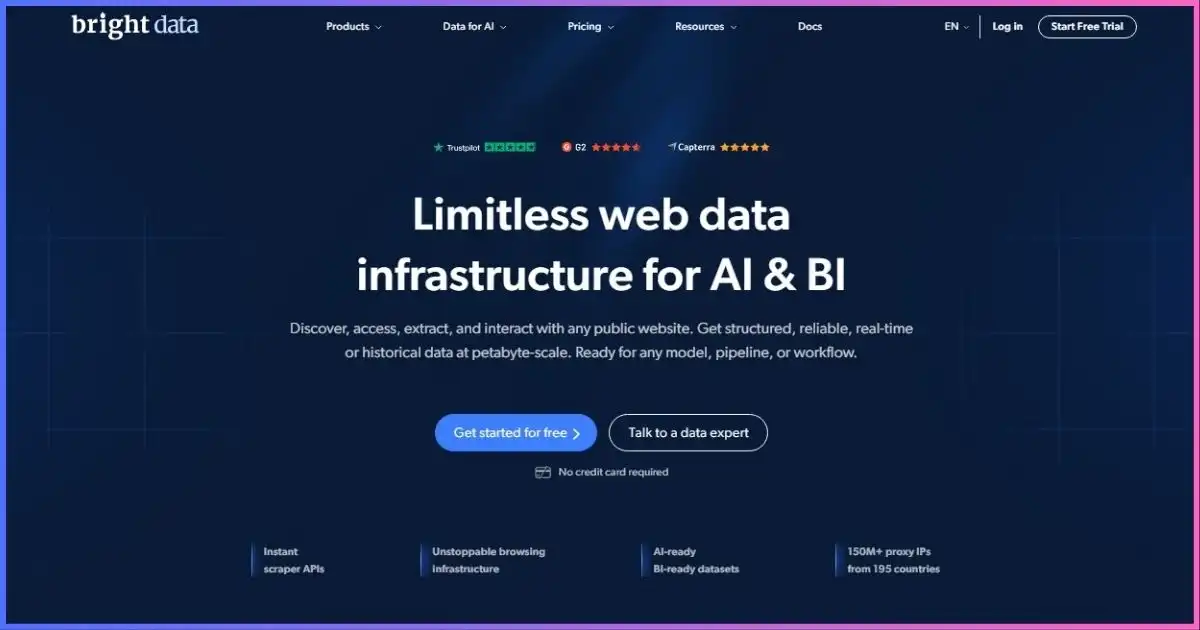
Archived homepage image; historical counts and on-image offers are not current pricing evidence.
Bright Data offers residential, ISP and datacenter infrastructure alongside managed access and data products. That breadth is useful when different destinations need different collection methods, or when a team wants to purchase managed retrieval instead of maintaining every part of the stack.
The trade-off is more product and account configuration. You need to distinguish network credentials from API credentials, monthly commitments from usage charges, and a successful retrieval from a validated business record. Our Bright Data Proxy review covers the platform in more detail.
Choose the exit typeNetwork Coverage and Proxy Types
| Product | Webshare | Bright Data | Best evaluated for |
|---|---|---|---|
| Datacenter | Shared, private and dedicated options. | Shared and dedicated per-IP plans; a separate pay-per-GB option. | Permitted high-volume requests where server-hosted exits work. |
| Static residential / ISP | Standard, private and dedicated ISP-associated addresses. | Shared and dedicated static ISP plans, plus bandwidth-based pricing. | Stable sessions and known address allocations. |
| Rotating residential | Advertised 80M+ IP pool across 195 countries. | Advertised 400M+ monthly IPs; pricing page lists 195 countries. | Location-sensitive requests that need residential exits. |
| Standalone mobile | No dedicated mobile plan verified in the reviewed catalog. | New-user mobile offer not verified; old product/pricing pages redirect. | Confirm a purchasable carrier-network product before planning mobile-specific tests. |
Network figures are provider claims from the Webshare residential page and Bright Data residential documentation. They are not independently counted, simultaneously available addresses. Research notes.
A bigger pool is not a comparable performance score
Bright Data describes its residential inventory on a monthly basis; Webshare’s headline count does not establish the same sampling method. Plotting the two as a precision ranking would hide that difference. A large worldwide pool may still have limited available exits in the city or ASN your project needs.
During a pilot, record geographic accuracy, repeated addresses and useful responses within your chosen filters. A headline pool count tells you little about those three variables. Avoid carrying the residential-country count over to datacenter or ISP products, whose inventory is different.
Static, residential and dedicated mean different things
“Static” describes address continuity; “dedicated” describes who can use it. A static proxy can still be shared. Webshare describes its ISP products as server-hosted addresses associated with residential ISPs, which is different from routing through a household device in a rotating pool.
For a persistent authorized workflow, confirm the sharing level, location, replacement policy and what happens after cancellation or renewal. If an IP changes, your application may also need to rebuild cookies or restart a session. No static label can guarantee that every address will remain usable indefinitely.
Do not rely on the old mobile-proxy recommendation
Bright Data’s former mobile pricing and quickstart URLs now redirect to general pages in the official material reviewed. Some older FAQs still mention mobile. We therefore do not quote a mobile price or recommend it as a confirmed new-customer product. If carrier-specific testing is essential, obtain explicit availability confirmation; a mobile-looking user agent or an ISP proxy is not equivalent to a cellular exit.
USD · Checked September 17, 2026Current Pricing: Separate Units, Packages and Promotions
The tables use Webshare’s current monthly offers and Bright Data’s public USD pricing. Residential promotions are identified explicitly. Taxes, optional features, account funding requirements and bespoke quotes are excluded. A calculated usage charge is not necessarily the amount you must deposit to open an account.
| Product | Webshare | Bright Data | Read before comparing |
|---|---|---|---|
| Free / evaluation | 10 datacenter proxies with 1 GB monthly traffic; no card required. | Product-specific free tiers and trial routes; see access conditions below. | A free API allowance does not test raw residential access. |
| Shared datacenter | 100 IPs: $2.99/month. | 10 IPs: $14/month; 100 IPs: $100/month. Pay/GB alternative: $0.60/GB. | Different bandwidth and configuration terms; these are not equivalent bundles. |
| Standard / shared ISP | 20 standard static residential IPs: $6/month. | 10 shared ISP IPs: $18/month; 100: $145/month. | Confirm sharing, locations and fair-use conditions. |
| Dedicated datacenter | Separately configured; shared entry price does not apply. | 10 IPs: $22/month; 100: $170/month. | Dedicated allocation carries a different price. |
| Dedicated ISP | Separately configured; standard entry price does not apply. | 10 IPs: $35/month; 100: $275/month. | Static does not imply exclusive use. |
Sources: Webshare cached official pricing verified September 17, 2026; Bright Data Datacenter and ISP pricing pages reviewed on that date. Bright Data ISP pay-per-GB is a separate offer at $8/GB, not the per-IP plan.
Residential pricing at modest traffic volumes
Webshare sells monthly traffic packages with volume-dependent rates. Bright Data currently advertises a $4/GB pay-as-you-go residential promotion using RESIGB50, against a displayed $8/GB reference price. The calculation below assumes that promotional rate is available to your eligible account; confirm its duration and conditions before relying on it.
| Traffic used | Webshare package | Bright Data usage at $4/GB | Webshare unit rate |
|---|---|---|---|
| 1 GB | $3.50 | $4.00 | $3.50/GB |
| 10 GB | $27.50 | $40.00 | $2.75/GB |
| 50 GB | $122.50 | $200.00 | $2.45/GB |
| 100 GB | $225.00 | $400.00 | $2.25/GB |
1 GB
10 GB
50 GB
100 GB
Package totals and assumptions appear in the preceding table. No signup credit, minimum deposit or managed API charge is included. Bars compare price, not throughput or success rate.
At 100 GB, the shown Webshare package costs $175 less than the promotional Bright Data usage calculation, a 43.75% difference. That is meaningful if both networks deliver the required results. It is not proof that Webshare is cheaper for a workflow that needs a managed browser, nor does it measure the value of a different support arrangement.
Higher-volume residential commitments
| Provider | Included traffic | Listed monthly total | Calculated cost per included GB |
|---|---|---|---|
| Webshare | 250 GB | $500 | $2.00 |
| Webshare | 500 GB | $875 | $1.75 |
| Webshare | 1,000 GB | $1,500 | $1.50 |
| Bright Data promotional package | 141 GB | $499 | About $3.54 |
| Bright Data promotional package | 332 GB | $999 | About $3.01 |
| Bright Data promotional package | 798 GB | $1,999 | About $2.51 |
Calculated rates are total ÷ included GB, rounded to cents. Bright Data’s extracted promotional unit labels are rounded inconsistently with some package totals; the table preserves the displayed allowances and monthly commitments rather than inventing an overage rate. Confirm the checkout offer and coupon eligibility.
Do not call a 798 GB commitment a 1 TB plan or apply its effective rate to a 10 GB purchase. Likewise, a “from” price for a high-volume package is not a universal pay-as-you-go rate. Ask what happens above the allowance and whether the next tier is cheaper before crossing a commitment boundary.
Unused capacity and fair use affect the real bill
If you buy Webshare’s 100 GB package but use only 25 GB during the usable period, the purchase cost divided by consumed traffic is $9/GB. At the assumed Bright Data promotional PAYG rate, those same 25 GB produce $100 in usage charges. This illustrates why a monthly package with a low nominal rate can be a poor choice for an irregular workload; account minimums and any credit rules still need checking.
Bright Data’s ISP pricing FAQ gives its “unlimited” per-IP plans a 100 GB fair-use allowance per IP per month, pooled across the purchased IPs, with possible additional charges beyond that amount. Webshare also makes bandwidth and unlimited options configuration-dependent. Treat the detailed allowance as the budget input, not the word “unlimited.”
Configuration that mattersTargeting, Sessions, Protocols and Integration
| Capability | Webshare | Bright Data |
|---|---|---|
| Residential location controls | Country/city/ASN; US state and ZIP controls in the current generator. | Country, state/region, city, US ZIP; ASN/carrier depending on configuration. |
| Session management | Rotating or sticky residential sessions; documented timer from 1 minute to 24 hours. | Rotation and session identifiers via proxy username parameters. |
| Authentication | Default user, sub-user or authorized IP for the residential generator. | Zone-specific proxy username/password, with optional routing parameters. |
| Protocols | HTTP and SOCKS5 documented. | HTTP(S) and SOCKS5 documentation available; follow product-specific setup. |
| Management tools | Dashboard, endpoint export and proxy connection API. | Control Panel, zones, Proxy Manager and APIs. |
| Concurrency | Plan/configuration dependent; datacenter page lists configurable thread allowances. | Depends on network or API product; unlimited API concurrency is not unlimited account spend. |
| Managed retrieval | Do not assume proxy plans include managed extraction. | Unlocker, Browser and Scraper APIs are separate products and billing choices. |
Sources: Webshare Endpoint Generator and connection documentation; Bright Data residential introduction and proxy configuration options. Check generated settings against the chosen product.
Webshare is no longer limited to country targeting
The older comparison understated Webshare’s residential controls. Its current generator supports more specific targeting, with availability restrictions for particular filters. Bright Data also documents fine-grained residential selection. The useful comparison is whether either provider can supply enough working exits for your exact combination of country, city or network.
Finer filters reduce the available pool. If a narrow location fails while a country-wide request succeeds, relax one filter at a time and check the exit. Do not mistake an empty location selection for a complete provider outage. Also verify the destination’s own localization: cookies, language settings and stored account preferences can override IP-based geography.
Rotation should follow the task
Rotate independent public-page requests when changing exits suits the workflow. Keep related requests in a sticky session when the destination expects continuity. Preserve cookies and application state alongside the session identifier; keeping the IP stable while discarding cookies can still break a multi-step flow.
A sticky session does not reserve an exit forever. Residential peers can disconnect, and a replacement can interrupt a process. For jobs that require prolonged address continuity, price a suitable static product and confirm replacement behavior. Allocate separate sessions to independent workers when their browsing state should not overlap.
Proxy support is not blanket encryption
A proxy affects the traffic that your application sends through it. HTTP tunneling, HTTPS to the destination and SOCKS5 are different layers of the connection. MDN’s guide to proxy servers and tunneling explains those distinctions. Keep certificate verification enabled and verify the provider’s current connection instructions rather than copying a stale port or disabling TLS checks to make an example run.
Bright Data’s main distinctionWhat the Managed APIs Add—and What They Cost
Bright Data’s broader platform is a meaningful differentiator, but the old article’s “tools included” language was too broad. Buying residential bandwidth does not automatically buy Browser API usage, structured records or managed data delivery. Budget each product separately and check what its success definition means.
| Product | Published free or PAYG offer | What you are buying |
|---|---|---|
| Web Unlocker API | 5,000 requests/month free; PAYG $1.50 per 1,000 requests, billed for success. | Managed retrieval with access handling; verify output and target support. |
| Browser API (formerly Scraping Browser) | Free tier lists 1 GB/month; PAYG $8/GB. | Remote browser infrastructure with built-in proxies and unlocking. |
| Browser API scale example | $499/month with 71 GB listed. | A monthly browser-traffic commitment, not raw residential traffic. |
| Scraper APIs / datasets | Product-specific pricing; request a quote or inspect the selected endpoint. | Structured records or existing data, with schema, freshness and delivery constraints. |
Sources: Bright Data Web Unlocker and Browser API pricing pages. Free-tier eligibility and allowances are product-specific; they do not grant unrestricted raw residential access.
Use managed retrieval when access handling dominates the job
If your team spends most of its time maintaining retries and adapting requests to changing destination behavior, a managed retrieval product may reduce that workload. Pilot the exact pages you need and validate returned content. A provider-billable success is not automatically a usable price record, a complete review, or the locale your analysis requires.
Use a remote browser when the task requires interaction
Browser API supports Puppeteer, Playwright and Selenium integrations. That makes it relevant for JavaScript-driven pages and workflows requiring navigation or interaction. It can remove local browser-infrastructure work, but your application still needs sensible timeouts, session cleanup and reliable extraction logic.
Browser traffic includes more than the final HTML. Images, scripts and repeated navigations can expand usage. Compare it with your existing browser running through a Webshare proxy using the same asset-loading policy and required interactions. Do not compare $8 per browser GB with $4 per residential GB as if the delivered service were identical.
Ask whether a ready-made record is enough
If a structured API or dataset already contains the fields you need, buying it may remove both retrieval and parsing work. Check field definitions, update frequency, completeness, licensing and historical coverage. A cheap record that lacks a required identifier can be unusable, while fresh data may be worth more than a larger stale collection.
Measure useful outputPerformance: Why This Guide Does Not Declare a Speed Winner
The previous response-time and radar charts did not provide a reproducible test setup or a consistent basis for comparing the services. A response time, a success percentage and an invented score do not belong on the same numerical scale. This update does not reuse those measurements or treat marketing uptime as our own test result.
A connection can be fast and still return the wrong content. You need to distinguish gateway availability, target response time, challenge pages, parser failures and accepted output. The most useful comparison is cost per usable result under the locations and concurrency your workload actually needs.
| Measure | How to collect it | What it tells you |
|---|---|---|
| Usable-response rate | Count responses with all required fields, location and content checks passed. | Whether the output meets the job’s definition of success. |
| Median and p95 latency | Record completion times using identical timeouts and retry rules. | Typical speed and slow-tail behavior. |
| Billed traffic | Compare provider usage with client request and response logs. | True traffic cost, including retries and overhead. |
| Session continuity | Record exit changes during a multi-step workflow. | Whether stateful tasks can complete reliably. |
| Operating effort | Track time fixing retrieval, rendering and parsing problems. | Whether a managed service earns back its added cost. |
A transparent total-cost illustration
Imagine two workflows that each deliver the same number of validated records. The first spends $30 on infrastructure but needs six hours of maintenance at an assumed $25/hour. The second spends $100 on infrastructure and needs one maintenance hour at the same rate. Their total costs are $180 and $125 respectively. These are hypothetical workflows, not measured results or quotes from either provider.
A = $30 + (6 × $25). B = $100 + (1 × $25). Replace these assumptions with your pilot’s actual invoices, working hours and accepted record counts.
For a fair pilot, keep the client region, target list, schedule, headers, concurrency and retry cap consistent. Separate policy-denied targets from connection failures. Run a small representative sample first, then repeat during production hours. If one provider performs better only for a subset of destinations, routing by workload may be more economical than replacing every connection.
Avoid surprises at signupAccess Requirements, Free Tiers and Billing Terms
The same policy scopes residential requests to the approved business use case. Validate permitted targets and methods before committing a job schedule. A request denied by account policy is not evidence that buying more bandwidth or increasing retries will solve the problem.
Evaluate the product you actually intend to buy
Webshare’s recurring free datacenter allocation is useful for testing authentication and basic client compatibility. It does not measure its residential exit quality. Bright Data’s Unlocker and Browser free tiers are useful for those managed products; do not transfer their allowances or eligibility rules to another network.
Before an evaluation, write down the product, allowance, expiration, accessible targets and what happens after the allowance is exhausted. Generic “start free” language is not a commitment to an unrestricted trial or a refund. If your application depends on an approval decision, complete that step before scheduling production work.
Webshare cancellation and refunds
Webshare’s public FAQ describes a conditional refund within two days of the original payment: usage must be below 1 GB for proxy-server/static-residential plans or below 0.1 GB for rotating residential, and fewer than 1,000 proxies must have been used. Subscriptions auto-renew by default. Check the full terms for the selected purchase; these thresholds are too small to treat as an unrestricted production trial.
Bright Data commitments and spending controls
Pay-as-you-go and monthly commitments are different choices. Bright Data’s pricing FAQ says unused monthly commitment does not roll over when an account stays active for the whole month. Check how account balance, minimum commitment, auto-recharge and cancellation interact before funding a project.
Set both provider-side and application-side budget limits. Usage reporting and enforcement can lag, so stop workers before the maximum affordable spend is reached. Ask for any refund, credit-expiry or trial-conversion terms in writing; this comparison does not assume a general Bright Data money-back guarantee.
Choose by requirementWhich Provider Fits Your Workload?
| Situation | Starting choice | Reason and deciding test |
|---|---|---|
| Learning proxy integration | Webshare free datacenter tier. | Low commitment for connection testing; move to the relevant paid network afterward. |
| Established scraper with manageable target access | Webshare proxy pilot. | Compare low infrastructure cost with useful-response rate and traffic consumption. |
| Business collection with difficult retrieval maintenance | Bright Data Unlocker evaluation. | Managed access may reduce engineering effort; validate exact targets and outputs. |
| JavaScript pages or browser interactions | Compare your browser + Webshare against Bright Data Browser API. | Include browser hosting, asset traffic, session reliability and maintenance. |
| Precise residential localization | Pilot both where eligible. | Both document granular controls; actual available exits matter more than the menu. |
| Stable long-session workflow | Static ISP from either with correct sharing level. | Confirm address continuity, allowed use, replacement policy and fair use. |
| Data requirements already covered by a structured product | Inspect Bright Data’s relevant API or dataset. | Check schema and freshness before building your own collection pipeline. |
There is no useful universal cutoff at 50 GB or 100 GB where every buyer should change providers. High traffic alone does not require managed collection, and a small difficult job can justify it. Use volume to estimate the bill; use technical requirements and operational effort to select the product.
For permitted crawling, incorporate a site’s published access rules and avoid collecting unnecessary data. RFC 9309 defines the robots.txt exclusion protocol and distinguishes those directives from access authorization. Buying a proxy does not itself grant permission to use a destination.
For another comparison of the broader platform, see Bright Data Proxy vs ProxyShare. Keep your evaluation criteria and sample workload consistent across providers.
Practical trade-offsWebshare and Bright Data: Strengths and Limitations
Webshare
Strengths
- Low entry cost for a shared datacenter list.
- Small residential packages suit measured experiments.
- Current residential targeting and session controls support more than basic country selection.
- A useful fit when your application already handles collection.
Limitations
- Shared entry plans do not provide dedicated IP ownership.
- Extra configuration can change the effective price.
- Your stack still owns rendering, retries, parsing and validation.
- Conditional refunds require a tightly limited pilot.
Bright Data
Strengths
- A broader choice of raw networks and managed collection products.
- Published residential targeting and zone controls.
- Product-specific free tiers let buyers evaluate some managed tools.
- Enterprise arrangements can be scoped to support and delivery needs.
Limitations
- Separate product billing makes a full quote more involved.
- Residential onboarding can affect launch timing and eligibility.
- Monthly commitments can be inefficient for irregular usage.
- Promotional labels and legacy mobile references need careful reading.
Support quality is another pilot question. Send each provider the same representative configuration issue and assess whether the response resolves it. A dedicated account manager, premium SLA or priority support should be confirmed in the chosen contract; they should not be assumed from a platform-wide marketing claim.
Before productionSetup, Troubleshooting and Migration Checklist
- Choose a product and define success.Specify exit type, locations, allowed targets, required fields and acceptable latency. Decide whether you need a proxy connection, managed page retrieval or structured records.
- Copy fresh connection settings.Generate the hostname, port, authentication and routing options from the selected account product. Bright Data zone credentials and Webshare endpoint settings are not interchangeable.
- Verify one complete request.Check the exit location, then fetch a permitted sample destination and validate the returned content. Keep TLS verification enabled; resolve certificate or protocol errors using current official setup instructions.
- Check session continuity and accounting.Repeat a multi-step flow, inspect IP changes, and compare billed usage with the client logs. Record what is counted before extrapolating a monthly budget.
- Increase concurrency gradually.Add timeouts, bounded retries, backoff and a spending cutoff. Separate authentication failures and policy blocks from transient network errors.
- Migrate a small workload first.Keep a known working route while you compare completion rate and actual costs. Roll back if output quality falls, and investigate before moving the rest.
If a proxy connects but the data is wrong, inspect cookies, language headers, redirects and parser assumptions before blaming the network. If authentication fails, verify the current credentials and authorized source IP. If an approved location works only intermittently, test a broader filter and measure peer availability.
For managed APIs, migration may also change the output format and billing event. Update downstream validation and duplicate handling before sending production jobs. A successful API call that arrives twice should not create duplicate business records or hide a retry problem.
Common buying questionsWebshare vs Bright Data FAQs
Is Webshare cheaper than Bright Data?
Does Bright Data require a monthly commitment?
Are Bright Data’s scraping tools included with residential proxies?
Can Webshare target cities and ZIP codes?
Which provider is faster?
Is Bright Data mobile proxy access available to new buyers?
Does a larger residential pool guarantee fewer failures?
Can I start with free access?
Are these proxy services substitutes for a VPN?
Choose Webshare for Proxy Value; Bright Data for the Right Managed Capability
Webshare is the stronger starting point when you need affordable proxy infrastructure and already control the application. Its current targeting options make it more capable than the old “basic proxies only” description, and a small paid pilot can establish whether the network fits before you scale.
Bright Data is worth the added evaluation when its managed tools reduce meaningful work or meet a specific business requirement. Price the actual product, confirm eligibility and support terms, and validate useful output. Paying for a broader platform only makes sense when you use the capabilities that distinguish it.
Start with a small representative workload. Compare total spend, accepted results and maintenance time, then buy the configuration that proves it can complete your job predictably.
Need an allocation beyond the standard menu? Explore Webshare’s custom configuration options with your measured bandwidth, locations and concurrency requirements.
Editorial and pricing note: Updated September 17, 2026. Offers, promotions, inventory and access rules can change. Charts show advertised prices or explicitly hypothetical calculations; none represents an independently measured speed or reliability ranking.
Sources & comparison methodology
Verification date: September 17, 2026. Bright Data pricing and documentation were reviewed for this update.
- Webshare — Pricing; Proxy Server; Static Residential Proxy; Residential Proxy; Free Proxy Server: monthly offers, product distinctions and evaluation terms. Annual card labels and optional configurations are not used to invent equivalent monthly offers.
- Webshare Help Center — Endpoint Generator: Rotating Residential; Static Residential product types; Proxy Connection API documentation: authentication, targeting, sharing and session controls.
- Bright Data — Residential Proxies Pricing: promotional PAYG and monthly package totals. The effective rates in the commitment table are calculated from displayed totals and allowances, not inferred overage prices.
- Bright Data — Datacenter Proxies Pricing; ISP Proxies Pricing: shared/dedicated per-IP offers, separate bandwidth pricing, ISP fair use and billing explanations.
- Bright Data Docs — Residential introduction; Residential network access policy; Proxy configuration options: advertised network scope, current onboarding restrictions, targeting and session configuration. Current access documentation takes precedence over older generic trial or mobile FAQ language.
- Bright Data — Web Unlocker API Pricing; Browser API Pricing: separate free tiers, PAYG offers and browser-package example. A managed API allowance is not a raw residential allowance.
- Bright Data former mobile pricing and quickstart URLs: redirects to general pages observed during research. No new-user mobile price or entitlement is claimed.
- MDN proxy/tunneling guide and IETF RFC 9309: independent technical references linked contextually in the features and use-case sections.
Chart calculations: residential unit rates = Webshare package total ÷ included GB, compared with Bright Data’s assumed promotional $4/GB PAYG rate. Commitment rates = displayed monthly total ÷ displayed allowance. Total-cost illustration = hypothetical infrastructure spend + maintenance hours × assumed hourly cost.
Limitations: No authenticated checkout, new performance test, support-response test or independent peer-sourcing audit was conducted for this update. Advertised pool counts and availability claims are attributed to providers.