Scrape.do Review: Simple Web Scraping API With Predictable Multipliers
Scrape.do is a managed web-retrieval API built around one straightforward idea: send it a URL and parameters, and let the service handle proxies, geotargeting, rendering, browser interactions, and access challenges. Every plan includes the core feature set; paid tiers primarily buy more credits, concurrency, support, and enterprise controls.
This Scrape.do Review explains the part that matters most: a request can cost 1, 5, 10, 25, or even 10–200 credits depending on proxy type, JavaScript rendering, and the target domain. We analyze every plan, standard multipliers, named-domain pricing, synchronous and asynchronous modes, Proxy Mode security, browser features, geo options, and alternatives. Our verdict: Scrape.do is one of the clearest all-features scraping APIs for teams that want managed access without a full workflow platform.
Is Scrape.do Worth It?
Yes, when your application already handles parsing, storage, scheduling, and business logic but needs a simpler access layer. Scrape.do provides datacenter and residential/mobile proxies, JavaScript rendering, browser interaction, geotargeting, sticky sessions, unlimited bandwidth, synchronous and asynchronous APIs, and Proxy Mode across its plans.
Best for: developers who want predictable standard multipliers, a meaningful $29 entry tier, and managed retrieval without assembling proxies and headless browsers. Less suitable for: teams needing built-in long-term storage, a marketplace of scrapers, universal structured parsing, visual workflow design, or deep orchestration.

Table of Contents
The essentialsScrape.do at a Glance
Scrape.do is primarily a retrieval and unblocking layer. Your application provides a target URL and parameters; Scrape.do selects infrastructure and returns the target response. It can use datacenter or residential/mobile proxy routes, render JavaScript, interact with browser content, target locations, and maintain sticky sessions.
This scope is important. Scrape.do is not a full programmable workflow runtime like Apify, nor a desktop visual builder like Octoparse. Parsing, durable storage, task orchestration, data validation, and most downstream transformations normally remain with the customer. That narrower scope is exactly why the API can feel simple.
One access layerHow Scrape.do Works
- Choose the targetPass a public URL to the API and decide whether the page needs rendering, premium identity, location targeting, or a sticky session.
- Send a synchronous or async requestUse synchronous retrieval for work that completes within the request flow, or submit an async job for longer tasks.
- Scrape.do handles accessThe service selects proxies and, when requested or automatically profiled, rendering and browser behavior.
- Inspect cost and responseRead status, content, and the
Scrape.do-Request-Costheader rather than assuming every request costs one credit. - Validate business outputDetect block pages, wrong locations, empty content, incomplete schemas, and duplicates in your own pipeline.
- Store and processPersist results, parse fields, schedule repeats, monitor changes, and apply retention controls outside the temporary API result layer.
A minimal request conceptually looks like this:
GET https://api.scrape.do/
    ?token=YOUR_TOKEN
    &url=https%3A%2F%2Fexample.com%2Fproducts

# Optional parameters can select rendering,
# proxy type, location, sessions, or interactions.
# Read Scrape.do-Request-Cost on the response.
Keep API tokens in a secrets manager, set timeouts and retry ceilings, log request cost, and never interpret an HTTP response alone as a valid business record.
Plan comparisonScrape.do Pricing
| Plan | Monthly price | Credits | Pricing-page concurrency | Support / extras |
|---|---|---|---|---|
| Free | $0 | 1,000 monthly | 5 | Core features; no card |
| Hobby | $29 | 250,000 | 10 | Email support |
| Pro | $99 | 1.25M | 50 | Priority email |
| Business | $249 | 3.5M | 100 | Premium residential/mobile, team management, dedicated support |
| Advanced | $699 | 10M | 200 | Custom WAF strategies, custom SLA, Slack support |
| Custom | Negotiated | Negotiated | Negotiated | Volume, support, infrastructure |
Annual billing is advertised as twelve months for the cost of ten: Hobby $290, Pro $990, Business $2,490, and Advanced $6,990. Switching to annual billing is handled manually through support. Test the workload monthly before taking the annual discount.
Monthly plan commitment
Common $0–$699 scale. Credit balances and support differ, so price is not an equivalent-workload comparison.
Effective cost per million plan credits
| Plan | Price | Credits | Calculated $ / 1M credits | Unused-credit caveat |
|---|---|---|---|---|
| Hobby | $29 | 250K | $116.00 | Only economical if used |
| Pro | $99 | 1.25M | $79.20 | Higher monthly commitment |
| Business | $249 | 3.5M | $71.14 | Includes business features |
| Advanced | $699 | 10M | $69.90 | Large fixed commitment |
These are simple plan-price calculations, not the cost per request or accepted record. Each successful request can consume multiple credits.
The Free plan is enough to test request behavior. Use it on representative pages, inspect the cost header, and model multipliers before choosing a paid tier.
Start With Scrape.do →The real billing engineScrape.do Credit Costs Explained
For ordinary untargeted domains, documented standard multipliers are simple:
| Request mode | Credits per successful response | 250K Hobby theoretical capacity | Typical reason |
|---|---|---|---|
| Datacenter | 1 | 250,000 responses | Accessible static or server-rendered pages |
| Datacenter + render | 5 | 50,000 responses | JavaScript content with cheaper IP identity |
| Residential/mobile | 10 | 25,000 responses | Target rejects datacenter identity or needs localization |
| Residential/mobile + render | 25 | 10,000 responses | Protected, JavaScript-heavy pages |
Those capacities assume every billed response uses one mode and ignore named-domain profiles. They are not guarantees of accepted records. Scrape.do charges documented successful responses with status 2XX, 400, 404, or 410. A 404 can consume credits even though it may be useless to your project. Invalid content can be raised with support for a custom rule.
Standard request credit multipliers
Common 0–25-credit scale. Named-domain automatic profiles are excluded.
render
mobile
render
Cost per 1,000 standard successful responses on Hobby
If the $29 Hobby plan’s 250,000 credits are fully used, each credit costs approximately $0.000116. The following is derived plan economics, not a separate invoice rate:
| Mode | Credits / response | Credits / 1K responses | Implied plan cost / 1K* |
|---|---|---|---|
| Datacenter | 1 | 1,000 | $0.116 |
| Datacenter + render | 5 | 5,000 | $0.58 |
| Residential/mobile | 10 | 10,000 | $1.16 |
| Residential/mobile + render | 25 | 25,000 | $2.90 |
*Assumes the entire Hobby balance is consumed at one standard multiplier. It excludes named-domain pricing, unused credits, add-ons, retries, parsing, storage, and engineering.
The biggest budgeting caveatNamed-Domain and Automatic Request Costs
Some named domains receive automatic proxy and rendering profiles and cost 10–200 credits per successful response. That range can dwarf the standard 1-credit assumption. A plan that theoretically supports 250,000 basic Hobby responses could support only 1,250 responses at 200 credits each.
The authoritative source for the actual charge is the Scrape.do-Request-Cost response header. Log it
for every target and route it into cost monitoring. Do not forecast from a generic domain test and then deploy
to a named protected target without rechecking.
Hobby theoretical response capacity by credit cost
250,000-credit plan; all responses assumed billed at the displayed cost. Accepted output can be lower.
One feature surfaceCore Features on Every Plan
Scrape.do advertises its core capabilities across every tier, including Free. Paid plans mainly increase the number of credits, concurrent requests, support, and enterprise controls:
- Datacenter and residential/mobile proxy routing.
- JavaScript rendering and headless browser execution.
- Browser interaction for dynamic pages.
- Geotargeting across 160+ advertised countries.
- Sticky sessions for multi-request continuity.
- Unlimited bandwidth within the credit model.
- Synchronous API, Async API, and Proxy Mode.
“Unlimited bandwidth” does not mean unlimited requests. Credits remain the governing capacity, and rendering or premium identity multiplies consumption. Heavy pages may increase latency and infrastructure work even when transfer itself is not metered separately.
Business adds premium residential/mobile proxies, team management, and dedicated support. Advanced adds custom WAF strategies, a custom SLA, and dedicated Slack support. Custom/Enterprise negotiates volume, concurrency, support, and infrastructure.
Dynamic sitesJavaScript Rendering and Browser Interactions
Rendering runs a page in a browser environment so client-side JavaScript can populate the DOM. It costs five credits with datacenter identity and 25 with residential/mobile under the standard table. Use it only when the required data is absent from the unrendered response; turning rendering on universally can reduce plan capacity by 5× or 25×.
Browser interactions support pages that require actions such as waits, clicks, or dynamic loading. They can access content unavailable to a simple HTTP request, but they add timing and state complexity. A selector that works today can break after a redesign; a fixed delay may fail under load; a click can trigger more requests than expected.
Rendering decision sequence
- Request the page without rendering and inspect the raw response.
- Look for embedded JSON or an accessible data endpoint before launching a browser.
- Enable rendering only if the required fields appear after JavaScript execution.
- Use residential/mobile identity only if datacenter rendering fails or location/identity requires it.
- Validate the returned content and log the actual request cost.
Identity and locationProxies, Geotargeting, and Sticky Sessions
Documentation advertises a 150M+ IP network, while the pricing page describes geotargeting across 160+ countries. These are provider-reported marketing figures, not an independently counted live pool or a guarantee of availability in every city/carrier.
Datacenter routing is cheapest and should be the default on accessible targets. Residential/mobile identity costs ten credits before rendering but can better reproduce consumer or carrier traffic. Geotargeting helps retrieve localized prices, content, ads, inventory, and search results, while sticky sessions preserve continuity across multi-step flows.
| Need | Recommended mode | Why | Cost risk |
|---|---|---|---|
| Static public HTML | Datacenter, no render | Lowest one-credit path | Target may block hosting IPs |
| Client-rendered page | Datacenter + render | Loads JavaScript at 5 credits | 5× basic consumption |
| Consumer/local identity | Residential/mobile | Better identity and geo fit | 10× basic consumption |
| Protected dynamic page | Residential/mobile + render | Premium identity plus browser | 25× basic, or more on named domains |
| Multi-page state | Sticky session | Preserves identity across steps | Long sessions can accumulate reputation |
Longer workAsync API, Webhooks, and Concurrency
The Async API supports job submission, polling, cancellation, result retrieval, and webhooks. It is useful when rendering or protected targets take longer than a synchronous application request should remain open. Results are temporary, so production systems should download and persist them promptly.
Async execution uses a separate concurrency pool. Current async documentation lists main/async limits as Free 5/2, Hobby 5/2, Pro 15/5, Business 40/12, and Advanced 200/60. The pricing page, however, lists main concurrency as 5, 10, 50, 100, and 200. This review uses pricing-page limits in the plan table but flags the discrepancy.
| Plan | Pricing-page main concurrency | Async-doc main | Async pool | Action |
|---|---|---|---|---|
| Free | 5 | 5 | 2 | Consistent main limit |
| Hobby | 10 | 5 | 2 | Confirm before purchase |
| Pro | 50 | 15 | 5 | Confirm before purchase |
| Business | 100 | 40 | 12 | Confirm before purchase |
| Advanced | 200 | 200 | 60 | Main limit consistent |
Drop-in integrationProxy Mode and the TLS Certificate Caveat
Proxy Mode lets software configured for an HTTP proxy route traffic through Scrape.do while sharing the same API subscription and credit balance. This can simplify integration with tools that cannot easily call a URL-based API.
The security trade-off deserves explicit review: current documentation says the client must trust the Scrape.do certificate authority or disable SSL verification. Disabling verification removes protection against certificate impersonation and should not be adopted casually. Installing a third-party CA also grants significant trust to that authority on the configured client.
- Prefer the direct API when it fits the application.
- If Proxy Mode is required, isolate it to a dedicated environment or trust store.
- Never disable TLS verification globally across an application or machine.
- Review certificate rotation, scope, secrets, logs, and sensitive target data with security staff.
- Do not route credentials or regulated data until the architecture is approved.
Claims versus evidencePerformance, Success Rates, and Reliability
Scrape.do’s homepage advertises a 99.98% success rate. This is a provider-reported network-wide marketing claim, not a guarantee for a particular target, mode, location, or accepted-data schema. This review did not run a controlled benchmark and does not turn that number into an independent score.
A billed successful response can still be wrong for the business task. Status 400, 404, and 410 are explicitly among documented billed outcomes. Even a 200 can contain a block page, wrong country, consent screen, empty shell, or stale content. Monitor:
- Accepted-record rate after content, schema, and freshness validation.
- p50, p95, and p99 latency by domain and request mode.
- HTTP status, block page, CAPTCHA, timeout, and wrong-geo rates.
- Actual
Scrape.do-Request-Costby target. - Credits and provider cost per 1,000 accepted records.
- Async queue time, webhook reliability, and temporary-result retrieval.
- Maintenance labor for interactions, selectors, parsers, and retries.
Scrape.do workload-fit radar
Qualitative editorial assessment—not measured speed or success.
Workload matchingWhat Scrape.do Is Best For
E-commerce monitoring
Use datacenter requests for accessible catalog pages, rendering only when required, and residential/mobile routes for localization or blocks. Validate variants, prices, currencies, inventory, and pagination before storing records.
SERP and localized content
Geotargeting across 160+ advertised countries supports regional research. Named search domains can carry automatic profiles and higher costs, so read the request-cost header. Search results also vary with language, device, cookies, and account state.
Dynamic JavaScript pages
Rendering and browser interactions fit pages whose useful content appears after scripts or user actions. Start without rendering, then add it only when evidence shows it is necessary.
Ad verification and brand monitoring
Residential/mobile identity, geotargeting, sticky sessions, and rendering can reproduce localized page states. Store screenshots or evidence in your own system because Scrape.do is not a long-term evidence archive.
Large asynchronous collections
Async jobs, cancellation, polling, results, and webhooks suit long-running work. Persist results promptly and confirm plan-specific pools where concurrency matters.
When Scrape.do is the wrong tool
- You need a visual no-code workflow builder rather than an API.
- You want durable datasets, queues, schedules, and compute in one platform.
- You require universal structured parsing rather than raw retrieval.
- Proxy Mode’s CA requirements fail your security policy.
- A target’s automatic 100–200 credit cost makes another approach cheaper.
For responsible automation, minimize load and follow applicable rules. The neutral Robots Exclusion Protocol specification explains robots.txt mechanics but is not complete authorization or legal advice.
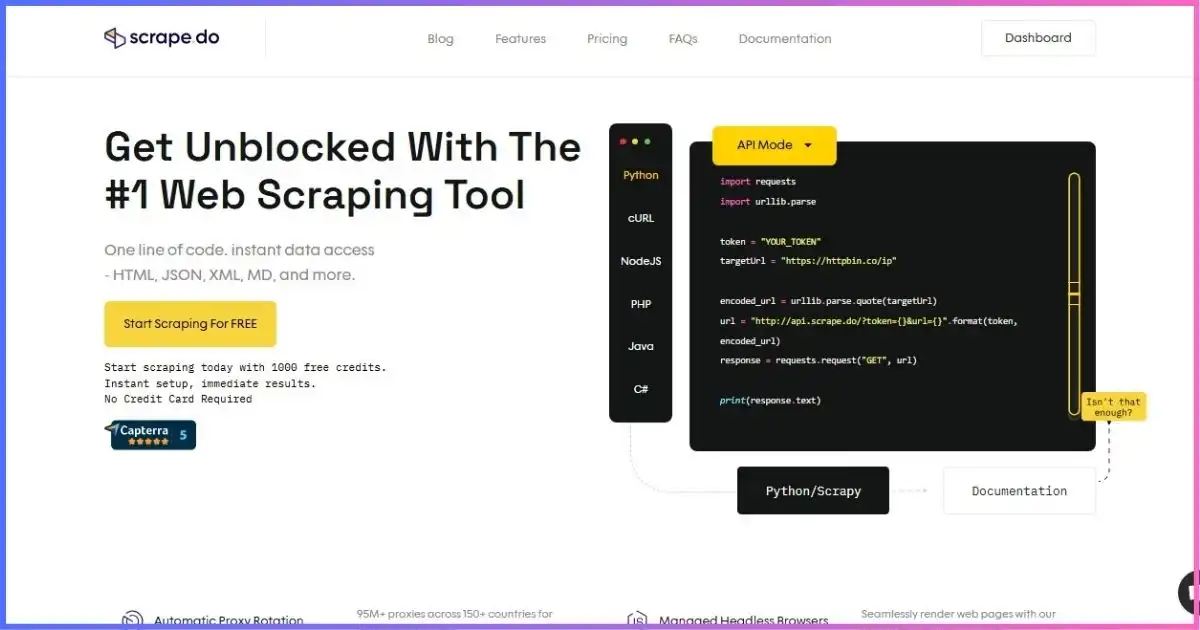
Archived project image. Use the live Scrape.do dashboard, pricing page, and request-cost header for current evidence.
Market contextScrape.do Alternatives
Scrape.do is the best fit when managed retrieval is the center of the problem. Other tools can offer code runtimes, storage, visual workflow design, structured endpoints, or different credit economics.
| Tool | Paid entry* | Best reason to choose it | Trade-off vs Scrape.do | Read next |
|---|---|---|---|---|
| Scrape.do | $29 / 250K credits | Simple all-features retrieval API | Limited built-in storage/orchestration | This review |
| Apify | $19 + PAYG | Actors, compute, storage, schedules, marketplace | More platform concepts and variable resources | Apify vs Scrape.do |
| ScrapingAnt | $19 / 100K credits | Low API entry and rendering | Different multipliers and feature scope | Head-to-head |
| ScraperAPI | $49 / 100K credits | Retrieval, structured endpoints, DataPipeline | Higher entry and different domain/mode costs | Head-to-head |
| Octoparse | $83 monthly / $69 annual-effective | Visual no-code builder and cloud schedules | Higher entry; desktop workflow model | Head-to-head |
* September 2026 public entry. Credits, compute, tasks, and accepted records are not equivalent.
Paid monthly entry across selected tools
Sticker-price context only; included workloads differ.
Choose Scrape.do when…
- Your app already handles parsing, storage, schedules, and validation.
- You want datacenter, premium proxies, rendering, and browser interactions through one API.
- Standard 1/5/10/25 multipliers make cost modeling workable.
- You need synchronous and asynchronous access with webhooks.
Choose an alternative when…
- You need programmable hosted workflows, storage, and a scraper marketplace.
- A visual desktop builder is more useful than an API.
- Structured endpoints or low-code data pipelines are central requirements.
- Named-domain automatic costs make the target uneconomical.
From credits to business valueHow to Calculate Scrape.do’s Real Cost
The cheapest request is not always the cheapest record. A one-credit datacenter response that gets blocked or returns incomplete content can cost more than a 25-credit rendered residential response that produces valid data. Build estimates from accepted output:
- Sample each targetSend representative URLs for every page type, geography, and state.
- Log actual request costPersist the
Scrape.do-Request-Costheader and mode parameters. - Validate responsesSeparate HTTP success from accepted records using content and schema checks.
- Calculate weighted creditsMultiply each target’s cost distribution by expected request volume and retries.
- Add customer-side workInclude parsing, storage, queues, schedules, monitoring, and maintenance.
- Set hard controlsUse budgets, concurrency caps, retry ceilings, alerts, and stop rules before scaling.
How we arrived at 8.8/10
Editorial weighting uses pricing, documentation, product scope, and transparent limits—not an invented performance benchmark.
- 25% — Fetch simplicity and API experience
- 20% — Proxy, geo, rendering, interactions
- 20% — Credit economics and price access
- 15% — Async and production controls
- 10% — Documentation and security clarity
- 10% — Storage, orchestration, ecosystem
Balanced assessmentScrape.do Pros and Cons
Pros
- Free 1,000-credit monthly plan
- Reasonable $29 paid entry
- Core features available on every plan
- Clear standard 1/5/10/25 multipliers
- Datacenter and residential/mobile routes
- Rendering, interactions, geo, sticky sessions
- Sync, async, webhooks, and Proxy Mode
- Actual request-cost response header
Cons
- Named domains can cost 10–200 credits
- 400/404/410 can be billed as success
- Main concurrency differs between pricing and async docs
- Async results are temporary
- Parsing and durable storage stay with customer
- Proxy Mode has significant CA/TLS implications
- 99.98% success is a provider claim, not target guarantee
- Credits stop requests when exhausted
FAQsScrape.do Review: Frequently Asked Questions
Is Scrape.do free?
How much does Scrape.do cost?
How many credits does a request cost?
Which HTTP responses are billed?
Does Scrape.do support JavaScript rendering?
Does Scrape.do offer residential proxies?
What is Scrape.do Proxy Mode?
Does Scrape.do have an Async API?
What happens when credits run out?
Is Scrape.do legal to use?
Scrape.do Is a Strong Managed Access API—If You Model Credits Per Target
Scrape.do offers an attractive combination: a permanent free allowance, $29 paid entry, core features on every plan, clear standard multipliers, datacenter and residential/mobile routing, rendering, browser interactions, geo controls, sticky sessions, async jobs, webhooks, and an authoritative cost header.
The caveats are equally important. Named domains can jump to 10–200 credits, several non-2XX statuses are billed, concurrency documentation conflicts, async results are temporary, parsing/storage remain your responsibility, and Proxy Mode demands careful CA/TLS review.
Bottom line: Scrape.do is worth testing when you need retrieval and unblocking rather than a full workflow platform. Use the free plan on representative targets, log actual request costs, validate accepted output, and choose a paid tier only from weighted real-world credit consumption.
For broader context, see our best web scraping tools, Apify vs Scrape.do, ScrapingAnt vs Scrape.do, ScraperAPI vs Scrape.do, and Octoparse vs Scrape.do comparisons.
Disclosure: This article contains an affiliate link. If you purchase through it, we may earn a commission at no extra cost to you. The rating reflects independent analysis of the project’s current research, not commission rates. Prices, credits, domain profiles, and limits can change; verify current checkout and response headers. This is not legal advice.
Sources & Comparison Methodology
This review uses September 18, 2026 research. Product claims are attributed, while all capacities and cost examples are transparent arithmetic prices and multipliers.
The 8.8/10 score weights fetch/API simplicity (25%), proxy/geo/rendering features (20%), credit economics and price access (20%), async/production controls (15%), documentation/security clarity (10%), and storage/orchestration/ecosystem (10%). No universal speed, response-time, uptime, or success score is asserted.
- Official Scrape.do source: pricing, general documentation, request costs, headless browser, Async API, and Proxy Mode.
- Alternative pricing: Apify, ScrapingAnt, ScraperAPI, and Octoparse entry plans. Credits, compute, tasks, and results are not equivalent.
- Neutral context: IETF RFC 9309 and browser/API fundamentals from MDN, used contextually.
- Images: approved JoshWP featured artwork and archived Scrape.do screenshot; image text is not treated as current evidence.
The fair pilot metric is total provider and engineering cost per accepted, validated record. Record the request-cost header, response class, target, mode, geo, latency, and validation outcome.