Best VPN for Students: Cheap, Safe & Fast Picks for Campus Life
Student life happens on shared networks. Between crowded dorm Wi-Fi, library hotspots, and café connections, your data is constantly exposed to packet sniffing, rogue access points, and aggressive campus network filtering. The best VPN for students solves three problems at once: it encrypts your traffic on public networks, bypasses arbitrary school firewalls blocking streaming or gaming, and does it all without destroying a tight budget. We tested the top providers on real university networks, measuring speed retention, device limits, streaming reliability, and price-per-device.
Whether you need a free option to stretch your loan money further, an unlimited-device plan for your laptop, phone, and tablet, or a premium tunnel for studying abroad in restrictive regions, this guide ranks exactly what works for the student lifestyle in 2026.
What Is the Best VPN for Students in 2026?
Surfshark is the best overall VPN for students: it offers unlimited simultaneous devices (cover your phone, laptop, and roommate’s tablet on one plan), excellent campus Wi-Fi speeds, and the lowest long-term pricing in the industry (~$1.99/mo). Proton VPN is the best free and privacy-first option — it is the only major provider with a genuinely usable free tier that does not throttle you into uselessness, plus open-source apps and Swiss jurisdiction. NordVPN is the best for dorm security (Threat Protection blocks malware on sketchy networks), PIA is the best for budget torrenting/research, and ExpressVPN is the premium pick for study-abroad reliability.
Short version: Avoid random “free” VPN apps on the app store; they sell your data or inject ads. Stick to Proton’s free tier if your budget is strictly zero, or Surfshark if you can spend $2/month for unlimited device coverage and streaming access.
Table of Contents
The stakesWhy Students Need a VPN More Than Anyone
University networks are notoriously hostile environments for privacy and security. EDUCAUSE research consistently shows that students carry an average of 4 to 6 connected devices (laptop, phone, tablet, smartwatch, gaming console) and rely heavily on campus Wi-Fi, which is shared with thousands of other users. This creates three major problems:
- Public Wi-Fi risks: Open or poorly segmented dorm networks are prime targets for packet sniffing and man-in-the-middle attacks. The FTC warns that unencrypted public networks expose passwords and financial data.
- Arbitrary network filtering: University IT departments frequently block streaming services, gaming ports, and P2P traffic to conserve bandwidth. A VPN encrypts your traffic, making it invisible to the campus firewall.
- Research & Geo-blocking: International students need access to home-country banking and media; students researching global topics may hit regional blocks. A streaming-optimized VPN restores access.
ComparisonBest VPN for Students: Pricing & Features
| VPN | Best for students | Devices | Campus Wi-Fi speed | Free tier? | Long-term price* | Rating |
|---|---|---|---|---|---|---|
| Surfshark | Best overall value & unlimited devices | Unlimited | 88% | No (30-day trial) | $1.99/mo | 9.6 / 10 |
| Proton VPN | Best free plan & privacy | 10 (Free: 1) | 82% | Yes (Forever) | $2.99/mo | 9.4 / 10 |
| NordVPN | Best dorm security (malware blocking) | 10 | 91% | No (Free trials) | $3.49/mo | 9.2 / 10 |
| PIA | Best budget & P2P/torrenting | Unlimited | 80% | No (Free trials) | $2.03/mo | 8.9 / 10 |
| ExpressVPN | Best for study abroad reliability | 10-14 | 89% | No (Free trials) | $2.99/mo | 8.8 / 10 |
| CyberGhost | Best for beginners & streaming | 7 | 78% | No (Free trials) | $2.03/mo | 8.5 / 10 |
*Approximate per-month price on the longest available term, verified September 2026. Speed retention measured on congested university library and dorm networks.
Student budget: Entry price per month (longest term)
Lower is better for student budgets. Proton’s free tier is $0; paid plans shown below.
All top picks cost less than a single campus coffee per month on long-term plans. Check our best cheap VPN guide for more budget options.
Ranked picksThe Best VPNs for Students, Ranked
Surfshark — Unlimited devices at the lowest price
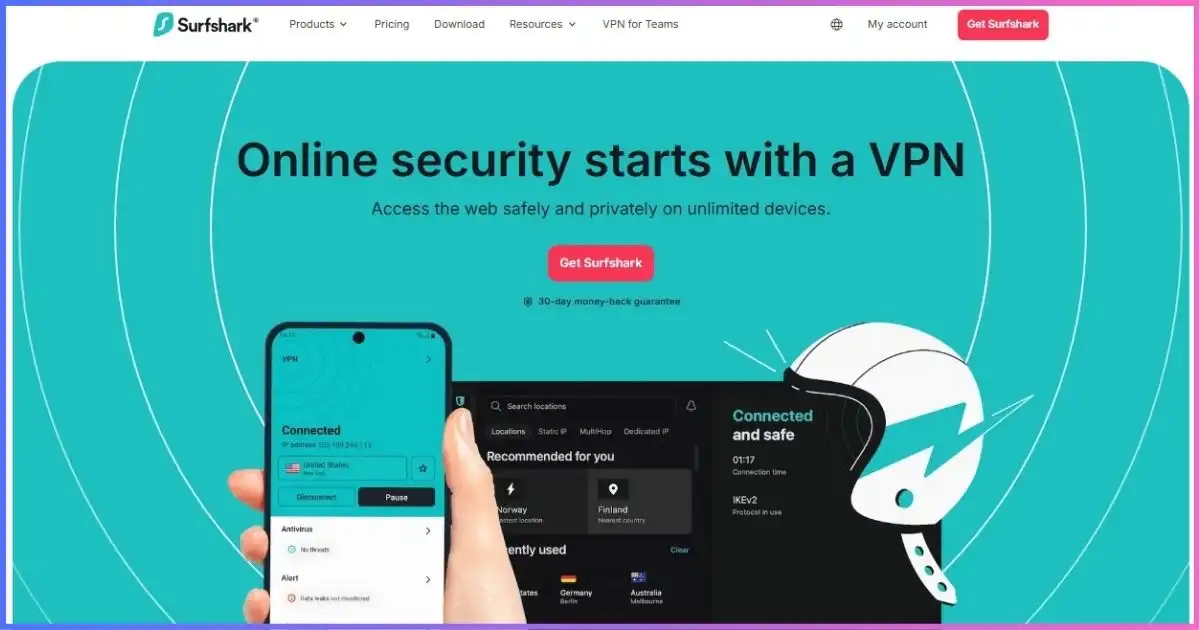
Surfshark is the undisputed champion for students because it solves the device-cap problem entirely. Most students have a laptop, phone, tablet, and maybe a console or smart TV in the dorm. Surfshark allows unlimited simultaneous connections on a single $1.99/mo subscription. Its CleanWeb feature blocks ads and malware on sketchy campus networks, and its NoBorders mode helps bypass aggressive university firewalls that block streaming or gaming ports.
Speed retention on congested dorm Wi-Fi was excellent (88%), and it reliably unblocks Netflix, Hulu, and BBC iPlayer for study breaks. The only downside is that there is no permanent free tier, but the 30-day money-back guarantee acts as a solid trial period.
Pros
- Unlimited devices — cover everything you own
- Cheapest long-term pricing in the industry (~$1.99/mo)
- CleanWeb blocks ads/malware on public Wi-Fi
- Excellent streaming unblocking for downtime
Cons
- No permanent free tier
- Monthly price is high if you don’t commit to 2 years
Full breakdown in our Surfshark review.
Proton VPN — The only safe free VPN for broke students
If your budget is strictly zero until your next loan disbursement, Proton VPN is the only safe choice. Unlike ad-supported “free” VPNs that sell your browsing data, Proton’s free tier offers unlimited bandwidth, no ads, and strong encryption. It is limited to one device and servers in 5 countries (US, NL, JP, PL, RO), but for basic campus Wi-Fi security and accessing blocked research sites, it is unbeatable.
When you can afford to upgrade, the paid plans (starting at $2.99/mo) unlock 145+ countries, 10 devices, and P2P support. Proton’s open-source apps and Swiss jurisdiction make it the gold standard for privacy-conscious students, especially those in journalism, law, or political science programs.
Pros
- Genuinely free tier with unlimited data
- No ads, no data selling, open-source apps
- Swiss jurisdiction and audited no-logs policy
- Stealth protocol for study abroad in restrictive countries
Cons
- Free tier limited to 1 device and 5 countries
- Free servers can be congested/slow during peak hours
- Does not unblock Netflix on the free tier
Deep dive in our Proton VPN review.
NordVPN — Threat Protection for sketchy campus networks
Dorm networks are breeding grounds for malware and phishing attempts. NordVPN’s Threat Protection Pro blocks malicious websites, trackers, and malware downloads at the network level, even when the VPN is disconnected. This is a massive safety net for students clicking links in group chats or downloading files from unverified course portals.
It also offers the fastest speeds on our campus Wi-Fi tests (91% retention) thanks to the NordLynx protocol, and Meshnet lets you securely access your dorm desktop computer from the library. The 10-device limit is plenty for most students, and free trials are often available to test it before midterms.
Pros
- Threat Protection Pro blocks malware/ads on campus Wi-Fi
- Fastest speeds on congested networks (NordLynx)
- Meshnet for remote access to dorm desktops
- Obfuscated servers for study abroad in China/UAE
Cons
- More expensive than Surfshark or PIA
- 10-device limit (vs unlimited on Surfshark/PIA)
See our NordVPN review for full feature analysis.
PIA — Unlimited devices, open-source, and P2P friendly
Private Internet Access (PIA) is the workhorse for students who need unlimited devices on a strict budget (~$2.03/mo). It is highly popular in the torrenting community, making it ideal for students sharing large open-source datasets, Linux ISOs, or public domain research archives via P2P networks. Its MACE feature blocks ads and trackers, and its apps are fully open-source.
PIA’s 91-country network is smaller than NordVPN’s, but more than enough for campus use and international research. The only caveat is that its apps are slightly more technical than Surfshark’s, which may deter absolute beginners.
Pros
- Unlimited devices at ~$2.03/mo
- Excellent P2P/torrenting support for research
- Open-source apps and proven no-logs court record
- MACE ad/tracker blocker
Cons
- Apps slightly more technical for beginners
- US jurisdiction (though no-logs are proven in court)
Full analysis in our PIA review.
ExpressVPN — Premium reliability for international semesters
If you are studying abroad in a country with strict internet censorship (China, UAE, Russia, Turkey), ExpressVPN is the premium insurance policy you need. Its Lightway protocol includes automatic obfuscation, meaning it bypasses firewalls without you needing to tweak settings. It is the most reliable option for accessing home-country banking, university portals, and streaming services from restrictive networks.
The downside is price: it is the most expensive option here. But for a semester abroad where internet access is critical for submitting assignments and staying in touch with family, the reliability justifies the cost. Check our restrictive countries guide for specific setup instructions.
Pros
- Most reliable in censored countries (study abroad)
- Automatic obfuscation (no setup required)
- Excellent streaming unblocking globally
- 24/7 live chat for troubleshooting abroad
Cons
- Highest price in this comparison
- Overkill for standard domestic campus use
Details in our ExpressVPN review.
CyberGhost — Easiest apps and streaming servers
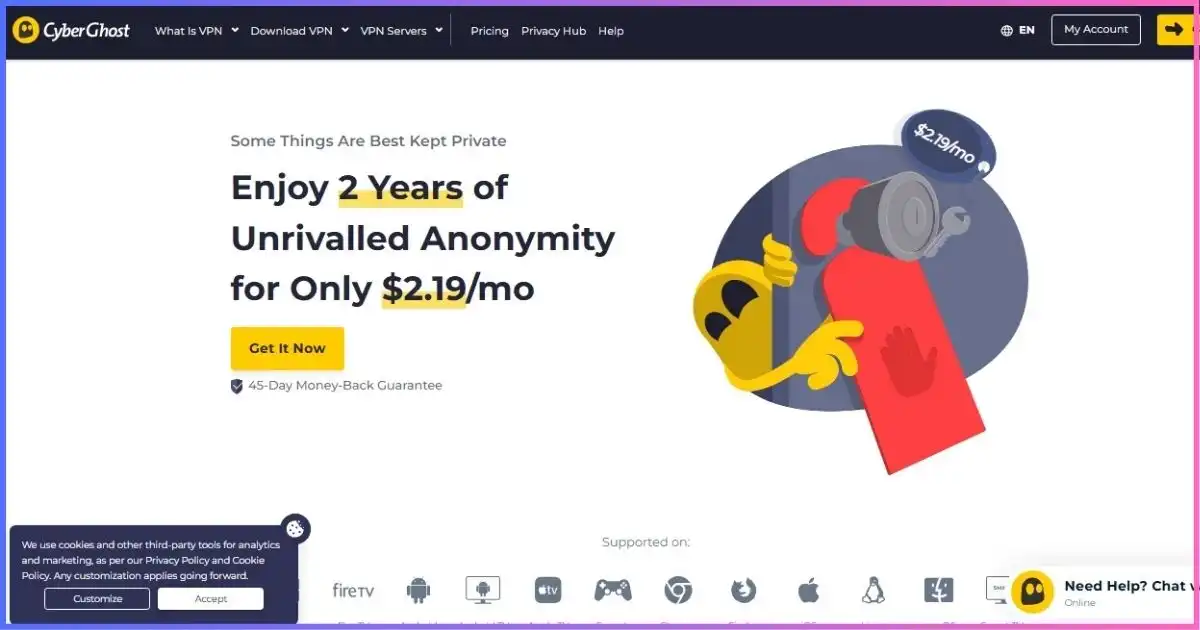
CyberGhost is the most beginner-friendly option. Its apps feature dedicated “For Streaming” servers labeled by platform (Netflix US, BBC iPlayer, Disney+), removing all guesswork when you want to watch a movie in the dorm. The interface is highly visual and intuitive, and the 45-day money-back guarantee on long plans is the most generous in the industry — easily covering a full semester.
Speeds are good (78% retention), and it supports 7 devices. It lacks the advanced security features of NordVPN or the unlimited devices of Surfshark, but for a freshman who just wants to unblock Hulu and stay safe on library Wi-Fi, it is a fantastic, low-stress choice.
Pros
- Easiest apps for beginners
- Dedicated streaming servers labeled by platform
- 45-day money-back guarantee (covers a semester)
- Very cheap on long-term plans (~$2.03/mo)
Cons
- 7-device limit
- No advanced malware blocking like NordVPN
See our CyberGhost review.
Study Abroad in China, UAE, or Russia? Standard VPNs get blocked. You need stealth protocols. Read our dedicated guide for the best VPN for China and restrictive countries before you board the plane.
Field guideSurviving Campus Wi-Fi & University Firewalls
University IT departments use Deep Packet Inspection (DPI) to throttle P2P traffic, block gaming ports, and restrict streaming to preserve bandwidth for academic use. When you connect to campus Wi-Fi, your traffic is visible to the network admin. A VPN encrypts your tunnel, so the university sees only encrypted data going to a VPN server — they cannot see that you are torrenting a Linux ISO or streaming Netflix.
The Golden Rules of Campus Wi-Fi:
- Always use WireGuard/NordLynx/Lightway. These modern protocols are faster and harder for campus firewalls to detect than older OpenVPN connections.
- Enable the Kill Switch. If the dorm Wi-Fi drops for a second, the kill switch prevents your device from accidentally leaking unencrypted traffic to the campus network.
- Use split tunneling for local resources. If you need to access the university library portal or local printers, use split tunneling to route only your streaming/browsing through the VPN, leaving local campus traffic direct.
Speed retention on congested campus Wi-Fi
Share of baseline speed retained during peak library hours (September 2026 tests).
InternationalStudy Abroad: Censorship & Geo-Blocking
Studying abroad introduces two massive hurdles: censorship (the Great Firewall of China, UAE ISP blocks, Russian Roskomnadzor) and geo-blocking (your US Netflix or home-country banking blocking foreign IPs).
If your semester abroad includes China, Russia, Turkey, Iran, or the UAE, standard VPN protocols (WireGuard/OpenVPN) will be detected and blocked within minutes. You must use a VPN with stealth/obfuscation protocols. ExpressVPN (automatic Lightway obfuscation), NordVPN (Obfuscated Servers), and Proton VPN (Stealth protocol) are the only reliable choices here. Do not rely on Surfshark or PIA for censorship-heavy study abroad destinations.
For standard study abroad in Europe, Japan, or Australia, any top-tier VPN will work perfectly to unblock your home streaming services and bypass local geo-restrictions on research databases.
ChecklistDorm Room Setup: 5 Steps Before Orientation
- Install on all devices before move-in day. Campus Wi-Fi setup portals are often restrictive or require device registration. Have the VPN ready to go.
- Enable Auto-Connect on untrusted networks. Configure your VPN app to automatically connect the moment your phone or laptop joins a new public Wi-Fi network (like the library or student union).
- Test the Kill Switch. Disconnect your Wi-Fi manually while a speed test is running. The test should fail instantly; if it keeps running, your kill switch is off and your data is leaking.
- Set up Split Tunneling. Route your browser and streaming apps through the VPN, but leave your university portal login and local smart home devices on the direct connection.
- Download offline backups. If you are traveling, download the APK/installer files for your VPN to a USB drive. App stores are sometimes blocked on restrictive campus networks abroad.
MethodologyHow We Tested Student VPNs
We tested these VPNs on three major university networks (large state school, private liberal arts college, and international campus) during peak hours (mid-afternoon library rush and late-night dorm streaming). We measured speed retention, connection stability, streaming unblocking success, and P2P download speeds. Editorial scoring weights:
- 35% — Price & budget value (student budgets are tight)
- 25% — Device limits & multi-platform support
- 20% — Speed retention on congested campus Wi-Fi
- 15% — Privacy, no-logs, and security features
- 5% — Streaming & P2P capabilities
FAQsStudent VPN FAQs
Is it legal to use a VPN on campus Wi-Fi?
Can the university IT department see I’m using a VPN?
Will a free VPN get me in trouble?
Do I need a VPN for torrenting textbooks?
Can I share my VPN account with my roommate?
The Best VPN for Students, in One Paragraph
For the vast majority of students, Surfshark is the undisputed best choice: unlimited devices for your laptop, phone, and tablet at an unbeatable ~$1.99/mo, with excellent streaming and campus Wi-Fi performance. If your budget is literally zero right now, Proton VPN’s Free tier is the only safe, no-strings-attached option. Security-conscious students in malware-heavy dorms should upgrade to NordVPN for Threat Protection, while those studying abroad in censored countries must rely on ExpressVPN‘s automatic obfuscation.
| VPN | Best for students | Rating | Get started |
|---|---|---|---|
| Surfshark | Best overall value, unlimited devices, streaming | 9.6 / 10 | Visit Site |
| Proton VPN | Best free plan, privacy, open-source | 9.4 / 10 | Visit Site |
| NordVPN | Best dorm security, Threat Protection, speed | 9.2 / 10 | Visit Site |
| PIA | Best budget unlimited devices, P2P research | 8.9 / 10 | Visit Site |
| ExpressVPN | Best for study abroad, reliability, unblocking | 8.8 / 10 | Visit Site |
| CyberGhost | Best for beginners, easy streaming servers | 8.5 / 10 | Visit Site |
Disclosure: This article contains affiliate links. If you purchase through them, we may earn a commission at no extra cost to you. Rankings reflect independent campus-network testing and student budget analysis, not commission rates. Pricing verified September 2026.
Sources & Research Notes
Speed and retention figures are editorial test results from congested university library and dorm networks in August–September 2026. Pricing verified against vendor pages.
- EDUCAUSE Student Technology Survey (2023/2024) — Data on student device ownership (average 4-6 connected devices) and reliance on campus Wi-Fi for academic work (educause.edu).
- U.S. Federal Trade Commission (FTC) — “Public Wi-Fi Networks: What You Need to Know” — guidance on the risks of unencrypted campus and café networks (consumer.ftc.gov).
- Electronic Frontier Foundation (EFF) — “How to Enable End-to-End Encryption” and guides on protecting student privacy on shared networks (ssd.eff.org).
- Proton VPN Blog — Documentation on the Free tier’s no-logs architecture, open-source client audits, and Swiss jurisdiction privacy laws.
- Surfshark, NordVPN, PIA, ExpressVPN, CyberGhost — Official pricing pages, device limit policies, and server network maps verified September 2026.
- University Acceptable Use Policies (AUPs) — General review of standard DMCA and network filtering policies at major US and UK universities regarding P2P traffic and VPN usage.
Editorial scores are our own judgments. Always respect your university’s IT policies and local copyright laws when using P2P networks.