ScraperAPI Review: Pricing, Credits, Features, and Honest Limitations
ScraperAPI is a managed web-access service that puts proxy rotation, retries, geotargeting, anti-bot handling, and optional JavaScript rendering behind a straightforward API. It is most useful when your application already owns URL discovery, parsing, validation, and storage, but you do not want to operate proxy pools or maintain browser-access logic.
This ScraperAPI Review examines the service’s current plans, credit multipliers, concurrency limits, Structured Data Endpoints, Async API, proxy port, DataPipeline, Crawler, AI Parser, and operational tradeoffs. The central finding is simple: ScraperAPI can make retrieval dramatically easier, but its real price depends on the target and request mode—not merely the number printed in the plan’s credit allowance.
Is ScraperAPI Worth It?
Yes—for developers who need reliable API-first page retrieval and would rather outsource proxy and access-layer engineering. A normal flat request costs one core API credit, while premium proxies, rendering, screenshots, high-protection routes, and certain domains can cost considerably more. Structured endpoints and DataPipeline widen the product beyond raw HTML retrieval.
Best for: development teams adding scraping to an existing data stack, especially when retries, rotating identities, async retrieval, and selected structured endpoints save more engineering time than the subscription costs. Look elsewhere if: you primarily want a visual no-code builder, a broad marketplace of ready-made scrapers, or a fully programmable cloud runtime with native durable storage.
Table of Contents
The essentialsScraperAPI at a Glance
ScraperAPI sits between your code and the target website. Your application sends a URL plus optional parameters; the service chooses an IP route, rotates identity, retries failed access attempts, and returns the response. Optional modes add JavaScript rendering, premium or ultra-premium routing, screenshots, country targeting, sessions, headers, mobile/desktop user agents, or supported structured output.
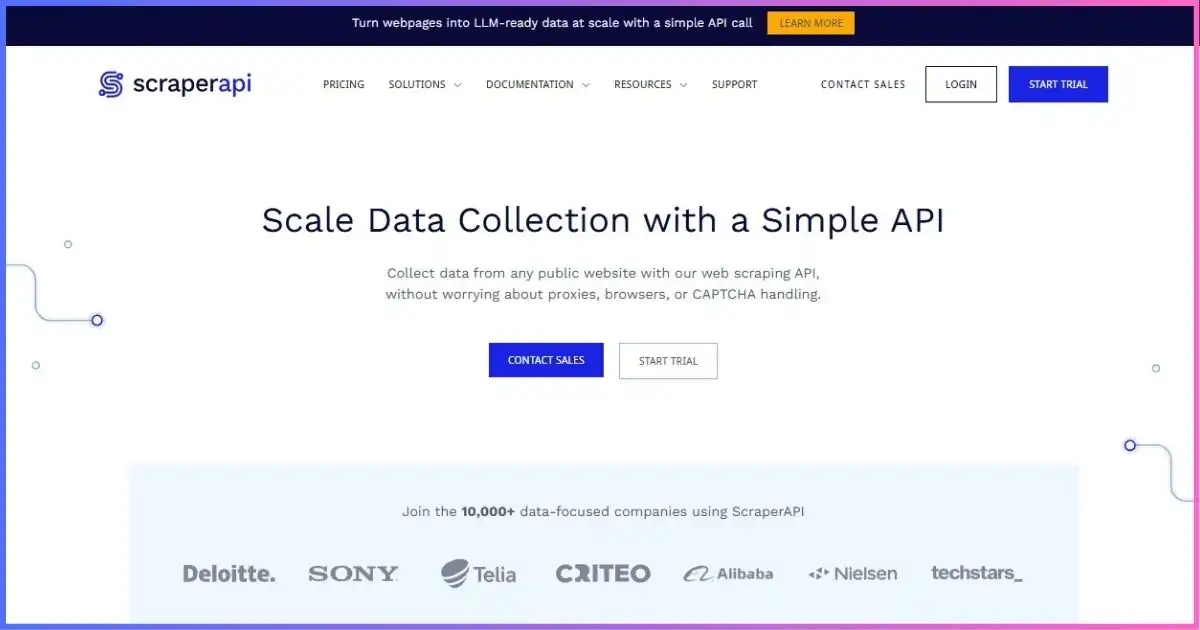
That makes it broader than a basic proxy network but narrower than a general crawler runtime. Its six documented access paths are the synchronous API, Async API, proxy port, Structured Data Endpoints, DataPipeline, and SDKs. Current documentation also describes a Crawler, AI Parser, MCP support, and n8n integration. These adjacent tools reduce integration work, yet the customer still needs to validate data quality and design the downstream pipeline.
Request to resultHow ScraperAPI Works
- Send a URLCall the synchronous endpoint, submit an async job, connect through the proxy port, or use a target-specific structured endpoint.
- Select only the mode you needNormal retrieval is cheapest. Enable rendering, premium routing, screenshot capture, location targeting, sessions, or autoparsing only when required.
- ScraperAPI manages accessThe service handles proxy selection, rotation, retries, user agents, and common access challenges behind the endpoint.
- Inspect consumptionRead the
sa-credit-costresponse header or use the URL-cost endpoint. Usemax_costto prevent an individual request from exceeding a chosen credit ceiling. - Validate the payloadA technically successful response can still contain a block page, consent screen, incomplete DOM, stale content, or a business-level error.
- Store and transformParse and retain output in your own system unless a documented structured or DataPipeline flow fits the target.
GET https://api.scraperapi.com/
    ?api_key=YOUR_API_KEY
    &url=https%3A%2F%2Fexample.com%2Fproducts

# Optional examples:
# &render=true
# &premium=true
# &country_code=us
# &session_number=42
# &max_cost=10
Keep the API key server-side, apply finite timeouts, respect target terms, and design bounded retries. For background on standard HTTP requests, see the MDN Fetch API guide.
Current public plansScraperAPI Pricing
| Plan | Monthly | Annual-effective* | Credits | Threads | Geo / notable access |
|---|---|---|---|---|---|
| Free / trial | $0 | — | 5,000 trial credits advertised; FAQ also describes 1,000-credit free access | 5 on FAQ free plan | Verify current signup offer |
| Hobby | $49 | $44.10/mo | 100,000 | 20 | US/EU geo |
| Startup | $149 | $134.10/mo | 1 million | 50 | US/EU geo |
| Business | $299 | $269.10/mo | 3 million | 100 | Global geo; unlimited analytics history |
| Scaling | $475 | $427.50/mo | 5 million | 200 | Global geo; pay as you go |
| Professional | $975 | $877.50/mo | 10.5 million shown | 300 | Priority support; pay as you go |
| Advanced | $1,975 | $1,777.50/mo | 21.5 million shown | 500 | Priority routing; pay as you go |
| Enterprise | Custom | Custom | 22 million+ | 500+ | Dedicated and Slack support |
*Annual billing advertises a 10% discount. Prices are USD. Professional and Advanced pages separately displayed limited-offer 250K and 500K bonuses while also showing 10.5M and 21.5M totals; because those labels do not clearly reconcile, confirm the checkout allowance. Offers can change.
Published monthly plan commitments
The vertical scale is shared through $1,975. These prices buy different credit and concurrency allowances; bar height is not a value score.
What happens when credits or concurrency run out?
Hobby, Startup, and Business users are directed to upgrade or contact support after exhausting credits. Scaling and higher public tiers advertise pay-as-you-go usage. If requests exceed the concurrency limit, ScraperAPI documents an HTTP 429 response rather than silently queuing the extra work or charging a concurrency surcharge. Your client should implement backoff and job-level limits.
The number that controls costScraperAPI Credits Explained
The base request is only the beginning. ScraperAPI uses request-mode totals: premium plus render is documented as 25 credits, for example, rather than the result of blindly adding two independent ten-credit features. Domain-specific rules can also override ordinary assumptions.
| Core API request or mode | Credits | 100K-credit theoretical maximum | Important context |
|---|---|---|---|
| Normal flat request | 1 | 100,000 | Before target-specific rules |
| Amazon | 5 | 20,000 | Published domain rate |
| Premium, render, or screenshot | 10 | 10,000 | Each is a documented mode total |
| Cloudflare / Turnstile / DataDome / PerimeterX-Human bypass | 10 | 10,000 | Protection state can change |
| Google/Bing SERP | 25 | 4,000 | Published domain rate |
| Premium + render | 25 | 4,000 | Combined request-mode total |
| LinkedIn or ultra premium | 30 | 3,333 | Approximate whole-request maximum |
| Ultra premium + render | 75 | 1,333 | Highest common documented combination here |
No-extra-cost parameters currently include wait_for_selector, country_code,
session_number, device_type, output_format, keep_headers,
and autoparse. “No extra credits” does not mean the underlying request is free; it means that
parameter does not add another multiplier under the documented core model.
Core API credits per request mode
Relative to the 75-credit ultra-premium rendered request. Domain and protection rules can change the appropriate route.
Which responses consume credits?
The documentation says 200 and 404 responses consume credits. Client-cancelled requests can also be billed when ScraperAPI was not given up to 70 seconds to complete. This is why aggressive client timeouts can waste allowance: they may terminate work after the provider has already spent resources on it. Capture the response’s cost header, distinguish provider errors from target results, and validate content rather than treating every HTTP 200 as a usable record.
Separate meterDataPipeline Pricing Is Not the Core API Pricing
DataPipeline provides a lower-code route for submitting up to 10,000 URLs, keywords, or IDs per project, then scheduling and exporting results. Inputs can come from fields, CSV files, or webhooks. Jobs can run once, hourly, daily, weekly, monthly, or on a cron expression, with notifications and webhook delivery.
However, DataPipeline uses a separate credit table. A normal flat pipeline request starts at six credits, and documented domain/parameter combinations can range as high as 80 credits. Do not model a 10,000-URL pipeline as 10,000 core credits. First select the pipeline job type, map its cost, then multiply by the input count and expected reruns.
More than one endpointScraperAPI Features in Detail
| Capability | What it does | Best fit | Caveat |
|---|---|---|---|
| Synchronous API | Returns a target response in the request flow | Interactive or moderate-duration fetches | Client timeout must allow work to finish |
| Async API | Submits work for later polling or delivery | Longer or parallel retrieval jobs | Your system must track job state and idempotency |
| Proxy port | Lets proxy-compatible clients route requests through the service | Existing crawlers with proxy configuration | Still governed by credits and account limits |
| Structured endpoints | Returns parsed JSON/CSV for supported targets | Selected retail, search, and property workflows | Not universal across arbitrary sites |
| DataPipeline | Batch inputs, schedules, exports, webhooks, notifications | Repeatable low-code data jobs | Separate, higher credit schedule |
| Crawler | Expands beyond one URL into crawl workflows | Site discovery and multi-page collection | Test scope and credit behavior before scale |
| AI Parser | Assists extraction into useful fields | Reducing custom selector work | Validate schema accuracy and drift |
| SDKs and integrations | Developer libraries plus n8n and MCP paths | Faster application integration | Operational ownership remains with your team |
All public paid plans list Ultra Premium and full Crawler access. The core feature list also includes rotating proxy pools, retries, headers, CAPTCHA/anti-bot handling, desktop and mobile agents, sessions, JSON autoparsing, unlimited bandwidth, and a provider-listed 99.9% uptime guarantee. Confirm the contractual remedy and exclusions before treating a pricing-page label as an SLA.
From HTML to fieldsStructured Data Endpoints and Autoparsing
Structured Data Endpoints are one of ScraperAPI’s strongest time-saving features. Supported workflows include Amazon, Google, Walmart, eBay, and Redfin use cases, with parsed JSON or CSV instead of raw page markup. Sync and Async APIs can use documented structured endpoints, making it possible to start with a simple call and later move higher-volume jobs into asynchronous processing.
The limitation is coverage. A supported Amazon product or Google search workflow is different from an arbitrary site with a custom schema. For unsupported targets, expect to retrieve HTML and own parsing, normalization, deduplication, and schema monitoring. Even supported output should be checked for missing fields, locale variation, product variants, pagination, and page-template drift.
Dynamic pagesJavaScript Rendering, Screenshots, and Protected Targets
JavaScript rendering loads the page in a browser-like environment so client-generated content can appear before extraction. It is useful for single-page applications, lazy-loaded inventory, interactive listings, and pages whose useful DOM arrives after the initial HTML. Screenshot mode is useful when the visible page itself is the artifact or when visual diagnostics help explain extraction failures.
Both render and screenshot modes cost ten credits in the standard core table. Premium plus rendering costs 25, while ultra premium plus rendering costs 75. Because those jumps are large, test the cheapest working mode in this order: normal request, normal request with free parameters, premium route, render, premium plus render, and ultra-premium modes only when the target genuinely needs them.
Identity and locationProxy Network, Geotargeting, Sessions, and Headers
ScraperAPI advertises a network of 40 million IPs across more than 50 geolocations. Those are provider-reported marketing figures, not a count we independently audited, and pool measurement windows can differ. The practical question is whether the service can deliver the target, location, session behavior, and throughput your workload requires.
Hobby and Startup list US/EU geotargeting; Business and above list global targeting. The
country_code parameter itself does not add core credits, but your plan must include the requested
access. A session_number can help maintain a stable identity across related requests, while
rotating requests are better for independent pages. keep_headers allows deliberate header control,
and device_type selects desktop or mobile behavior without a separate parameter surcharge.
Use sticky sessions sparingly: continuity helps multi-step flows, but holding a failing identity can repeat blocks. Never send authentication cookies or personal data without confirming security, retention, and contractual requirements.
Claims versus workloadPerformance, Reliability, and Operational Limits
ScraperAPI’s pricing lists a 99.9% uptime guarantee, while its structured-data marketing advertises 99.99% success for supported domains. These figures describe different scopes and should not be generalized into a universal success rate for arbitrary URLs. Target defenses, geography, page weight, rendering, client timeout, and validation rules all affect the outcome.
We did not run a controlled cross-provider benchmark for this review, so we do not present invented latency or success-rate charts. A useful production evaluation should instead measure:
- Transport success: did a request complete without a provider or network error?
- Access success: was the intended page returned instead of a challenge, login wall, or consent interstitial?
- Extraction success: were all required fields present and structurally valid?
- Freshness: did the content match the expected region, time, and page state?
- Cost per accepted record: how many credits and retries produced one usable row?
- Tail latency: what do the 95th and 99th percentiles look like, not only the average?
Where it fitsBest ScraperAPI Use Cases
Retrieval inside an existing application
Your code already discovers URLs, parses fields, validates records, and writes to storage. ScraperAPI replaces the proxy, retry, rotation, and access-maintenance layer.
Supported structured targets
Product, search, marketplace, or property data matches a documented endpoint, reducing parser maintenance and shortening time to a first useful dataset.
Batch and scheduled jobs
DataPipeline can accept CSV, webhook, or field inputs and deliver scheduled results without a full custom scheduler—provided its separate credit costs work economically.
Complex browser workflows
Rendering handles dynamic pages, but deeply interactive login flows, durable browser state, custom code, and multi-step automation may fit a programmable platform better.
ScraperAPI can support price monitoring, search research, catalog collection, lead research, market intelligence, SEO monitoring, property analysis, and content aggregation when collection is lawful and the target’s rules permit it. Review the site’s terms and its robots.txt policy under RFC 9309; robots.txt is an access preference mechanism, not a substitute for legal review or authorization.
Budget the workload, not the headlineHow to Calculate the Real Cost
A plan’s nominal request count is only realistic when every accepted result costs one credit and needs no retry. A safer model is:
Monthly credits ≈ target attempts × mode cost × retry factor + pipeline and ancillary usage
Then divide subscription and overage spending by accepted business records, not raw HTTP responses.
For example, Hobby’s 100,000 credits can theoretically fund 100,000 normal requests, 10,000 rendered or premium requests, 4,000 premium-rendered requests, or about 1,333 ultra-premium rendered requests. If only 80% of returned pages pass validation, the cost per accepted result rises by 25% before accounting for retries or engineering time.
- Sample the target mixInclude easy pages, protected pages, regional pages, pagination, and peak-traffic periods.
- Find the cheapest valid modeDo not enable rendering or premium routing globally because one domain needs it.
- Record actual credit costLog
sa-credit-cost, target class, status, latency, and validation outcome. - Apply retry ceilingsRetry only transient errors and challenge states known to benefit from another attempt.
- Model concurrencyEnsure the plan’s thread limit meets the desired completion window without 429 storms.
- Add a safety marginAccount for target changes, seasonal volume, parser regressions, and paid overages where available.
Choose by architectureScraperAPI Alternatives
| Alternative | Best when you need | Key difference from ScraperAPI | Read next |
|---|---|---|---|
| Apify | Programmable crawlers, ready-made Actors, schedules, storage | Broader cloud execution platform rather than primarily managed retrieval | Apify vs ScraperAPI |
| Octoparse | Visual no-code workflow building | Desktop/cloud visual extraction interface | ScraperAPI vs Octoparse |
| Scrape.do | A simple managed access API with broad plan-level features | Different credit multipliers, entry price, and product breadth | ScraperAPI vs Scrape.do |
| ScrapingAnt | Low entry pricing and browser-capable API access | Different unit economics and workflow scope | ScrapingAnt review |
For wider shortlists, see our best web scraping tools guide, Apify review, Octoparse review, and Scrape.do review. The correct alternative depends on whether your bottleneck is access, crawling logic, no-code extraction, orchestration, or storage.
ScraperAPI editorial score composition
Our judgment based on documentation, pricing clarity, capabilities, and operational fit—not a controlled performance benchmark.
- 25% Access simplicity — one endpoint removes substantial proxy work.
- 23% Retrieval breadth — sync, async, proxy, structured, crawler, and pipeline paths.
- 19% Cost controls — headers, URL estimator, and max-cost cap help.
- 17% Workflow utility — scheduling and structured flows add useful reach.
- 16% Limitations — complex credits, geo tiers, and non-universal parsing.
Balanced assessmentScraperAPI Pros and Cons
Pros
- Simple API abstracts proxy rotation, retries, and common access friction
- Multiple invocation paths for synchronous, asynchronous, proxy, batch, and structured work
- Useful request-cost header, URL-cost tool, and per-request max-cost control
- Selected structured endpoints can remove substantial parser maintenance
- DataPipeline adds schedules, batch inputs, webhooks, and downloads
- Paid plans include rendering, premium routes, Crawler, and unlimited bandwidth
Cons
- Headline credits can shrink quickly on rendered or ultra-premium requests
- DataPipeline uses a separate and higher cost schedule
- Free-access language is inconsistent across public pages
- Global geotargeting starts at Business rather than lower paid tiers
- Structured output is limited to documented targets and workflows
- Professional and Advanced bonus/total labels require checkout confirmation
Frequently asked questionsScraperAPI Review FAQs
Is ScraperAPI free?
How much does ScraperAPI cost?
How many credits does one request use?
Does ScraperAPI support JavaScript rendering?
Does ScraperAPI return structured data?
What is the difference between the core API and DataPipeline?
Does ScraperAPI offer residential proxies?
What happens if I exceed concurrency?
Is ScraperAPI better than Apify?
ScraperAPI Is a Strong Retrieval Layer—If You Model Credits Carefully
ScraperAPI earns an editorial score of 8.7/10. Its main value is engineering leverage: a small API surface can replace proxy sourcing, rotation, retry logic, common anti-bot handling, geotargeting, and browser access. Async retrieval, proxy-port compatibility, Structured Data Endpoints, Crawler, AI Parser, and DataPipeline make it substantially more versatile than a basic scraping proxy.
The tradeoff is cost variability. A 100,000-credit plan does not necessarily mean 100,000 useful pages; rendered, protected, and premium-route requests can reduce that figure by 10× to 75×, and DataPipeline has its own meter. ScraperAPI is therefore worth shortlisting when a representative pilot produces an acceptable cost per validated record.
Affiliate disclosure: This article contains affiliate links. If you purchase through them, we may earn a commission at no extra cost to you. This does not change our analysis. Pricing and limits can change; confirm checkout terms before committing. Use web scraping responsibly and comply with applicable laws, contracts, privacy requirements, and site policies.
Sources & comparison methodology
Research scope: Official public ScraperAPI pricing and documentation checked September 18, 2026. We reviewed plans, annual-effective prices, credits, concurrency, geo access, request costs, response billing, Structured Data Endpoints, DataPipeline, output formats, and current product navigation. We did not purchase a plan, inspect a private contract, or run a controlled provider benchmark.
- ScraperAPI pricing
- ScraperAPI documentation
- Core credits and request costs
- Structured Data Endpoints
- DataPipeline overview
- DataPipeline credit costs
- DataPipeline result formats
Rating method: The 8.7/10 score is an editorial assessment of access simplicity, product breadth, cost controls, workflow utility, documentation, and limitations. It is not a measured speed or universal success score. Provider-reported pool, uptime, and success claims are labeled rather than treated as independently verified results.