VPN Obfuscation: How Stealth VPNs Hide Your Traffic
VPN obfuscation changes the recognizable shape of VPN traffic so a firewall is less likely to identify and block it. It does not add anonymity by magic or make a connection permanently undetectable. Its practical job is narrower: help an encrypted tunnel connect on networks that filter VPN protocols.
This guide explains how deep packet inspection (DPI) recognizes a tunnel, which stealth techniques remain useful, and how current consumer implementations differ. New to tunneling? Read how VPNs work; choosing a service? Compare our best VPN providers.
What Is VPN Obfuscation?
VPN obfuscation—also called stealth VPN, camouflage or scrambling—is a transport around or modification to a VPN tunnel. It suppresses protocol fingerprints, changes the handshake, or carries the tunnel inside more ordinary-looking traffic. Your ISP can still see an encrypted flow and its destination IP; the aim is to make classifying it as VPN traffic harder.
Best approach: use the provider’s native or automatic stealth mode first. OpenVPN TCP 443 is useful against simple port blocking, but “uses the HTTPS port” does not mean “looks exactly like HTTPS.”
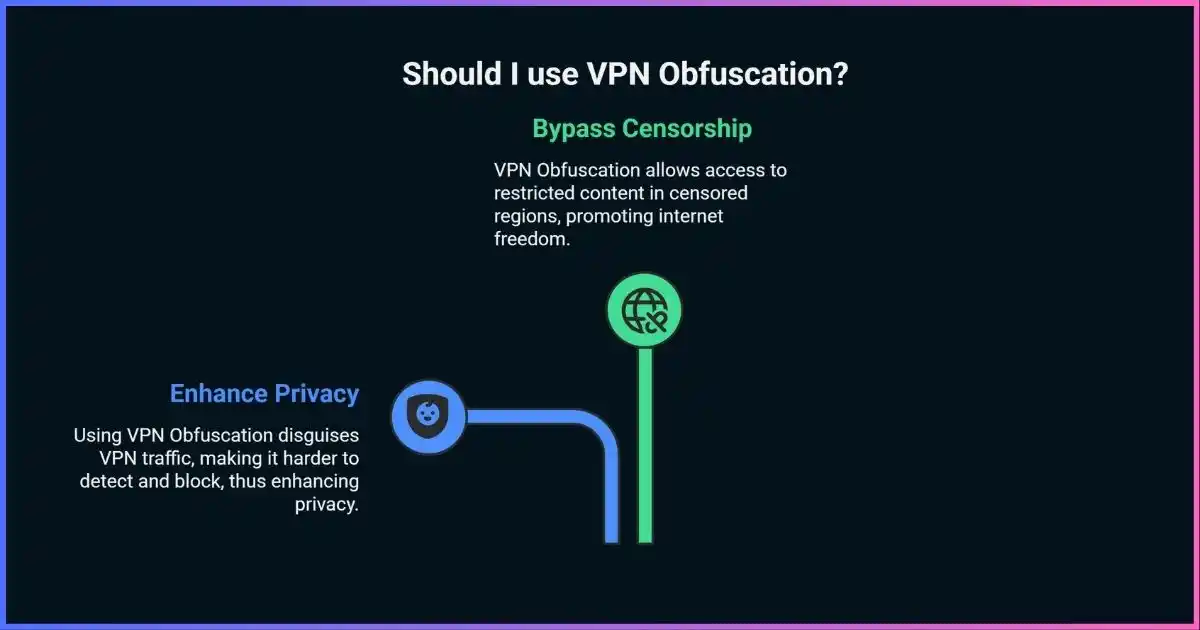
Table of Contents
The core conceptWhat Obfuscation Hides—and What It Does Not
A normal VPN encrypts content, but encryption does not erase metadata. A censor can inspect headers, transport behavior, handshake bytes, destination IPs, packet sizes and timing. Standard OpenVPN and WireGuard sessions therefore have patterns that classifiers may recognize without decrypting the payload.
Obfuscation is anti-classification technology, not a second privacy tunnel. It cannot prevent account tracking or hide the exit IP from a website. For a different threat model, see Tor vs. VPN.
Detection versus disguiseHow VPN Obfuscation Works
Ports and transport
Blocking UDP or non-web ports defeats basic configurations. TCP 443 passes simple rules but does not create authentic HTTPS.
Handshake fingerprints
First packets and message order reveal protocols. Stealth alters, encrypts or replaces these signals.
Packet shape
Lengths, bursts and keepalives form patterns. Padding and shaping reduce clues but cost bandwidth.
Endpoint intelligence
Even a convincing flow fails if its server IP is already identified as VPN infrastructure.
Active probing
A censor sends crafted messages to suspected servers. Authenticated transports avoid revealing a recognizable service.
Cross-flow analysis
Long-term timing and volume analysis remains possible. Consumer stealth cannot defeat every observer.
TechniquesVPN Obfuscation Methods Compared
These are not interchangeable “protocols.” Some wrap a VPN, some are proxy transports, and others are provider-specific. The comparison is qualitative because results vary by censor, implementation and endpoint.
| Method | Disguise | Best fit | Main limitation |
|---|---|---|---|
| Native stealth | Modified handshake plus allowed-looking transport | Consumer apps | Vendor-specific and opaque |
| OpenVPN TCP 443 | Uses the HTTPS port | Port/UDP blocks | OpenVPN fingerprints remain |
| TLS/stunnel | Wraps the tunnel in TLS | TLS-allowed networks | TLS fingerprint may stand out |
| obfs4 | Authenticated randomized transport | Tor bridges, specialist use | Looks random, not like a permitted app |
| Shadowsocks + plugin | Encrypted proxy with TLS/WebSocket-style plugin | Flexible self-hosting | Configuration quality varies |
| XOR/scramble | Transforms predictable bytes | Legacy/basic filters | Weak against modern DPI |
| Relay/fronting | Shows an allowed relay as destination | Endpoint blocking | Infrastructure availability changes |
Relative deployment complexity
Longer bars mean more manual setup; this is not a speed benchmark.
Current implementationsHow Major VPN Providers Implement Obfuscation
| Provider | Feature | Use | Notes |
|---|---|---|---|
| ExpressVPN | Automatic obfuscation | Leave protocol on Automatic | Activates on supported platforms when networks interfere |
| NordVPN | Obfuscated specialty servers | Select Specialty Servers → Obfuscated | Major apps; Linux docs specify OpenVPN TCP/UDP |
| Surfshark | Camouflage + NoBorders | Use OpenVPN; NoBorders can activate automatically | Camouflage disguises OpenVPN; NoBorders selects suitable servers |
| Proton VPN | Stealth + Smart Protocol | Select Stealth or keep Smart Protocol on | Windows, macOS, Android, iOS, Android TV; Linux GUI beta architecture |
| IPVanish | OpenVPN Scramble | Enable while using OpenVPN | Best treated as protection against basic blocks |
Want a one-click consumer option? Surfshark combines restricted-network selection with OpenVPN camouflage and unlimited devices.
Get Surfshark →Reality checkCan Obfuscated VPN Traffic Still Be Detected?
Yes. A peer-reviewed USENIX study of OpenVPN fingerprinting identified more than 85% of OpenVPN flows in an ISP-scale evaluation with negligible false positives and detected 34 of 41 tested “obfuscated” configurations. The lesson is not that all stealth is useless; it is that a wrapper must also address packet, probing and infrastructure clues.
Published OpenVPN fingerprinting results
Xue et al., 2022. These tested configurations are not a universal detection rate for modern stealth protocols.
The Tor Project’s current circumvention guidance lists obfs4, meek, Snowflake and WebTunnel through Lyrebird. Replaceable transports matter because no single disguise works everywhere forever.
Decision guideWhen Should You Turn It On?
Use it when…
A normal VPN will not connect, VPN protocols are blocked, or you are on filtered school, office, hotel or national networks.
Leave it off when…
A standard modern UDP tunnel works and speed matters. Wrapping, TCP and padding can add latency without useful benefit.
Obfuscation differs from a VPN kill switch, which prevents leaks if the tunnel fails. Also test for DNS leaks.
Practical setupHow to Enable Obfuscation Safely
- Install before travel.Download the official app and save support details on an unrestricted network.
- Try automatic mode first.It can probe available transports without brittle manual settings.
- Select native stealth if needed.Choose Stealth, Obfuscated, Camouflage or Scramble, then reconnect.
- Try TCP 443 as fallback.Useful where UDP is blocked, though advanced DPI may still classify it.
- Test leaks and failure behavior.Confirm the visible IP/DNS change and verify the kill switch.
- Keep alternatives.Save two servers and a second transport; censorship changes quickly.
TroubleshootingCommon Problems and Fixes
| Symptom | Likely cause | Try |
|---|---|---|
| Connection times out | IP blocked, UDP filtered, handshake detected | Another obfuscated server, native stealth, then TCP 443 |
| Connected, no browsing | Captive portal, DNS or MTU issue | Complete portal first; reconnect; try automatic mode |
| Very slow | Distance, congestion or TCP-over-TCP | Nearby server; UDP-based stealth; disable multi-hop |
| Feature missing | Unsupported app/platform/protocol | Update official app; select OpenVPN where required |
| Site says “VPN detected” | Exit-IP reputation | Change server; obfuscation cannot hide exit IP from the site |
Honest limitsPrivacy, Performance and Legality
There is no universal “10–30% speed loss.” Results depend on distance, congestion, padding, TCP versus UDP and device CPU. Measure your own connection. Obfuscation also does not change whom you trust: review the service’s VPN logging policy.
Laws and network rules vary and change. Check current local law and organizational policy. High-risk users should obtain threat-specific digital-security advice rather than rely on one consumer app.
What comes nextThe Future of Stealth VPNs
Development is shifting from one static signature toward transport agility, authenticated probe-resistant handshakes, relay-based entry points, and traffic morphing that addresses timing and size. Machine learning helps censors classify long sequences and helps clients select working paths. “AI-powered” is not proof of quality: the design still needs auditing, endpoint diversity and safe failure behavior. Post-quantum encryption protects confidentiality but does not itself prevent traffic classification.
FAQFrequently Asked Questions
Is obfuscation the same as encryption?
Does it make a VPN invisible to my ISP?
Is TCP port 443 enough?
Which method is best?
Are Shadowsocks and obfs4 VPN protocols?
Why can streaming sites still detect my VPN?
Does stealth slow a VPN?
Bottom Line
Obfuscation helps when networks block or classify ordinary tunnels, but strength depends on transport, endpoint and adversary—not the marketing name. Start with native stealth, keep TCP 443 as a fallback, use a kill switch, and reject “undetectable” promises.
Try Surfshark on Restricted Networks →Sources & comparison methodology
We separated encryption, tunneling and transport disguise; checked platform support against provider documentation; and used qualitative labels where no reproducible benchmark exists. Features were reviewed September 21, 2026.
Affiliate disclosure: We may earn a commission from marked links at no extra cost to you. This does not change the analysis.