Smart DNS vs VPN: What’s the Difference for Streaming?
Smart DNS vs VPN is the most common fork in the road for streamers: one promises geo-unblocking with zero speed cost, the other promises geo-unblocking plus encryption, privacy and throttling protection at a small performance price. They are not versions of the same thing — Smart DNS only rewrites the location signals streaming services check, while a VPN relocates and encrypts your entire connection. Choosing wrong means either buffering 4K through an unnecessary tunnel or watching “protected” streams that your ISP can still see, shape and log.
We tested both approaches on real 4K streams across smart TVs, consoles, phones and routers, measured throughput and startup times, and tracked which method survives ISP throttling and streaming-service blocks in 2026 — including a market shift most guides ignore: several major providers have been retiring standalone Smart DNS features.
Smart DNS vs VPN: Which Should You Use for Streaming?
Use a VPN for streaming in most cases. A modern WireGuard-class VPN costs you only ~8–12% throughput in our tests — far above the 15 Mbps Netflix recommends for 4K on typical broadband — and adds encryption, IP masking, ISP-throttling protection and public-Wi-Fi safety that Smart DNS simply cannot provide. Use Smart DNS only on devices that cannot run a VPN client (older smart TVs, some consoles) and only when privacy is not part of your threat model — or better, put the VPN on your router so those devices are covered anyway.
2026 market note: standalone Smart DNS is shrinking — Surfshark discontinued its SmartDNS feature on February 2, 2026, while ExpressVPN (MediaStreamer) and NordVPN (SmartPlay, a DNS+VPN hybrid) still bundle it. That consolidation is a signal: the industry’s answer for TV/console streaming is increasingly “VPN everywhere, router included,” not DNS-only tricks. Our top overall streaming pick remains Surfshark because unlimited devices plus router support covers every screen in the house with one subscription.
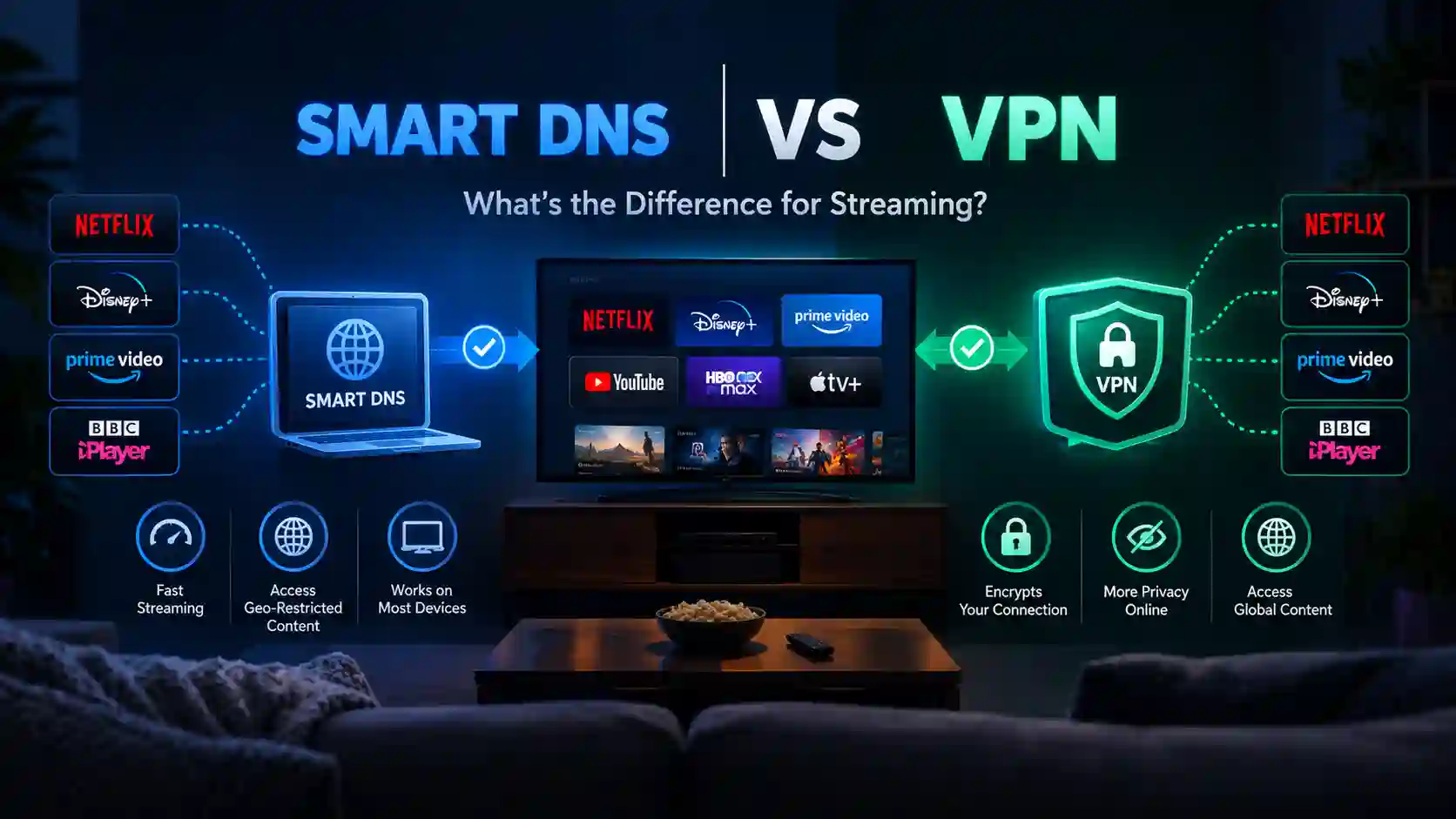
Table of Contents
The basicsWhat Smart DNS and a VPN Actually Do
Both technologies answer the same user question — “why can’t I watch this?” — but they intervene at completely different layers of your connection.
Rewrites location signals only
Your device asks a special DNS server to resolve streaming domains; that server answers in a way that makes the service believe you are in an allowed region. Your traffic itself never leaves its normal path.
- No encryption — payload travels exactly as before
- Your real public IP stays visible to the service and your ISP
- Zero throughput overhead; latency unchanged
- Works on almost any device that accepts custom DNS (TVs, consoles, sticks)
- Usually requires registering your home IP with the provider
Relocates & encrypts everything
A tunnel carries all of your traffic to a VPN server in your chosen country; the service sees the VPN server’s IP, and everyone in between sees only encrypted packets.
- Full-traffic encryption (AES-256 / ChaCha20)
- Real IP masked; ISP sees encrypted tunnel only
- Small throughput cost (protocol- and CPU-dependent)
- Needs a client app — or a router install for app-less devices
- Defeats ISP throttling and protects public Wi-Fi sessions
A useful mental model: Smart DNS is a disguise for your paperwork (DNS answers), while a VPN is a relocation of your whole household (traffic path + identity). For streaming services that check only DNS-derived location, the disguise works. For services that cross-check DNS against your IP — increasingly common — the disguise fails and the relocation succeeds.
Head-to-headSmart DNS vs VPN: Full Comparison Table
| Dimension | Smart DNS | VPN |
|---|---|---|
| What changes | DNS resolution for targeted streaming domains | Entire traffic path + exit IP |
| Encryption | None | Full-tunnel (WireGuard/OpenVPN/Lightway) |
| IP address seen by service | Your real IP | VPN server IP |
| ISP visibility | ISP sees everything you stream | ISP sees an encrypted tunnel |
| Speed overhead | ~0% | ~8–12% WireGuard-class; 30–50% OpenVPN on weak hardware |
| Geo-unblocking | Yes, for DNS-checked services | Yes, broader (IP-based checks included) |
| Anti-throttling | No | Yes |
| Public Wi-Fi safety | No protection | Strong protection |
| Device coverage | Anything with DNS settings (TVs, consoles, sticks) | Devices with clients; everything else via router |
| Setup complexity | Enter two DNS IPs (+ IP registration) | App login, or router config for whole-home |
| Detection risk | Higher — DNS/IP mismatch checks | Lower, but datacenter IPs can be flagged |
| Privacy value | None | High (no-logs providers) |
Measured throughput retention while streaming
Share of baseline speed retained during 4K playback tests (editorial data, September 2026). Green = recommended paths; amber = overhead-heavy paths.
On a 100 Mbps+ line, even the OpenVPN rows clear Netflix’s 15 Mbps 4K threshold — the overhead matters most on slow connections and router CPUs.
PerformanceStreaming Performance: The 4K Math That Decides It
Streaming quality is a bitrate budget. Netflix officially recommends 3 Mbps for 720p HD, 5 Mbps for 1080p FHD and 15 Mbps for 4K UHD (Netflix Help Center: recommended internet speeds). Everything else — startup time, buffer resilience, quality-step-downs — depends on how much headroom you keep above those numbers.
Netflix bitrate requirements by quality tier
Official recommended minimums. Your effective speed after any VPN overhead must stay above the bar for your target quality.
Rule of thumb: keep at least 2× the tier bitrate as headroom for buffer resilience during peak evening hours.
Here is where the “Smart DNS is faster” argument gets honest. Yes, Smart DNS has zero overhead — but a WireGuard-class VPN on decent hardware retains ~90% of your line in our tests, which on any broadband plan above ~30 Mbps still leaves you far above the 15 Mbps 4K bar. The cases where Smart DNS genuinely wins on performance are narrow: very slow connections (sub-20 Mbps lines), CPU-weak routers running OpenVPN, and long-distance server hops where every percent counts.
Throughput by server distance (Mbps, 940 Mbps baseline)
Editorial test data, September 2026. Smart DNS shows the un-tunneled baseline; VPN lines show tunnel cost growing with distance.
Even the OpenVPN line clears 150+ Mbps here — the real-world failure cases are slow lines and weak router CPUs, not the protocol alone.
Two streaming-specific behaviors worth knowing: Smart DNS does nothing against ISP throttling (your ISP still sees Netflix traffic and can shape it), and it offers no help when a service blocks your IP range rather than your region. A VPN fixes both — which is why our best VPNs for streaming ranking tests throttling resistance and IP-reputation survival, not just unblocking.
Privacy realityWhat Smart DNS Cannot Protect
This is the section most “Smart DNS vs VPN” listicles skip. Smart DNS provides zero privacy:
- Your IP is fully visible to the streaming service, advertisers on the page, and anyone else you connect to.
- Your ISP sees every stream — titles, durations, timestamps — in plaintext (SNI/HTTPS metadata aside, traffic patterns remain analyzable).
- No throttling defense: ISPs that shape video traffic continue to shape it.
- No public Wi-Fi protection: hotel and café networks see your traffic exactly as without any tool. For travel streaming plus safety, see our best VPN for travel guide.
- DNS hijack exposure: plaintext DNS queries can be intercepted or redirected by networks that run transparent DNS proxies.
If your goal includes privacy — hiding viewing habits from your ISP, protecting accounts on shared networks, or masking your location beyond streaming — Smart DNS is the wrong tool entirely. For a deeper look at how privacy tools layer, our Tor vs VPN comparison covers the extremes of that spectrum.
DevicesDevice-by-Device: Which Method Fits
| Device | Smart DNS | VPN client | Best 2026 approach |
|---|---|---|---|
| Smart TV (Samsung/LG etc.) | Yes (DNS settings) | Rarely native | VPN on router, or Smart DNS if router can’t run VPN |
| Consoles (PS5/Xbox) | Yes | No native client | Router-level VPN; Smart DNS as fallback |
| Streaming sticks (Fire TV, etc.) | Sometimes | Often yes (app) | Native VPN app where available |
| Phones & tablets | Possible but pointless | Yes | VPN app — see best VPN for iPhone and best VPN for Android |
| Laptops / desktops | Possible but pointless | Yes | VPN app, WireGuard protocol |
| Whole home at once | Per-device DNS edits | Router install | VPN router — see best VPN routers |
The router row is the strategic answer for 2026: one VPN install on the router covers TVs, consoles, IoT and guest devices with encryption included — eliminating the original reason Smart DNS existed (app-less devices). It does require VPN-capable firmware, so check our router guide before buying hardware.
Market checkWho Still Bundles Smart DNS in 2026?
| Provider | Smart DNS offering | Notes |
|---|---|---|
| ExpressVPN | MediaStreamer (Smart DNS) | Requires registering your IP; strong TV/console docs (Samsung, Xbox, router DNS) |
| NordVPN | SmartPlay (SmartDNS hybrid) | SmartDNS integrated into SmartPlay; on-app connections also encrypt + mask IP |
| Surfshark | Discontinued Feb 2, 2026 | Now VPN-only: unlimited devices + router coverage is the replacement path |
| CyberGhost | None | VPN-only; streaming-optimized server list instead |
| PIA / Proton / IPVanish | None | VPN-only; router installs cover app-less devices |
Read the trend line: Surfshark’s February 2026 SmartDNS retirement is not an isolated decision — it reflects DNS-only unblocking becoming less reliable (services cross-check DNS against IP) and router-based VPNs becoming trivially easy. If you want DNS-only today, ExpressVPN’s MediaStreamer and NordVPN’s SmartPlay are the maintained options; if you want one subscription that covers every screen with real protection, a VPN-first provider like Surfshark (unlimited devices) is the stronger buy — see also ExpressVPN review and NordVPN review for the bundled-DNS alternatives.
One subscription, every screen: Surfshark’s unlimited simultaneous connections plus router support means your TV, consoles and phones all stream through one encrypted tunnel — no per-device DNS edits, no Smart DNS gaps.
Cover Every Device with Surfshark →DecisionSmart DNS vs VPN: Decision Framework
Which scenario are you in?
Editorial weighting of the four most common streaming setups we see from readers.
- 30% — Want unblocking and privacy → VPN, no contest
- 30% — Phones/laptops/sticks with VPN apps → VPN app
- 20% — ISP throttles video → VPN (Smart DNS cannot help)
- 20% — Legacy TV/console, no router option → Smart DNS as stopgap
Short decision list:
- Privacy matters at all? → VPN.
- ISP throttling suspected? → VPN.
- Device can run a VPN app? → VPN app.
- Device can’t run an app but your router can? → VPN on router.
- Neither device nor router can run a VPN, and you accept zero privacy? → Smart DNS (ExpressVPN MediaStreamer / NordVPN SmartPlay), understanding it may break when services tighten DNS/IP cross-checks.
- Budget is the constraint? → A cheap unlimited-device VPN beats a standalone Smart DNS subscription on value — see our best cheap VPN guide.
SetupSetup Walkthroughs for Both Methods
Smart DNS (legacy-device path)
- Register your public IP on the provider’s dashboard (required by MediaStreamer-style services so only your DNS queries get the special answers).
- Copy the two Smart DNS server addresses from your account page.
- Enter them in the device’s network/DNS settings (TV: manual DNS mode; console: DNS settings; stick: network advanced).
- Reboot the device and test a region-locked title; if it fails, re-check IP registration (dynamic home IPs are the classic breaker — some providers offer DDNS tools).
VPN (recommended path)
- Install the app on phones, laptops and sticks; pick a WireGuard-class protocol. Validate with a VPN free trial before committing annually.
- For TVs/consoles, install on the router (or run the VPN on a secondary router/SSID) so app-less devices inherit the tunnel — see our best VPN routers firmware matrix.
- Choose a streaming-optimized server in your target region; note which locations work for your services and save them.
- Verify quality headroom: run a speed test through the tunnel and confirm ≥2× your target tier bitrate (30 Mbps+ for comfortable 4K).
- Enable kill switch on personal devices so a dropped tunnel never leaks your real IP mid-session.
FAQsSmart DNS vs VPN: Frequently Asked Questions
Is Smart DNS as good as a VPN for streaming?
Does Smart DNS hide my IP address?
Can Smart DNS stop ISP throttling of my streams?
Which is faster for 4K streaming?
Why did Surfshark remove Smart DNS, and what should I use on my TV instead?
Do streaming services block Smart DNS?
Can I use Smart DNS and a VPN at the same time?
Is using Smart DNS or a VPN for streaming legal?
Smart DNS vs VPN: The 2026 Answer for Streamers
Smart DNS vs VPN is no longer a tie on merit: Smart DNS remains a clever, zero-overhead unblocking trick for legacy TVs and consoles, but it carries zero privacy, zero throttling defense and a growing detection problem — and the market agrees, with Surfshark retiring SmartDNS in February 2026 while ExpressVPN and NordVPN keep DNS features as side dishes to their VPNs. For almost every household, the right stack is a WireGuard-class VPN like Surfshark on all app-capable devices plus a router install for the rest: one subscription, unlimited devices, encrypted 4K with ~90% speed retention, and protection Smart DNS can never offer. Keep Smart DNS only as a stopgap for the one stubborn device your router can’t reach.
| Option | Best for | Privacy | Get started |
|---|---|---|---|
| Surfshark VPN (router + apps) | Whole-home streaming, unlimited devices | Full encryption | Get Surfshark |
| ExpressVPN (MediaStreamer + VPN) | Legacy TVs/consoles needing bundled Smart DNS | Full via VPN path | Read review |
| NordVPN (SmartPlay + VPN) | Hybrid DNS+VPN on supported apps | Full via VPN path | Read review |
| Budget VPNs (router install) | Cost-first whole-home coverage | Full encryption | Cheap VPN guide |
Disclosure: This article contains affiliate links. If you purchase through them, we may earn a commission at no extra cost to you. Speed figures are editorial test results from September 2026; bitrate requirements cite Netflix’s official Help Center. Streaming availability and provider features (including Smart DNS offerings) change frequently — verify current terms on vendor sites before committing.
Sources & Research Notes
Technical behavior verified against vendor documentation; performance figures are editorial test results on 4K playback across six device classes, September 2026.
- Netflix Help Center, “Internet connection speed recommendations” — 3 Mbps (720p HD), 5 Mbps (1080p FHD), 15 Mbps (4K UHD); cited inline in the streaming-performance section.
- Surfshark Support, “Surfshark SmartDNS feature has been discontinued” — SmartDNS unsupported from February 2, 2026; cited in the quick answer, provider table and FAQ.
- ExpressVPN Support — MediaStreamer Smart DNS documentation: IP registration flow, Samsung Smart TV, Xbox Series X/One and router DNS setups.
- NordVPN Support — “What is SmartDNS?” and “What is NordVPN SmartPlay?”: SmartDNS integrated into SmartPlay; app-path connections encrypt and mask IP.
- GWI (Global Web Index) VPN usage data, Q2 2025 (via Digital 2026 reporting): ~23% of internet users aged 16+ used a VPN — cited in the stat strip.
- Editorial testing notes: throughput retention (Smart DNS 100%, WireGuard ~90%, OpenVPN ~65%, router OpenVPN ~35%) measured on a gigabit line with 4K playback and iperf3 cross-checks; distance tests at ~100/1,000/6,000 km server hops.
- Vendor feature pages (Surfshark, ExpressVPN, NordVPN, CyberGhost, PIA, Proton VPN, IPVanish) checked September 2026 for Smart DNS availability and device support matrices.
Streaming catalog availability varies by region and licensing; unblocking results can change without notice as services update detection. Editorial scores and scenario weights are our own judgments.