How to Unblock Websites With a VPN or Proxy
Start with the causeAccessing a Blocked Website Is a Diagnosis Problem
A page that will not open may be down, filtered by the network, unavailable in the current region, rejected because of IP reputation, restricted by an account, or blocked by device policy. VPNs and proxies solve only some of those conditions.
This guide starts with the failure layer, then matches it to the narrowest authorized method. That prevents wasted troubleshooting, reduces privacy risk, and avoids the dangerous habit of disabling certificate checks, firewalls, or managed safeguards just to make one page load.
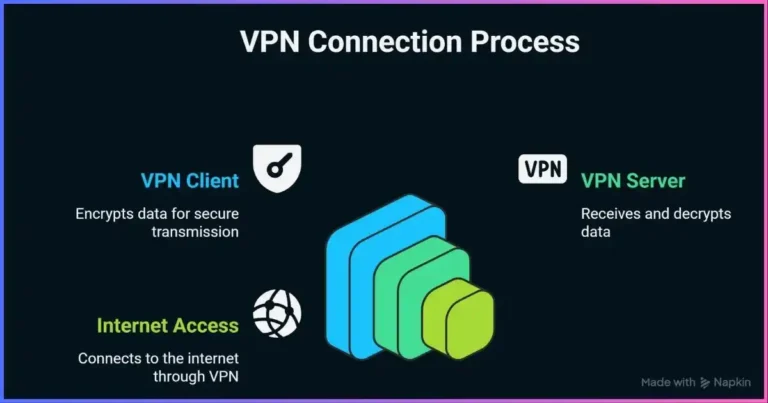
A VPN is usually the best first choice for safely accessing a website blocked by the local network or unavailable from your current IP region. It encrypts routed traffic to the VPN server and gives it a different public exit address. A proxy is better when only one compatible browser or application needs another route and you understand whether its client-to-proxy connection is encrypted.
Neither tool can fix a site outage, expired account, subscription-region rule, device restriction or administrator policy. First identify where the failure occurs; then use the narrowest lawful solution.
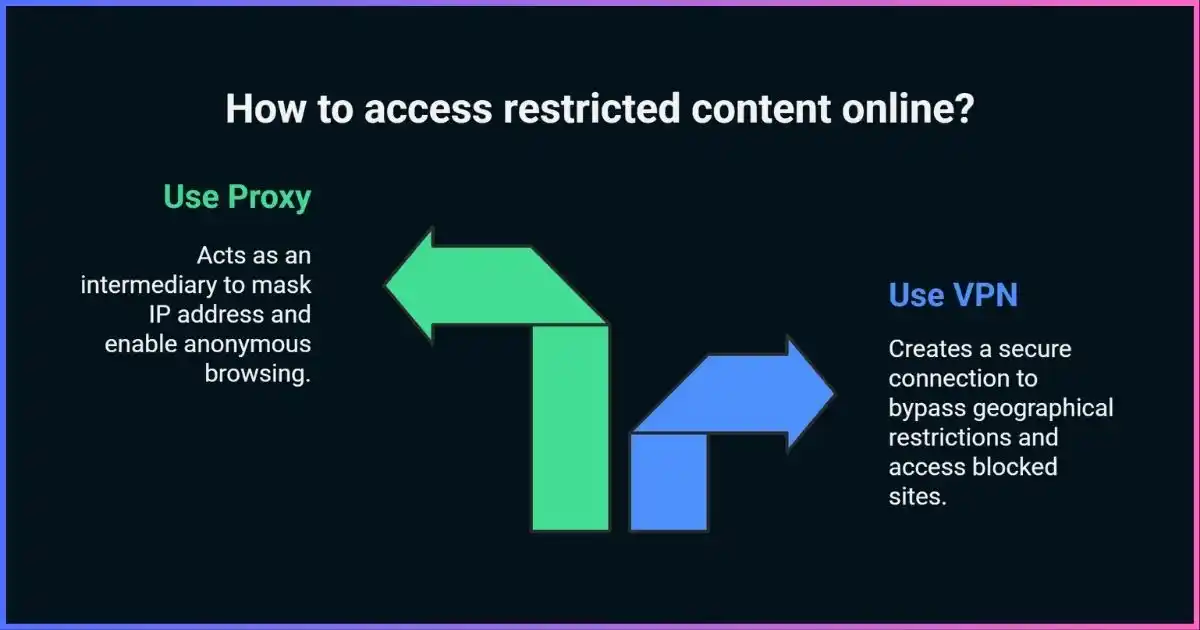
Table of contents
Five-minute pathHow to Unblock a Website Safely
- Confirm that the site itself is working.Check its official status page, the exact URL, your device time and whether another trusted network can reach it. Do not assume every error is censorship.
- Read the error before changing settings.A DNS error, timeout, certificate warning, HTTP 403/451, login message and employer block page point to different causes.
- If you are authorized, connect a reputable VPN.Install it from the official app store or provider site, choose a nearby server in an allowed region and wait for the connection state.
- Open a fresh browser session.Retry the correct HTTPS address. If the service uses account location, cookies or GPS, a new exit IP alone may not change the result.
- Verify the route.Check that the public IPv4/IPv6 address changed and that DNS uses the intended path. Enable a kill switch if exposure during disconnect matters.
Diagnose before routingWhy Is the Website Blocked?
“Blocked” describes a symptom, not a single technical condition. A network can tamper with DNS, drop packets to an IP address, reset a TLS connection, inject an HTTP block page or throttle a service. A website can independently reject the visitor’s region, IP reputation, account state or device. Local security software and managed-device policy can also intervene.
Network-level filtering
The ISP, hotspot, router or organization interferes with DNS, destination IPs, TLS handshakes or HTTP requests. A correctly working encrypted tunnel can route around many of these controls where permitted.
Geographic availability
The destination evaluates the exit IP’s country or region. A suitable VPN/proxy exit may help, but account country, payment method, GPS or service terms can still control access.
Website-side blocking
The site rejects a VPN/datacenter range, poor-reputation IP, automation pattern or too many requests. Switching tools may not solve the underlying policy or abuse signal.
Account or device restriction
Expired entitlement, age/identity checks, managed-device policy, parental controls or malware filtering do not disappear merely because the public IP changes.
Outage or configuration error
Server downtime, bad DNS records, an expired certificate, browser extension conflicts, wrong system time or local cache corruption can look like blocking.
VPN/proxy blocking
Networks can block known endpoints or recognizable traffic. Obfuscation or Tor bridges may help in high-censorship settings, but use can carry legal or personal risk.
Match cause to remedyHow Website Blocking Works
The Open Observatory of Network Interference’s blocking guide distinguishes DNS tampering, IP blocking, HTTP interference and SNI-informed TLS filtering. Modern measurements also compare DNS, TCP connection, TLS handshake and HTTP behavior against a control vantage point.
Can return an error, wrong address or block page
Can be dropped, reset or throttled
Can be filtered by hostname or request
Can check IP, login, GPS, cookies or entitlement
| Layer | Typical symptom | VPN | Proxy | DNS change | Important caveat |
|---|---|---|---|---|---|
| DNS tampering | NXDOMAIN, wrong IP, resolver block page | Usually | If proxy resolves remotely | May help | Encrypted DNS alone cannot bypass an IP or TLS block. |
| IP blocking | Timeout/reset only on one network | Often | Often | No | Shared hosting makes IP blocking prone to collateral damage. |
| TLS/SNI filtering | Connection resets during secure handshake | If tunnel is reachable | Depends on tunnel | Usually no | Encrypted ClientHello support is not universal and does not hide destination IP. |
| HTTP filtering | Injected page, redirect or status | For tunneled request | For proxied request | No | HTTPS already prevents intermediaries from reading normal URL paths. |
| Site geo/IP policy | “Unavailable in your region” or 403 | Sometimes | Sometimes | Usually no | The site may block shared exits or use account/device signals. |
| Account/device policy | Login, entitlement or management message | Usually no | Usually no | No | Resolve with the service or administrator. |
Measured contextCurrent Website Blocking and Circumvention Evidence
There is no reliable universal percentage for how many websites are blocked or how often a VPN succeeds. Blocking varies by country, network, time, target, and measurement coverage. The strongest current evidence therefore reports documented interference in a defined set—not invented worldwide averages.
Circumvention tools are also blocked
Blocking is not limited to individual websites. Freedom House reported that anti-censorship technologies were blocked in at least 21 of the 72 countries covered by its 2024 assessment during the preceding five years; end-to-end encrypted services were blocked in at least 17. Its 2025 Tunnel Vision report documents why VPN and encryption access itself has become a censorship target.
Tool restrictions among 72 assessed countries
At least the stated number experienced blocking during the five-year period; these categories overlap and are not global prevalence estimates.
Pick the right routeVPN vs Proxy vs DNS vs Tor
A VPN and proxy can both make the destination see an intermediary’s IP, but their scope and security differ. A VPN generally creates an encrypted network tunnel for the device or selected routes. A proxy relays traffic for a configured application or protocol. Read the full VPN vs proxy comparison for the underlying architecture.
*Some “Smart DNS” products selectively proxy requests used for location checks, but they do not provide VPN-style traffic encryption or a universal new IP.
Use a VPN when
- You need browser and app traffic routed through another network.
- The local network or ISP is interfering with DNS, IP connections or TLS.
- You need an encrypted first hop on hotel, airport or café Wi-Fi.
- You want a selectable exit region and a kill switch.
Use a proxy when
- Only one proxy-aware browser or application needs a different route.
- You are testing an authorized regional workflow or automation job.
- You need granular HTTP or SOCKS behavior and can verify remote DNS resolution.
- You accept that plain proxy transport may not encrypt the first hop.
Need encrypted, device-wide access?
Compare protocol reliability, obfuscation, DNS/IPv6 handling, kill-switch behavior and logging—not unsupported “100% unblocking” claims.
Method 1How to Unblock Websites With a VPN
1. Choose for the actual constraint
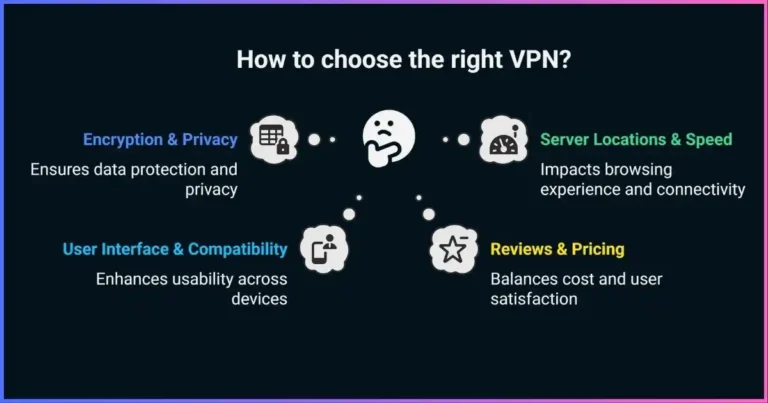
Look beyond headline server counts. Confirm that the provider supports your operating system, has exits in the required lawful region, protects DNS and IPv6, offers a suitable kill switch, publishes a precise logging policy and can switch protocols when networks interfere. If you expect censorship, verify current obfuscation support for your specific platform.
2. Install only from an official source
Use the provider’s verified site or the operating system’s official app store. Avoid repackaged installers, “cracked” accounts and unknown browser extensions. Sign in, allow the operating-system VPN permission, and apply updates before travel to a restrictive location.
3. Connect to the nearest suitable exit
For a local network block, the closest available server outside that network usually gives the best route. For region-based availability, select an exit in the region the service supports for your account. Greater distance often increases latency; it does not make the connection inherently more private.
4. Confirm the connection and retry cleanly
Verify that the public IP changed and that the app reports the intended server. Open the correct HTTPS URL in a fresh tab. If the site still uses an old region, try a private window or clear that site’s cookies—not the entire browser—then confirm that browser or app location permission is not supplying GPS data.
5. Turn on failure protection where needed
A VPN kill switch can block traffic if the tunnel drops. Always-on or permanent modes are stronger than reactive modes where supported. Test the actual platform: feature names and behavior vary, and split tunneling can intentionally bypass the tunnel.
6. If the VPN is blocked, change one variable at a time
Try another nearby server, then a provider-supported alternate protocol, then an official obfuscated mode. TCP port 443 may pass simple UDP or port blocks, but it does not automatically make VPN traffic identical to browser HTTPS. See the VPN protocol guide and obfuscation guide.
Method 2How to Unblock a Website With a Proxy
A forward proxy receives a configured request and sends it onward. Websites see the proxy exit address for that request, but other apps may still connect directly. “HTTP,” “HTTPS” and “SOCKS5” describe different interfaces or transports; “residential” and “datacenter” describe the exit network. Learn the taxonomy in what a proxy server is and the guide to proxy server types.
HTTP proxy
Understands HTTP requests. HTTPS destinations are commonly reached through CONNECT tunneling. Ask whether the client-to-proxy hop itself is encrypted.
SOCKS5 proxy
More protocol-agnostic and can specify remote hostname resolution and UDP relay, though implementations vary. SOCKS5 does not encrypt payloads by itself.
Browser proxy extension
Convenient and narrow, but usually covers only that browser or profile. Treat extension permissions and ownership as sensitive.
Web proxy page
You paste a URL into a site that fetches the page. It may break logins/scripts and can see submitted content. Do not use unknown web proxies for credentials.
- Obtain an authenticated endpoint.Use a provider with transparent ownership, clear sourcing, abuse controls and an intelligible privacy policy. Avoid public lists of open proxies.
- Record the host, port and protocol.Do not enter credentials into a lookalike configuration page. Confirm whether TLS protects the client-to-proxy connection.
- Configure only the intended application.Use browser, operating-system or app proxy settings. A system proxy still may not cover software that ignores those settings.
- Choose DNS behavior deliberately.If the client resolves the hostname locally, DNS filtering may remain. If it sends the hostname to the proxy, resolution occurs remotely. Test rather than trusting labels.
- Verify the exit and HTTPS certificate.The public address should match the proxy network. Never proceed through an unexpected certificate warning.
- Remove the setting when finished.A forgotten manual proxy can cause later outages or route sensitive traffic through an operator you no longer intend to use.
Other methodsEncrypted DNS, Tor, Smart DNS and Mobile Data
Encrypted DNS: only for the DNS layer
DNS over HTTPS or DNS over TLS can prevent the local resolver path from reading or altering plain DNS queries. It can help when blocking is limited to the configured resolver. It does not change the destination IP, hide traffic from the destination, bypass an IP block or necessarily prevent TLS hostname filtering. Read our DNS leak and encrypted DNS guide.
Tor Browser and bridges
Tor Browser routes browsing through several relays and is designed to reduce linkability and browser fingerprinting. If direct Tor access is blocked, official bridges and pluggable transports such as obfs4, Snowflake and WebTunnel can provide alternate entry paths. Tor is slower, some sites challenge shared exits, and signing into a personal account still identifies the account. Do not torrent over Tor.
Smart DNS
Smart DNS products modify resolution or selectively proxy traffic used for location checks. They can work on devices that lack VPN apps, but they are not general privacy tools: they normally do not encrypt all traffic or hide the source IP from every destination. Compatibility is service-specific and can change.
A different authorized network
If your own router or ISP has a fault, testing with your mobile connection can distinguish device problems from network problems. Do not use a personal hotspot to circumvent an employer or school policy; ask for legitimate access. A new network also exposes activity to a different carrier and does not itself provide VPN encryption.
No fake benchmarksVPN vs Proxy Performance and Privacy Comparison
There is no defensible universal claim that a proxy retains 90% of speed or that a VPN succeeds on 85% of blocked sites. Distance, peering, congestion, server load, protocol, encryption hardware, target defenses, DNS, account state and time of day can dominate results. Compare tools on the same device, network, target and test window.
| Criterion | VPN | Proxy | What to measure |
|---|---|---|---|
| Traffic scope | Device-wide or selected routes/apps | Configured app or protocol | Which processes, IPv4/IPv6 and DNS actually use it |
| First-hop privacy | Encrypted tunnel | Varies by proxy transport | Whether local observers see destinations or DNS |
| Latency | Added tunnel and route | Added relay and route | Median and 95th percentile to the real target |
| Throughput | Depends on tunnel, path and server | Depends on path, server and workload | Sustained download/upload during comparable load |
| Reliability | Reconnect and tunnel behavior matter | App retry and endpoint quality matter | Success rate, errors, disconnects and recovery time |
| Detection | Exit and protocol can be classified | Exit and request behavior can be classified | CAPTCHA, HTTP status, block message and challenge rate |
| Trust | VPN sees source connection and routes | Proxy sees proxied source and requests | Logs, ownership, audits, retention and security design |
Performance optimization without weakening security
- Choose the nearest exit that satisfies the authorized region or routing requirement.
- Compare provider-supported modern protocols before forcing TCP, which can compound retransmission under loss.
- Change one variable at a time: server, protocol, browser state, then DNS behavior.
- Keep certificate validation, firewall protection, and application updates enabled.
- Measure the real destination rather than optimizing only for a nearby speed-test server.
Follow the evidenceWhy the Website Is Still Blocked
| Symptom | Likely category | Safe next steps |
|---|---|---|
| Site fails on every network | Outage, domain or server issue | Check official status, URL, certificate and device clock; wait or contact the site. |
| DNS name not found on one network | Resolver error or DNS filtering | Compare an approved encrypted resolver or VPN; do not hard-code a random IP. |
| Timeout/reset without VPN; works with VPN | IP/TLS filtering or routing fault | Use the lawful tunnel; document the network difference if reporting interference. |
| VPN itself will not connect | Endpoint/protocol blocked, captive portal or firewall | Complete captive portal first; try another official server/protocol or obfuscation. |
| HTTP 403 or CAPTCHA on VPN | Exit reputation, abuse defense or region policy | Try a nearby provider server; slow requests; use the service normally; do not evade access controls. |
| “Not available in your region” remains | Account, cookie, GPS, payment or exit location | Check entitlement and terms; remove unnecessary location permission; contact service. |
| Browser works, app does not | App bypass, certificate pinning, UDP or account policy | Verify app routing/split tunnel; update app; use supported VPN mode. |
| Only IPv6 reveals the old network | IPv6 route/bypass problem | Use a VPN that supports or safely blocks IPv6; do not blindly disable system features. |
| Certificate warning | Interception, wrong site, clock or attack | Stop. Do not enter credentials or bypass the warning. |
| Managed-device block page | Organization policy | Request access from the administrator; do not attempt circumvention. |
A disciplined decision tree
- Is the site up elsewhere?If no, the problem is likely at the site or domain. If yes, continue.
- Does another network work?If yes, focus on the original network’s DNS, routing or policy. If no, inspect the device, browser and account.
- Does an approved VPN connect?If it connects and the site works, network/region routing was material. If not, record the exact connection stage and error.
- Does the destination reject the exit?A 403, CAPTCHA or explicit VPN message is website-side policy, not proof the tunnel failed.
- Do identity signals disagree?Account country, GPS, cookies, SIM and payment data can conflict with the exit IP.
- Is bypass authorized and safe?If policy or law says no, stop and use an approved appeal, access request or alternative resource.
Trust and safetySecurity, Privacy and Performance Best Practices
Do
- Use official, updated clients
- Keep HTTPS certificate checks intact
- Use MFA and unique passwords
- Test DNS, IPv4, IPv6 and failure behavior
- Prefer clear policies and recent independent assurance
- Remove unused proxy profiles and extensions
Do not
- Trust random free web proxies with logins
- Install unknown “unblocker” extensions
- Disable antivirus, firewall or certificate checks
- Assume private browsing changes the route
- Assume “no logs” is a standardized guarantee
- Use residential exits without sourcing diligence
A privacy tool becomes a new trust point. A VPN can receive your source connection and route traffic; a proxy receives the traffic configured through it. HTTPS continues to protect content between the client and destination when certificates are validated, but metadata and operator records still matter. Review our guide to VPN logging policies.
Free is not automatically unsafe, but operating a relay network costs money. Understand how the service is funded, what it collects and whether it injects ads or SDKs. Read are free VPNs safe? before trusting a no-cost provider.
Permission mattersLegal, Ethical and Terms-of-Service Considerations
VPN and proxy legality varies by jurisdiction and can change quickly. Some places restrict providers, require approved services or penalize particular uses. A tool that is lawful at home may be restricted at a destination. Seek current local advice where consequences could be serious.
Separate law from a website’s contract and from network-owner policy. Bypassing a geo check may breach service terms even if VPN software itself is legal. Circumventing employer, school or parental controls may violate policy and undermine security or safeguarding. Accessing copyrighted, paid or confidential material without authorization remains unauthorized regardless of the route.
Legitimate examples
- Protecting an authorized connection on public Wi-Fi
- Reaching your organization through its approved remote-access system
- Testing your own service from another region
- Accessing lawful information with a properly assessed safety plan
Stop or obtain permission
- Bypassing controls on someone else’s managed network
- Evading payment, account, age or licensing restrictions
- Accessing systems or data without authorization
- Using a tool that creates unacceptable legal or personal risk
Common questionsWebsite Unblocking FAQ
Why is a website blocked?
Possible causes include DNS tampering, IP or TLS filtering, an HTTP block page, geographic licensing, account restrictions, poor IP reputation, device policy, parental controls, security software, or an ordinary outage. The error and comparison across trusted networks help identify the layer.
Is a VPN or proxy better for unblocking websites?
A VPN is generally better for encrypted, broad device coverage. A proxy is useful for one compatible app or an authorized workflow that needs granular routing. Neither guarantees access when the site applies account, GPS or anti-abuse rules.
Can changing DNS unblock a website?
Only when DNS resolution is the blocking or failure layer. It cannot overcome destination-IP blocking, many TLS filters, an account restriction or a website that rejects your public IP.
Why does a website detect my VPN?
Sites can classify known datacenter ranges, shared-address behavior, IP reputation, unusual location changes and other request/account signals. Obfuscation changes VPN protocol characteristics; it does not turn a known exit into a residential address or guarantee invisibility.
Does incognito mode unblock sites?
No. It may help test whether stale cookies or local storage affect a website, but it does not change DNS, public IP, network route or account entitlement.
Are free web proxies safe?
Unknown public proxies are inappropriate for credentials or sensitive browsing. The operator may observe requests, inject content, mishandle certificates or disappear without accountability. Use a reputable authenticated service and HTTPS.
Will a VPN always unblock streaming services?
No. Streaming services change IP enforcement and may rely on account home, household, payment or device-location signals. Access also depends on entitlement and terms.
Can a VPN bypass school or workplace blocks?
It may technically route around some network filters, but doing so without authorization can violate policy and create security or disciplinary risk. Ask the administrator for approved access instead.
What does HTTP 451 mean?
HTTP 451 indicates that access is unavailable for legal reasons when a server or intermediary chooses to disclose that fact. Not all legal blocks use 451, and seeing it does not establish whether using a circumvention tool is lawful where you are.
How do I know whether the VPN is working?
Confirm the client reports connected, public IPv4 and IPv6 follow the intended route, DNS behavior matches the provider’s design, the target loads, and traffic blocks or reconnects as expected during an interruption.
Bottom Line
Start by identifying the blocking layer. A VPN is the strongest general-purpose option for lawful access because it changes the visible exit and encrypts routed traffic to the VPN. A proxy is narrower and useful for one application; encrypted DNS helps only with DNS-layer interference; Tor Browser is designed for higher-anonymity browsing and censorship resistance.
No method guarantees access, legality or anonymity. Verify the site, error, route, DNS, IPv4/IPv6 and account state, then respect local law, service terms and network-owner policy.
Disclosure: This article contains affiliate links. If you purchase through one, we may earn a commission at no extra cost to you. Affiliate relationships do not alter the blocking-layer diagnosis, security criteria or limitations described here.
Sources & comparison methodology
We reviewed current censorship measurement methods, anti-censorship research, HTTP semantics, DNS privacy standards, Tor circumvention documentation and established VPN/proxy behavior. Unsupported global blocking percentages, VPN-growth figures, generic speed retention, fixed success rates and invented regional charts were removed.
- Blocking methods: Open Observatory of Network Interference documentation for DNS tampering, IP blocking, HTTP interference, SNI/TLS filtering and Web Connectivity measurements.
- Current context: Freedom House, Tunnel Vision (2025) and Freedom on the Net 2025. The chart uses the documented minimum counts of 21 of 72 countries for anti-censorship-tool blocking and 17 of 72 for encrypted-service blocking during the report’s five-year window.
- Protocol behavior: IETF HTTP semantics and CONNECT, SOCKS5, DNS over HTTPS, DNS over TLS and encrypted DNS guidance.
- Circumvention: Tor Project documentation for bridges and the obfs4, Snowflake and WebTunnel pluggable transports; contemporary research on VPN protocol detection and obfuscation limits.
- Comparison method: each method is assessed by route scope, first-hop encryption, public exit, DNS behavior, block layer, failure handling, operator trust and site/account limitations. Qualitative matrix labels are capabilities, not success probabilities.
Research cut-off: September 25, 2026. Laws, network interference, provider features and destination policies change; verify current conditions for the specific location, device and service.