Proton VPN Review: Exceptional Privacy, a Real Free Plan, and a Few Trade-Offs
This Proton VPN review finds a service that is unusually easy to trust and increasingly difficult to outgrow. Proton combines open-source apps, five consecutive annual no-logs assessments, Swiss jurisdiction, Secure Core multi-hop routing, strong censorship resistance, 10 paid connections, and one of the largest advertised server fleets in the market. Its free plan has no ads or data cap—something very few reputable VPNs can say.
It is not flawless. The free tier chooses servers for you, advanced features differ by operating system, Secure Core trades speed for stronger route protection, and the low $2.99 monthly equivalent is a two-year introductory rate rather than the permanent cost. Still, privacy-focused users, travelers, journalists, Linux users, and torrenters will find more substance here than marketing gloss.
Our verdict in 30 seconds
Proton VPN is our top privacy-first VPN and the best trustworthy free option. Plus is worth paying for if you need precise country choice, streaming, P2P, NetShield, Secure Core, Tor routes, port forwarding, or ten devices. NordVPN remains slightly more polished as a broad all-rounder, while Surfshark is cheaper for very large households, but Proton wins on public transparency and free access.
Table of Contents
- Review snapshot
- Plans, pricing, and renewal
- Is Proton VPN Free good?
- Privacy and no-logs evidence
- Security and protocols
- Server network and Secure Core
- Speed and everyday performance
- Streaming support
- Torrenting and port forwarding
- Gaming
- Apps and device support
- Proton VPN vs alternatives
- Recommended setup
- Pros and cons
- FAQs
- Final verdict
At a glanceProton VPN Review Snapshot
| Category | What you get | Our assessment |
|---|---|---|
| Jurisdiction | Switzerland | Strong privacy framework; practices and audits matter more than jurisdiction alone |
| Network | 20,798 servers, 149 countries, 196 locations | Outstanding breadth; vendor totals change frequently |
| Free plan | Unlimited data, one device, app-selected servers in 10 countries | Best reputable free tier, but limited control and no paid extras |
| VPN Plus | 10 devices, full network, streaming, P2P, NetShield, Secure Core, Tor, port forwarding | The right plan for almost every paying VPN-only buyer |
| Protocols | WireGuard UDP/TCP, Stealth, Smart Protocol; OpenVPN/manual support varies | Modern and censorship-aware, but legacy-protocol parity is shrinking |
| Privacy proof | Five annual public no-logs assessments; open-source production apps | Best-in-class transparency, while still point-in-time evidence |
| Refund | 30 days on eligible direct paid subscriptions | Competitive; app-store and abuse/terms exceptions apply |
| Best for | Privacy, free use, P2P, Linux, travel, censorship resistance | Excellent specialist that is now a strong generalist |
Proton VPN category scores
Editorial scores based on current evidence, feature depth, platform support, pricing clarity, and practical limitations—not paid placement.
Costs explainedProton VPN Pricing, Plans, and Renewal Terms
Proton’s lineup is simpler than the bundles offered by many rivals. Proton Free covers basic private browsing. VPN Plus unlocks the full VPN. Proton Unlimited combines the paid VPN with premium Proton Mail, Pass, Drive, Calendar, Docs, and Sheets features. Duo, Family, and Business plans are account bundles rather than better VPN engines.
| Feature | Free | VPN Plus | Unlimited |
|---|---|---|---|
| Data allowance | Unlimited | Unlimited | Unlimited |
| Devices | 1 | 10 | 10 VPN connections |
| Server choice | App-selected in 10 countries | Full Plus network in 149 countries | Same full VPN network |
| Streaming and P2P | No official paid-grade support | Included | Included |
| NetShield / Secure Core / Tor | No | Included | Included |
| Port forwarding | No | Included on supported platforms | Included on supported platforms |
| Other Proton products | Free product tiers | Free product tiers | Premium Mail, Pass, Drive, Calendar and productivity tools |
Which Proton plan should you buy?
Choose Free if you need basic encryption on one device and can accept automatic server choice. Choose VPN Plus if the VPN is the product you actually want. Unlimited only makes financial sense when you will actively use several premium Proton services; it does not make the VPN tunnel faster or more private than Plus.
Proton offers a 30-day refund on eligible direct paid subscriptions. As with any refund policy, purchases through Apple, Google, or another channel can follow that store’s rules. Canceling renewal and requesting a refund are separate actions.
The standout tierIs Proton VPN Free Actually Good?
Yes—within clearly defined limits. Proton Free has no data cap, no ads, and no browsing-activity logs. It connects one device and uses free servers in ten countries: Canada, Japan, Mexico, the Netherlands, Norway, Poland, Romania, Singapore, Switzerland, and the United States.
The important catch is control. The app initially selects the fastest free option for you. If you request a different connection, it randomly assigns the next server rather than letting you pick a country. The first change has a 45-second cooldown; further changes use 10-minute intervals. Free also excludes the full Plus network, paid streaming support, P2P, NetShield, Secure Core, Tor over VPN, and port forwarding.
Free is enough when…
You want safer browsing on café Wi-Fi, occasional IP masking, a backup tunnel, or censorship access without handing an unknown free app your traffic.
Pay for Plus when…
You need a chosen country, consistent streaming, torrenting, multiple devices, ad/tracker filtering, multi-hop routing, support, or predictable server selection.
Trust and evidencePrivacy: No-Logs Claims, Audits, and Swiss Jurisdiction
Proton VPN’s strongest advantage is not a single feature; it is the amount of evidence a buyer can inspect. The service is operated from Switzerland, publishes its apps’ source code, commissions security reviews, and has completed five consecutive annual infrastructure assessments of its no-logs policy through Securitum, including a 2026 report.
The latest assessment examined production infrastructure for signs that Proton logged browsing activity, DNS queries, destination services, traffic contents, or user-identifiable connection metadata. It reported no evidence of those practices in the reviewed scope. Proton also says its no-logs stance has been tested in hundreds of legal cases where it could not provide nonexistent VPN activity logs.
You can inspect Proton’s production app repositories through the company’s official ProtonVPN GitHub organization, and read the full annual no-logs assessment links. These are unusually useful disclosures for technical buyers.
Does Swiss jurisdiction make Proton untouchable?
No. Switzerland has strong privacy protections, but no jurisdiction makes a company immune to valid legal process. The practical question is what data exists to hand over. Proton says current Swiss rules do not impose VPN activity logging on it, and its annual assessments support that infrastructure claim. Account, payment, fraud-prevention, and support data are separate from browsing logs and may still exist where needed.
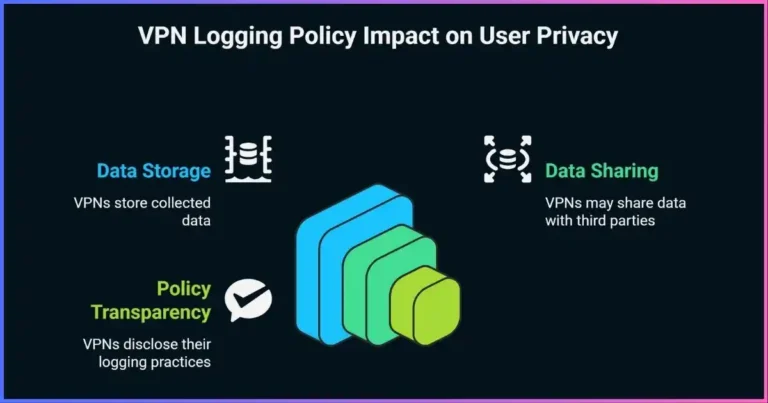
That distinction matters. A no-logs VPN can know that an account exists without recording which websites that account visited through a VPN server. Read our guide to VPN logging policies for a field-by-field explanation.
Technical protectionSecurity Features and VPN Protocols
Proton VPN covers the fundamentals well: authenticated encryption, private DNS on VPN servers, IPv6 handling in current configurations, a standard kill switch, an advanced always-on kill switch on supported platforms, automatic reconnection, and open-source clients. The paid tier then adds NetShield, Secure Core, Tor over VPN, split tunneling, and specialized P2P routes.
WireGuard
The default speed-oriented choice. Proton supports WireGuard over UDP and TCP in current official apps, with Smart Protocol selecting workable transports when networks interfere.
Stealth
Obfuscates VPN traffic so it is harder for restrictive networks to identify and block. It is available broadly across desktop, mobile, and Android TV, with Linux work continuing through Proton Protocols.
OpenVPN / IKEv2
Legacy availability is narrowing. OpenVPN remains in Linux and manual setups; IKEv2 remains on macOS but is being phased out. iOS removed native IKEv2/OpenVPN choices from the official app.
Kill switch behavior
The ordinary kill switch blocks traffic during an accidental VPN interruption. Advanced kill switch prevents internet access unless the VPN is connected, including across reboots on supported Windows and Linux configurations; Android’s system workflow behaves similarly, and iOS/iPadOS has an advanced option in beta. On most platforms, split tunneling and kill switch cannot run together. Windows is the notable exception and can protect included apps while excluded traffic stays outside the tunnel.
If this control is mission-critical, test it on the exact device you use. Our explainer on how VPN kill switches work covers the leak scenarios a basic disconnect test can miss.
NetShield: useful filtering, not antivirus
NetShield uses Proton’s VPN DNS resolvers to block known malware, tracker, and advertising domains. Since early 2026 it matches subdomains as well as root domains, improving coverage against tracker infrastructure. Because it works at DNS level, it cannot inspect arbitrary downloaded files, remove malicious code already on the device, or replace endpoint security. Think of it as a low-friction network filter.
A necessary post-quantum correction
Proton’s new Rust-based Proton Protocols architecture is important groundwork for future protocol development, and the company has discussed post-quantum goals. However, post-quantum tunnel protection was not a shipping Proton VPN feature when checked. Buyers who need a live post-quantum VPN option today should not mistake roadmap language for current protection.
Global reachServer Network and Secure Core
Proton’s live directory listed 20,798 servers across 149 countries and 196 locations, including 17,984 Plus servers. Most locations advertise up to 10 Gbps connectivity. Server totals are not standardized across the industry—a provider can count physical machines, virtual instances, or endpoints differently—so the more useful takeaway is that Proton offers unusually broad country choice with deep capacity in large markets.
Published server fleet size
Current provider-published totals where available. PIA and ExpressVPN are omitted because they do not publish a dependable live total. Counts are not standardized.
Snapshot: September 18, 2026. A larger number does not automatically mean better speed or ownership.
What Secure Core does
Secure Core routes traffic through a hardened entry server in Iceland, Sweden, or Switzerland before it exits in the chosen country. This is designed to make correlation harder if an exit server in a higher-risk jurisdiction is monitored or compromised. Proton’s directory listed 125 Secure Core servers serving 68 exit countries, and Proton says the core hardware and network are owned and provisioned by the company.
Use Secure Core for sensitive research, investigative work, high-risk travel, or when the exit jurisdiction concerns you. Leave it off for 4K streaming, competitive gaming, and routine downloads: the extra geographic hop adds latency and can reduce throughput. Multi-hop improves route resilience; it does not create anonymity against a compromised endpoint, account tracking, or browser fingerprinting.
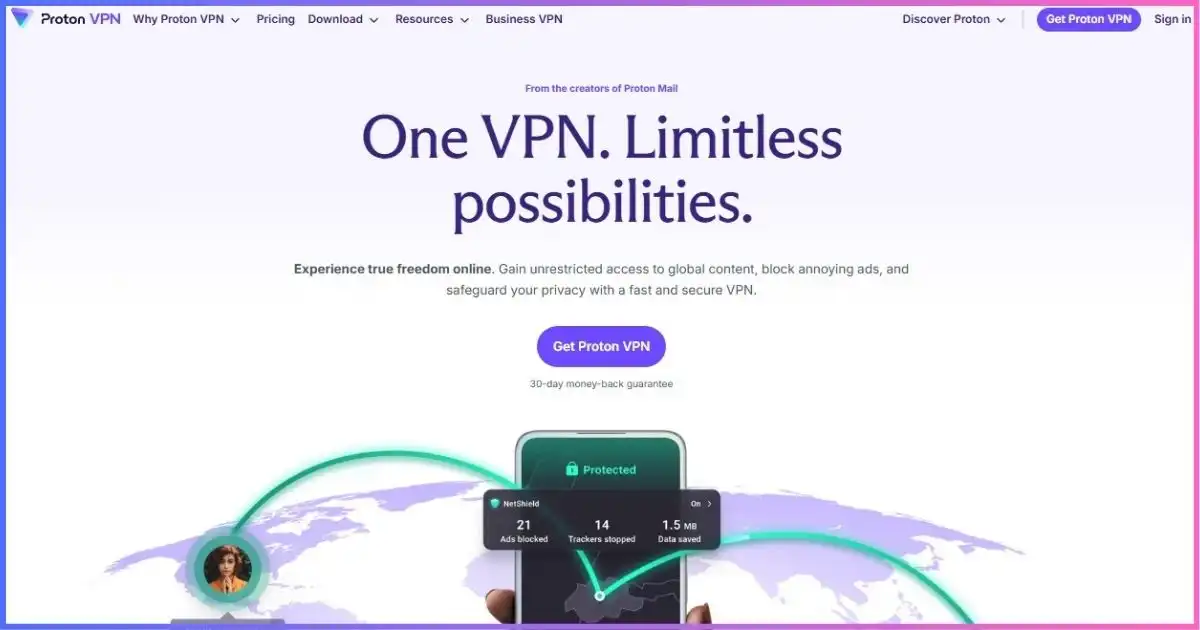
Proton VPN combines standard country connections with Secure Core, P2P, and Tor-marked routes.
Realistic expectationsSpeed and Everyday Performance
Proton has the ingredients of a fast VPN: WireGuard, large regional capacity, 10 Gbps-capable servers, automatic load balancing, and VPN Accelerator. Accelerator uses transport and routing optimizations intended to improve long-distance performance; it cannot turn a 50 Mbps internet line into 200 Mbps or overcome poor Wi-Fi.
We do not publish one universal “speed loss” percentage because it becomes misleading immediately. Your result depends on baseline connection, physical distance, server load, ISP peering, protocol, device CPU, Wi-Fi conditions, and time. A nearby Plus server using WireGuard should be the default benchmark. Then compare a second nearby city and one long-distance route.
| Activity | Start with | Avoid unless needed | Why |
|---|---|---|---|
| Everyday browsing | Smart Protocol / WireGuard | Secure Core | Fast, low-friction default |
| Video streaming | Nearby Plus server in needed country | Secure Core, Tor | Lower latency and fewer compatibility layers |
| Restrictive Wi-Fi | Smart Protocol, then Stealth | Manual legacy setup first | Stealth is built for VPN blocking |
| Sensitive research | Secure Core + kill switch | Split tunneling | Stronger route protection and fewer bypass paths |
| Torrenting | Nearby P2P server + port forwarding | Moderate NAT simultaneously | Better peer reach; features conflict |
| Gaming | Closest Plus server + WireGuard | Secure Core, Tor | Minimize distance and processing hops |
TV and videoIs Proton VPN Good for Streaming?
Proton VPN Plus is a strong streaming option; Proton Free is not sold as one. The paid service documents support for major global and regional platforms, offers native Android TV and Apple TV apps, and supports Fire TV through Android/Fire OS or a newer Vega OS app. Apple TV requires tvOS 17 or later.
Streaming access is inherently variable. It can change by service, catalog, billing country, account, device, DNS behavior, IP reputation, and time. Connect to a regular Plus server in the required country and try a second server if the first address is blocked. Disable Secure Core: Proton explicitly notes that not every Secure Core exit supports streaming and the extra hop can reduce quality.
Proton does not offer the same standalone SmartDNS convenience as some rivals for consoles and older TVs. On unsupported devices, use a compatible router or share a protected connection from a computer. See our best VPNs for streaming guide for device-specific alternatives.
Want Proton’s full streaming network?
Streaming support, chosen countries, the complete server fleet, and ten simultaneous devices require a paid Proton plan.
P2P and inbound peersTorrenting and Port Forwarding
Proton VPN Plus is one of the better mainstream choices for torrenting. Paid P2P servers are clearly marked, the kill switch reduces accidental exposure, and port forwarding is available through the Windows, macOS, and Linux GUI apps, the Linux CLI, and supported manual OpenVPN/WireGuard configurations.
The port uses NAT-PMP and is normally reassigned when you reconnect. That means you may need to update your torrent client’s listening port after a new VPN session. macOS support was still labeled early access when checked. Port forwarding requires a P2P server and cannot run at the same time as Moderate NAT.
- Choose a nearby P2P server.Look for the double-arrow P2P label; do not assume every route is optimized identically.
- Enable the kill switch.For the strictest setup, bind your torrent client to Proton’s VPN interface as well.
- Turn on port forwarding.Copy the assigned port into your torrent client and disable conflicting router UPnP/NAT-PMP behavior for that client.
- Verify before downloading.Check the visible torrent IP and confirm the client stops transferring when the tunnel is disconnected.
Port forwarding helps inbound peer connectivity; it is not a safety switch or a promise of faster downloads. Opening an inbound path also increases the importance of current, trusted client software. Compare more options in our top VPNs for torrenting guide.
Latency firstGaming With Proton VPN
Proton is good for gaming when the goal is to mask your home IP, use a different route, reduce traffic-type-based throttling, or protect play on shared networks. Start with WireGuard and the closest low-load server. A VPN can improve an inefficient ISP route, but it usually adds distance and cannot repair weak Wi-Fi, a congested game server, or a slow last-mile connection.
Paid plans offer Moderate NAT across major desktop and mobile platforms, which can improve peer connectivity with a small privacy trade-off. It conflicts with port forwarding, so choose based on the game or service. Consoles generally need router configuration or connection sharing because they do not run a general-purpose Proton VPN app. Our gaming VPN comparison explains console setup and NAT trade-offs.
Platform experienceApps, Split Tunneling, and Device Support
Proton offers native apps for Windows, macOS, Linux, Android, iPhone/iPad, Android TV, Apple TV, Fire TV, Chromebook environments, and browser extensions. VPN Plus allows ten simultaneous connections. A compatible router can extend coverage to devices without native clients, though router performance depends heavily on its processor and firmware.
| Platform | Strong points | Limitations to know |
|---|---|---|
| Windows | Full-featured; split tunneling can coexist with kill switch; port forwarding | Advanced controls add complexity for beginners |
| macOS | WireGuard, Stealth, Secure Core, experimental split tunneling, early-access port forwarding | WebKit/Safari exclusions are unreliable; split tunneling does not work with IKEv2 |
| Linux | Official GUI and CLI, port forwarding, Secure Core, expanding split tunneling | Features depend on distribution/package; unofficial Flatpak parity differs |
| Android | Strong protocol support, Android kill-switch integration, split tunneling | System behavior varies by device vendor |
| iOS/iPadOS | WireGuard, Stealth, Secure Core, advanced kill switch beta | Native IKEv2/OpenVPN removed from official app; platform restricts some controls |
| TV apps | Apple TV tvOS 17+, Android TV, Fire OS and Vega OS paths | Fewer advanced privacy controls than desktop apps |
| Browser extension | Chrome/Firefox-family tunneling and domain split tunneling | Protects browser traffic only; Safari extension unavailable |
Split tunneling is powerful, but read the footnotes
Paid split tunneling is documented across Windows, Linux GUI, macOS, Android, browser extensions, and Android TV, but the implementation is not identical. macOS support is experimental and cannot reliably exclude Safari or other WebKit networking. On Linux, availability and behavior depend on supported distributions. On most platforms you must choose between split tunneling and the kill switch; Windows can run both.
Split tunneling deliberately creates a bypass path. Use it for a bank, local printer, or latency-sensitive app that rejects VPN addresses—not as a default pile of exclusions. Our split tunneling vs full tunneling guide maps the privacy consequences.
Buying decisionProton VPN vs NordVPN, Surfshark, and ExpressVPN
| VPN | Best reason to choose it | Network | Devices | Starting long-term rate* | Key limitation |
|---|---|---|---|---|---|
| Proton VPN | Privacy transparency, free tier, Secure Core, paid port forwarding | 20,798 / 149 countries | 10 paid; 1 free | $2.99/mo | Feature parity varies; free server choice is automatic |
| NordVPN | Most complete all-purpose toolkit and post-quantum option | 8,027 / 150 countries | 10 | $3.49/mo | Higher renewal; ordinary servers lack port forwarding |
| Surfshark | Unlimited devices and household value | 4,500+ / 100 countries | Unlimited | $2.49/mo | No port forwarding; audit depth trails Proton |
| ExpressVPN | Simplest premium travel, router, and TV experience | 113 countries; total undisclosed | 10–14 by tier | $2.99/mo | Tiered features and higher renewal costs |
*Introductory monthly equivalent on a long prepaid term, checked September 18, 2026. Taxes, offers, and renewal prices vary.
Proton VPN editorial profile
Radar scores show where Proton is strongest; usability includes cross-platform feature consistency.
- Privacy evidence9.8
- Security controls9.5
- Network breadth9.6
- Apps & usability8.9
- Price & value9.2
Choose Proton VPN if…
- You want the strongest combination of public audits and open-source production apps.
- You need a reputable free VPN with unlimited data.
- You value Secure Core, Stealth, Tor routes, Linux support, or paid port forwarding.
- You already use Proton Mail, Pass, or Drive and may benefit from Unlimited.
Choose an alternative if…
- You need unlimited devices: read our Surfshark review.
- You want the broadest mature feature bundle and a shipped post-quantum option: see our NordVPN review.
- You prioritize router and living-room simplicity: compare our ExpressVPN vs Proton VPN analysis.
- You want a low-cost power-user alternative with unlimited devices: see PIA vs Proton VPN.
How the 9.3/10 score is weighted
Privacy and security deliberately account for half the review score.
- Privacy evidence25%
- Security25%
- Network & uses20%
- Apps & usability15%
- Value & support15%
Best configurationHow to Set Up Proton VPN Properly
- Install only from Proton or an official app store.Avoid third-party APK and download sites. Sign in and update the app before travel.
- Use Smart Protocol first.It chooses an available modern transport. Switch manually to WireGuard for a clean speed benchmark or Stealth when a network blocks VPN traffic.
- Enable auto-connect and the kill switch.Use advanced kill switch only if you understand that intentional disconnection will also block internet access.
- Turn on NetShield.Select the malware, ads, and tracker setting on a paid plan. Keep endpoint security because DNS blocking is not antivirus.
- Create activity-specific profiles.Use a nearby standard server for daily work, a Plus server in the needed country for streaming, Secure Core for sensitive research, and P2P routes for torrenting.
- Run leak checks.Confirm the visible IPv4/IPv6 address and DNS resolver before trusting a new device, router, or split-tunnel rule.
Balanced assessmentProton VPN Pros and Cons
Pros
- Five consecutive public annual no-logs assessments
- Open-source production apps and public security review history
- Excellent free plan with no ads or data cap
- 20,798 servers across 149 countries when checked
- Secure Core, Stealth, Tor over VPN, and NetShield
- Ten simultaneous paid connections
- Paid port forwarding on Windows, macOS, Linux, CLI, and manual setups
- Good native TV support
- Clear P2P labeling and strong Linux attention
Cons
- Free plan does not allow normal manual country selection
- Best price requires 24 months upfront
- Renewal is much higher than the introductory equivalent
- Split tunneling and kill switch conflict on most platforms
- macOS split tunneling is experimental; Safari/WebKit caveats
- macOS port forwarding was early access when checked
- Secure Core reduces speed and streaming suitability
- No shipped post-quantum VPN protection yet
- No unlimited-device paid tier
Common questionsProton VPN Review FAQs
Is Proton VPN safe?
Yes. Proton VPN uses modern protocols, private DNS, kill-switch controls, open-source apps, Secure Core multi-hop, and recurring external no-logs assessments. No VPN removes browser, account, malware, or endpoint risk, but Proton has one of the strongest public evidence packages available.
Does Proton VPN keep logs?
Proton says it does not log browsing activity, DNS queries, traffic contents, or user-identifiable VPN connection metadata. Five consecutive public Securitum assessments, including 2026, examined that claim. Account, payment, support, and anti-abuse information are separate categories.
Is Proton VPN Free really unlimited?
It has unlimited data and bandwidth with no ads, but only one connection and app-selected servers in ten countries. Server changes are randomized and rate-limited, and Free excludes streaming support, P2P, NetShield, Secure Core, Tor routes, and port forwarding.
How much does Proton VPN cost?
The checked USD offer priced VPN Plus at $9.99 month-to-month, $47.88 for the first year ($3.99/month equivalent), or $71.76 for the first two years ($2.99/month equivalent). The checked two-year route renewed at $83.88 for 12 months. Pricing is dynamic, so verify checkout.
Does Proton VPN work with Netflix and other streaming services?
Paid plans document support for major global and regional services. Results vary by catalog, server, IP, device, and time. Use a regular Plus server in the required country; Secure Core is not recommended for streaming. The free tier does not include paid streaming support.
Is Proton VPN good for torrenting?
Yes, on paid plans. Proton provides marked P2P servers, kill-switch protection, and NAT-PMP port forwarding through supported Windows, macOS, and Linux apps plus manual configurations. The forwarded port normally changes after reconnecting.
Does Proton VPN work in restrictive countries?
Stealth and Smart Protocol are designed to make VPN blocking harder, and Proton has broad app support for them. No provider can guarantee access on every network or under every censorship regime. Install multiple protocols and the app before travel, and check local law.
How many devices can use Proton VPN?
Proton Free supports one simultaneous connection. VPN Plus and the VPN included with Unlimited support ten simultaneous connections. A router setup can protect compatible devices behind one tunnel, subject to router performance.
Is Proton VPN better than NordVPN?
Proton is better for a free tier, public audit access, open-source transparency, Secure Core, and ordinary paid port forwarding. NordVPN is the slightly stronger all-purpose choice for polished specialty features, Meshnet, streaming flexibility, and shipped post-quantum protection. See our detailed NordVPN vs Proton VPN comparison.
Final Verdict: Proton VPN Is the Privacy-First VPN to Beat
Proton VPN earns 9.3/10. It pairs rare public transparency with a genuinely useful free tier, a huge paid network, modern protocols, Secure Core, Stealth, NetShield, strong P2P tooling, and thoughtful Linux support. VPN Plus is the sweet spot; Unlimited is worthwhile only if the wider Proton ecosystem saves you money.
The shortcomings are real but manageable: free users give up server choice, advanced features remain inconsistent across platforms, the headline discount expires, and Proton has not yet shipped post-quantum tunnel protection. For privacy-focused buyers who want evidence rather than slogans—and for anyone who needs a free VPN without a predatory business model—Proton is an easy recommendation.
Affiliate disclosure: We may earn a commission if you purchase through a marked link, at no additional cost to you. Affiliate relationships do not change our scoring, caveats, or methodology. VPN use must comply with applicable law and service terms.
Sources & comparison methodology
Research date: September 18, 2026. We reviewed current product pages, live directories, support documentation, legal terms, privacy materials, open-source repositories, and published audit evidence. Pricing and network counts are snapshots because both can change without notice.
Primary Proton materials reviewed: live server directory; Free/Plus plan and pricing pages; current checkout disclosures; Terms of Service dated June 23, 2026; privacy policy and no-logs explainer; 2022–2026 Securitum no-logs reports; open-source and app-security materials; documentation for WireGuard, Stealth, Smart Protocol, Proton Protocols, kill switch, split tunneling, Secure Core, NetShield, VPN Accelerator, Moderate NAT, P2P, port forwarding, streaming, Apple TV, Android TV, Fire TV, browser extensions, Linux, routers, refunds, and simultaneous connections.
Comparison materials: current official pricing, network, device, protocol, audit, refund, and platform disclosures for NordVPN, Surfshark, ExpressVPN, Private Internet Access, and IPVanish. We keep servers, countries, cities, and locations separate and do not infer an unpublished server total.
Scoring weights: privacy evidence 25%; security architecture and controls 25%; network and practical use cases 20%; apps and usability 15%; price, support, devices, and refund terms 15%. Scores are editorial judgments based on documented capabilities and limitations, not affiliate compensation.
Performance method: we do not publish universal speed-loss or permanent streaming-success percentages. Both vary with baseline line speed, protocol, device, server load, distance, ISP peering, platform, content service, and time. Instead, we assess network capacity, protocol design, routing options, documented platform behavior, and reproducible use-case constraints.
Pricing method: monthly equivalents divide the first upfront charge by all included months. Renewal is reported separately. Regional tax, currency, market eligibility, account state, app-store billing, and campaigns can change the amount shown at checkout.