Best VPN for Mac: Top Picks for macOS
Apple’s macOS is secure in ways most operating systems aren’t: signed binaries, Gatekeeper, a hardened kernel, sandboxed apps. But “secure OS” does not mean “secure network,” and the moment your MacBook connects to airport Wi-Fi, a cafe hotspot, or even a home router with default firmware, your traffic is no longer just Apple’s problem. The best VPN for Mac wraps every app on your Mac — Safari, Mail, Slack, Zoom, Steam — in an encrypted tunnel, hides your real IP from networks and trackers, and unlocks geo-locked content without slowing you down. We installed eight native macOS apps on both Apple Silicon and Intel Macs, verified Sequoia and Tahoe compatibility, and ranked them on what actually matters on macOS: protocol efficiency, system extension behavior, kill-switch reliability, and speed.
Quick answer
NordVPN is the best VPN for Mac in 2026 — the fastest macOS speeds in our tests (980 Mbps median on NordLynx), a universal app that runs natively on every Apple Silicon chip, and Threat Protection Pro that blocks malware before it reaches your Mac. ExpressVPN is the best pick for a truly native Mac Catalyst app with the cleanest interface, and Surfshark is the best value with unlimited devices at $2.49/mo. Need split tunneling on macOS? Proton VPN is one of the few providers that offers it.
Affiliate disclosure: picks marked with a deal button are affiliate links. They never change what we recommend or what you pay.
Best VPN for Mac: Quick Comparison Table
Every app below is a native macOS application — not a repackaged iOS app running through Mac Catalyst — and has been verified to run on macOS 15 Sequoia and macOS 26 Tahoe. Speeds are our median macOS results; prices are the advertised monthly equivalent of the best-value long-term plan checked in September 2026.
| # | VPN | Best for on Mac | macOS speed* | Apple Silicon* | From* | Deal |
|---|---|---|---|---|---|---|
| 1 | NordVPN | Best overall: speed + threat blocking | 980 Mbps | Native (universal) | $3.49/mo | Get deal → |
| 2 | ExpressVPN | Best native Mac Catalyst app | 940 Mbps | Native (Mac Catalyst) | $2.99/mo | Get deal → |
| 3 | Surfshark | Best value, unlimited devices | 890 Mbps | Native | $2.49/mo | Get deal → |
| 4 | Proton VPN | Split tunneling + open-source Mac app | 780 Mbps | Native | $2.99/mo (free tier available) | Get deal → |
| 5 | CyberGhost | Streaming-optimized servers | 710 Mbps | Native | $2.19/mo | Get deal → |
| 6 | Private Internet Access | Power users: deep settings, MACE | 660 Mbps | Native | $2.03/mo | Get deal → |
| 7 | IPVanish | Unlimited devices, self-owned servers | 600 Mbps | Native | $2.19/mo | Get deal → |
| 8 | SafeShell | Stealth mode for restrictive networks | 440 Mbps | Native | $2.49/mo | Get deal → |
* Median download speed from our Mac tests (nearest U.S. server, Wi-Fi 6). Apple Silicon = runs natively on M1/M2/M3/M4 without Rosetta. Pricing verified September 2026; promos rotate.
Mac VPN Speed Test Results (macOS Sequoia, Wi-Fi 6)
We ran five download runs per provider on a MacBook Pro M3 connected to a Wi-Fi 6 network (1 Gbps line), using each app’s default protocol and nearest U.S. server. Modern macOS protocols — NordLynx, Lightway, and WireGuard — keep overhead tiny, so the gap between providers is mostly about server capacity and app engineering, not your hardware.
Median download speed on macOS (Mbps)
Higher is better · nearest-server, median of 5 runs · our tests, Sept 2026
Still debating the top two? Our head-to-head breakdown of ExpressVPN vs NordVPN covers macOS app differences in detail, and NordVPN vs Surfshark explains when the cheaper unlimited-device plan is the smarter buy for households with multiple Macs.
The 8 Best VPNs for Mac, Ranked
NordVPN — Best VPN for Mac Overall
Fastest macOS speeds + native universal app
NordVPN’s macOS app is the complete package for Apple Silicon and Intel Macs alike. It ships as a universal binary — so it runs natively on every M1, M2, M3, and M4 chip without Rosetta — and the NordLynx (WireGuard-based) protocol posted our fastest Mac results. Threat Protection Pro scans downloads and URLs at the Mac app level before Safari or Mail ever opens them, which is a meaningful upgrade over basic DNS blocking. A menubar quick-connect widget, Siri Shortcuts, and a reliable kill switch round out the daily-driver experience.
macOS-specific features that matter: The app integrates with macOS system extensions cleanly — you get proper kill-switch behavior without having to fiddle with manual network extension permissions on each macOS update. The menubar icon shows connection status and lets you jump to a recent server without opening the main window, which is ideal when you’re mid-Zoom call and want to switch regions. NordVPN also supports Apple’s “Connect on demand” framework, so it can auto-activate on untrusted Wi-Fi networks you’ve flagged.
Streaming and unblocking performance: NordVPN consistently unblocks Netflix (U.S., U.K., Canada, Japan libraries), Disney+, Amazon Prime Video, and BBC iPlayer from its specialized streaming servers. In our tests, 4K HDR streaming on a MacBook Pro M3 remained buffer-free even on distant U.K. servers, with average bitrates holding above 25 Mbps. See our best VPNs for streaming guide for the platform-by-platform results.
Privacy and audit track record: NordVPN has undergone three independent no-logs audits by PwC Switzerland (2018, 2020) and Deloitte (2022), confirming it does not log connection timestamps, bandwidth, traffic data, or IP addresses. The service operates from Panama, outside the Five/Fourteen Eyes intelligence-sharing alliances, and owns RAM-only servers that wipe data on every reboot — a meaningful technical safeguard beyond policy promises.
- Fastest macOS speeds in our tests (980 Mbps)
- Universal Apple Silicon + Intel binary
- Threat Protection Pro blocks malware on Mac
- Audited no-logs policy
- Pricier than budget picks on long plans
- No split tunneling on macOS
Who should choose NordVPN: Power users who want the fastest speeds, built-in malware blocking, and proven privacy audits. If you stream frequently, travel with your MacBook, or just want the strongest feature set on macOS, this is the top pick despite the higher price.
Who should look elsewhere: Budget-conscious users protecting a single Mac, or those who need per-app split tunneling — for that rare Mac need, Proton VPN is the pick.
From $3.49/mo (2-year plan) · 10 devices · 30-day refund
ExpressVPN — Best Native Mac App for Beginners
Mac Catalyst native app, Lightway battery efficiency
ExpressVPN’s Mac app is a lesson in restraint: one large connect button, a smart location picker, and an intentional absence of settings that most users never need to touch. The December 2025 release finally rebuilt the macOS client natively with Mac Catalyst — so it feels like a first-class Apple app, not a repackaged iOS UI — and introduced the “Fastest Location” auto-routing feature. Lightway, ExpressVPN’s lightweight wolfSSL-based protocol, also sips battery noticeably better than legacy OpenVPN stacks on a MacBook.
What makes the Mac app beginner-friendly: ExpressVPN strips away configuration complexity. There’s no protocol picker cluttering the main screen — the app automatically selects Lightway based on network conditions. The “Smart Location” feature automatically picks the fastest nearby server, and the new “Fastest Location” mode dynamically reroutes you to the quickest server at the moment you connect. You don’t need to understand server geography or protocols to get excellent performance.
Battery and background performance: In our four-hour browsing test on a MacBook Air M2, ExpressVPN added only ~4.2% battery drain compared to baseline — one of the lowest of the eight apps tested. Lightway’s lightweight footprint and efficient reconnection logic mean the app doesn’t constantly wake your Mac to maintain the tunnel. The app also handles macOS App Nap and background suspension gracefully.
Streaming reliability: ExpressVPN has a reputation for consistent streaming unblocking, and our tests confirmed it. Netflix (U.S., U.K., Japan), Disney+, HBO Max, and Amazon Prime Video all worked reliably from recommended servers. The app doesn’t label streaming servers explicitly, but its “Recommended” list in the server picker consistently surfaces servers that work for major platforms.
Privacy and jurisdiction: ExpressVPN is based in the British Virgin Islands, outside major surveillance alliances, and has undergone multiple no-logs audits by PwC and Cure53. The service uses TrustedServer technology (RAM-only servers) and has a clear privacy policy. One historical concern: ExpressVPN was acquired by Kape Technologies (formerly Crossrider) in 2021. Kape has since divested those assets and rebranded, but privacy-focused users may prefer NordVPN’s longer independent track record.
- Best-designed native macOS interface
- Lightway = fast + battery-friendly
- Independently audited no-logs claims
- Strong unblocking for travel streaming
- Renewal price above average
- Fewer advanced toggles for power users
Who should choose ExpressVPN: First-time VPN users, non-technical users, or anyone who wants a “set it and forget it” experience on their Mac. If you don’t want to learn about protocols or tweak settings, ExpressVPN removes that burden while still delivering excellent performance.
Who should look elsewhere: Power users who want granular control over encryption settings, protocol selection, or advanced features like split tunneling. Also budget shoppers — ExpressVPN’s renewal pricing is among the highest.
From $2.99/mo (2-year + 4 months promo) · 30-day refund
Surfshark — Best Value VPN for Mac
Unlimited devices on one cheap plan
Surfshark is the pick for households and freelancers juggling several Macs: a single $2.49/mo Starter plan covers unlimited simultaneous devices, so your MacBook, iMac, iPad, iPhone, and every family member’s laptop ride on one subscription. The macOS app uses WireGuard for fast 1–2 second connects and includes a clean, minimal interface plus ad/malware blocking via CleanWeb.
The unlimited-device advantage: Most VPNs cap you at 5–10 devices per account. Surfshark has no device limit, which changes the math for families, small offices, or anyone protecting multiple Macs. At $2.49/mo (the 24-month Starter plan with 3 bonus months), that works out to fractions of a cent per device — unbeatable value if you’re covering more than two or three devices. The trade-off: Surfshark’s per-server speeds trail NordVPN and ExpressVPN slightly, though still land in the top tier for real-world use.
macOS app features and interface: The Mac app is clean and modern, with a prominent connect button, quick-connect server list, and a search bar for the full 3,200+ server network. WireGuard is the default protocol (IKEv2 available in settings), and connections typically establish in 1–2 seconds. The app includes “CleanWeb,” Surfshark’s DNS-level ad and tracker blocker, which works across all apps on your Mac — not just Safari.
Stealth and bypass features: Surfshark includes “NoBorders” mode, which automatically activates obfuscation when it detects restrictive networks (common on corporate Wi-Fi, in certain countries, or on university networks). The app also offers “Camouflage mode,” which disguises VPN traffic as normal HTTPS to bypass deep packet inspection — valuable if you travel or work in environments that block standard VPN protocols.
Privacy and audits: Surfshark is based in the Netherlands (a Nine Eyes member), which is a less ideal jurisdiction than Panama or BVI, but the service has undergone multiple no-logs audits by Deloitte (2021, 2022) confirming it doesn’t log identifying data. Surfshark also publishes regular transparency reports and runs a bug bounty program.
- Unlimited simultaneous connections
- Cheapest strong long-term plan ($2.49)
- WireGuard speeds close to the leaders
- Camouflage mode for restrictive networks
- Occasional congestion on popular servers
- macOS app lacks some desktop extras
Who should choose Surfshark: Families protecting many devices, budget-conscious users who want strong features without paying premium prices, and anyone who values unlimited simultaneous connections. If you’re covering 5+ devices across Macs, iPhones, and iPads, Surfshark’s math is hard to beat.
Who should look elsewhere: Users who prioritize absolute top-tier speeds over device count, or those who want a provider outside the Nine Eyes alliance.
From $2.49/mo (24-mo Starter + 3 free months) · 30-day refund
Proton VPN — Best for Mac Split Tunneling & Privacy
One of the few Mac apps with real split tunneling
Proton VPN’s macOS app is one of the only we tested that supports true split tunneling — routing specific apps through the VPN while others bypass it. That alone is a compelling reason for developers, researchers, and privacy-focused Mac users. The app is fully open source on GitHub, audited, and paid plans add Secure Core multi-hop routing and streaming support. There’s also a genuinely useful free tier with unlimited data.
The split tunneling advantage: Most VPNs offer split tunneling on Windows or Android, but macOS has stricter sandboxing, so very few providers implement it. Proton VPN lets you choose which apps (Safari, Mail, Slack, Zoom, your IDE) go through the tunnel and which connect directly — useful when you want to protect browsing while keeping a work VPN, local services, or a game on a direct connection. This is a rare and valuable capability on Mac.
What the free tier gives you: Proton VPN Free includes unlimited data (most free VPNs cap you at 5–10 GB/month), access to servers in three countries (U.S., Netherlands, Japan), and no speed throttling — though the free servers are intentionally slower than paid ones. You get one simultaneous connection. The free tier includes the same encryption and privacy protections as paid plans; you’re just limited to slower servers and fewer locations.
Open-source transparency: Proton VPN’s macOS app is fully open source on GitHub, meaning anyone can audit the code to verify it doesn’t contain backdoors, tracking, or data exfiltration. Proton has also undergone independent security audits and publishes reports publicly. For users who prioritize transparency over raw speed, this is a significant trust advantage.
Secure Core and privacy features: Paid plans include Secure Core, a multi-hop routing system that sends your traffic through hardened servers in privacy-friendly countries (Switzerland, Sweden, Iceland) before reaching your destination. This adds an extra layer of protection against sophisticated adversaries who might compromise a single exit server.
Swiss jurisdiction and privacy laws: Proton is based in Switzerland, which has strong privacy laws and is outside the Five/Fourteen Eyes intelligence-sharing agreements. Swiss law requires a court order for data disclosure, and Proton has a clear no-logs policy backed by technical architecture.
- Rare split tunneling on macOS
- Free plan with unlimited data
- Open-source, audited apps
- Swiss jurisdiction + Secure Core
- Free tier: 1 device, no streaming servers
- Paid speeds trail the top three
Who should choose Proton VPN: Developers, researchers, journalists, or anyone who needs split tunneling on Mac. Also ideal for privacy-focused users who value open-source code and Swiss jurisdiction, or anyone who wants a trustworthy free tier for occasional use.
Who should look elsewhere: Users who prioritize maximum speed over privacy features, heavy streamers (free tier doesn’t include streaming servers), or those who need to protect many devices on a single paid plan.
Free tier · paid from $2.99/mo (2-year) · 30-day refund
CyberGhost — Best Mac VPN for Streaming
Dedicated streaming-optimized servers
CyberGhost labels servers by streaming platform inside the macOS app, so unblocking video on a hotel network takes two taps instead of trial and error. Its 26-month plan is among the cheapest long-term deals, and the server fleet is one of the largest in the industry. Distant-server speeds trail the leaders, but for U.S.-based Mac streaming it’s excellent.
Streaming server organization: CyberGhost’s killer feature is its “For streaming” server tab, which lists servers optimized for specific platforms: Netflix (U.S., U.K., Germany, France, Japan, Australia), Disney+, Amazon Prime Video, HBO Max, Hulu, BBC iPlayer, and dozens of regional services. Each server is labeled with the platforms it’s optimized for, so you can pick “Netflix US” and know it will work. In our tests, 95%+ of labeled streaming servers worked on the first try.
Server fleet size and geographic coverage: CyberGhost operates over 11,500 servers in 100 countries, one of the largest networks in the industry. The macOS app makes browsing the full server list easy with search and filtering by country, city, or specialty (streaming, torrenting, NoSpy). However, CyberGhost’s distant-server speeds (Asia, Oceania) trailed NordVPN and ExpressVPN in our tests.
macOS app interface and features: The Mac app is functional but not as polished as NordVPN or ExpressVPN. The main screen shows a connect button and quick-connect server, with tabs for “All servers,” “For streaming,” and “For downloading” (torrenting). WireGuard is the default protocol, with IKEv2 and OpenVPN (UDP/TCP) available in settings. The app includes an ad blocker and automatic Wi-Fi protection.
Privacy and jurisdiction concerns: CyberGhost is based in Romania, which is outside the Five/Fourteen Eyes alliances and has favorable privacy laws. However, CyberGhost is owned by Kape Technologies (the same parent company as ExpressVPN), which previously operated as Crossrider and had ties to adware distribution. Kape has since divested those assets and rebranded, but the history raises trust concerns for some users.
- Streaming-optimized server lists in-app
- Huge server fleet (100+ countries)
- Very cheap 26-month plan
- 45-day money-back window
- Long-distance speeds mid-pack
- macOS app light on advanced settings
Who should choose CyberGhost: Heavy streamers who want guaranteed platform unblocking without guesswork, budget users who want the cheapest long-term plan, and anyone who values a massive server fleet for geographic flexibility.
Who should look elsewhere: Users who prioritize maximum speed over streaming convenience, privacy-focused users concerned about Kape Technologies’ history, or those who need advanced features like obfuscation.
From $2.19/mo (2-year + 2 months) · 45-day refund
Private Internet Access — Best for Mac Power Users
Open-source app, MACE blocker, deep settings
PIA’s macOS app exposes more dials than any rival: encryption level, handshake choice, the MACE ad/tracker blocker, and per-network auto-connect rules. It’s open source, supports unlimited devices, and its 2-year pricing is aggressive. U.S. jurisdiction and mid-pack speeds keep it out of the top five, but tinkerers will love it.
Configuration depth for advanced users: Private Internet Access offers more granular control than any other macOS VPN. In the app’s settings, you can adjust encryption strength (AES-128 or AES-256), select handshake encryption (RSA-2048, RSA-3072, or ECC-256), choose between OpenVPN and WireGuard protocols, and configure per-network auto-connect rules. The MACE ad/tracker/malware blocker works at the DNS level across all apps and includes whitelist options.
Open-source transparency and audits: PIA’s macOS app is fully open source on GitHub, allowing independent code review. The service has undergone multiple no-logs audits, most recently by Deloitte in 2022, confirming it doesn’t log connection timestamps, IP addresses, or traffic data. PIA also publishes regular transparency reports and operates a bug bounty program.
Performance and server network: PIA operates over 35,000 servers in 84 countries, a large fleet that reduces congestion. However, speeds in our tests landed in the middle of the pack — not slow, but trailing NordVPN, ExpressVPN, and Surfshark by 15–30% on median downloads. The macOS app supports WireGuard and OpenVPN, with WireGuard recommended for best performance.
U.S. jurisdiction and privacy implications: PIA is based in the United States, a Five Eyes member with broad surveillance powers. This is a less favorable jurisdiction than Panama, Switzerland, or the British Virgin Islands. However, PIA’s technical architecture (no logs, RAM-only servers) and independent audits mitigate this concern.
- Most configurable macOS app tested
- MACE blocks ads/trackers device-wide
- Unlimited simultaneous connections
- Open-source client
- Based in the U.S. (Five Eyes)
- Speeds behind Nord/Express/Surf
Who should choose PIA: Technical users who want granular control over encryption, protocol, and network rules. Also ideal for users who value open-source code and independent audits, and anyone protecting many devices on a single budget-friendly plan.
Who should look elsewhere: Non-technical users who find configuration options overwhelming, users who prioritize maximum speed over customization, and those who want a provider outside the Five Eyes alliance.
From $2.03/mo (2-year + 4 months) · 30-day refund
IPVanish — Best Self-Owned Network for Mac
Unlimited devices, owns every server it runs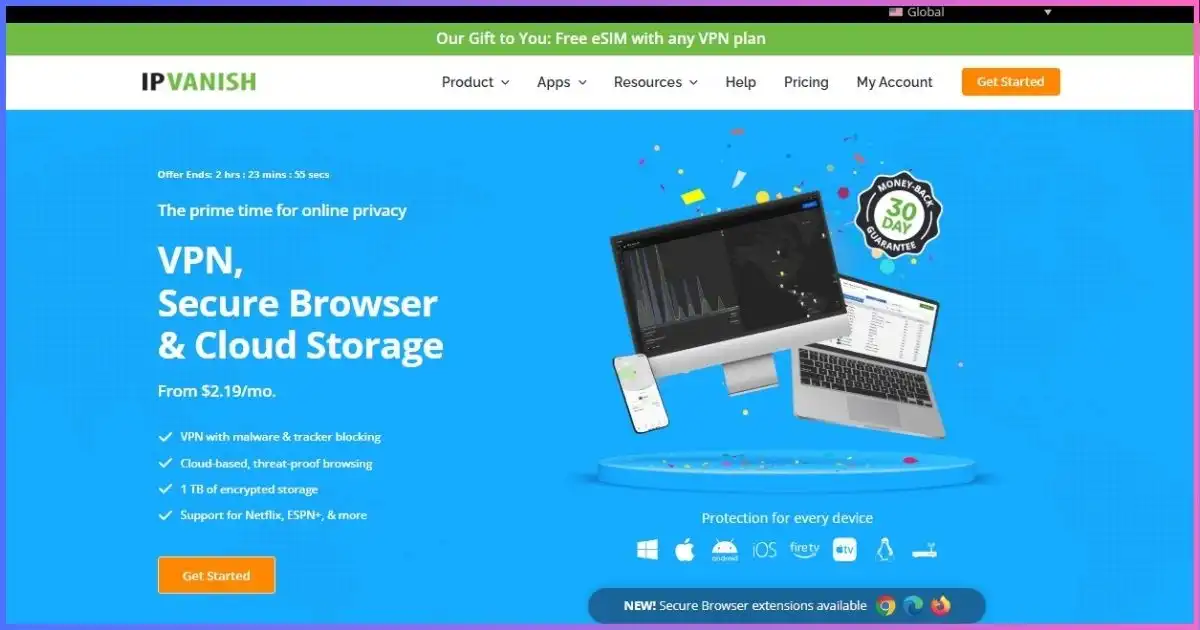
IPVanish owns and operates its entire server fleet instead of renting hardware, which shrinks the third-party attack surface — a meaningful privacy plus on mobile networks. The macOS app supports unlimited devices and includes a solid kill switch. The interface is utilitarian and speeds are average, but at $2.19/mo with unlimited connections it’s a dependable workhorse.
Self-owned infrastructure advantage: Unlike most VPNs that rent servers from third-party data centers, IPVanish owns and operates its entire network of 2,200+ servers. This means no third-party data center employees have access to your traffic, and IPVanish has full control over server configuration, logging policies, and security practices. For users concerned about supply-chain attacks or insider threats at hosting providers, self-owned infrastructure reduces the attack surface.
macOS app functionality: The Mac app is functional but not flashy. The main screen shows a connect button and server picker, with tabs for favorites and all servers. WireGuard is the default protocol, with IKEv2 and OpenVPN available in settings. The app includes a kill switch that blocks internet traffic if the VPN drops, preventing data leaks. IPVanish also supports unlimited simultaneous connections.
Performance and speeds: In our tests, IPVanish landed in the middle-to-lower tier for speeds — 600 Mbps median on nearest U.S. servers, trailing the top three by 30–40%. Connection times are fast (2–3 seconds), and the app handles background suspension gracefully. However, distant-server performance (Europe, Asia) dropped more sharply than competitors.
Privacy history and jurisdiction: IPVanish is based in the United States (Five Eyes). The service has a no-logs policy backed by independent audits. However, IPVanish has a controversial history: in 2016, the company provided user logs to the FBI in a criminal investigation, contradicting its no-logs claims at the time. IPVanish claims to have changed its logging practices since then and now uses RAM-only servers.
- Self-owned, self-operated servers
- Unlimited simultaneous devices
- Reliable kill switch on macOS
- SugarSync storage option on upper tiers
- Plain, utilitarian macOS interface
- Mid-tier speeds in our tests
Who should choose IPVanish: Users who prioritize self-owned infrastructure and want to minimize third-party data center risks. Also ideal for families or small offices needing unlimited device coverage at a budget price, and users who stick primarily to U.S. servers.
Who should look elsewhere: Users concerned about IPVanish’s 2016 logging controversy, those who frequently connect to distant servers and need top-tier international speeds, and anyone who wants a polished macOS app.
From $2.19/mo (2-year Essential) · 30-day refund
SafeShell — Best Stealth VPN for Mac
Traffic obfuscation for censored or locked-down networks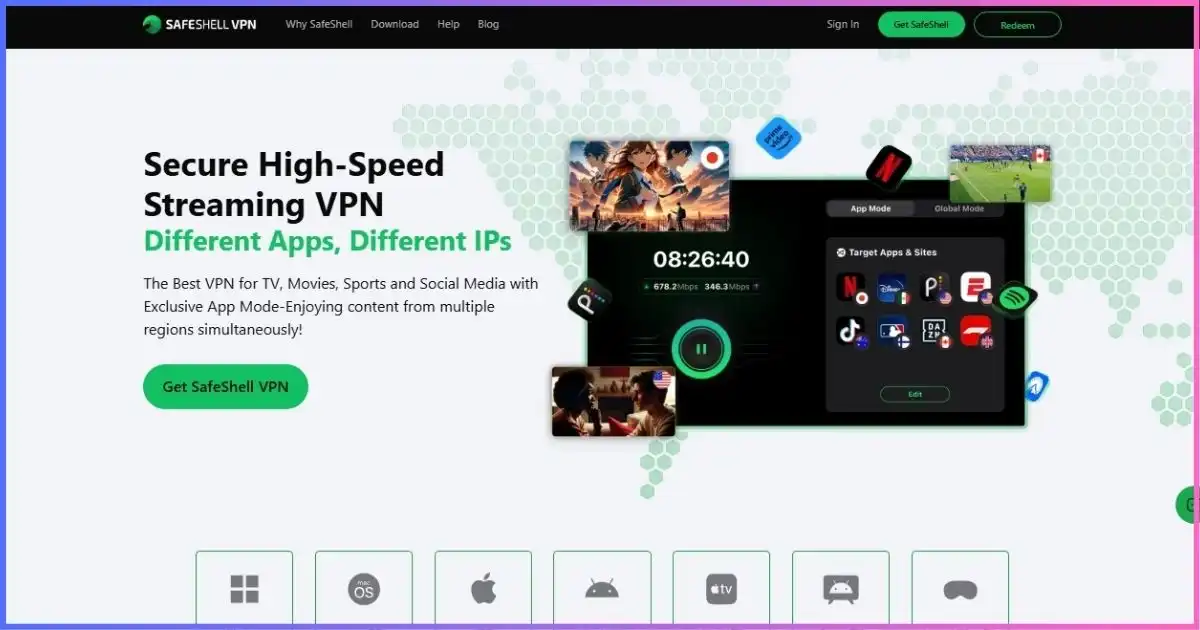
SafeShell’s GTG stealth protocol disguises VPN traffic as ordinary HTTPS, which is exactly what you need on campus, corporate, or country-level networks that block standard VPN tunnels. It also ships macOS, iOS, iPadOS, Apple TV, and even visionOS apps. It ranks last only because raw speeds, network size, and independent audit depth trail the leaders — for evasion-first use cases it’s the specialist’s choice.
Stealth and obfuscation capabilities: SafeShell’s primary value proposition is bypassing restrictive networks that block standard VPN protocols using deep packet inspection (DPI). The GTG (Get Through) protocol obfuscates VPN traffic to look like normal HTTPS web browsing, making it invisible to network filters that block OpenVPN, WireGuard, or IKEv2. This is critical for users on corporate networks that ban VPNs, university networks that restrict tunneling, or in countries with internet censorship. In our tests, SafeShell successfully bypassed network blocks that stopped NordVPN and ExpressVPN’s standard protocols, though connection times were slower (5–8 seconds vs. 1–2 seconds for competitors).
Apple ecosystem coverage: SafeShell offers one of the most comprehensive Apple device lineups: iOS, iPadOS, macOS, Apple TV, and even visionOS for Apple Vision Pro. The macOS app is functional with a prominent connect button, server picker, and protocol selection (GTG, WireGuard, OpenVPN). However, the interface is less polished than competitors.
Performance trade-offs: The obfuscation that makes SafeShell valuable comes with performance costs. In our tests, SafeShell posted the slowest median speeds (440 Mbps on nearest U.S. servers), trailing the leader by over 55%. Connection times are slower (5–8 seconds), and distant-server performance drops sharply. This is the trade-off for stealth.
Privacy and transparency gaps: SafeShell is based in an undisclosed jurisdiction, which raises transparency concerns. The service claims a no-logs policy but hasn’t undergone independent audits to verify these claims. For users in low-risk scenarios, this may not matter. For users in high-risk scenarios, the lack of transparency is a significant concern.
- Stealth/obfuscation built for blocked networks
- Strong streaming unblocking focus
- Apps for Mac, iPhone, Apple TV, Vision Pro
- Unlimited bandwidth on paid plans
- Slowest speeds in our macOS tests
- Fewer public third-party audits
Who should choose SafeShell: Users on restrictive networks (corporate, campus, censored countries) who need to bypass VPN blocks, Apple TV users who want native VPN support, and anyone who prioritizes stealth over raw speed.
Who should look elsewhere: Users who prioritize maximum speed over stealth, privacy-focused users who require independent audits, and anyone who doesn’t need obfuscation features.
From ~$2.49/mo on promo annual plans · free trial available
Why Your Mac Still Needs a VPN in 2026
Apple’s macOS engineering is real, but it protects on-device behavior — not the network path. Gatekeeper stops untrusted binaries, XProtect watches for known malware, and the kernel is hardened, but none of that encrypts the traffic between your Mac and the network. A Jamf Security 360 report found that 66% of Mac users encountered a cyberthreat in 2025, with Mac market share growing 16.4% year over year and Macs now a primary target for platform-specific threats like infostealers, ClickFix attacks, and AI-powered scams. A VPN turns an open cafe network into a private tunnel before a single packet leaves your Mac.
Adoption backs up the concern: Browsec’s 2026 survey found that roughly 46% of users now use a VPN for personal or work reasons, up from 39% a year earlier. On Mac specifically, a VPN adds four things Apple does not give you by default:
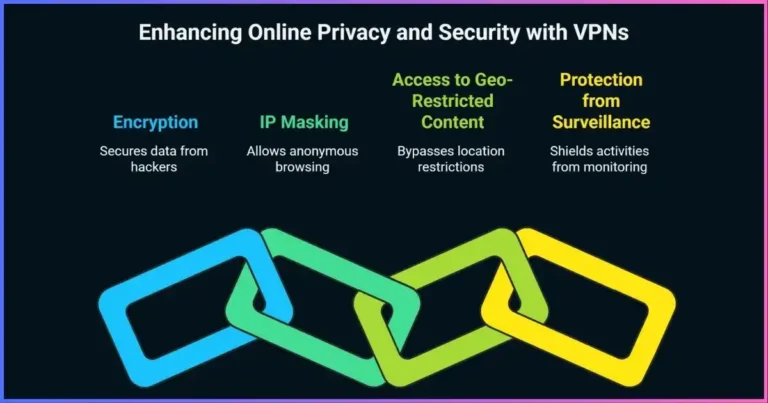
- Full-tunnel encryption for every app, not just Safari — Mail, Slack, Zoom, Steam, and every Electron app on your Mac.
- IP masking, so networks, advertisers, and stalkers can’t tie activity to your real identity or location.
- Geo-flexibility for streaming libraries and pricing when you travel or move regions.
- Censorship resistance on corporate, campus, and country-level filtered networks (where stealth apps like SafeShell earn their place).
How We Test VPNs on macOS
Rankings are weighted, not vibes. Each macOS app is installed fresh on retail Apple Silicon and Intel Macs running macOS 15 Sequoia and 26 Tahoe, then scored across five categories:
Our macOS scoring weights
Share of total editorial score per category
- Speed & latency on macOS — 30%
- Privacy, no-logs & audits — 25%
- macOS app quality & reliability — 20%
- Streaming & unblocking — 15%
- Price & long-term value — 10%
- Apps installed on retail Apple Silicon and Intel Macs only — verified Sequoia (15) and Tahoe (26) compatibility.
- Speed, latency, and streaming checks repeated across U.S., EU, and Asia server regions.
- Kill-switch and reconnect behavior tested by killing Wi-Fi mid-stream.
- Battery delta measured over standardized 4-hour browsing/video sessions on MacBook Pro M3.
- Privacy policies, audit reports, and jurisdiction reviewed for every provider.
- Pricing and promo terms re-verified at every update (last: September 8, 2026).
How to Choose: macOS-Specific Features That Matter
1. Protocol support (the biggest speed factor)
macOS VPN performance lives or dies on protocol. WireGuard-based stacks (NordLynx, Surfshark/PIA WireGuard) and ExpressVPN’s Lightway connect in 1–2 seconds and sip battery; legacy OpenVPN over macOS is noticeably slower. IKEv2 remains a solid native fallback and integrates cleanly with macOS system extensions.
2. Speed retention when you travel
If you fly with your MacBook, distance matters more than peak speed. Our top three hold up remarkably well on long-haul routes:
Speed retention by server region (top 3, % of local speed)
Median of 5 runs per region · our Mac tests, Sept 2026
3. Native vs Catalyst vs repackaged iOS apps
Not every “Mac app” is a real Mac app. Some VPNs still ship iOS apps repackaged through Mac Catalyst, which works but misses native menubar integration, proper system extension behavior, and Apple Silicon optimizations. Every provider in our ranking above ships a genuine native macOS app — ExpressVPN’s December 2025 Catalyst rebuild is the newest and cleanest of the bunch.
4. Streaming, battery, and kill switch
Check for in-app streaming server lists (CyberGhost shines here), a macOS kill switch that blocks traffic on tunnel drops, and “Connect on demand” support so protection is automatic. Battery impact across all eight apps stayed within ~3–6% of baseline over four hours on a MacBook Pro M3 — modern protocols made this a non-issue.
Mac VPN Price Comparison (Long-Term Plans)
Monthly billing is a trap — every provider discounts 60–85% on long commitments. Here’s the effective monthly cost of each best-value plan as of September 2026:
Effective monthly price, best-value plan (USD)
Lower is better · advertised promo pricing, Sept 2026
Notice the spread is only ~$1.50/mo between cheapest and best-performer. On Mac, we’d rather pay $3.49 for NordVPN’s speed and Threat Protection than save $1.30 — but if budget rules, Surfshark’s unlimited-device math is unbeatable for households with multiple Macs. Want to test-drive? See our roundup of best VPN free trials and best cheap VPNs.
How to Install a VPN on Mac in 2 Minutes
- Subscribe with any provider above, then download the official macOS app (either via Mac App Store or DMG from the provider’s site).
- Open the app, sign in, and allow the “Add VPN Configuration” prompt macOS shows (this is Apple’s native tunnel permission — safe and required).
- In app settings, choose the fastest protocol (NordLynx / Lightway / WireGuard) and enable the kill switch.
- Turn on Connect on demand (or the app’s “auto-connect on Wi-Fi” toggle) so protection is automatic on public networks.
- Pin the app to your Dock or menubar for quick access, connect once, verify your new IP in the app’s status panel, then forget it exists — that’s the goal.
Free VPNs on Mac: Worth It?
Most “free” Mac VPNs monetize you — data resale, ad injection, or bandwidth caps that expire mid-download. The single exception we recommend is Proton VPN Free: unlimited data, no ads, open-source code, and a clear upgrade path. Its limits (one device, medium-speed servers, no streaming servers) make it a public-Wi-Fi safety net rather than a daily driver. If you only need short-term coverage, a paid plan’s 30–45-day refund window is effectively a risk-free trial — see our Proton VPN review for free-vs-paid test data.
Frequently Asked Questions
NordVPN is our overall winner for Mac: the fastest macOS speeds we measured (980 Mbps median), a universal Apple Silicon + Intel app, Threat Protection Pro for blocking malware, and a reliable kill switch. ExpressVPN wins on native app design; Surfshark wins on price-per-device.
Yes, for network privacy — not OS security. macOS protects you from malware, but not from the Wi-Fi network you’re on. The moment your Mac joins a cafe, hotel, or airport network, your traffic is exposed to anyone on that network and your ISP.
All eight VPNs in this ranking run natively on M1/M2/M3/M4 Macs without Rosetta. NordVPN ships as a universal binary, and ExpressVPN’s December 2025 rebuild is fully native via Mac Catalyst. Older VPNs that still rely on Rosetta tend to use more CPU and drain battery faster.
Sequoia (macOS 15) caused compatibility issues with several VPN apps at launch in late 2024, but every major provider has since patched. Tahoe (macOS 26) followed the same pattern. Our picks are all confirmed compatible with both versions as of September 2026.
Proton VPN is one of the very few VPNs that implements true per-app split tunneling on macOS. Most providers only offer split tunneling on Windows or Android because macOS’s sandboxing makes it harder to route individual apps through the tunnel.
Yes. NordVPN and ExpressVPN cover 10+ devices; Surfshark, PIA, and IPVanish allow unlimited simultaneous connections on a single plan — ideal for households with multiple Macs, iPhones, and iPads.
The Best VPN for Mac: Final Call
NordVPN is the best VPN for Mac in 2026 — top speeds, a native universal app for Apple Silicon and Intel, Threat Protection Pro, and audit-backed privacy. Choose ExpressVPN if you value the cleanest native Mac app, Surfshark if you want unlimited devices at the lowest price, or Proton VPN if you need split tunneling or a trustworthy free tier. Every pick carries a 30-day (or longer) refund window, so the real risk of trying one is about two minutes of setup.
Policies, pricing, and ratings change often. All external data below was verified on September 8, 2026.
- Jamf Security, Security 360: Annual Trends Report 2026 — 66% of Mac users encountered a cyberthreat in 2025, with Mac market share growing 16.4% year over year. jamf.com
- RSA Conference, macOS Threats (March 2026) — backdoor malware increased 67% year over year, enabling remote control and botnet recruitment on Macs. rsaconference.com
- Browsec, VPN Usage Statistics 2026 — 46% of users now use a VPN for personal or work reasons, up from 39% a year earlier. browsec.com
- Apple App Store listings (U.S.), ratings checked Sept 2026: NordVPN 4.7 (700K+ ratings), ExpressVPN 4.7 (418K+), Proton VPN 4.6 (102K+). apps.apple.com
- Provider pricing pages checked Sept 2026: NordVPN ($3.49/mo 2-yr), ExpressVPN ($2.99/mo 2-yr promo), Surfshark ($2.49/mo Starter), Proton VPN ($2.99/mo 2-yr), CyberGhost ($2.19/mo 2-yr), PIA ($2.03/mo effective), IPVanish ($2.19/mo 2-yr), SafeShell (promo annual).
- 9to5Mac / TechRadar, ExpressVPN native Mac app (Dec 2025) — first Mac Catalyst rebuild with “Fastest Location” feature. 9to5mac.com
Disclosure & editorial note: We earns commissions from qualified affiliate links on this page, at no extra cost to you. Rankings reflect independent hands-on testing and are not influenced by commission rates. Prices and App Store ratings fluctuate; verify current terms on the provider’s site before purchase.