Top Reasons to Mask Your IP Address—and What It Won’t Hide
Why it mattersWhy You Might Want to Hide Your IP Address
Every ordinary internet connection exposes a source IP to the next service in the path. That address helps return traffic to you, but it can also reveal the network operator, support approximate geolocation, contribute to session correlation, and expose a subscriber connection directly to peers in some applications.
Masking the address is useful when that network-layer exposure conflicts with your privacy, travel, safety, testing, or remote-access needs. The value is specific rather than absolute: it changes what address a destination sees and, with an encrypted VPN or Tor, can also reduce what the local network sees. It does not erase the identity supplied by logins, cookies, devices, GPS, payments, or behavior.
Masking your IP address is useful when you want websites and peers to see an intermediary’s public address instead of your home, office or mobile-network address. It can reduce coarse location and network exposure, make direct IP targeting harder, change the region websites infer, and—when done with a properly configured VPN or Tor—hide destinations from the local network or ISP.
It does not make you anonymous by itself. Accounts, cookies, browser fingerprints, device identifiers, payment records, GPS permissions and the intermediary’s own logs can still identify or correlate you.
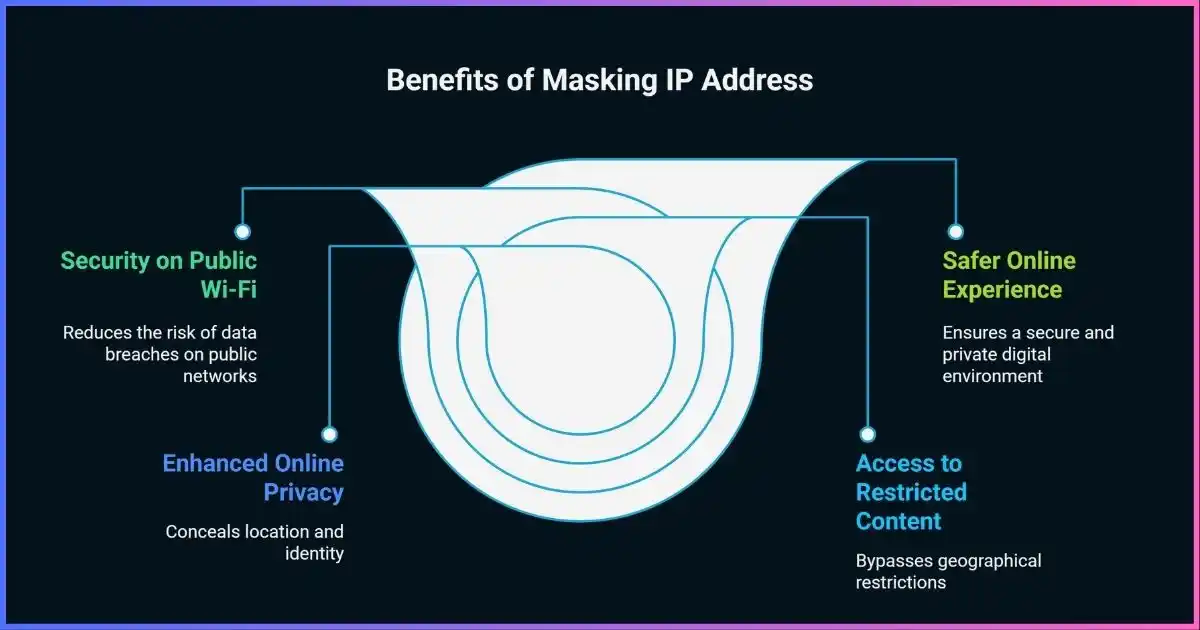
Table of contents
Start with the modelWhat Does “Mask Your IP Address” Mean?
Your public IP address is the network address that an internet service sees as the source of a connection. At home, several devices commonly share one IPv4 address through network address translation (NAT). Mobile carriers and some fixed providers may place many customers behind carrier-grade NAT. IPv6 can give devices globally routable addresses, although privacy extensions can rotate the interface identifier.
To mask an IP, your traffic must reach the destination through another system. The destination sees the VPN server, proxy or Tor exit address. That intermediary still receives the connection from your real network, so privacy is transferred, not magically created.
Masking or relaying
A usable two-way connection passes through an intermediary. This is what VPNs, forward proxies and Tor do.
Changing your IP
Reconnecting, switching networks or asking an ISP for a new address may change the public IP but does not add encryption.
Source-IP spoofing
Forging packet source fields usually cannot support normal two-way web sessions because replies go to the forged address. It is not a consumer privacy technique.
Private browsing
Incognito mode limits local browser history and session persistence. It does not replace the public IP visible to sites, the network or the ISP.
Accurate expectationsWhat Your IP Address Can—and Cannot—Reveal
A website necessarily receives an IP address to return data. From it, the site can usually infer an internet provider or autonomous system, address family, reputation history and an approximate region. Accuracy varies by database, network type and allocation changes. An IP is not inherently bound to a person or exact physical point.
| Signal | What it may show | Important limit |
|---|---|---|
| Country or broad region | Often inferable | VPNs, mobile networks, corporate gateways and stale databases can shift results. |
| City or postal area | Sometimes estimated | It may identify an ISP routing location rather than the user’s city. |
| ISP / network owner | Usually inferable | The registered owner may be a carrier, cloud host, business or privacy service. |
| Exact street address | Not supplied by IP itself | An ISP may map an assigned address and time to an account under applicable legal process. |
| Person’s name | Not supplied by IP itself | Accounts, data brokers, subpoenas or first-party records can connect other data to it. |
| Browsing history | Not encoded in the address | A network observer, ISP, DNS resolver or site can log activity separately. |
The safest language is “reduces IP-based exposure,” not “makes you invisible.” Even IP geolocation vendors warn that results are not precise enough to identify a household, individual or street address.
The practical caseTop Reasons to Hide or Mask Your IP Address
1. Reduce location and ISP exposure
Sites see the exit network’s IP and inferred region instead of the address assigned to your home, office or mobile carrier.
2. Weaken one tracking signal
A stable household IP can help correlate sessions. Replacing it removes that signal, though cookies, logins and fingerprints remain.
3. Shift trust away from the ISP
An encrypted VPN tunnel can conceal destination IPs and ordinary DNS requests from the access network, moving visibility to the VPN.
4. Protect traffic on untrusted networks
A VPN adds encrypted coverage for routed traffic and DNS, especially useful for apps whose own protection is uncertain.
5. Reduce direct peer exposure
Peers in P2P, voice or game sessions may receive the VPN exit instead of your home IP, reducing direct targeting of the subscriber address.
6. Change IP-based region
A location-selectable exit can alter regional results, localized pages and availability checks, subject to service rules and law.
7. Reach information across blocks
Where lawful and safe, circumvention tools may route around IP- or network-level filtering. Obfuscation may be needed where VPNs are blocked.
8. Test and work from another network
Developers, advertisers, security teams and remote workers can verify regional behavior or enter an approved company network.
Reasons 1 and 2Privacy: Reduce IP-Based Profiling and Correlation
A home public IP can remain stable for days or months, making it a useful household-level correlation signal. Masking it can prevent unrelated destinations from seeing the same subscriber-network address, and a shared exit can make one user less distinct at the IP layer.
That is only one layer. Ad technology and fraud systems can combine first-party identifiers, cookies, account IDs, browser and TLS characteristics, time zone, language, screen size, behavioral patterns and device signals. Signing in immediately identifies the account even if the IP is masked.
The identity-signal stack
IP masking changes the network layer. The other layers need separate controls.
Reasons 3 and 5Security: Reduce Direct Exposure Without Overclaiming
Masking can reduce the parties that learn a subscriber’s direct public address. In applications that expose peer addresses, an attacker may otherwise use it for nuisance denial-of-service traffic, network reputation checks or rough location inference. A VPN makes its server the visible endpoint for routed peer traffic.
It does not make an insecure device secure. NAT and stateful firewalls already block many unsolicited inbound connections. Masking does not patch vulnerable software, stop phishing, remove malware, secure weak passwords or prevent account takeover.
Helps with
- Hiding the subscriber IP from destinations and peers
- Reducing direct IP targeting in supported apps
- Encrypting traffic on the device-to-VPN leg
- Separating remote devices from approved private networks
Does not replace
- System and application updates
- A firewall and secure router configuration
- MFA and unique passwords
- Anti-malware, backups and phishing awareness
Reason 4Public Wi-Fi: Useful Protection, Modern Context
The old claim that every café hotspot lets anyone read every password is outdated. Widespread HTTPS encrypts browser traffic between the browser and the legitimate site, and the US Federal Trade Commission’s public Wi-Fi guidance says public networks are usually safe today because most websites use encryption.
A VPN still provides meaningful defense in depth. It encrypts routed traffic from the device to the VPN gateway, can carry DNS through the tunnel and reduces what the hotspot operator can learn about destination IPs. This is useful for legacy apps, uncertain protocols, managed work requirements or a network you do not trust.
Reason 6Change IP-Based Location and Regional Results
Search engines, news sites, e-commerce systems, content platforms and fraud controls commonly use IP geolocation. Connecting through an exit in another country can change the region those systems infer, useful while traveling, checking localized sites or accessing services that remain available to you from home.
It is not guaranteed. Services may rely on account country, payment method, GPS, SIM country, cookies or device settings and may block known datacenter or shared VPN addresses. Access can also be governed by licensing terms, workplace rules and local law.
| Use case | Can a different exit help? | What else may control the result? |
|---|---|---|
| Localized search or news | Often | Language, account history, browser location and personalization |
| Home subscription while traveling | Sometimes | Terms, home-location rules, account country and VPN detection |
| Shopping or price research | Sometimes | Currency, delivery address, tax, cookies and payment method |
| Online banking | May cause friction | Unexpected countries or shared exits can trigger verification |
| GPS-based mobile service | Usually insufficient | Precise location permission, SIM, nearby networks and device integrity |
For travel-specific considerations, see our best VPNs for travel guide. For media access, compare the best VPNs for streaming rather than assuming every exit works.
Reasons 7 and 8Censorship Circumvention, Research and Remote Access
A VPN, proxy or Tor can route around some IP-, DNS- or network-level restrictions. This can help people reach independent information, communicate during filtering, or test what a service looks like from another region. Businesses also use remote-access VPNs to place authenticated devices on approved internal routes; that differs from changing a public IP with a consumer service.
Current evidence supports discussing this need without inventing a universal “percentage of the internet blocked.” Freedom House’s Freedom on the Net 2025 assessment covered 72 countries: 27 deteriorated, 17 improved and 28 had no net score change. It is a selected country assessment, not a population-weighted measure of every country.
Freedom on the Net 2025: direction of score change
Countries assessed by Freedom House; unchanged is calculated as the remainder of 72.
- Deteriorated27 · 37.5%
- Improved17 · 23.6%
- No net change28 · 38.9%
The essential caveatWhat Masking Your IP Address Does Not Hide
Privacy coverage by control
Qualitative scope—not a performance score. “Strong” means the control directly addresses that layer when configured correctly.
- Your account: signing into email, social media, shopping or work identifies that account.
- Cookies and storage: persistent identifiers can reconnect sessions before and after an IP change.
- Browser fingerprint: configuration and device characteristics can create a probabilistic identifier.
- Precise location: GPS, Wi-Fi positioning, Bluetooth beacons and mobile permissions are separate from IP geolocation.
- Traffic contents: a plain proxy may change an IP without encrypting the client-to-proxy connection. HTTPS still matters.
- The intermediary: a VPN or proxy can see the source connection and may see metadata. Its policy and architecture matter.
- Leaks and bypasses: excluded apps, failed tunnels, IPv6, DNS or peer-to-peer APIs may take a different path.
You are changing who must be trusted
Without an intermediary, the access provider sees your source connection and destinations to varying degrees, while each destination sees your public IP. With a VPN, the access provider sees an encrypted VPN connection, the VPN receives your source IP and routes traffic, and destinations see the VPN exit. Judge no-logs claims by exact fields, independent assurance, design and legal history; read our guide to VPN logging policies.
Choose the right toolVPN vs Proxy vs Tor vs Changing Networks
| Method | Replaces public IP? | Encrypted first hop? | Typical scope | Best suited to |
|---|---|---|---|---|
| VPN | Yes, for routed traffic | Yes | Device or selected apps/routes | Everyday privacy, public networks, travel and remote access |
| HTTP/SOCKS proxy | Yes, for configured traffic | Depends on transport | App, browser or request | Granular routing, testing and authorized automation |
| Tor Browser | Yes, at Tor exit | To and within Tor | Tor Browser traffic | Stronger browsing anonymity and censorship resistance |
| Other network | Usually | No added tunnel | Connected device | Obtaining a different provider-assigned address |
| Reconnect / new lease | Maybe | No | Network connection | Refreshing a dynamic address if the ISP assigns another |
VPN: best general-purpose balance
A reputable VPN is usually simplest when several apps need coverage, you want an encrypted first hop and need selectable exits. Confirm IPv6 and DNS handling, kill-switch behavior, platform support and logging. Read how VPNs work for the full data path.
Proxy: useful for one application
A proxy can be efficient when only a browser, scraper or other supported app should use the alternate address. HTTP and SOCKS describe interfaces; residential, mobile and datacenter describe exit source. They do not guarantee encryption or privacy. See types of proxy servers and when to use a proxy instead of a VPN.
Tor Browser: designed for anonymity
Tor Browser routes browsing across multiple relays and includes anti-fingerprinting work that an ordinary VPN does not. It can be slower, shared exits may face challenges, and identifying logins remain identifying. Tor protects only properly configured traffic; do not torrent over Tor.
Want an encrypted tunnel with location choice?
Compare device support, kill-switch behavior, DNS/IPv6 coverage, audited logging claims and refund terms—not just server count.
Threat model firstHow to Choose the Safest IP-Masking Method
- Name who you are hiding the IP from.A website, peer, Wi-Fi operator, ISP, employer or targeted adversary sees a different part of the path.
- Define which traffic needs coverage.Browser-only protection differs from device-wide routing. Check helpers, IPv4, IPv6 and DNS.
- Decide whether first-hop encryption matters.For public Wi-Fi or ISP privacy, changing the exit without an encrypted first hop is insufficient.
- Evaluate the new operator.Look for a precise privacy policy, recent independent assurance, responsible ownership, secure protocols and account-data minimization.
- Plan for failure.Use a kill switch or always-on blocking where appropriate and understand split-tunnel exceptions.
- Measure the real workflow.Check IP and DNS behavior before and after connection, during network changes and after a forced interruption.
| If your goal is… | Start with | Also do |
|---|---|---|
| Everyday privacy across apps | Reputable device-wide VPN | Tracker controls, secure accounts, leak tests and kill switch |
| One browser or automation workflow | Authenticated proxy or isolated VPN profile | Confirm DNS route, encryption, sourcing and authorization |
| Higher-anonymity browsing | Tor Browser | Follow Tor guidance; avoid personal logins and extra extensions |
| Remote company access | Managed VPN or zero-trust access | Use MFA, endpoint controls and approved routes |
| Travel on untrusted Wi-Fi | Auto-connecting VPN | Verify HTTPS, network name and certificates |
| Restrictive region | Vetted tool with suitable obfuscation | Assess law and risk; install/test before arrival |
Verify, don’t assumeHow to Check Whether Your IP Is Actually Masked
- Record a disconnected baseline.Note visible IPv4 and IPv6, provider/ASN and DNS resolvers. An inaccurate city is not proof of privacy.
- Connect and repeat.Visible addresses should change to the intended exit. Verify country and network ownership, not just the city label.
- Test both address families.An IPv4-only result does not prove IPv6 is protected. Confirm the tunnel handles or safely blocks it.
- Check DNS by path and intent.Unexpected ISP resolvers can indicate a leak. A third-party resolver is not a leak if reached through the tunnel by design.
- Check the actual app.Split tunneling, extensions and per-app proxies can differ. Test the browser, P2P client or work app you use.
- Test failure and transitions.Interrupt the tunnel, sleep/wake and switch networks. Confirm traffic blocks or reconnects as intended.
For a deeper workflow, use the DNS leak prevention guide and confirm how your VPN kill switch behaves.
Know the tradeoffsDownsides and Common Mistakes
CAPTCHAs and blocks
Shared or abused exits can have poor reputation. Banking and sensitive services may request verification after a location change.
Latency and throughput
An extra route can add overhead. Results depend on distance, peering, congestion, protocol, CPU and server load—not a universal percentage.
Free-tool data risk
Running relays costs money. A free provider may monetize ads, telemetry or data, impose limits or lack accountability. Inspect the funding model and read whether free VPNs are safe.
False anonymity
Reusing personal accounts, accepting trackers, revealing identity in forms or mixing sensitive and ordinary activity defeats many benefits.
Evidence, not marketingKey IP Masking Data and Research Context
There is no credible universal percentage for how much privacy an IP change adds, how many people “need” a VPN, or how often masking defeats tracking. The measurable facts are narrower: an intermediary substitutes its exit IP for routed traffic; IP geolocation is approximate; identity systems use many non-IP signals; and circumvention tools themselves face blocking.
| Evidence point | Current finding | Correct interpretation |
|---|---|---|
| Freedom on the Net 2025 | 72 countries assessed | A selected global assessment covering most internet users—not every country equally. |
| Direction of change | 27 deteriorated, 17 improved, 28 unchanged | Country counts, not shares of the world population. |
| Public Wi-Fi | Most web traffic now uses HTTPS | A VPN adds first-hop coverage but does not make phishing or fake portals safe. |
| IP geolocation | Estimate, not GPS | Country/network inference is generally stronger than city or household precision. |
| Tracking resistance | IP is one signal | Cookies, accounts, fingerprints, device IDs and behavior need separate controls. |
Common questionsIP Masking FAQ
Is it legal to hide your IP address?
VPN, proxy and Tor use is legal in many places, but rules vary and some jurisdictions restrict particular tools. Masking does not make unlawful activity lawful or override terms. Check current local requirements.
Does a VPN completely hide my IP?
It replaces the source IP visible to destinations for traffic routed through it. The VPN receives the connection from your real network, bypassed apps may expose it, and other identifiers remain.
Can someone find my exact address from my IP?
IP geolocation normally estimates a broad area and network, not a street address or name. An ISP can maintain assignment records linking an IP and time to an account.
Does incognito mode hide my IP?
No. Private browsing limits local history, cookies and storage retained after the session. Sites and network operators still receive the public IP.
Can restarting my router change my IP?
Sometimes, depending on the ISP’s lease policy. The same address may return. Even if it changes, restarting adds no encryption.
Does a proxy hide an IP as well as a VPN?
Both can replace the source address for configured traffic. A VPN usually covers more device traffic and encrypts the first hop. A proxy may cover only one app and may not use encrypted transport.
Does masking stop ads and tracking?
It removes one correlation signal and can reduce location targeting, but it does not erase cookies, advertising IDs, account history or fingerprints.
Can a hidden IP prevent hacking?
It can reduce direct subscriber-address exposure but does not fix vulnerable software, phishing, malicious downloads or stolen credentials.
Is Tor better than a VPN for anonymity?
Tor Browser uses multiple relays and browser fingerprinting defenses. A VPN is generally faster and covers more apps but concentrates trust in one provider. Choose by threat model.
Why does a website still know my location?
It may have browser/app location permission, an account address, old cookies, GPS, Wi-Fi positioning, SIM or payment-region data.
Bottom Line
Masking your IP solves a specific network-layer problem: it substitutes the public address visible beyond an intermediary. A VPN can also encrypt the first hop and cover many apps; a proxy offers narrower routing; Tor Browser adds anonymity-oriented browser design.
Choose by who you need protection from, which traffic must be routed and what operator you will trust. Then verify IPv4, IPv6, DNS, app routing and failure behavior. Treat IP masking as one privacy layer—not an invisibility cloak.
Disclosure: This article contains affiliate links. If you purchase through one, we may earn a commission at no extra cost to you. Affiliate relationships do not change the threat-model criteria or technical limitations described here.
Sources & comparison methodology
We reviewed internet standards, browser and peer-connection documentation, consumer-security guidance, IP-geolocation limitations, Tor safety documentation and current internet-freedom research. We separated verified network behavior from marketing claims and removed unsupported adoption, breach, tracking and performance percentages.
- IP and routing: IETF IPv4/IPv6 architecture and BCP 38 source-address filtering; Cloudflare IP-geolocation documentation; MaxMind accuracy guidance.
- Wi-Fi: US Federal Trade Commission guidance on public Wi-Fi and HTTPS.
- Browser privacy: Mozilla Developer Network documentation for WebRTC ICE, STUN, TURN and candidates.
- Anonymity: Tor Project documentation on IP hiding, fingerprint resistance, exit limitations and safe use.
- Censorship data: Freedom House, Freedom on the Net 2025. “No net change” is 72 minus 27 deteriorations and 17 improvements; percentages are rounded to one decimal.
- Method: tools are evaluated by exit IP, first-hop encryption, scope, DNS/IPv6 behavior, failure handling, operator trust and identity-layer limits. Qualitative bars illustrate scope, not measured scores.
Research cut-off: September 25, 2026. Product behavior, local law and access policies can change; verify them for your device, location and service.